
The Add up cleaning types function controls how tasks with the same cleaning type are displayed and optionally combined in Invoicing.
By using this function, you can choose whether tasks should be shown individually or grouped together to create a more structured and clear invoicing overview.
You can choose between three settings:
- Don’t add
- Add per day
- Add all
INFO:
Supervisors can only view customers, if these customers are within the supervisor's assigned customer areas. For more information regarding this, go to Company Structure.
This is how you use the filter
 Set up the view. For more information about this, go to Sort view in Invoicing.
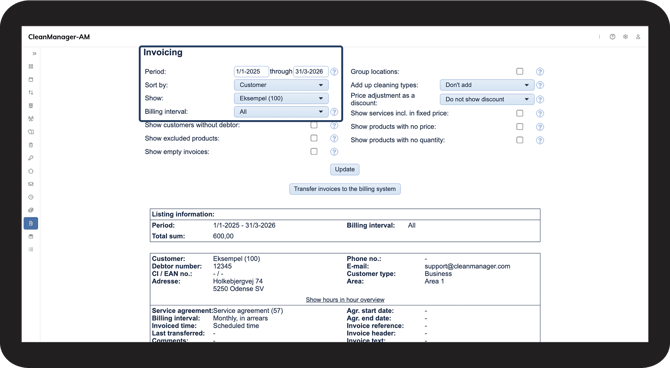
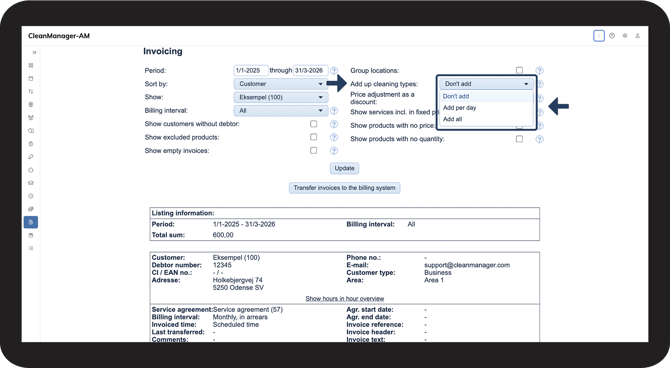
 Find the Add up cleaning types setting in the filters and choose between the three options from the dropdown menu.
NOTE:
Tasks can only be added together if the price, unit and cleaning type are identical.
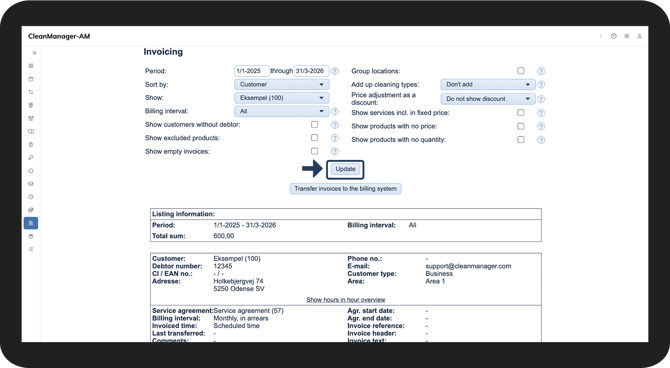
 Click Update to display Invoicing based on the selected criteria.
Don’t add cleaning types
All tasks are displayed individually on separate lines, each showing the task date.
This provides a detailed overview and is typically used when:
- the customer requires detailed documentation
- internal control is needed
Example: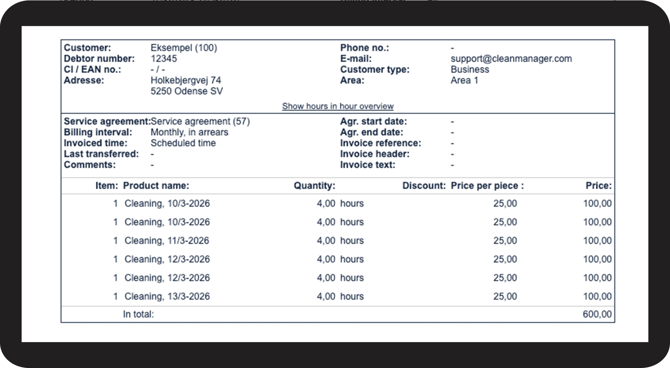
Add cleaning types per day
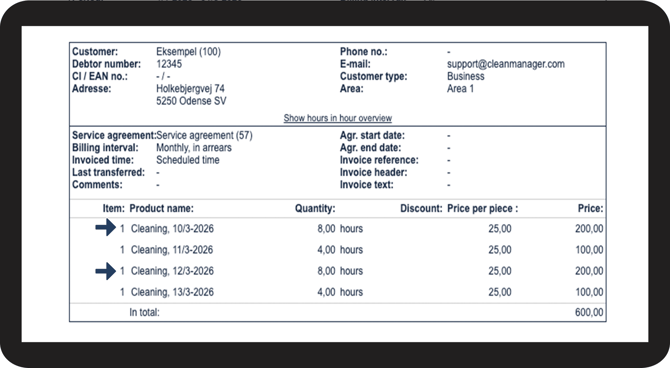
Tasks with the same cleaning type, price, and date are combined into a single line. This is used when you want to group tasks performed on the same day while still maintaining a clear overview of each visit.
It is useful when:
- The customer wants one line per visit/day, instead of multiple lines for the same day
- Multiple employees perform separate tasks on the same day, but the customer should see it as one combined service
- There are many small tasks during the same day, and you want to avoid too many lines on the invoice
| EXAMPLE: The two cleaning tasks on the same day are combined, so it now shows 8 hours instead of two separate tasks of 4 hours. If tasks occur on different days, they will be shown on separate lines per day. |
Add all cleaning types
All tasks with the same cleaning type in the selected period are added together into one line, regardless of date. This provides the most compact invoicing overview.
This is useful when:
- A short and clear invoice is preferred
- The customer only needs totals per cleaning type
- Many identical tasks are performed in the period
Example: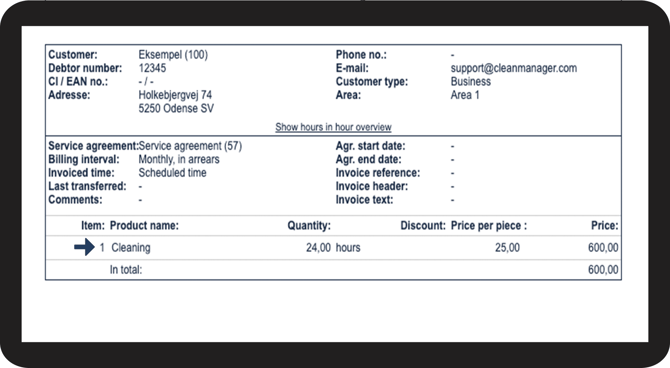
Note:
Rounding adjustments in Invoicing may be displayed differently depending on how rounding is set up in the general settings and how Add up cleaning types is applied. As a result, rounding adjustments may appear differently in the invoicing basis depending on the selected setup.
For more information regarding this, go to:
Rounding in invoicing.
Continue to the user guide: Show price adjustment as a discount.
Here you can read more about how to show price adjustment as a discount in Invoicing.