Option to select VAT rate and display prices including VAT
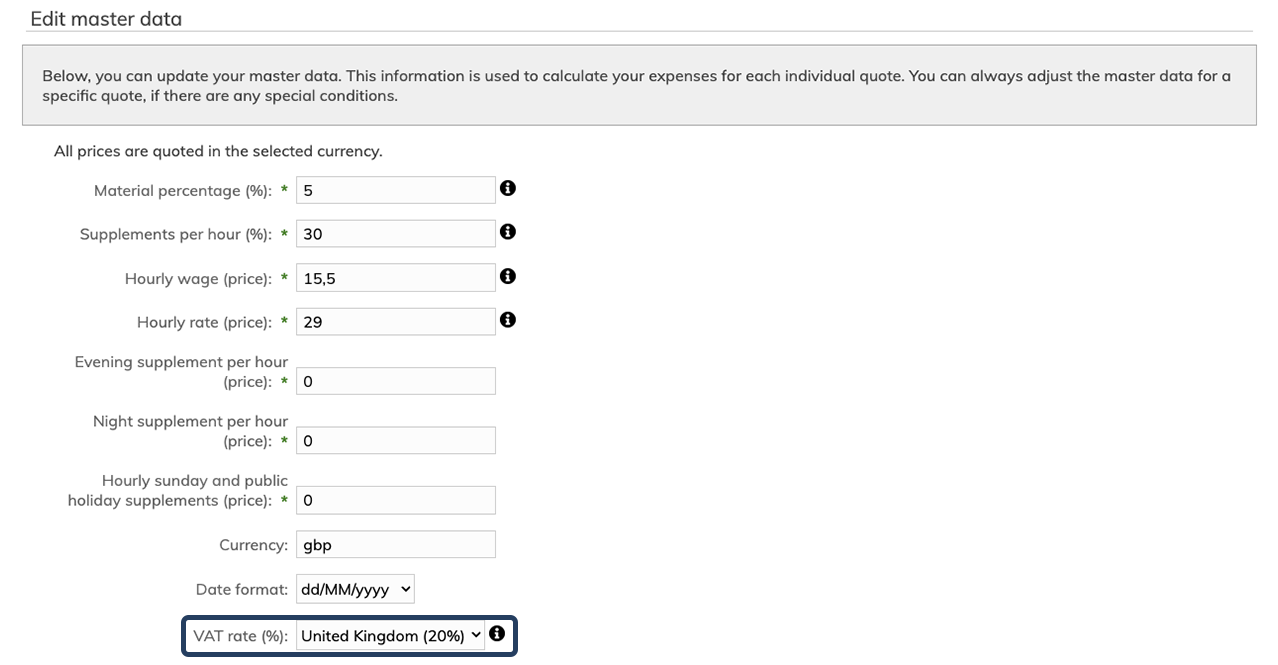
In this update, we have introduced a new VAT rate setting in the master data, allowing you to define how VAT is displayed in the system and on documents.
You can now select country and VAT rate via a dropdown, for example United Kingdom (20%). By default, all subscriptions are set to No VAT (0%). If this setting is kept, there will be no visible changes in the system, as all VAT-related fields will remain hidden. Changes will only take effect if you actively select a VAT rate.
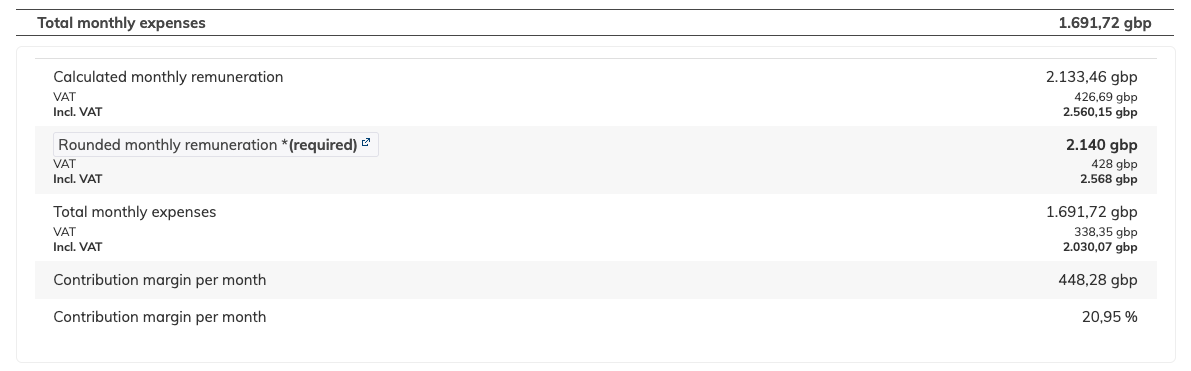
Once a VAT rate is selected, the VAT amount is automatically calculated and displayed in the quote basis, showing:
prices excluding VAT
the VAT amount
prices including VAT
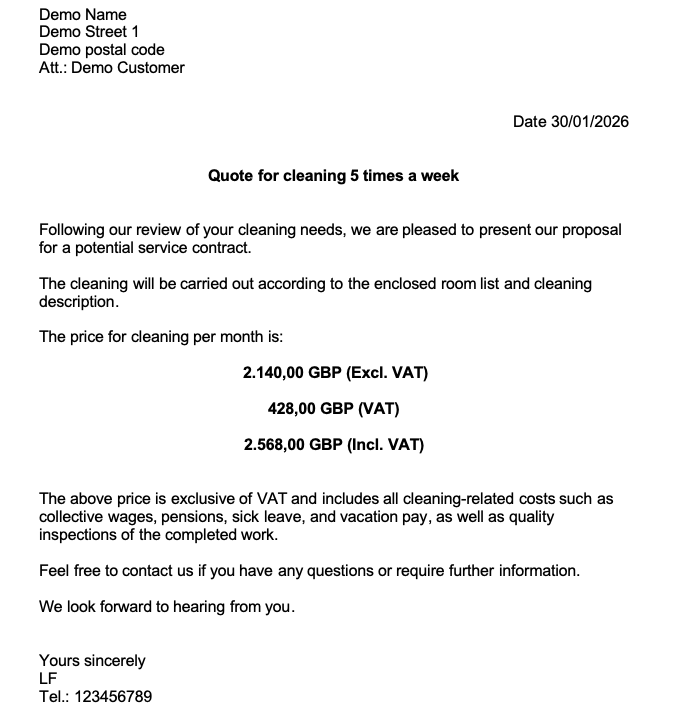
This applies both within the system and in the documents generated from the quote basis. The setting can be configured in the overall master data or directly in the master data for the individual quote basis.
In the documents generated from the quote basis, prices can be displayed with and/or without VAT using different merge codes. An overview of all available merge codes and their descriptions can be found in the Templates menu.
All prices in the system must always be entered excluding VAT. The system handles the calculation and ensures a clear, transparent, and consistent price presentation for both internal users and customers.
What changes should you be aware of