How do I delete NFC tags?
When NFC tags are connected to customers, all their information regarding the tags will be stored in CleanManager.
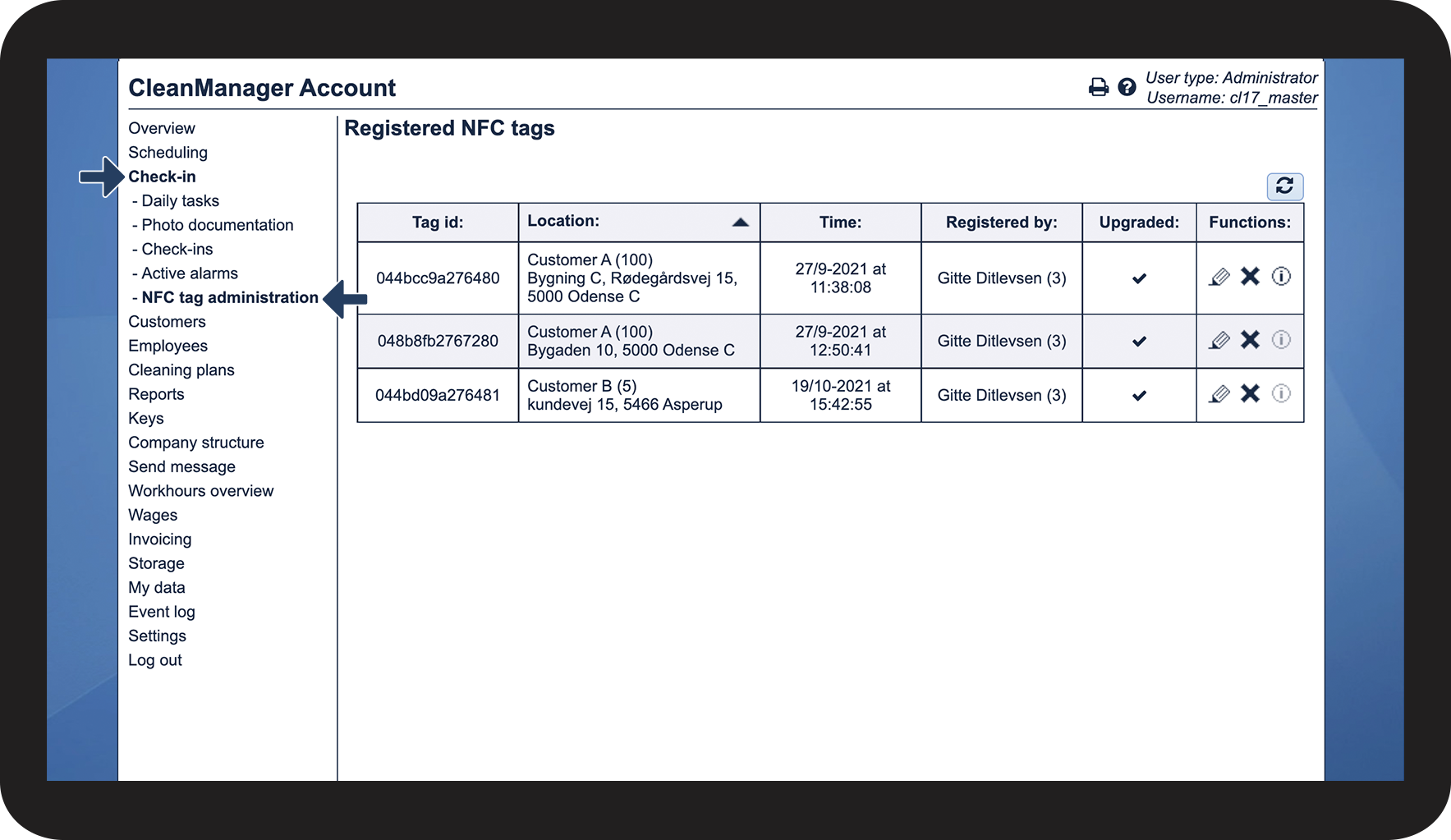
Access your company's CleanManager account as an administrator or supervisor in order to administrate the registered NFC tags.
Note:
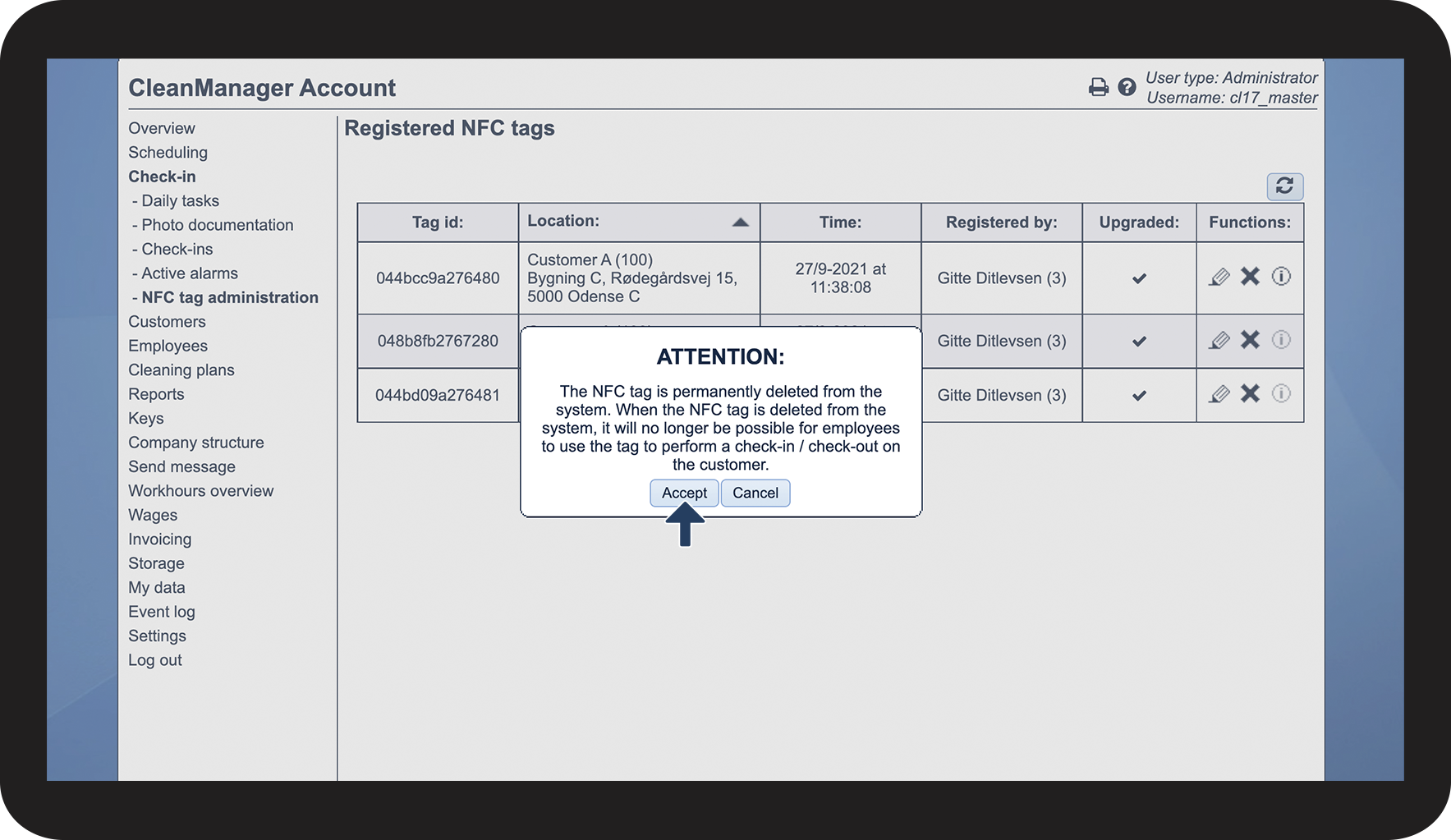
If a NFC tag is being deleted from CleanManager all data of the tag connected to a customer location will be removed.
This means, that if your main office is located in London and you delete a tag connected to a customer in Liverpool you would have to travel to Liverpool to reassign the NFC tag.
The NFC tag can only be accessed if an Administrator or Supervisor travels to the location to physically scan the tag again to re-establish the connection to the customer location.
Deleting NFC tags
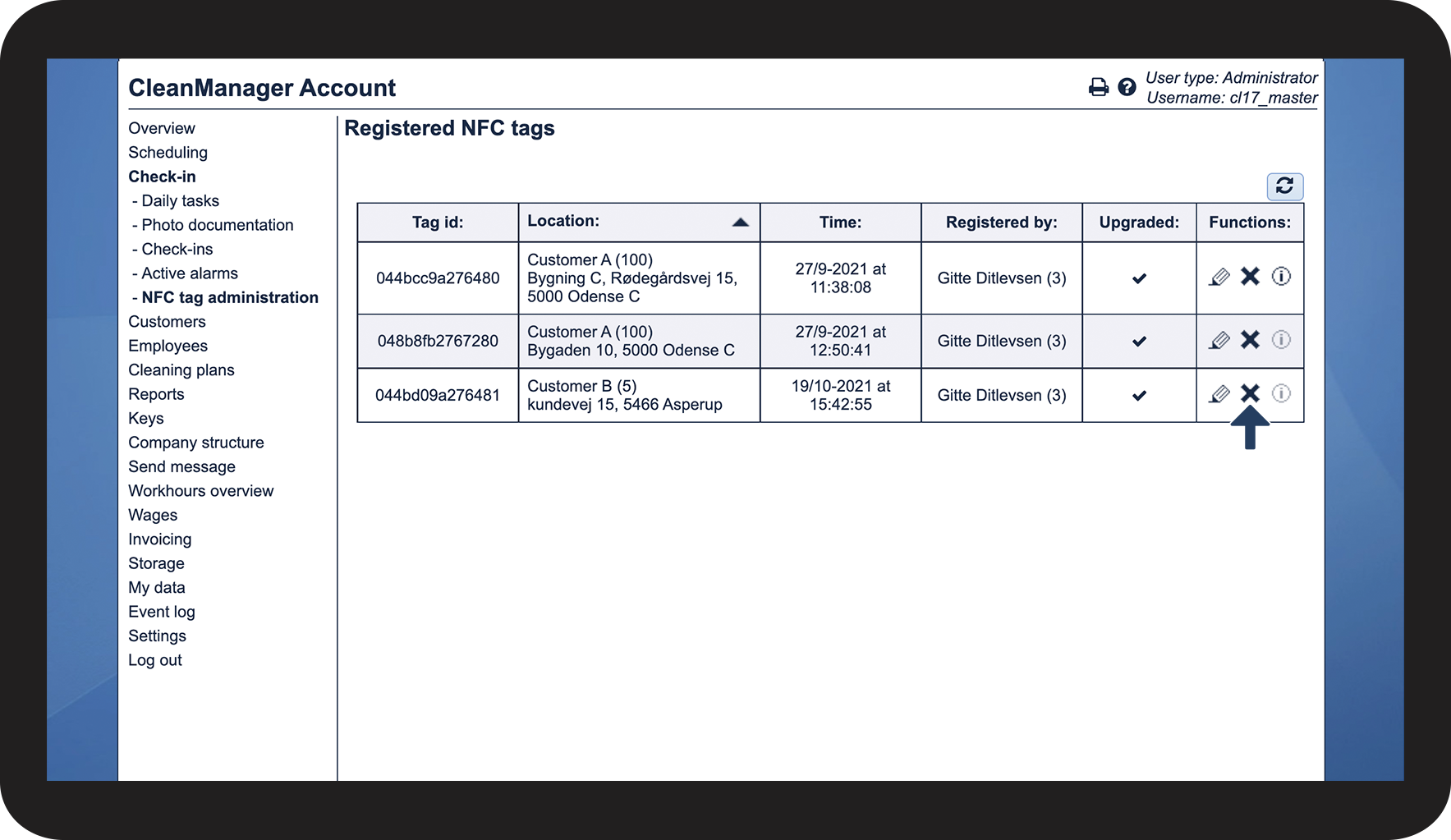
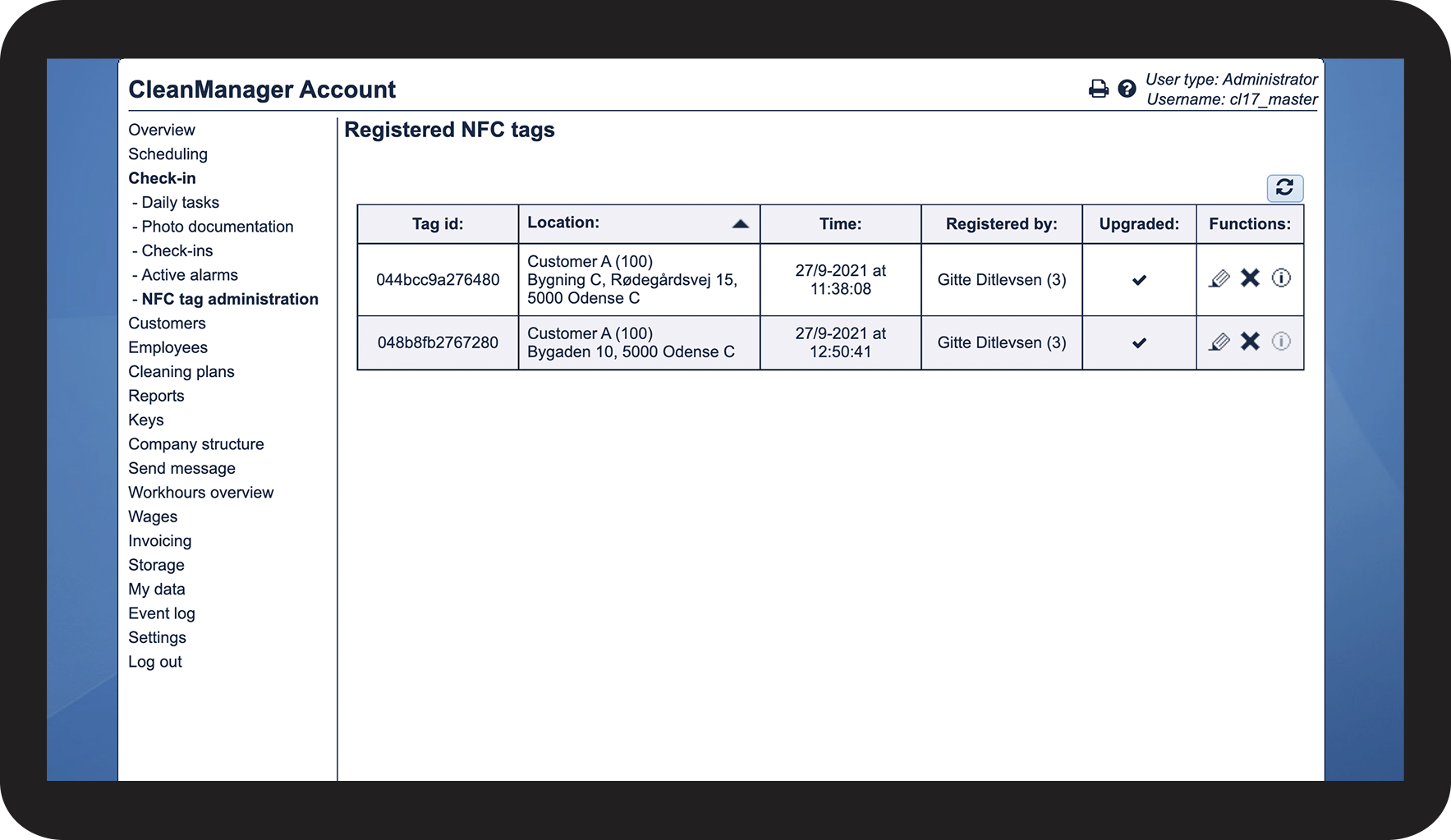
This is how you delete NFC tags in CleanManager