Which version of the app is the latest and how do I see which one I have?
Apps tend to need to be updated from time to time, and not all phones update automatically. Therefore, you might experience doubts about which version of the app you have installed and whether you have the latest version.
This article will help you clarify which version of the CleanManager app you have on your phone and which version is the latest.
Read the article to find out how to see which version of the app you have and which one is the latest:
-
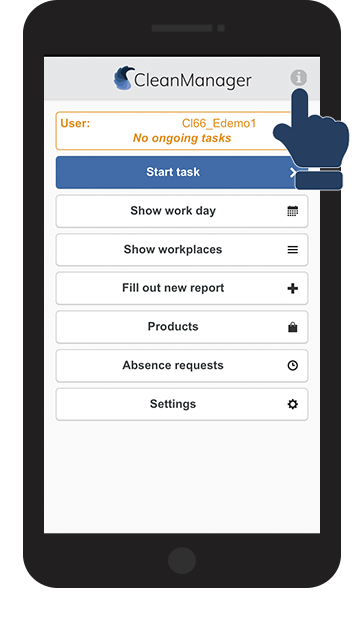
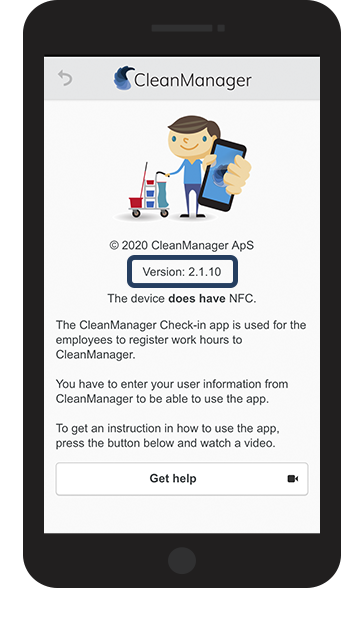
How do I see which version of the app I have installed?
-
How can I find out which version of the app is the latest?
How to see which version of the app you have installed