Skip to content
English
  • There are no suggestions because the search field is empty.

What do I do if I have forgotten my password for CleanCalculator?

How do I reset my password?

We will always send your login details to your e-mail when you are granted access to the system. However, if you cannot find your details, you can always reset your password.


In this article, you will learn how to reset your login code:


How to reset the password on your CleanCalculator account

number_1.png
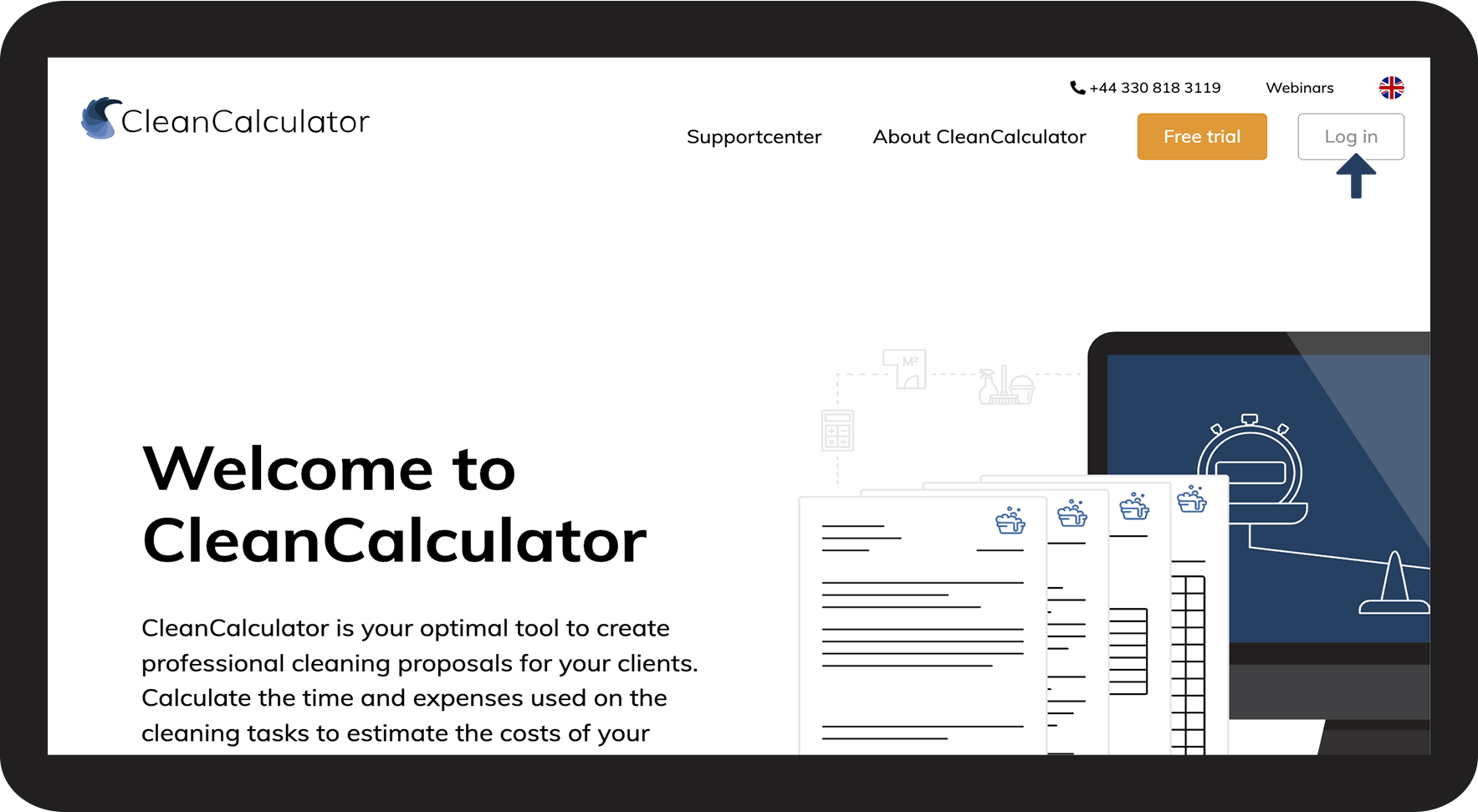
Access CleanCalculator from your browser and click Log in

1.png

number_2.png
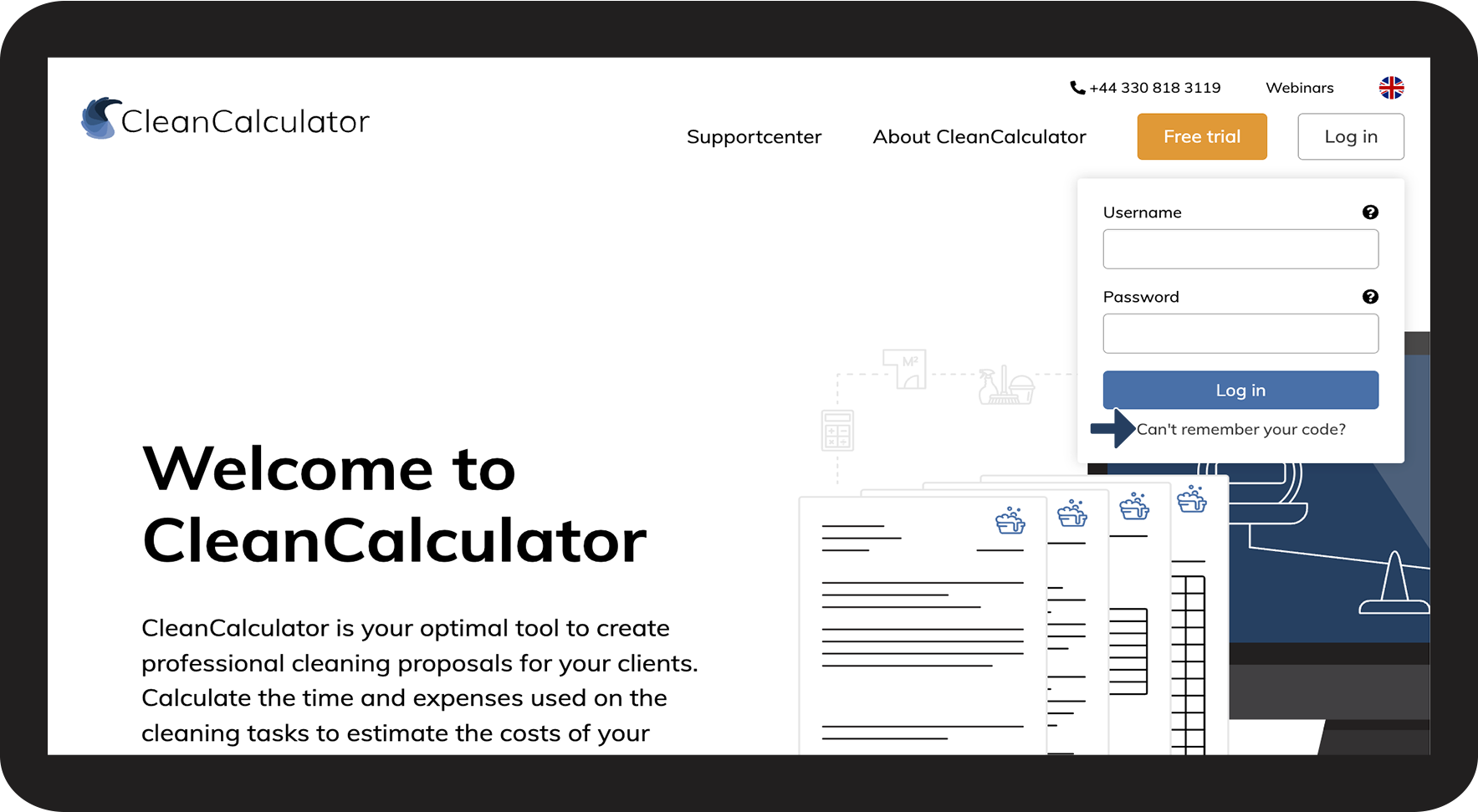
Click Can't remember your code?

2.png

number_3.png
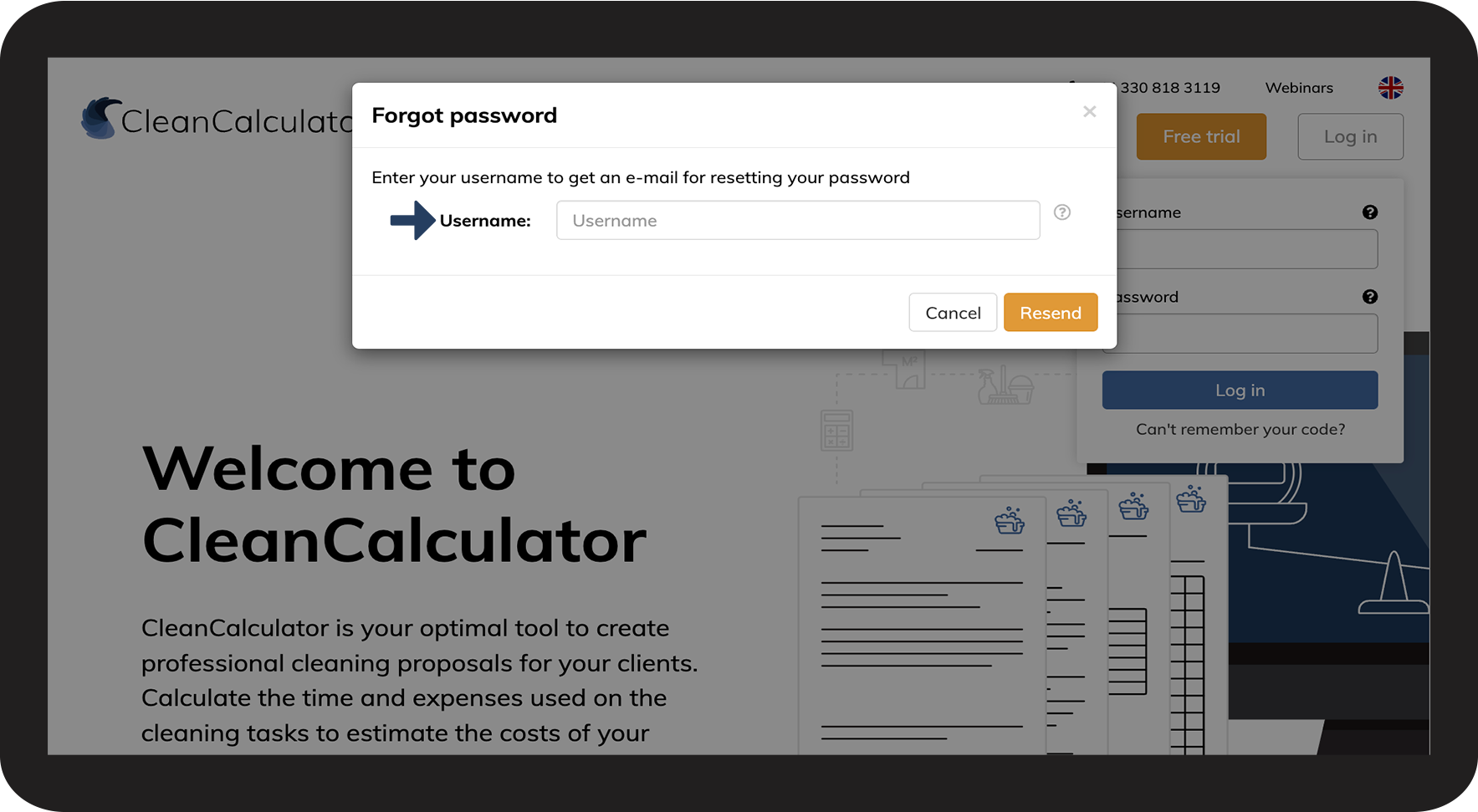
Enter your Username
3.png

number

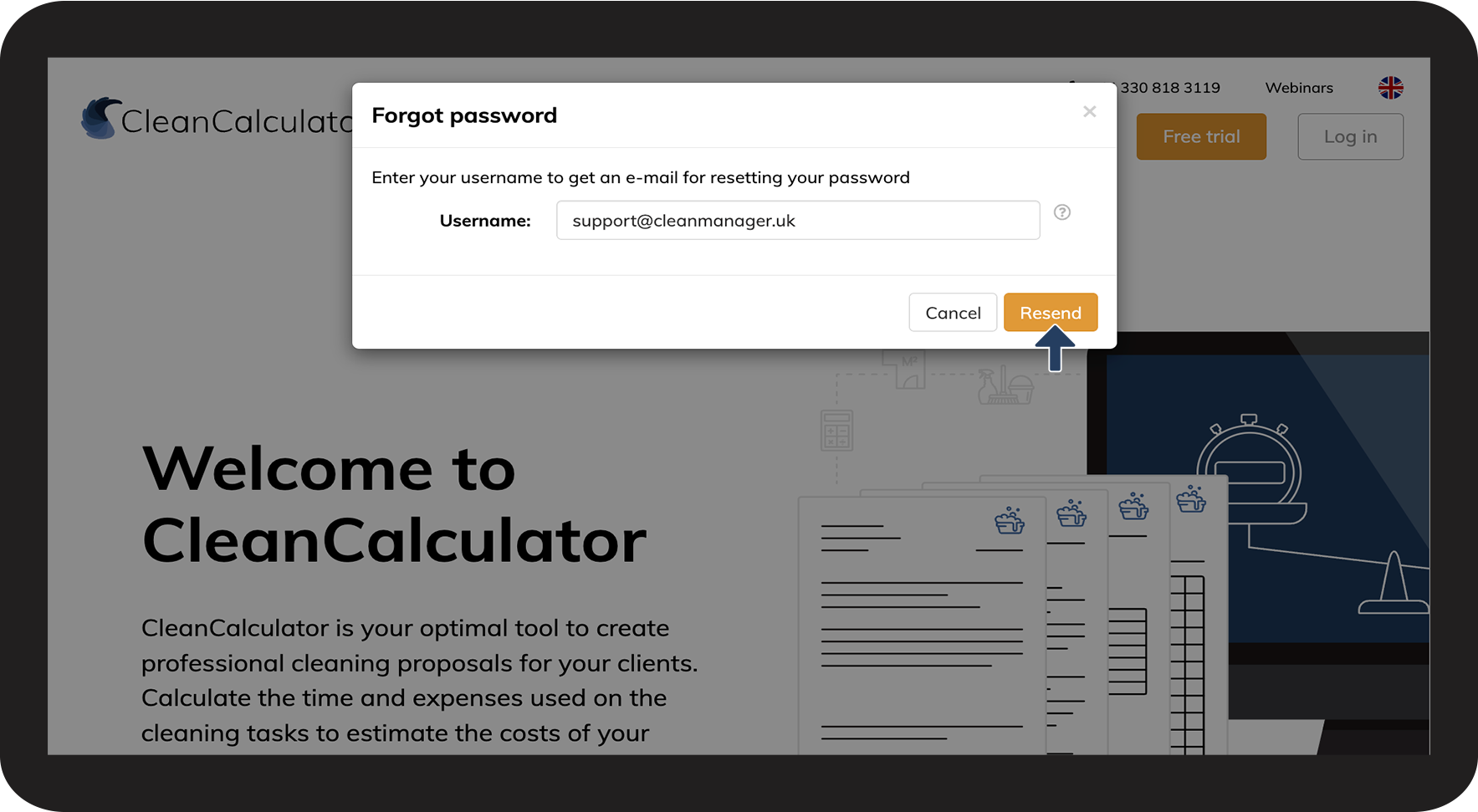
Click Resend to receive an e-mail from which you can reset your code


Talk to a colleague or administrator if you cannot remember your username or the email associated with your user

4.png