
How do I start setting up a weekly schedule?
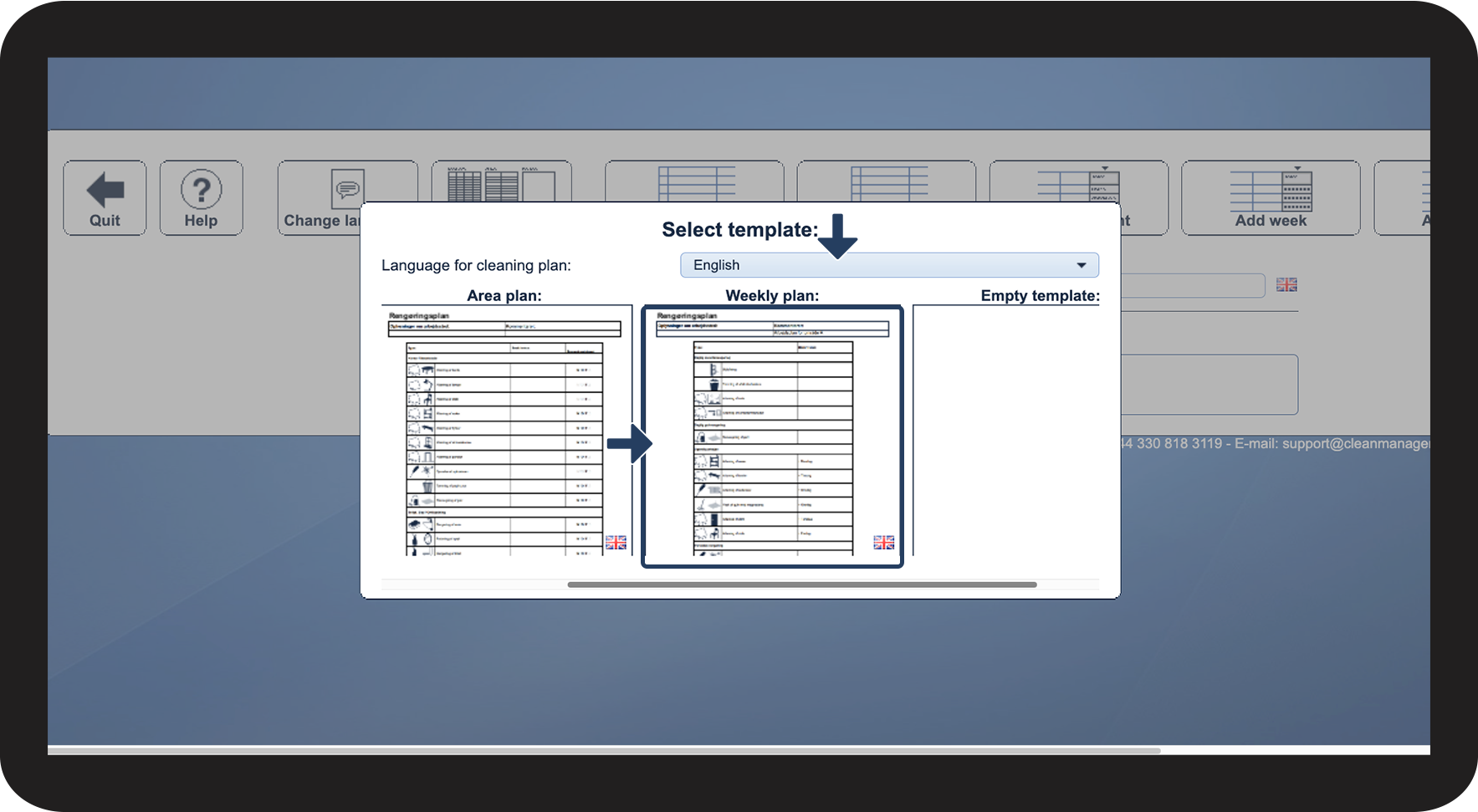
As an Administrator / Supervisor, you have the option to create a cleaning plan using the Weekly plan template.
A Weekly plan is set up in areas. The tasks are divided into what must be handled daily, weekly, and periodically. The weekly schedule, therefore, describes all tasks that must be arranged in an area.
Through this, you have the opportunity to give the employees a little more independence as to when the tasks must be carried out. This can be done if a specific time is not mentioned in the description field for when the task must be carried out.
The weekly plan template will most often be used for smaller customers, as it is an easier plan to use when the customer does not have so many associated premises. This can be, for example, small office environments, small shops, or training centers.
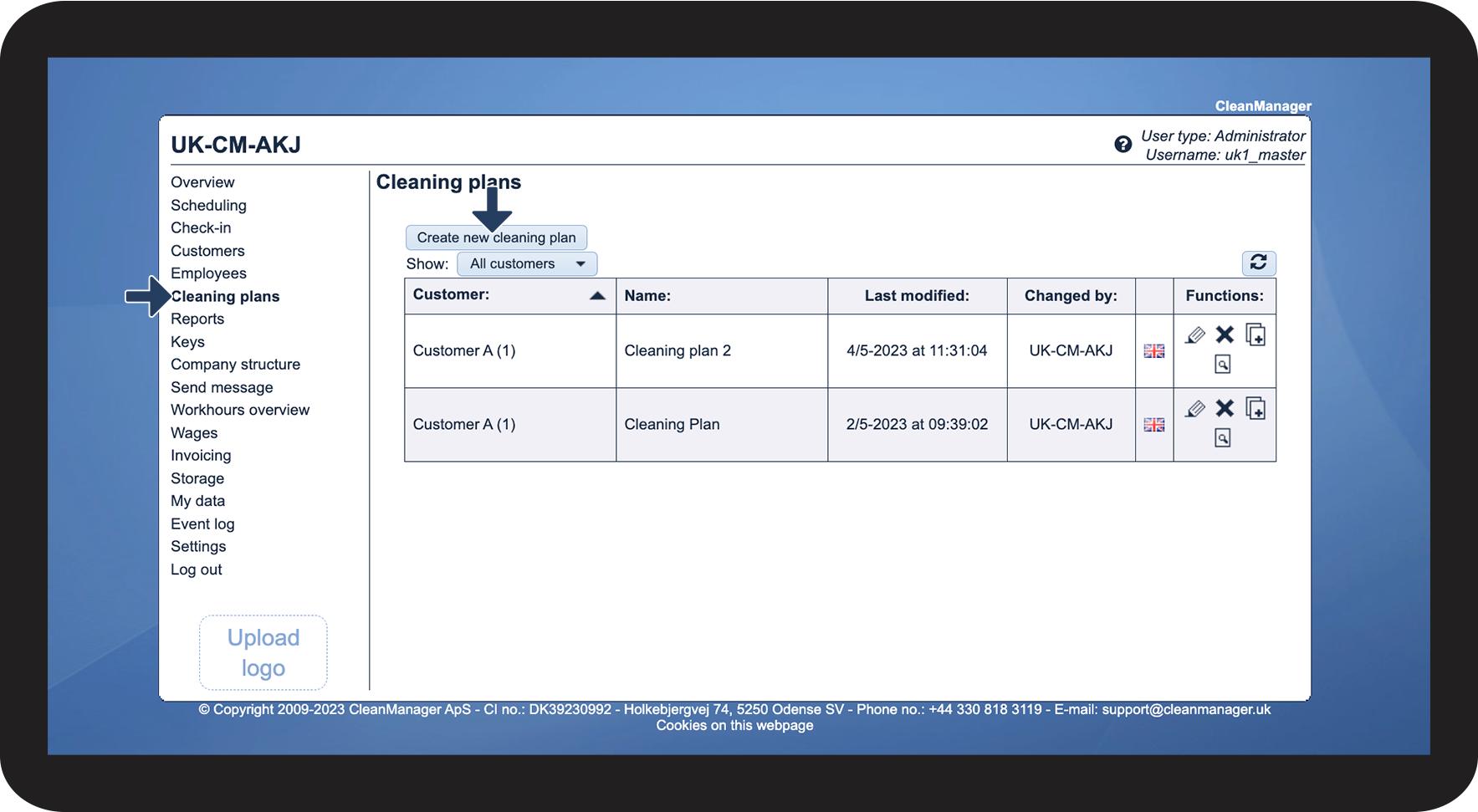
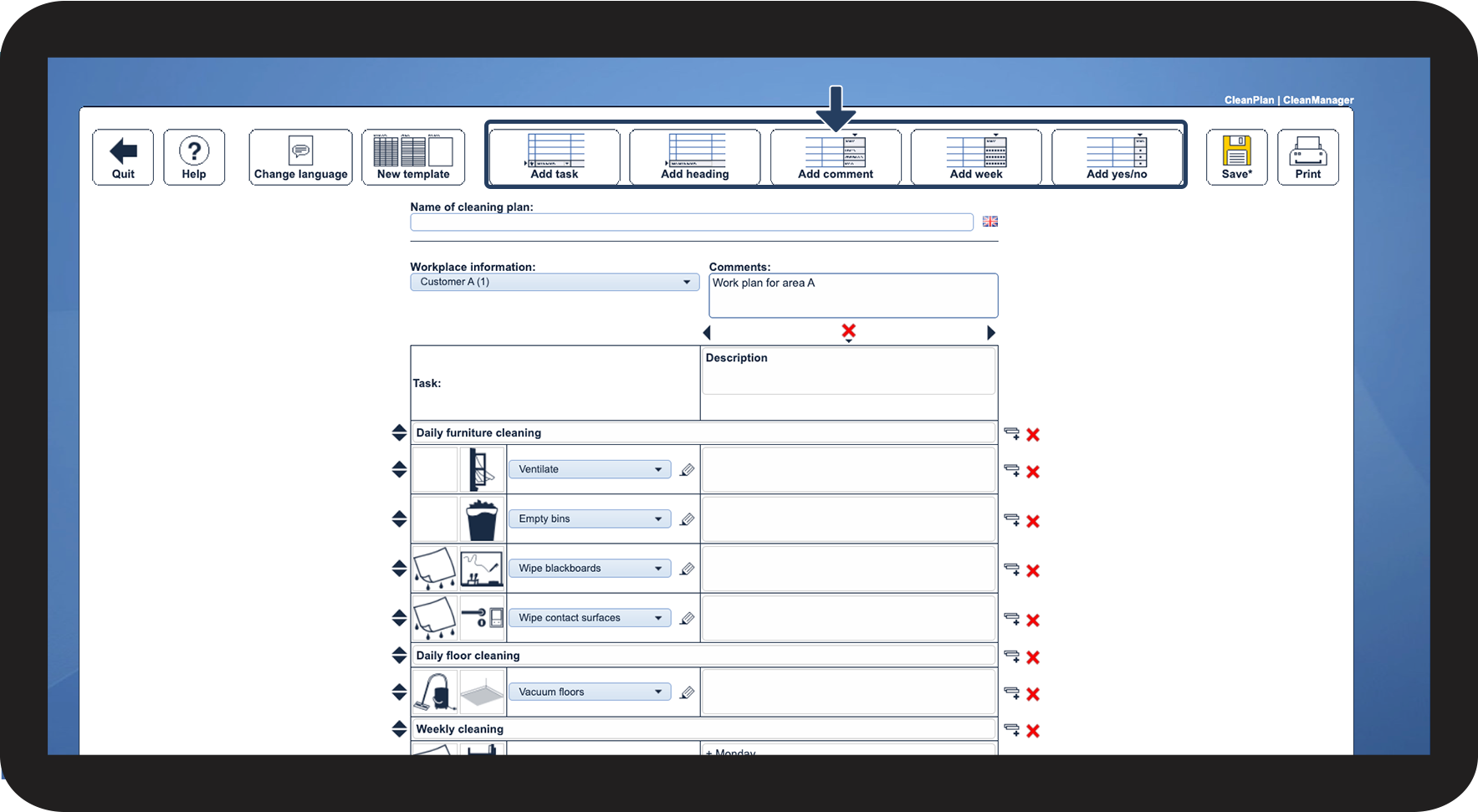
In this article, you will learn how to start setting up a cleaning plan based on the Weekly plan template:
How to start setting up a Weekly plan template



Continue to the article Setup features for cleaning plans
Here, you will learn how to add tasks to your cleaning plan, as well as much more.