Skip to content
English
  • There are no suggestions because the search field is empty.

Viewing employee workplaces

How do I see which customers my employees are associated with?

The administrator and supervisors have access to view which workplace affiliations an employee has. An indirect association with a workplace is created when the employee is allocated to a task for this specific customer.

It is also possible for the administrator and supervisors to create a direct link between a customer and employee. It is this link, either direct or indirect, that allows an employee to see information about a customer, e.g. location and phone number.


In this article, you will learn how to see which locations your employees are assigned to:


This is how you can see which workplaces your employees are associated with

number_1.png
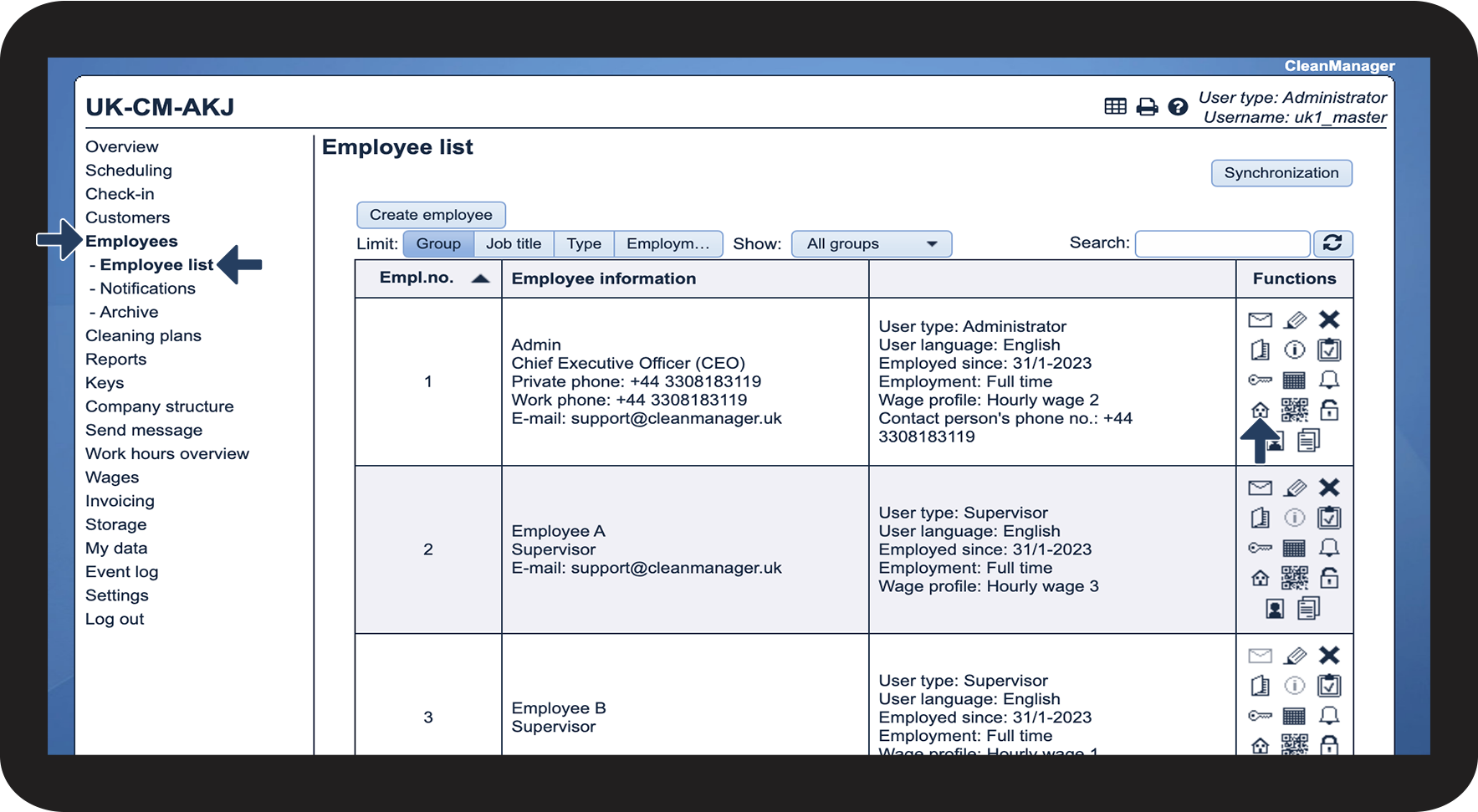
In the menu, go to Employees > Employee list
 
Thereafter, click on Show the employee's workplaces Vis medarbejderens arbejdssteder .png

1.png

number_2.png
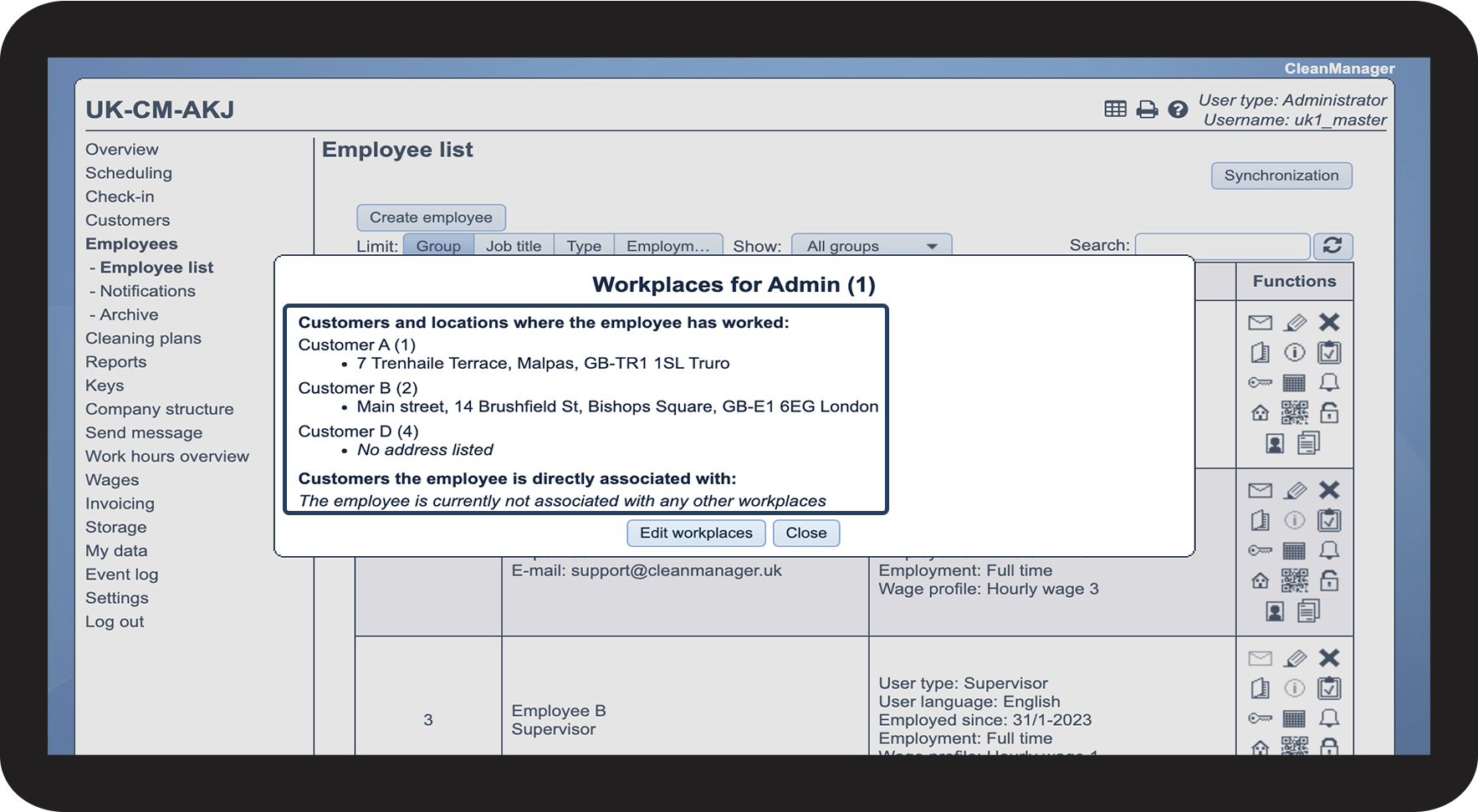
Here, you can see which customers the employee is indirectly and directly assigned to
 

The indirect association happens when an employee is assigned a task for a customer in the calendar.

The direct association can be made and edited here — read more about this in the section How to edit employee workplaces

2.png


This is how you can edit an employee's workplaces
number_1.png

In the menu, go to Employees > Employee list

 
Thereafter, click on Show the employee's workplaces Vis medarbejderens arbejdssteder .png

1.png

number_2.png
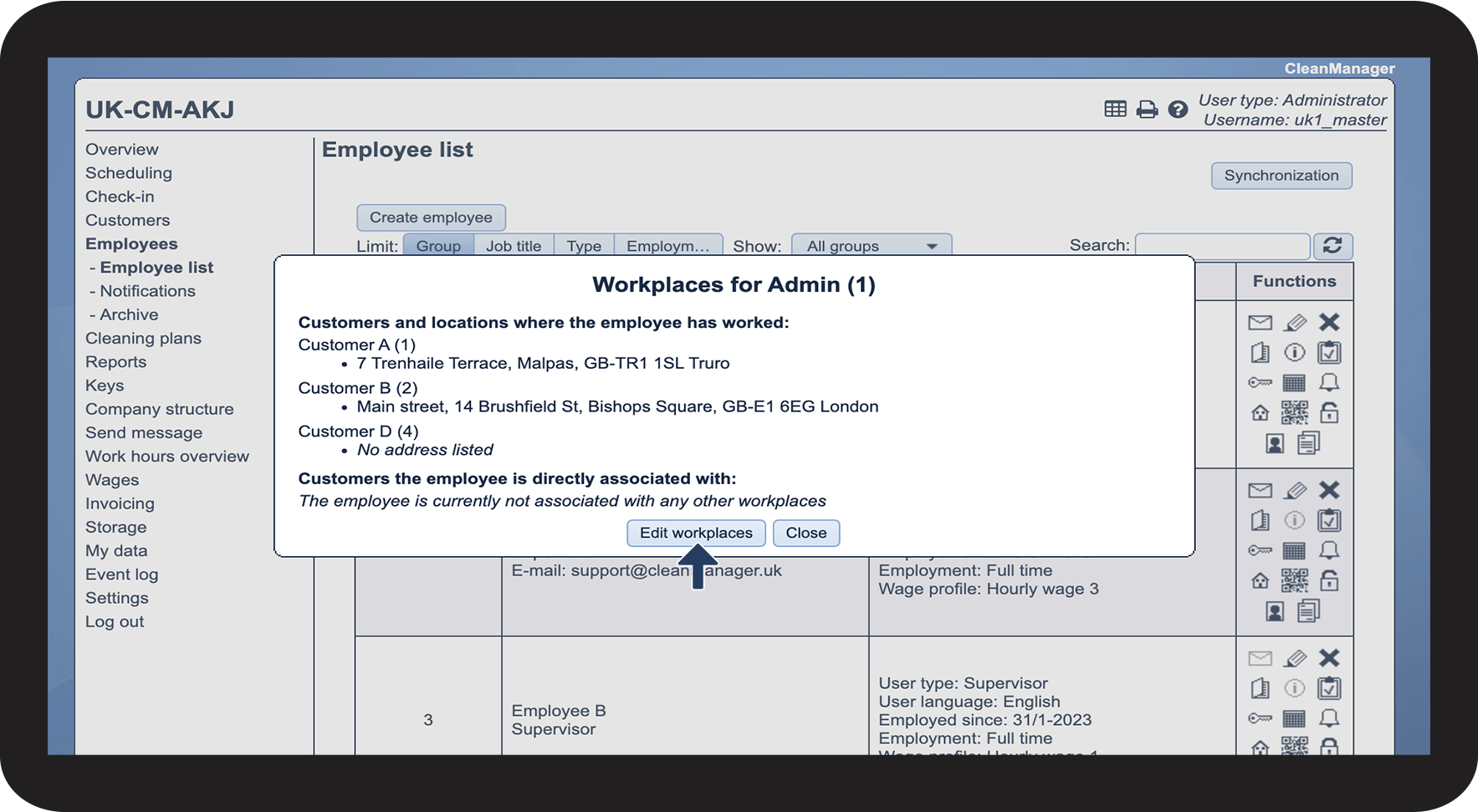
Click on Edit workplaces

3.png

number_3.png
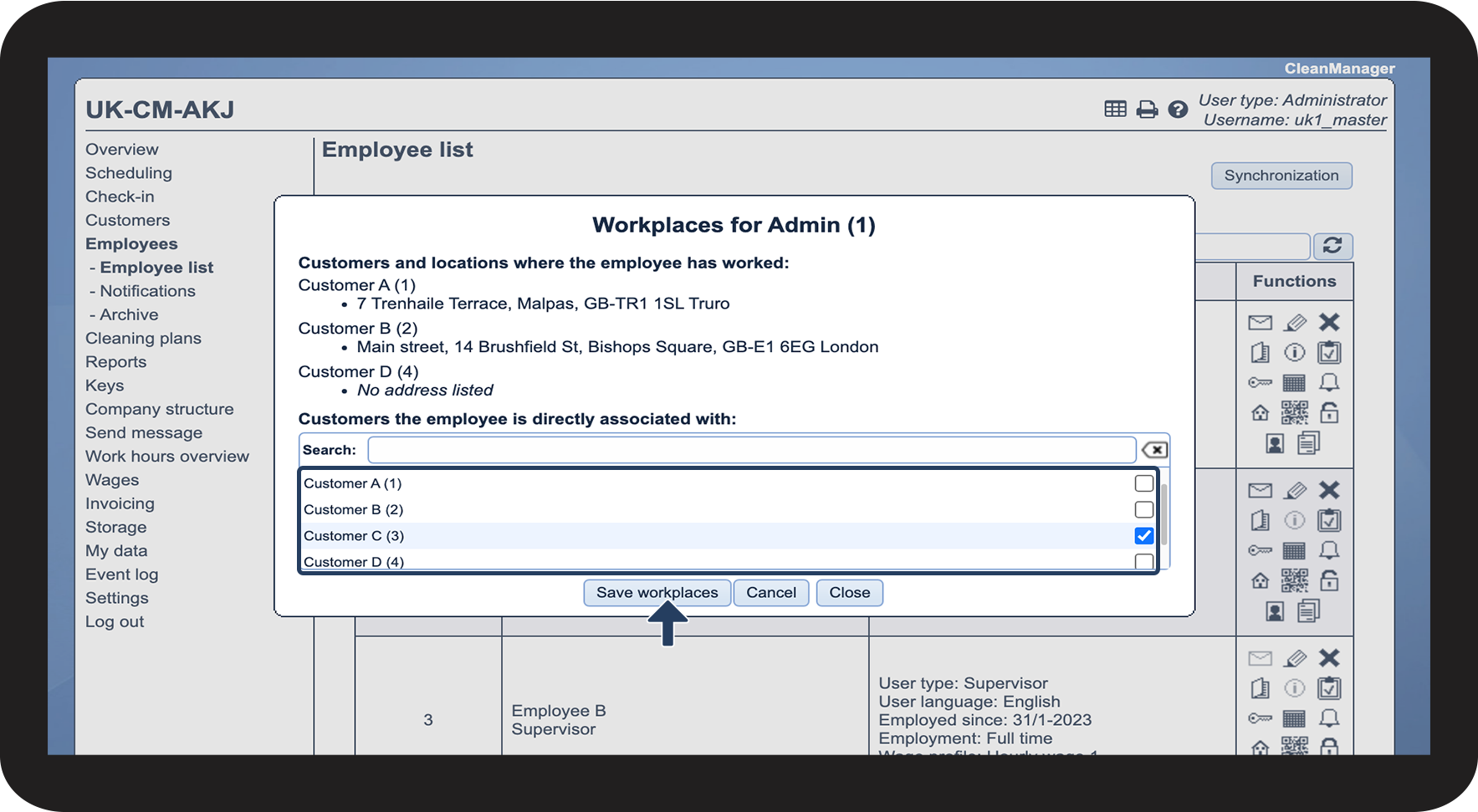
Select or deselect workplaces to determine which workplaces the employee should be directly associated with
 
Finish by clicking on Save workplaces
 

It is not possible to remove indirect associations in the same manner. However, you can make the system forget an indirect association after a certain amount of time, if the employee no longer works at that location. To learn more about how to change this setting, see the following article: Access to workplaces

4.png