How can I see my check-in and check-out times when I sign in with the employee user type?
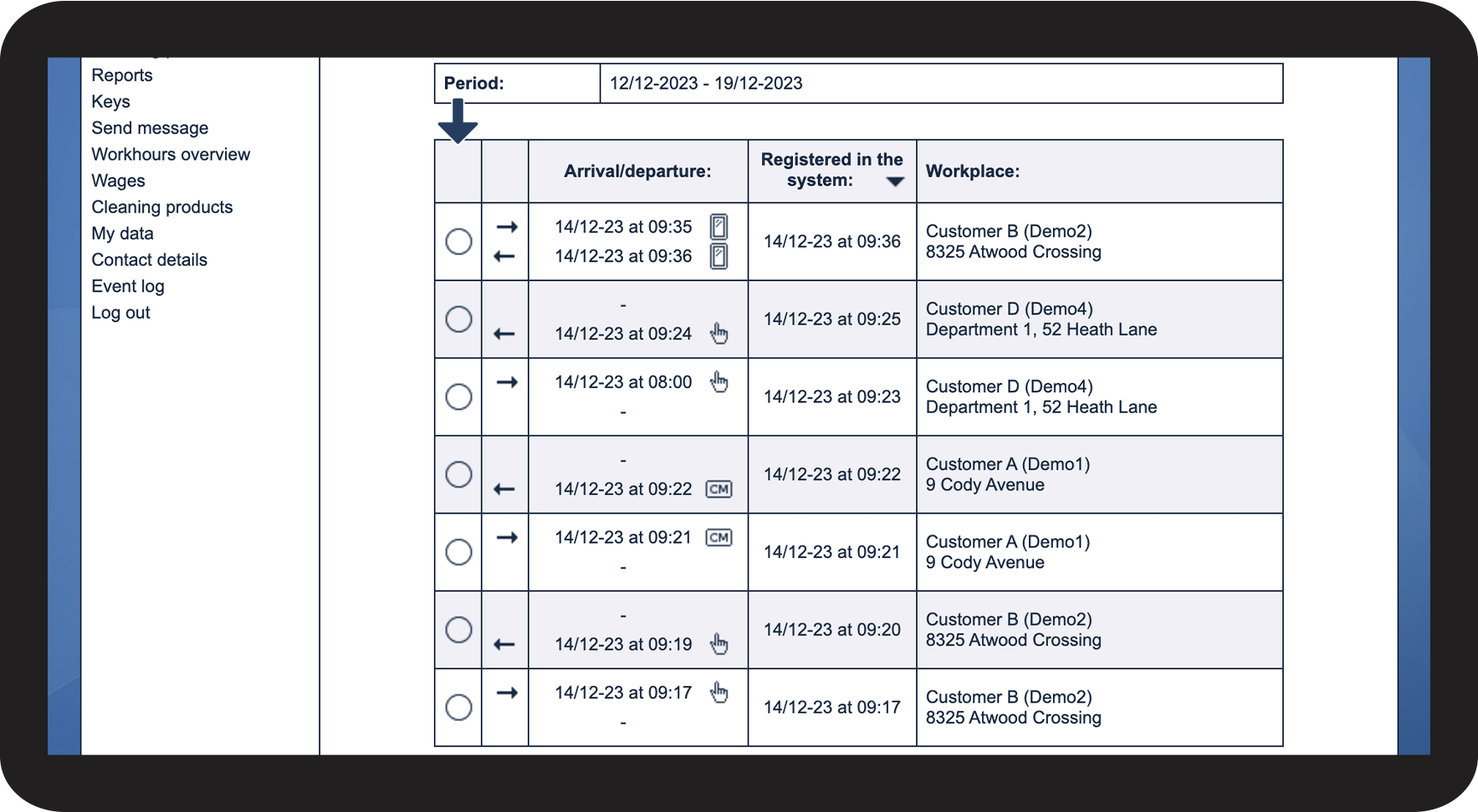
When you are signed in to the web system with the user type employee, you can see all your registered check-ins and check-outs at the locations where you have been assigned to work. If you are looking for a specific check-in, you also have the option to filter the check-ins by date range.
NOTE:
The employee can only see their check-ins and check-outs if they have been granted access to the system.
In this article, you will learn how to view your registered check-ins and check-outs as an employee in the web system:
- How can I find my check-ins and check-outs?
- Can I sort the viewing of my check-ins and check-outs?
- What can I see in the menu My check-ins?
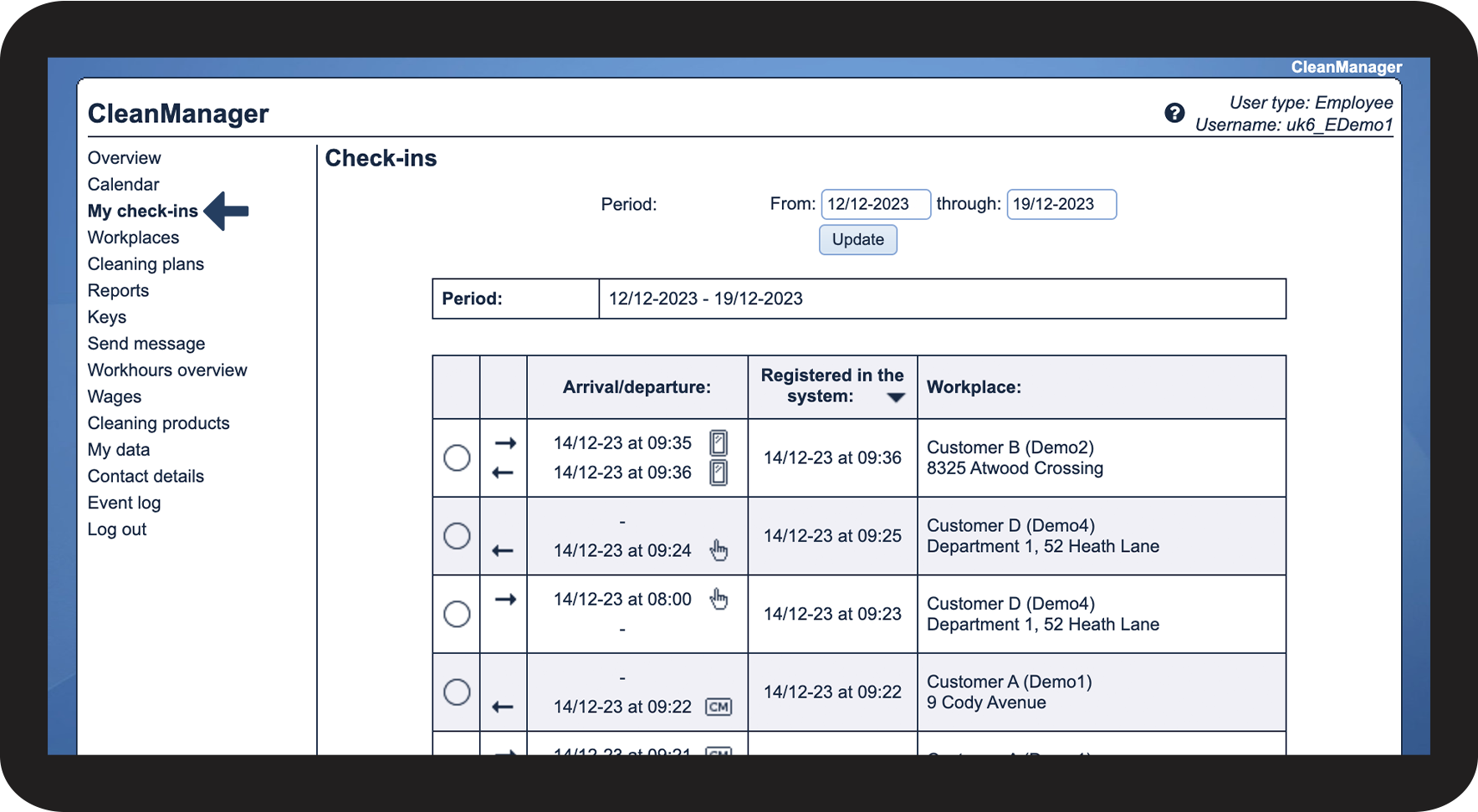
This is how you find your check-ins and check-outs

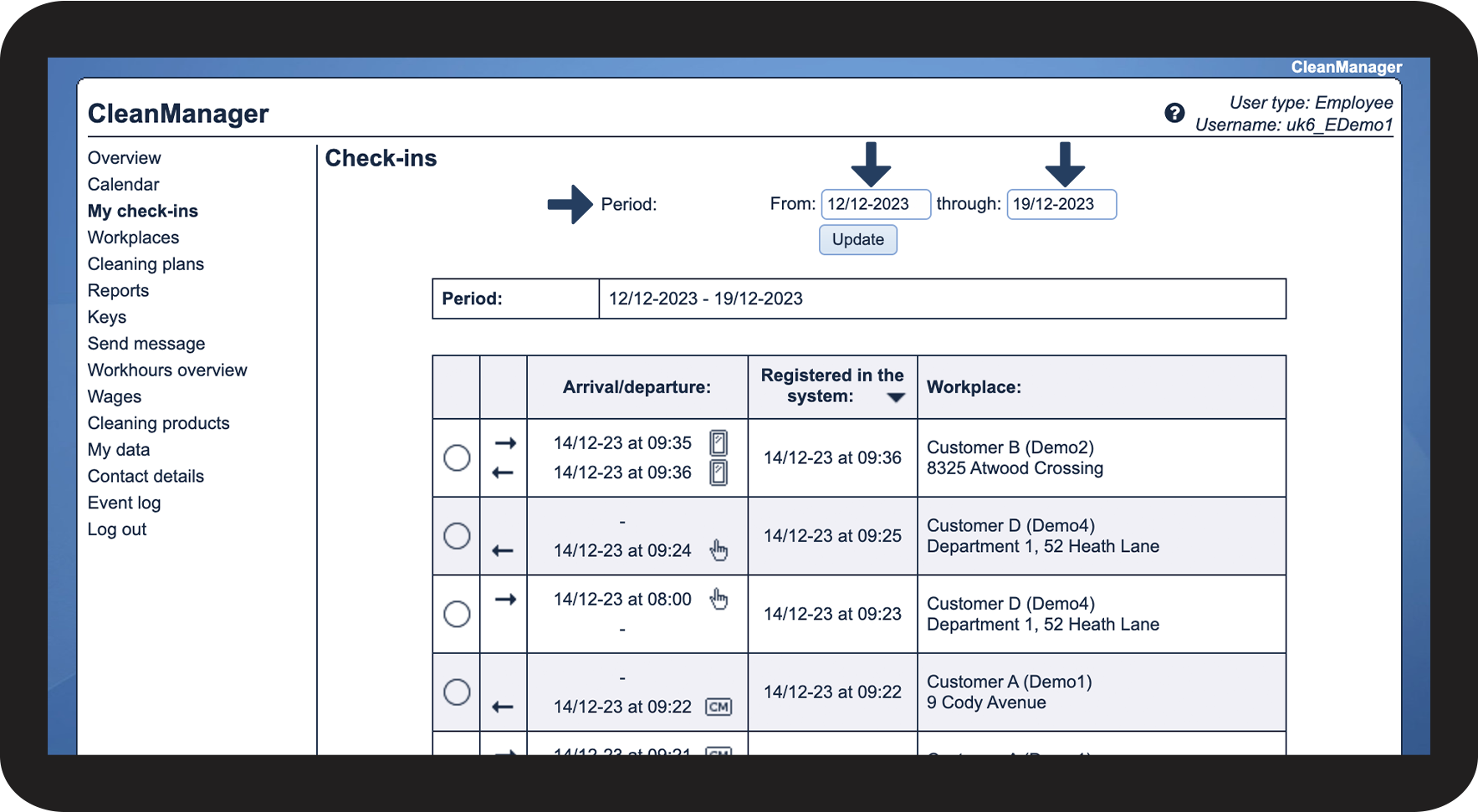
How to sort your check-ins and check-outs
As an employee, you can set the period for which you would like to view your check-ins and check-outs

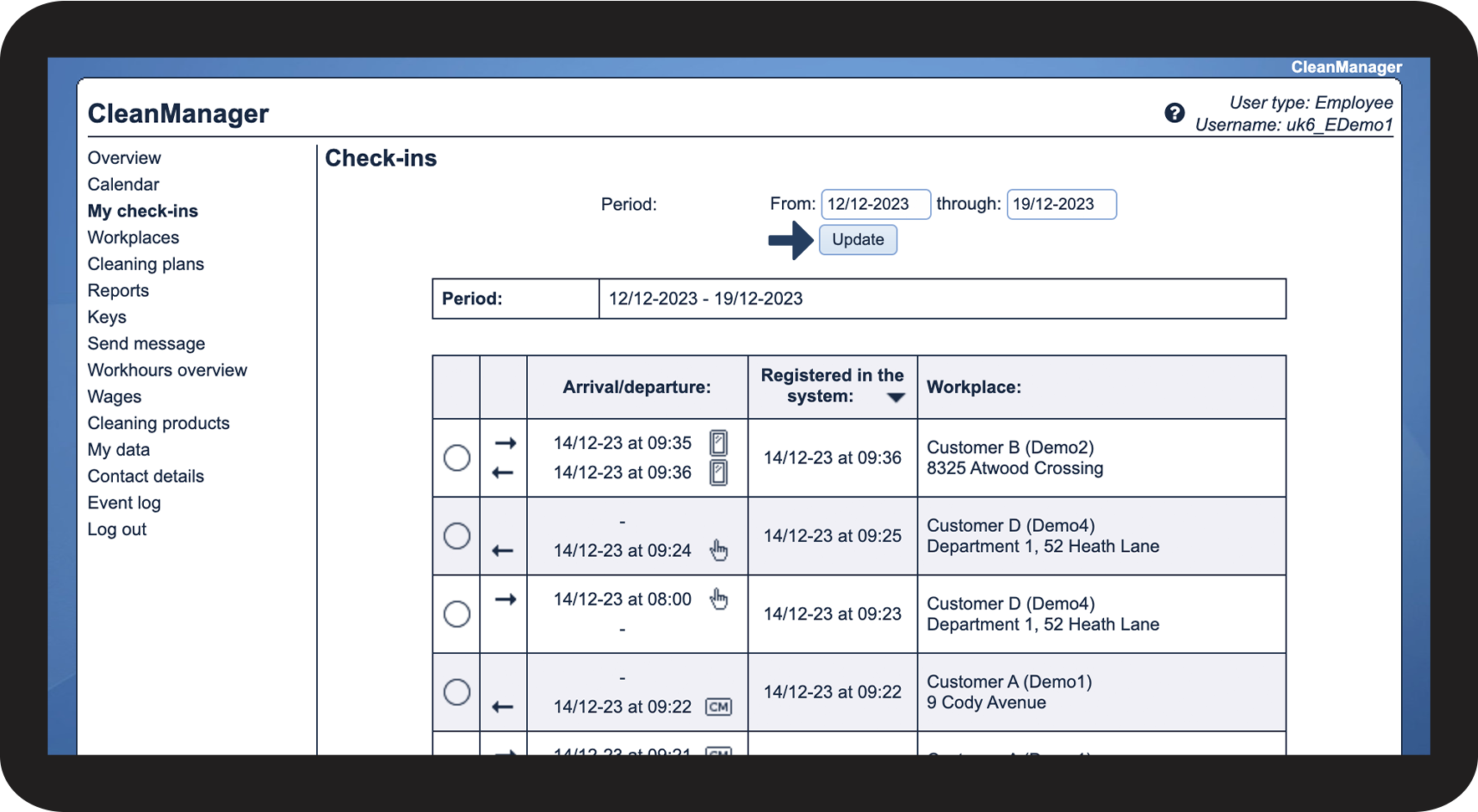
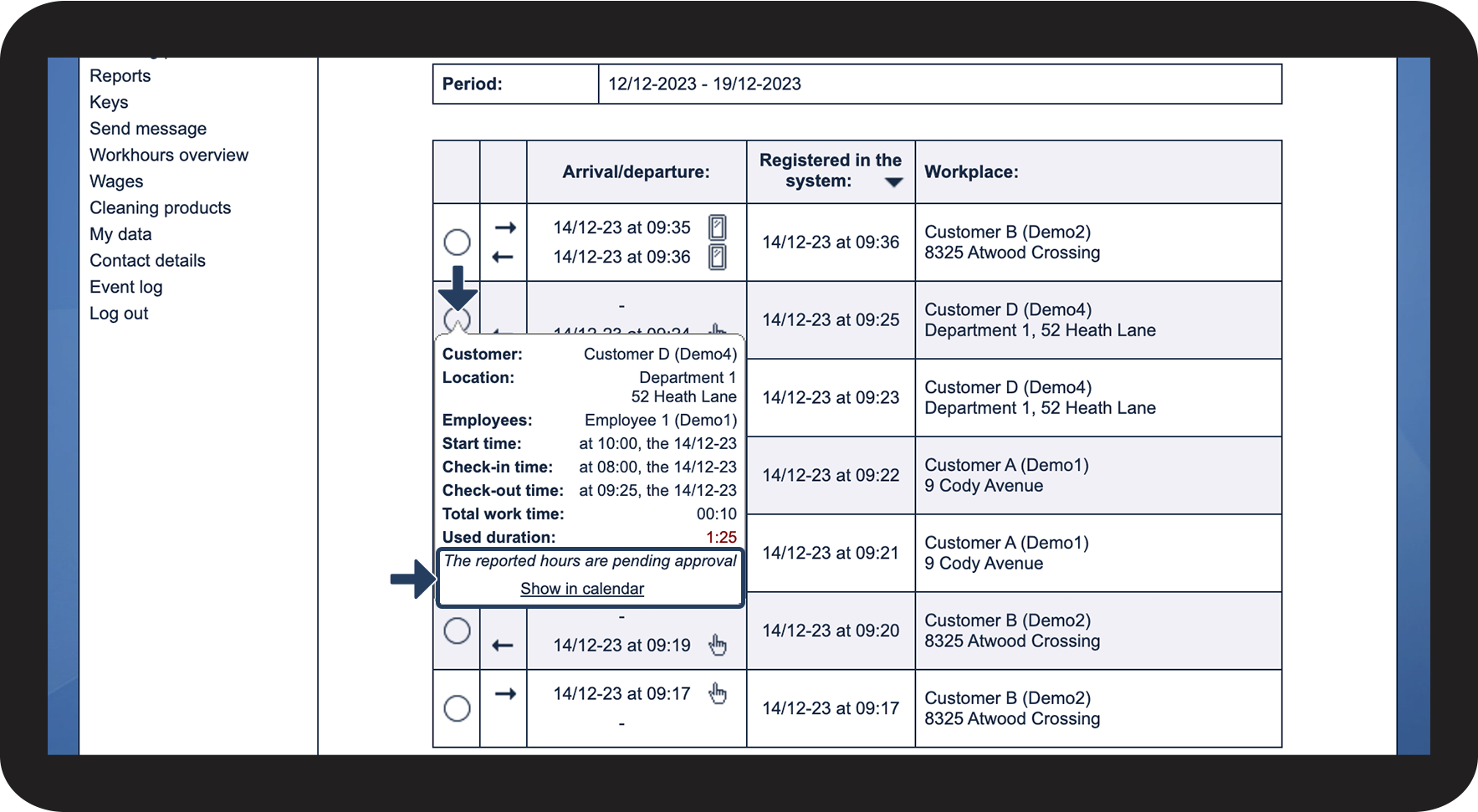
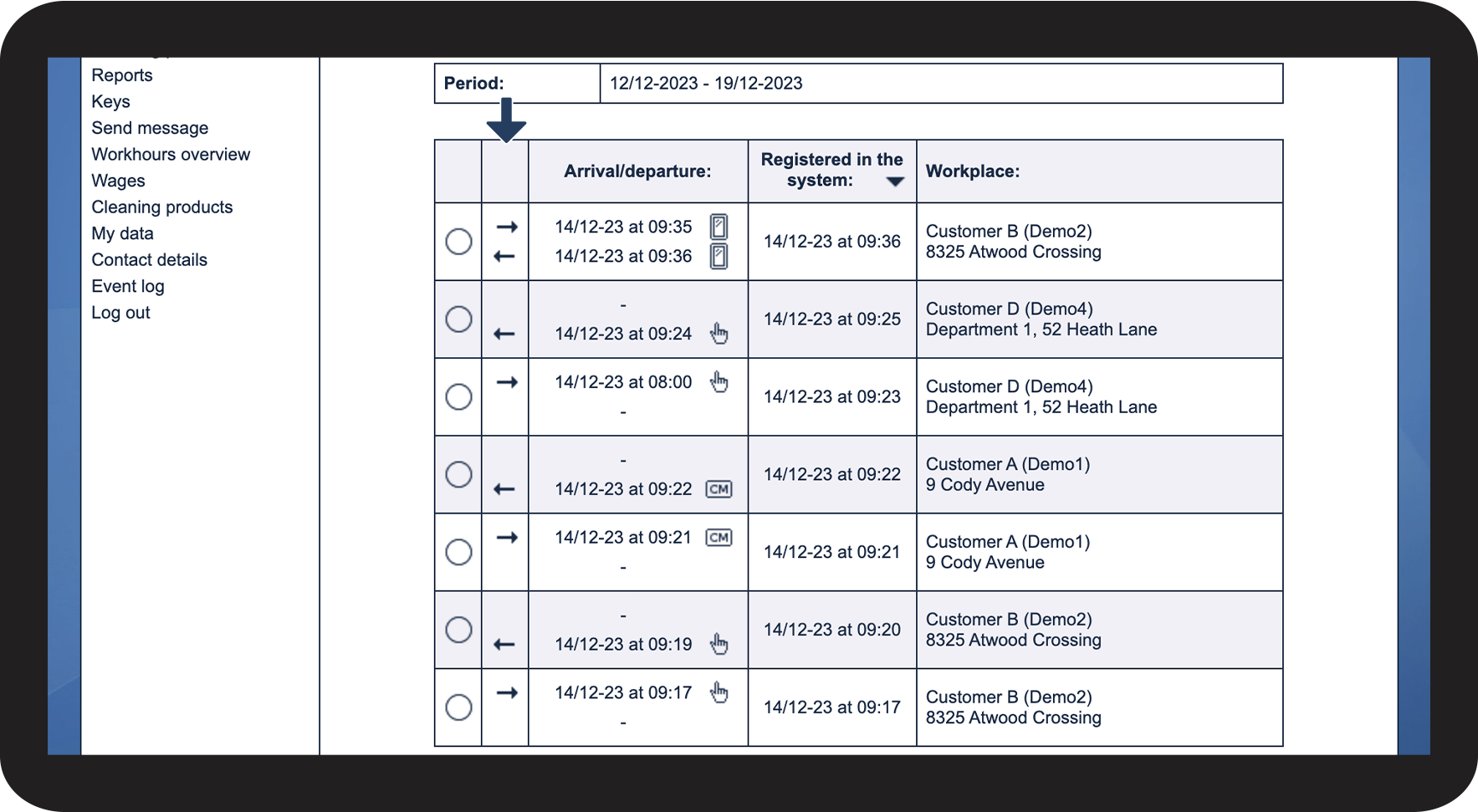
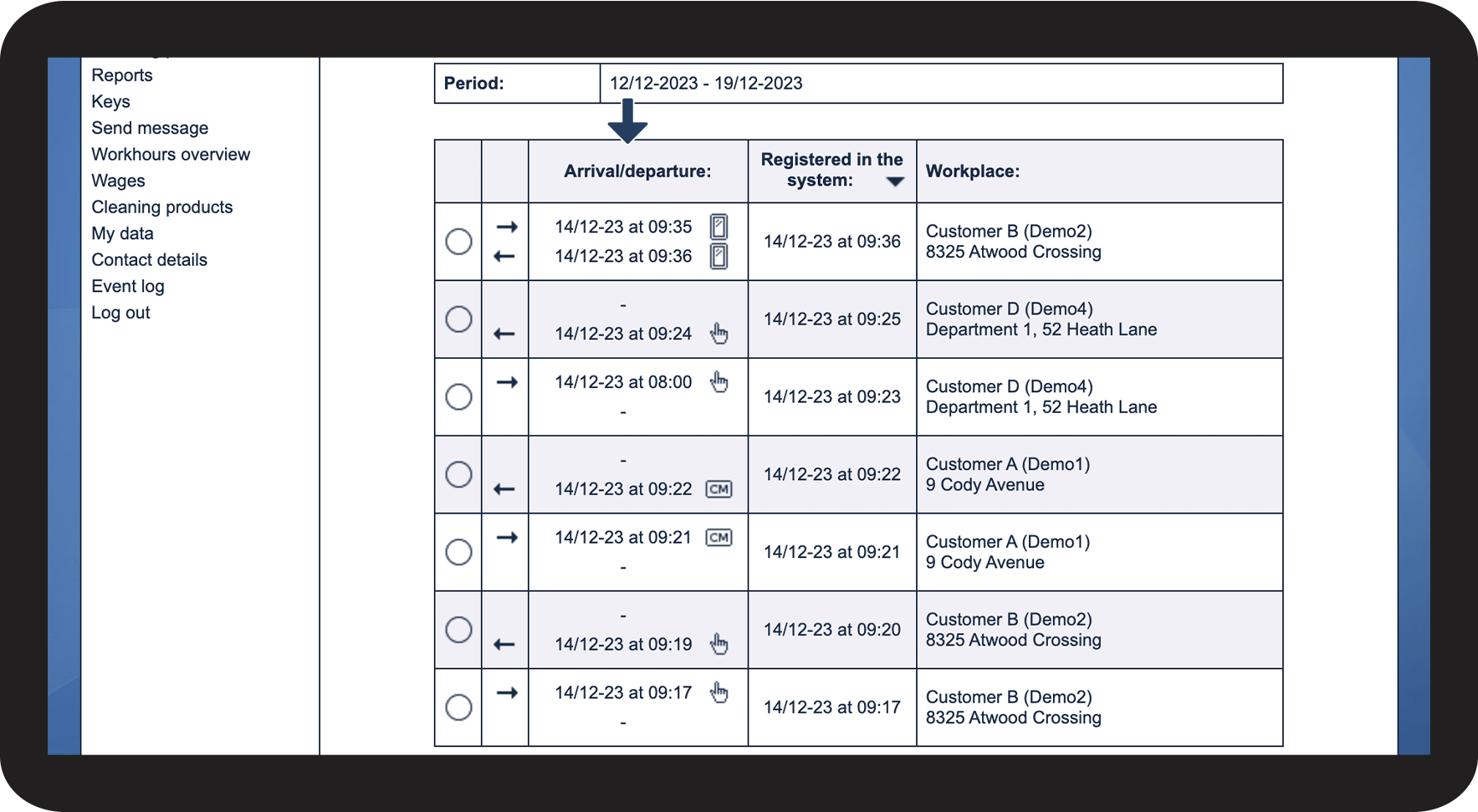
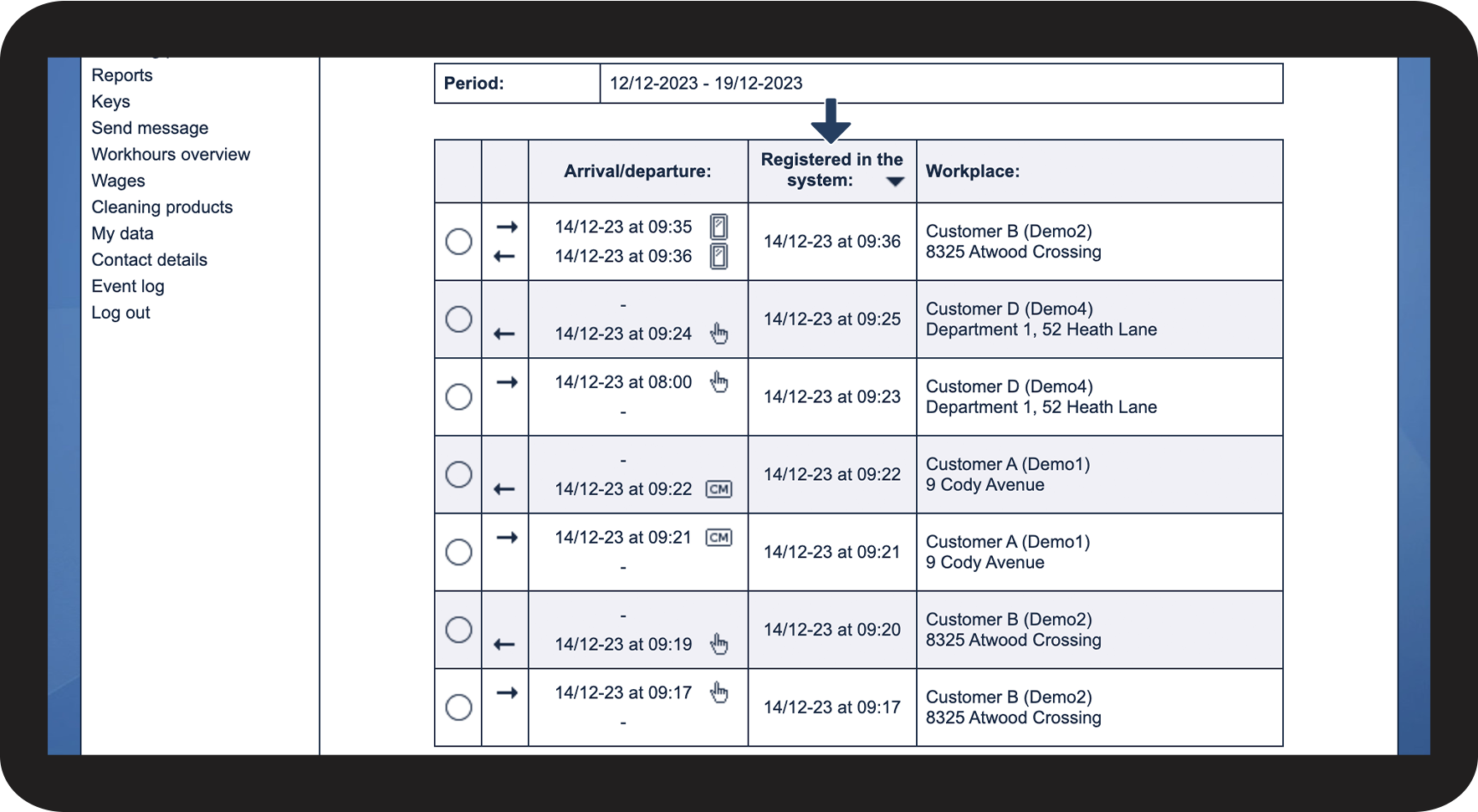
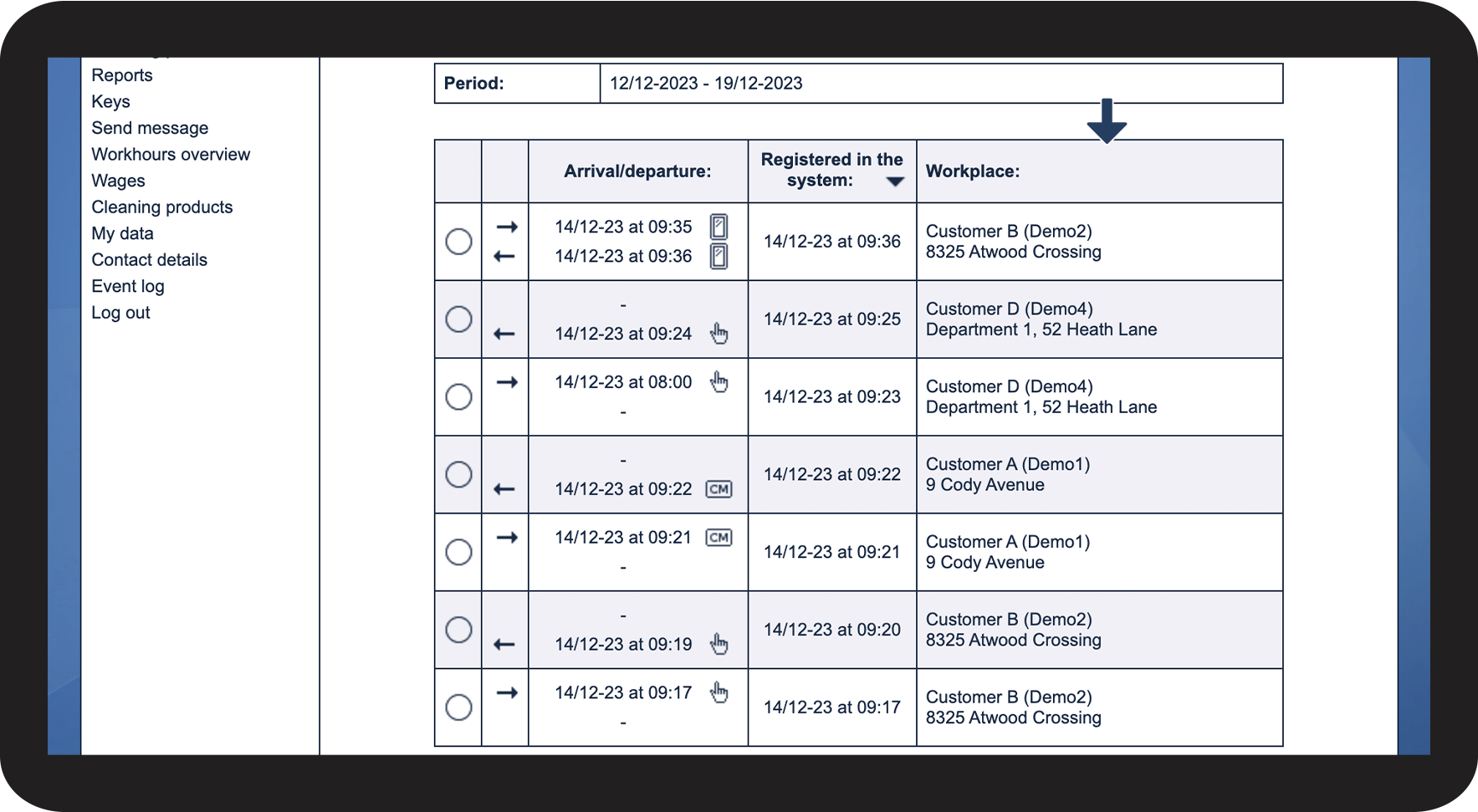
This is what you can see
 to see information about the task