Skip to content
English
  • There are no suggestions because the search field is empty.

Termination of subscription

How do I cancel my account subscription to CleanManager?

As an administrator, you have the right to terminate your company subscription to CleanManager.

In regards to our T&C, a CleanManager account must be terminated one month in advance of the next invoicing period at the latest.


Read more here on how to terminate your CleanManager subscription:


How to terminate your subscription

number_1.png
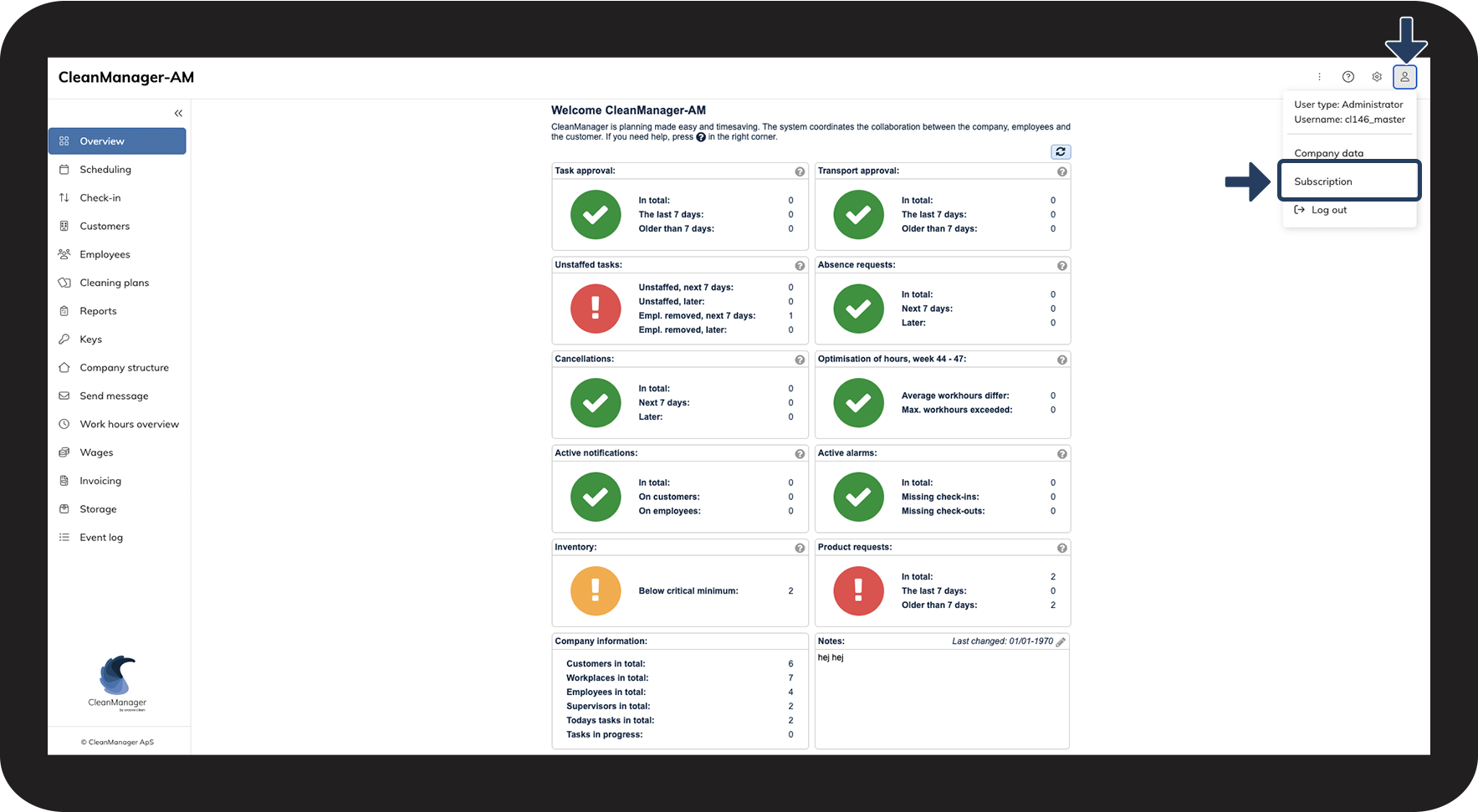
Click on the user icon Brugerikon.png and go to Subscription
subscriptionnydesign.png
number_2.png
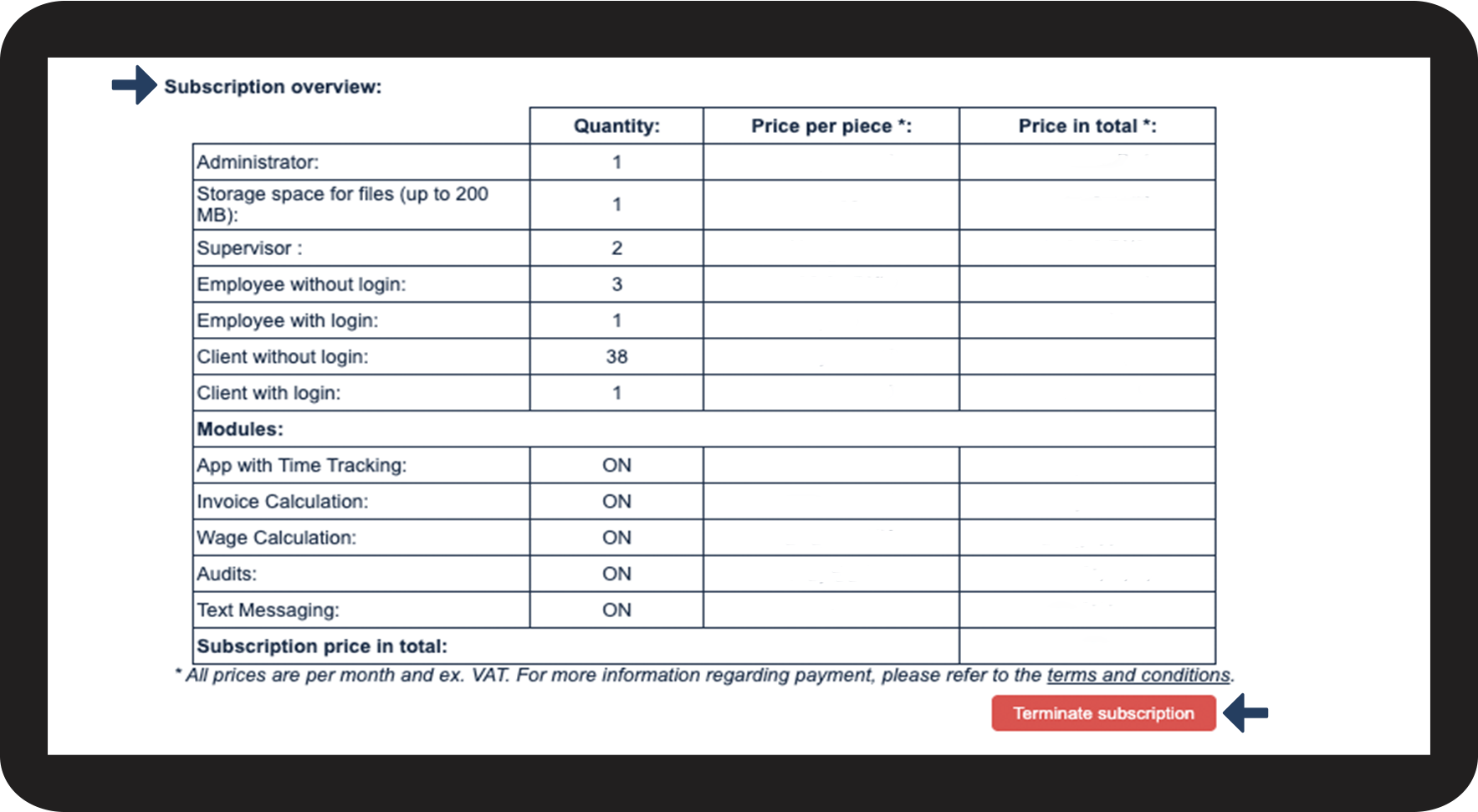
Scroll to the section Subscription overview and click on the button Terminate subscription
terminatesub.png
number_3.png
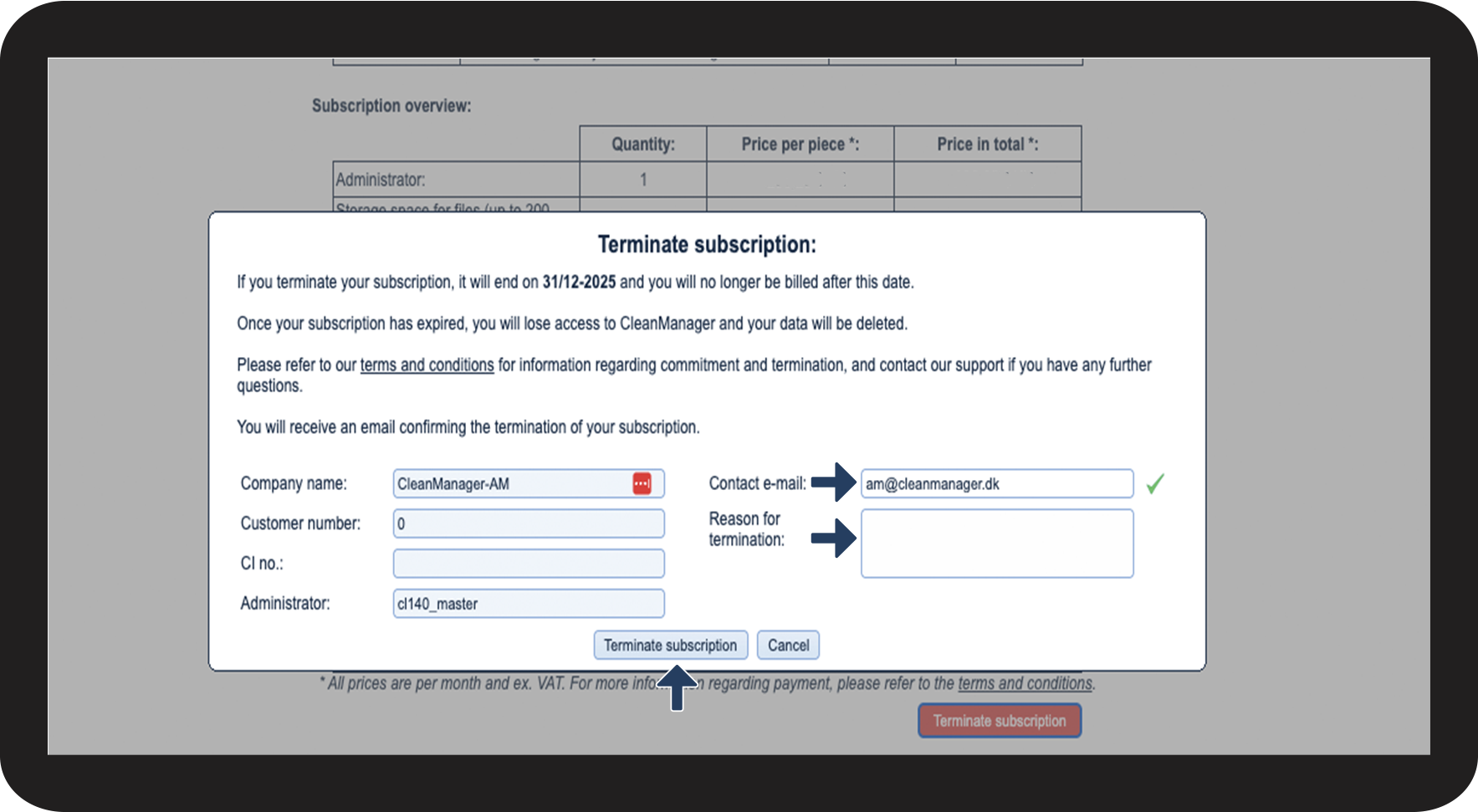
CleanManager automatically fills in the most important information for the termination
 
Click on the field adjacent to Contact e-mail if you wish to change the recipient to another mail than that of the administrator. (The administrator will automatically also receive the termination notice, even if you change the e-mail).
 
Click on the field adjacent to Reason for termination to provide us additional feedback regarding your termination.
 
Click on the button Terminate subscription to continue the termination
termisub2.png


number_4.png
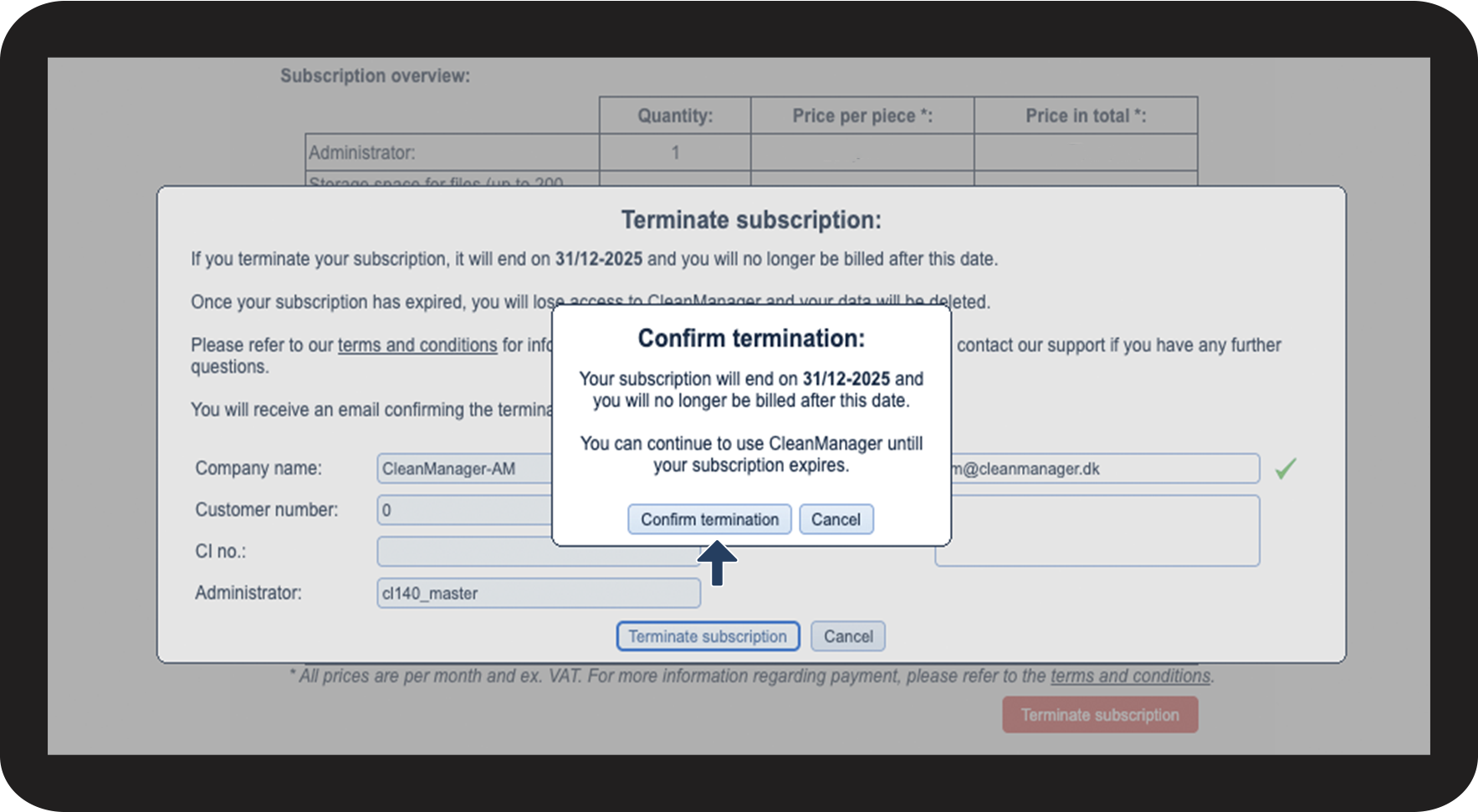
Click on Confirm termination to validate your choice to cancel your CleanManager account
termsub3.png
number_5.png
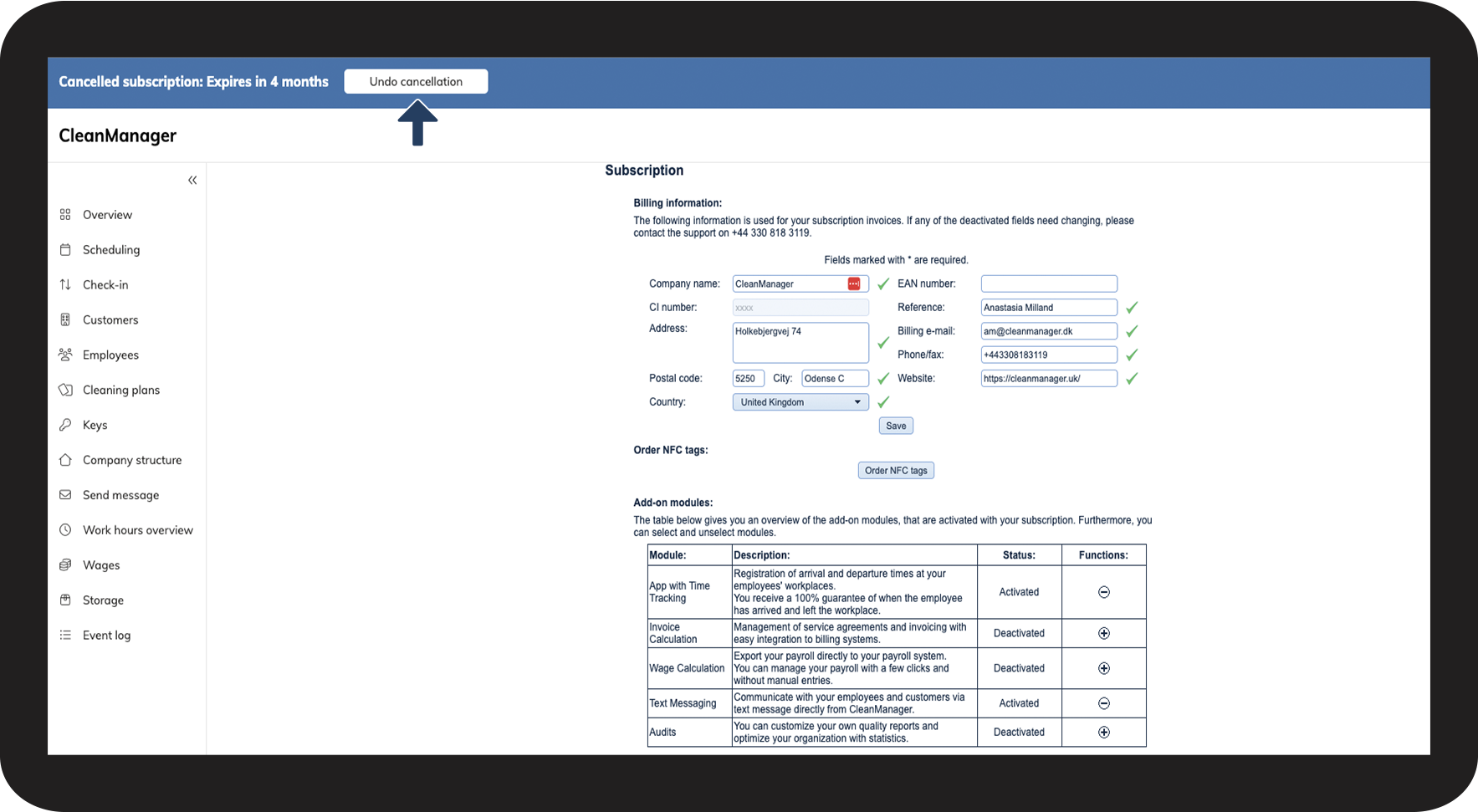
Your termination is now registered at CleanManager
 
Click on Undo cancellation if you wish to reactivate your CleanManager account
undo1.png
number_6.png
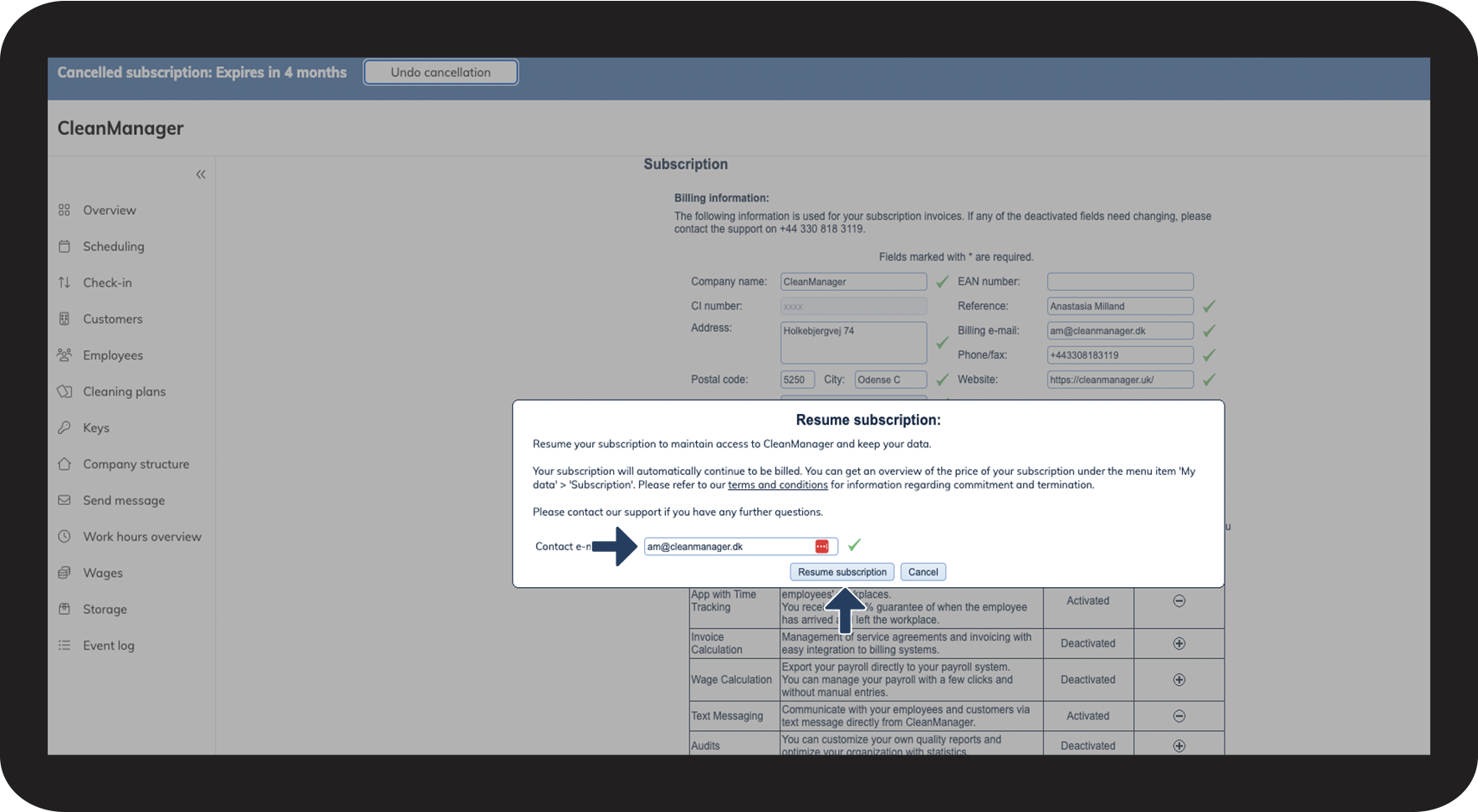
Click on the field adjacent to Contact e-mail if you wish to change the recipient to another mail than that of the administrator for your re-subscription. (The administrator will automatically also receive the re-subscription notice, even if you change the e-mail).
 
Click on the button Resume subscription to confirm your re-subscription.
undo2.png