Termination of CleanCalculator subscription
How do I cancel my account subscription to CleanCalculator?
As an administrator, you have the right to terminate your company subscription to CleanCalculator.
In regards to our T&C, a CleanCalculator account must be terminated one month in advance of the next invoicing period at the latest.
Read more here on how to terminate your CleanCalculator subscription:
How to terminate your subscription
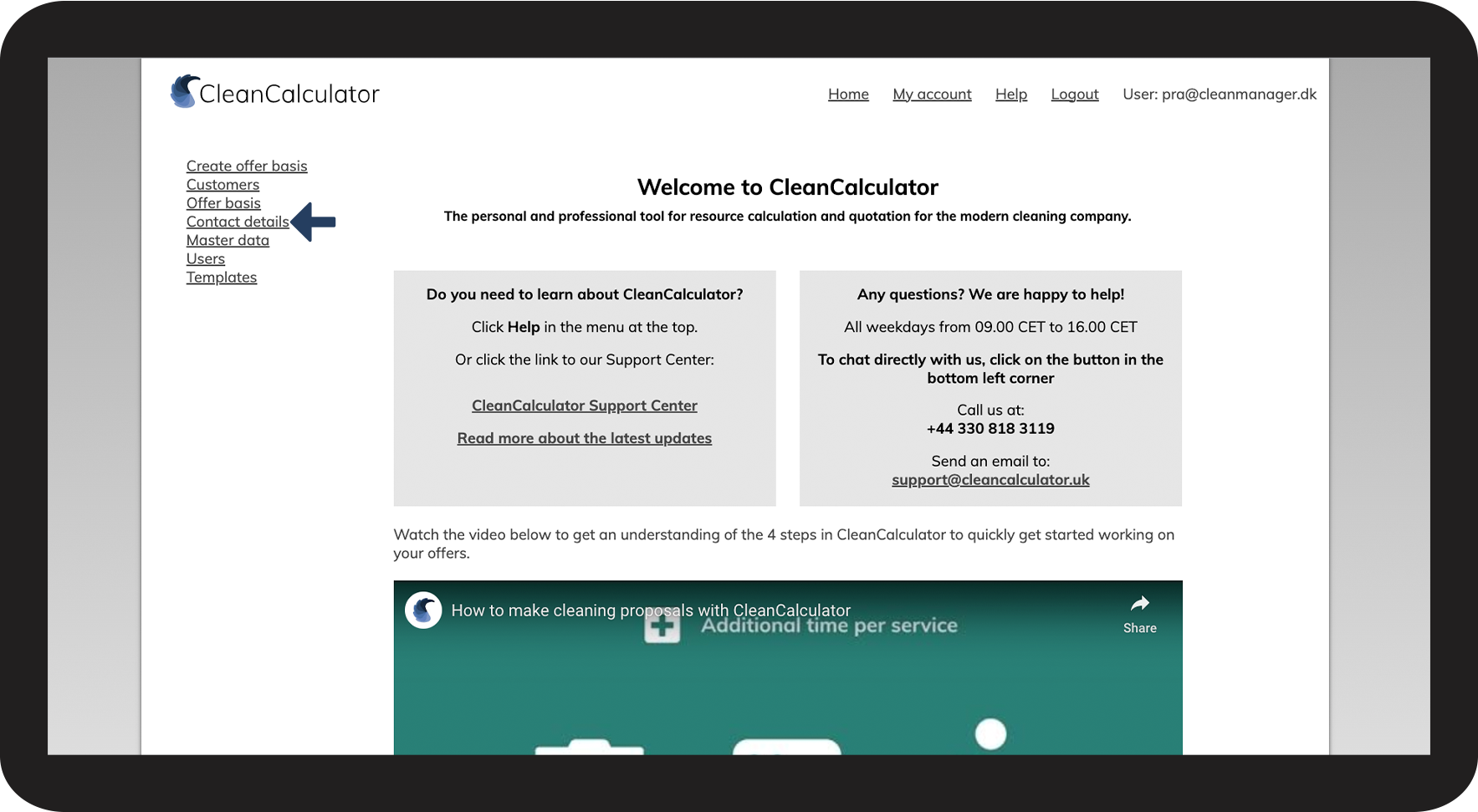
In the menu, click on Contact details

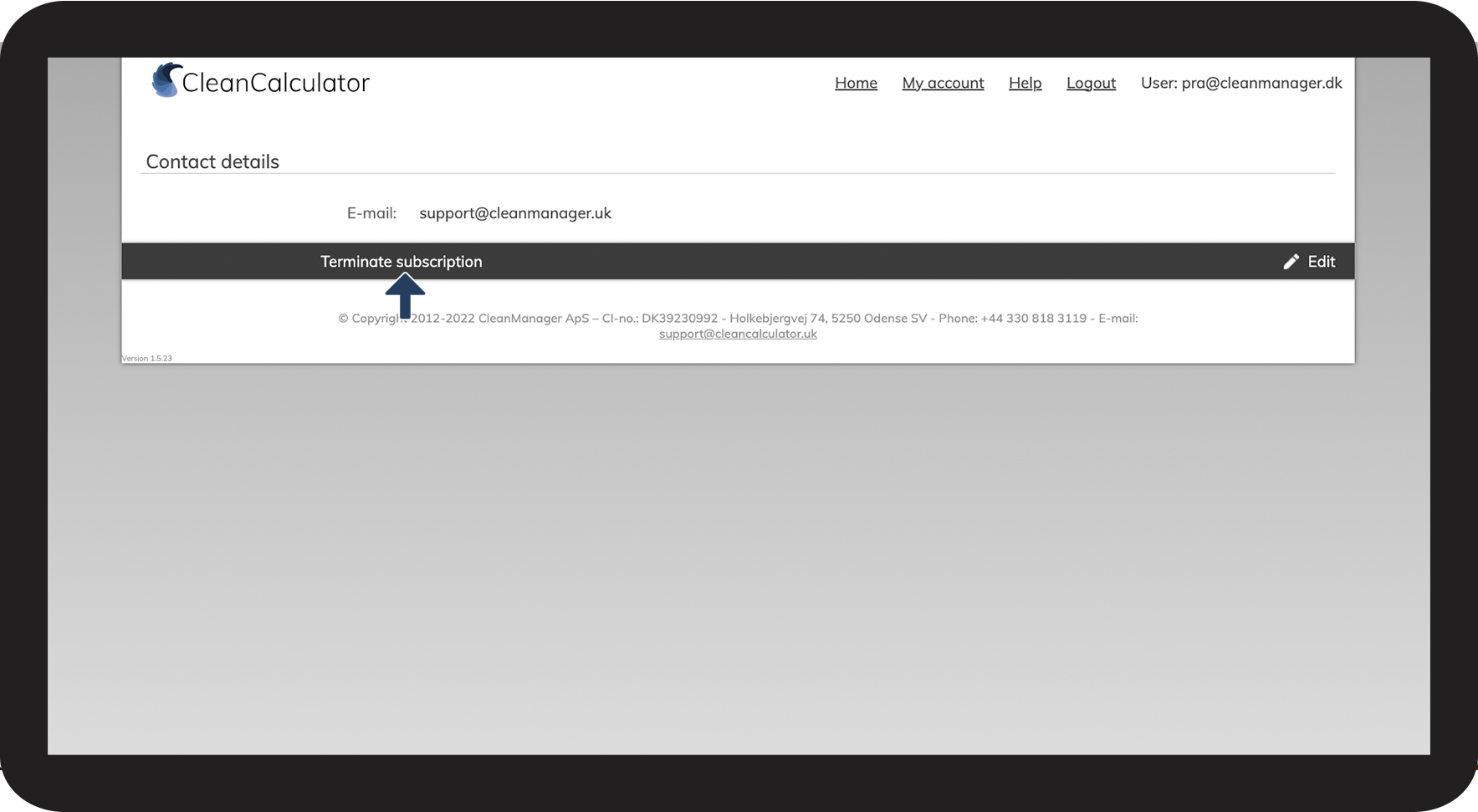
Thereafter, click on Terminate subscription

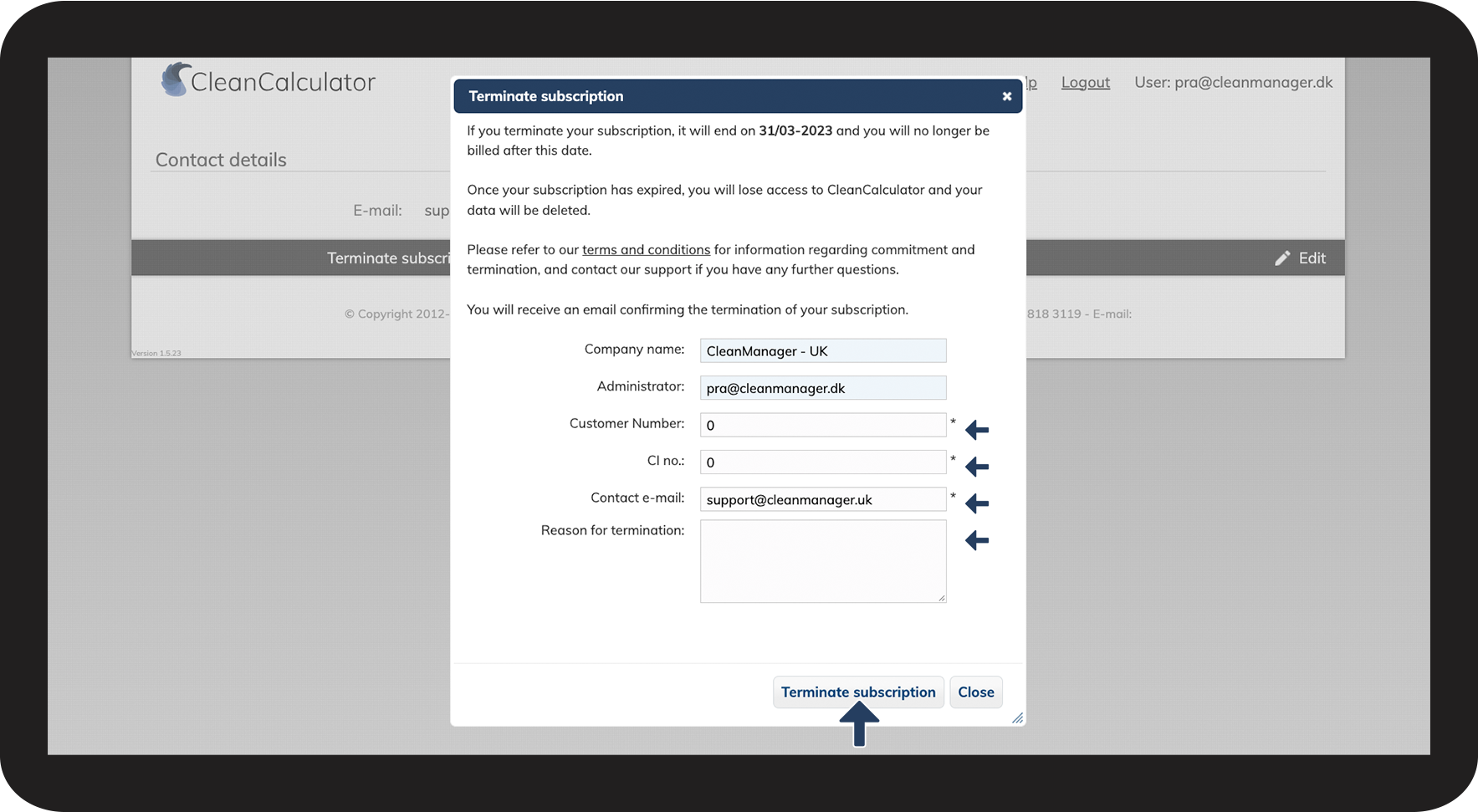
CleanManager automatically fills in the most important information for the termination (except for the Customer Number and the CI no.)
Click on the field adjacent to Contact e-mail if you wish to change the recipient to another mail than that of the administrator (The administrator will automatically also receive the termination notice even if you change the e-mail).
Click on the field adjacent to Reason for termination to provide us additional feedback in regards to your termination.
Click on the button Terminate subscription to continue the termination
INFO:
Your customer number can be found on your bill.
If you cannot find your customer number or your CI no., you can enter the number 1 in these fields to go through with the termination.
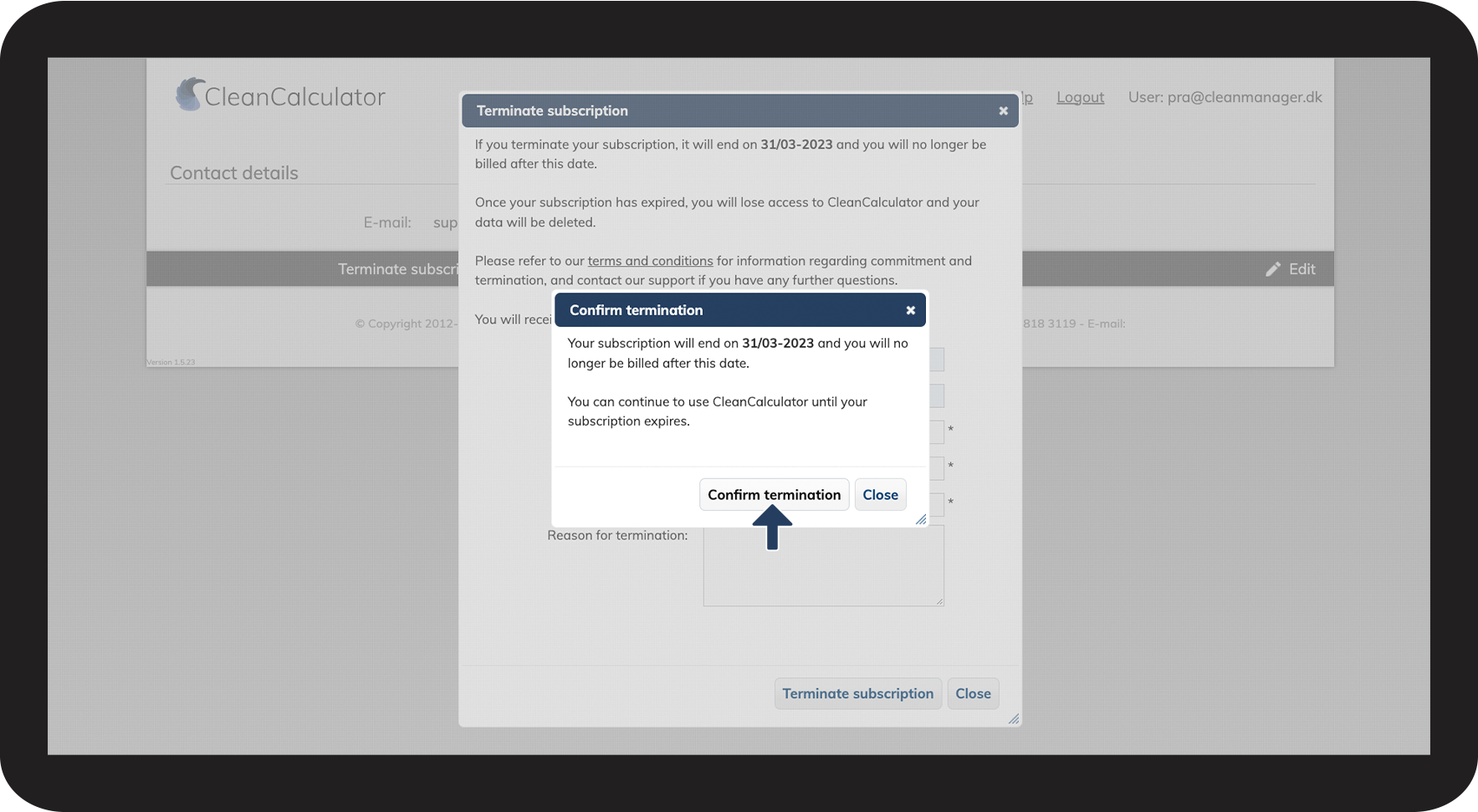
Click on Confirm termination to validate your choice to cancel your CleanCalculator account

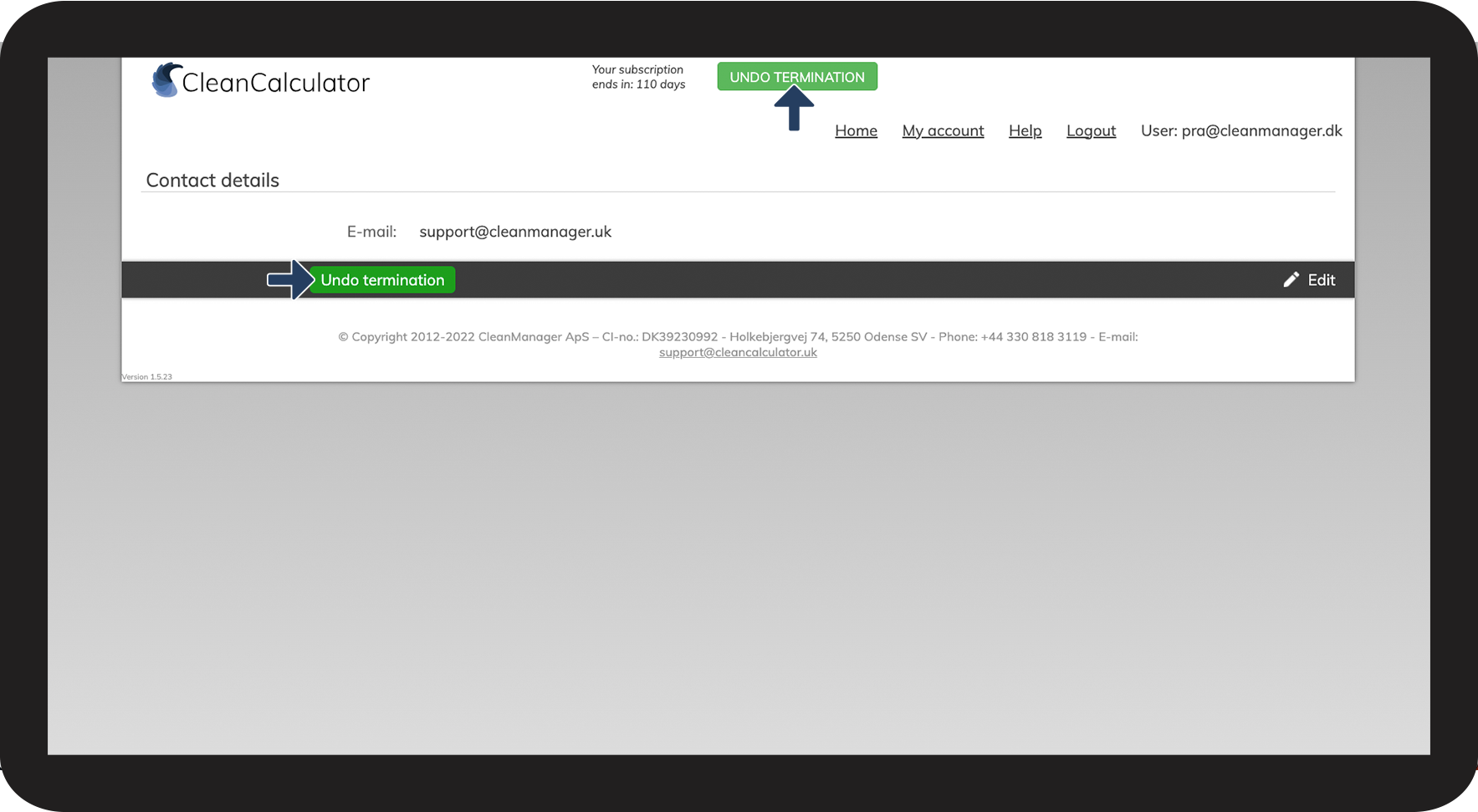
Your termination is now registered
Click on UNDO TERMINATION if you wish to reactivate your CleanCalculator account. You can undo the termination till the last day, before your subscription expires.

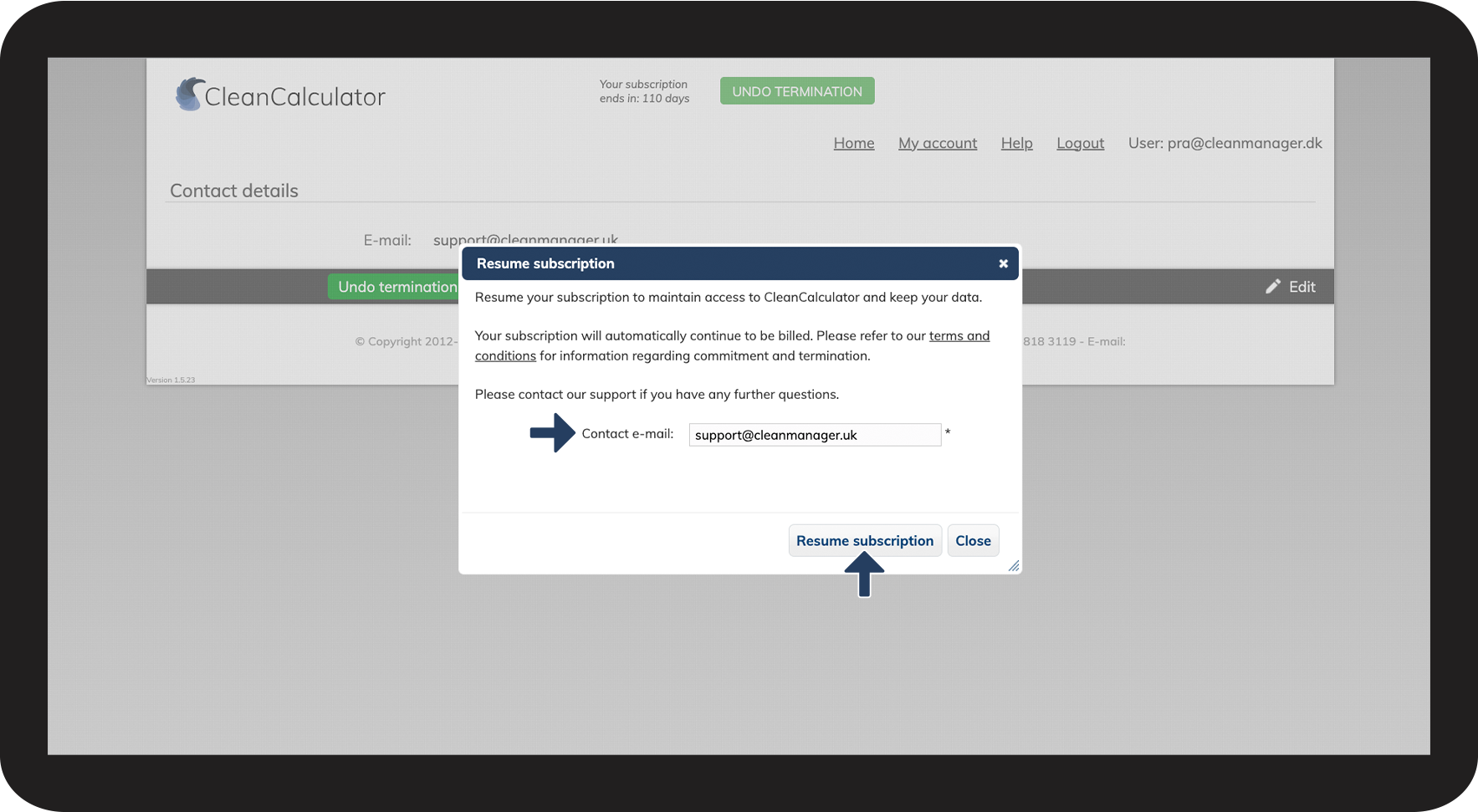
Click on the field adjacent to Contact e-mail if you wish to change the recipient to another e-mail than that of the administrator for your re-subscription (The administrator will automatically receive the re-subscription notice as well, even if you change the e-mail).
Click on the button, Resume subscription to confirm your re-subscription