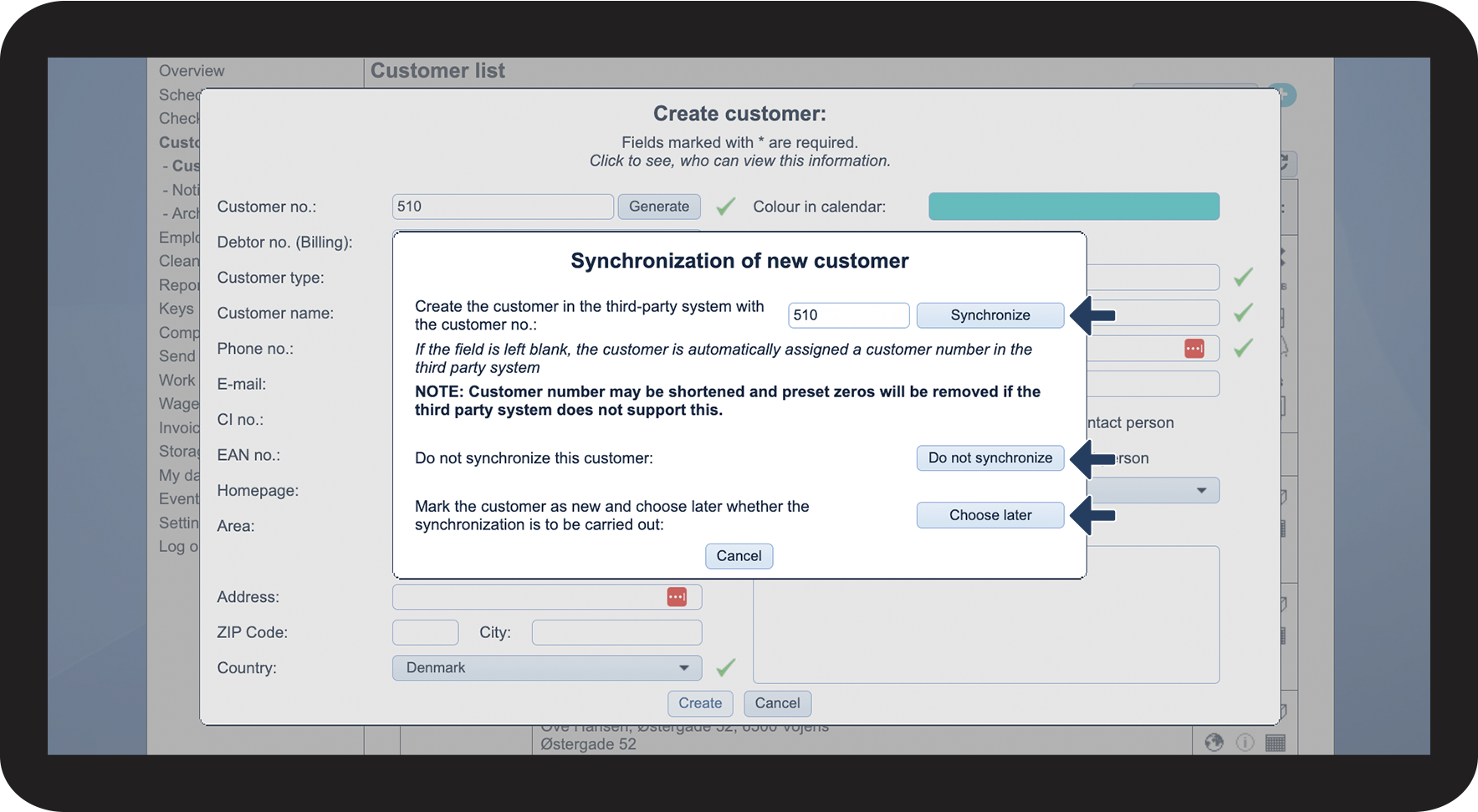
How do I synchronize a new customer?
When creating a new customer, the administrator or the supervisors can choose to synchronize the customer immediately with a third-party system. This will enable you to send data through to the third-party system and thus quickly set up the customer in the third-party system too.
Supervisors can only synchronize customers with the third-party system when creating new customers. The administrator can synchronize both new and pre-existing customers with the third-party system. Read more about that here: Customer synchronization.
NOTE:
To synchronize customers, it is necessary to have set up an integration to a third-party system beforehand. You can read more about setting up an integration to different third-party systems here: Integrations
In this article, you will learn how to synchronize customers:
This is how you synchronize new customers

INFO:
You can read more about creating new customers in the following article: Creating a customer
NOTE:
This process is only relevant for newly created customers that have not been set up in the third-party system yet.
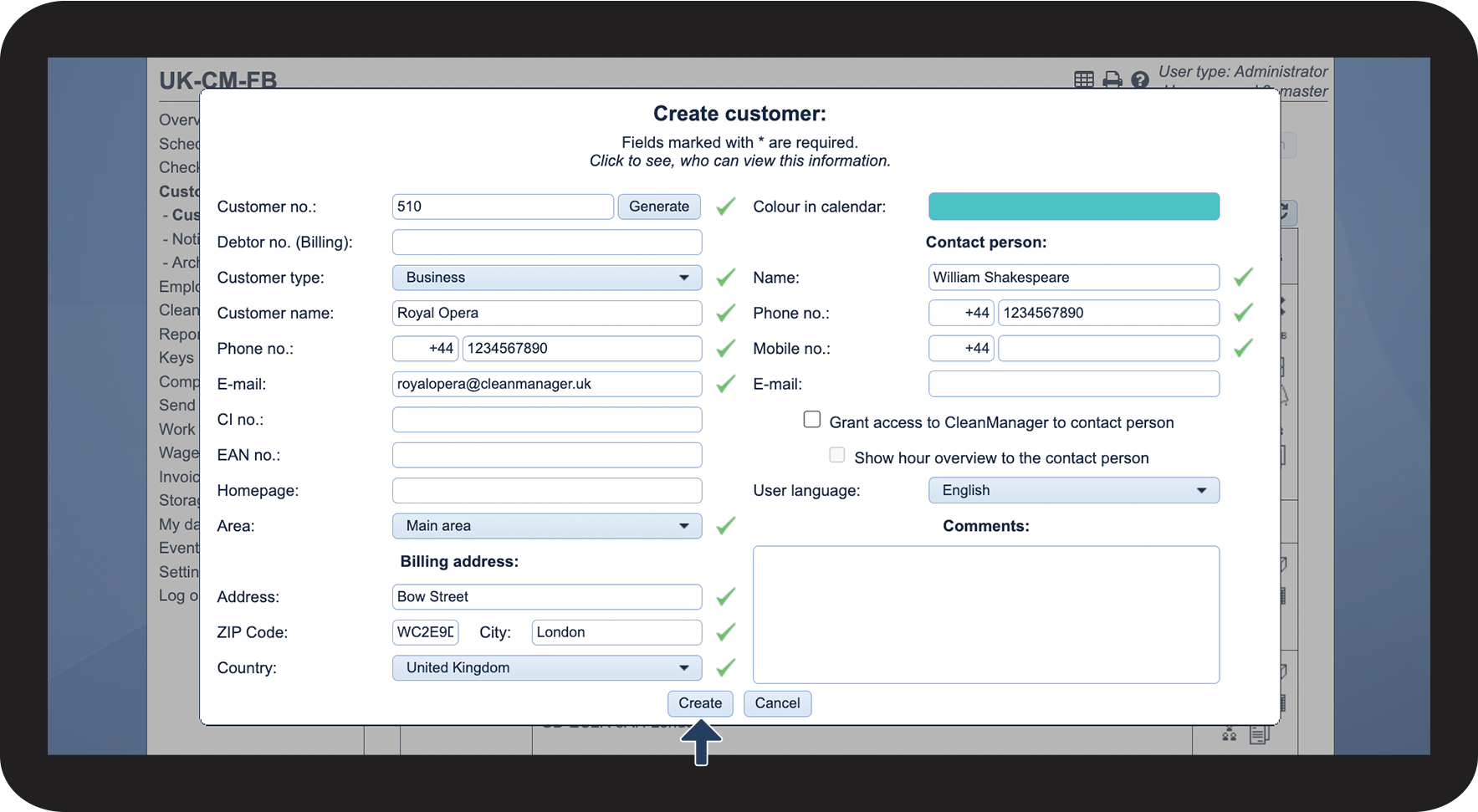

NOTE:
When synchronizing customers with a third-party system, it is important to note that the customer number may be shortened. Similarly, prefixed zeros may be removed if the third-party system does not support them.