How do I get an overview of the cost of my subscription?
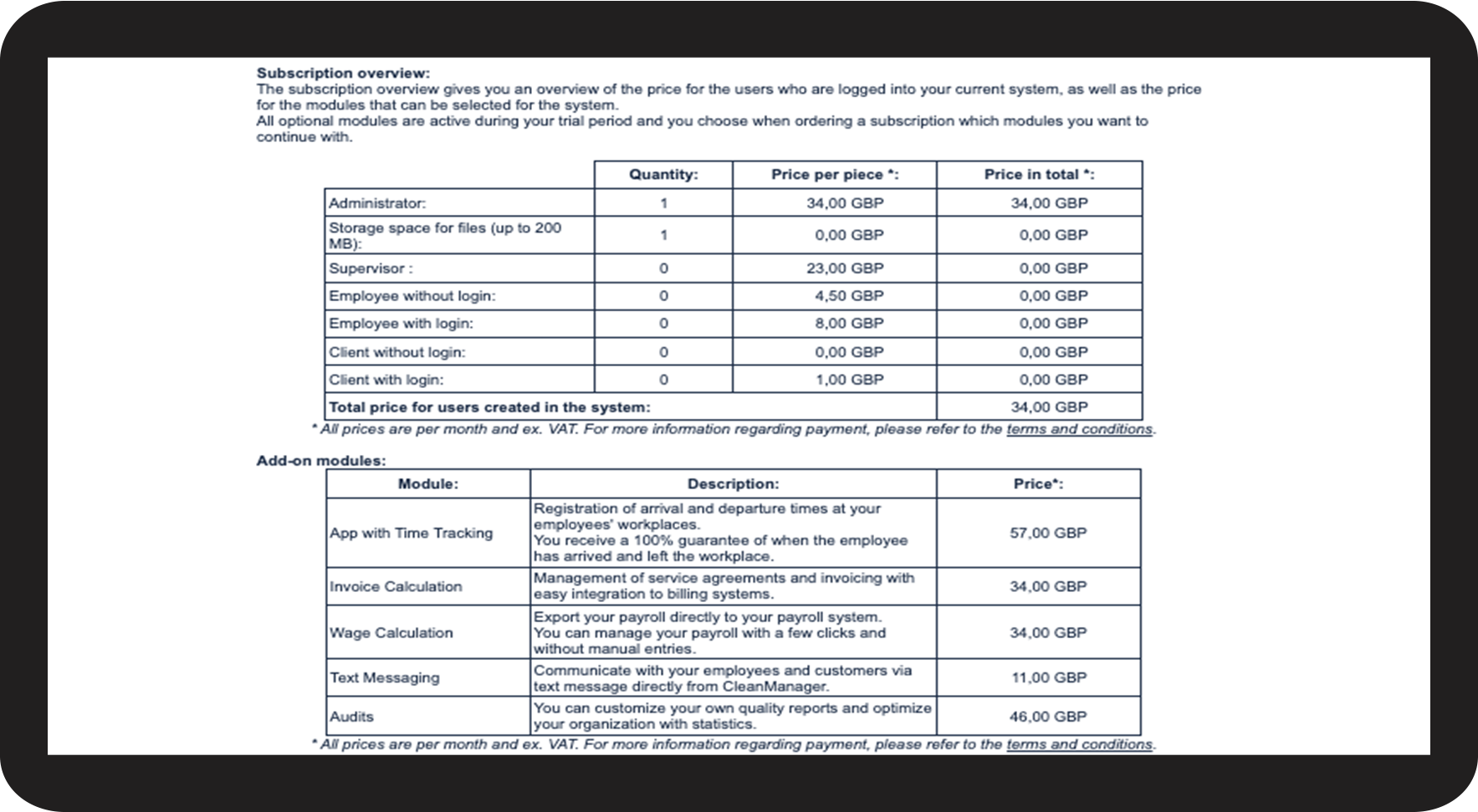
As the administrator, you can see what is included in your subscription.
In the subscription overview, you can see your current monthly subscription cost, which will be billed at the end of the quarter. You will be able to see which modules are active and the number of employees and customers in the system.
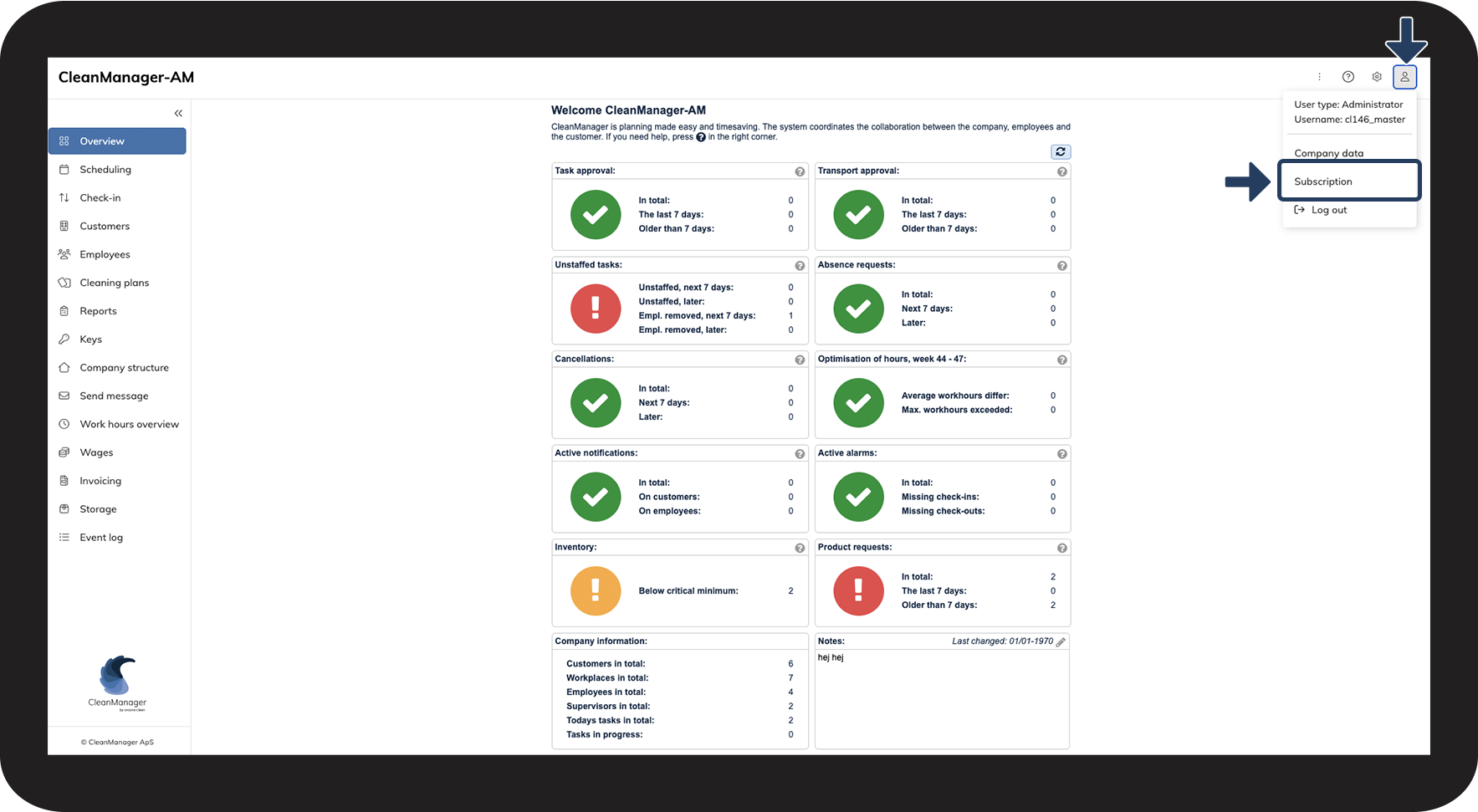
In this article, you will learn where you can find the subscription overview:
This is how you get an overview of your subscription costs