Skip to content
English
  • There are no suggestions because the search field is empty.

Step 1 - Create quote basis

How do I create a quote basis in CleanCalculator?

A quote basis contains all the basic information regarding your quote and can be adjusted continuously.

This article is the 1st of 4 steps that goes through the configuration of a quote basis in CleanCalculator:



Step_1.png

Creation of a quote basis


How to create a quote basis

number_1.png
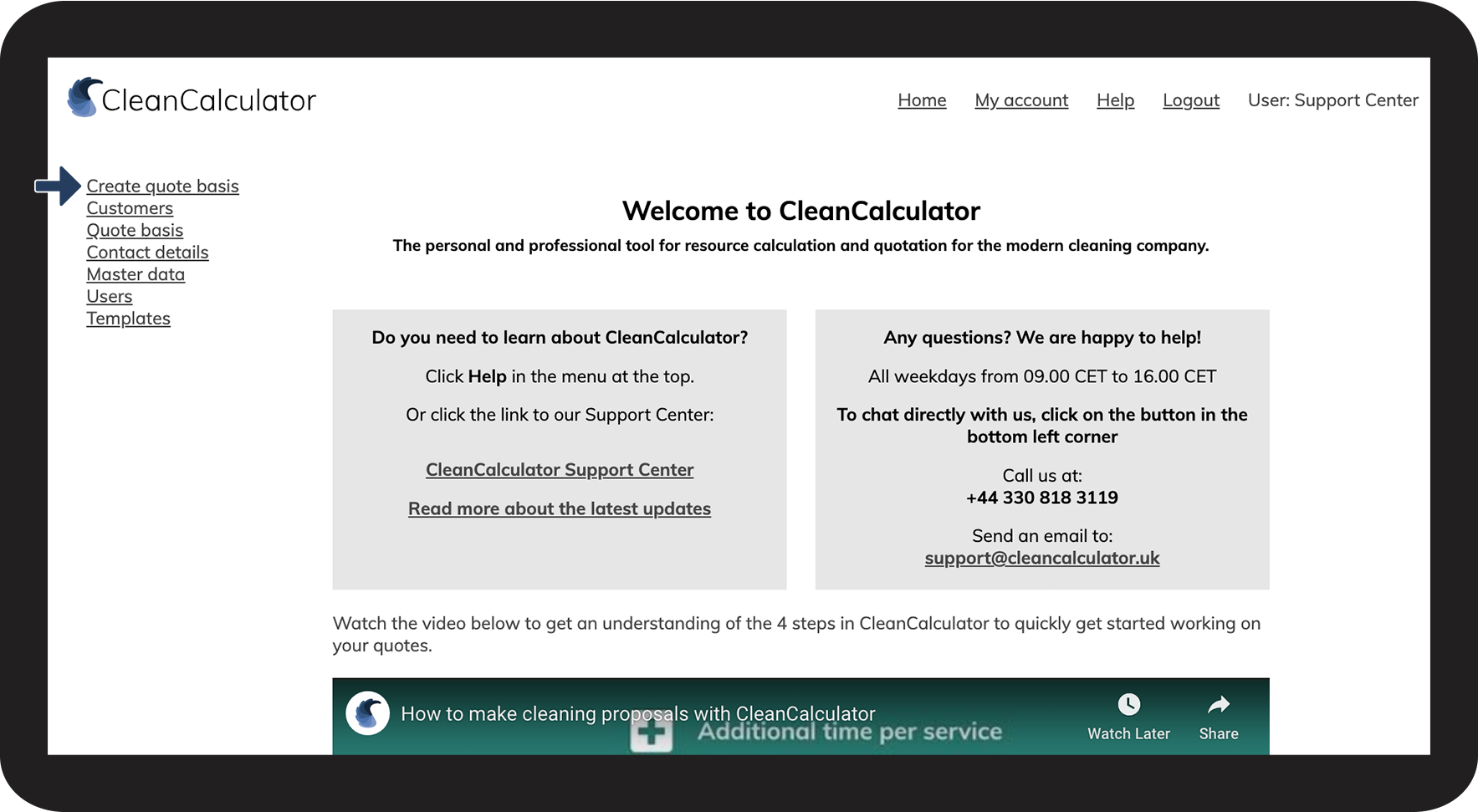
Go to Create quote basis

1NY.png

number_2.png
Fill in the information fields
 

Click on Informations_icon.png to learn more about the fields, or go to the section: What do the different fields mean when you create a new quote basis?
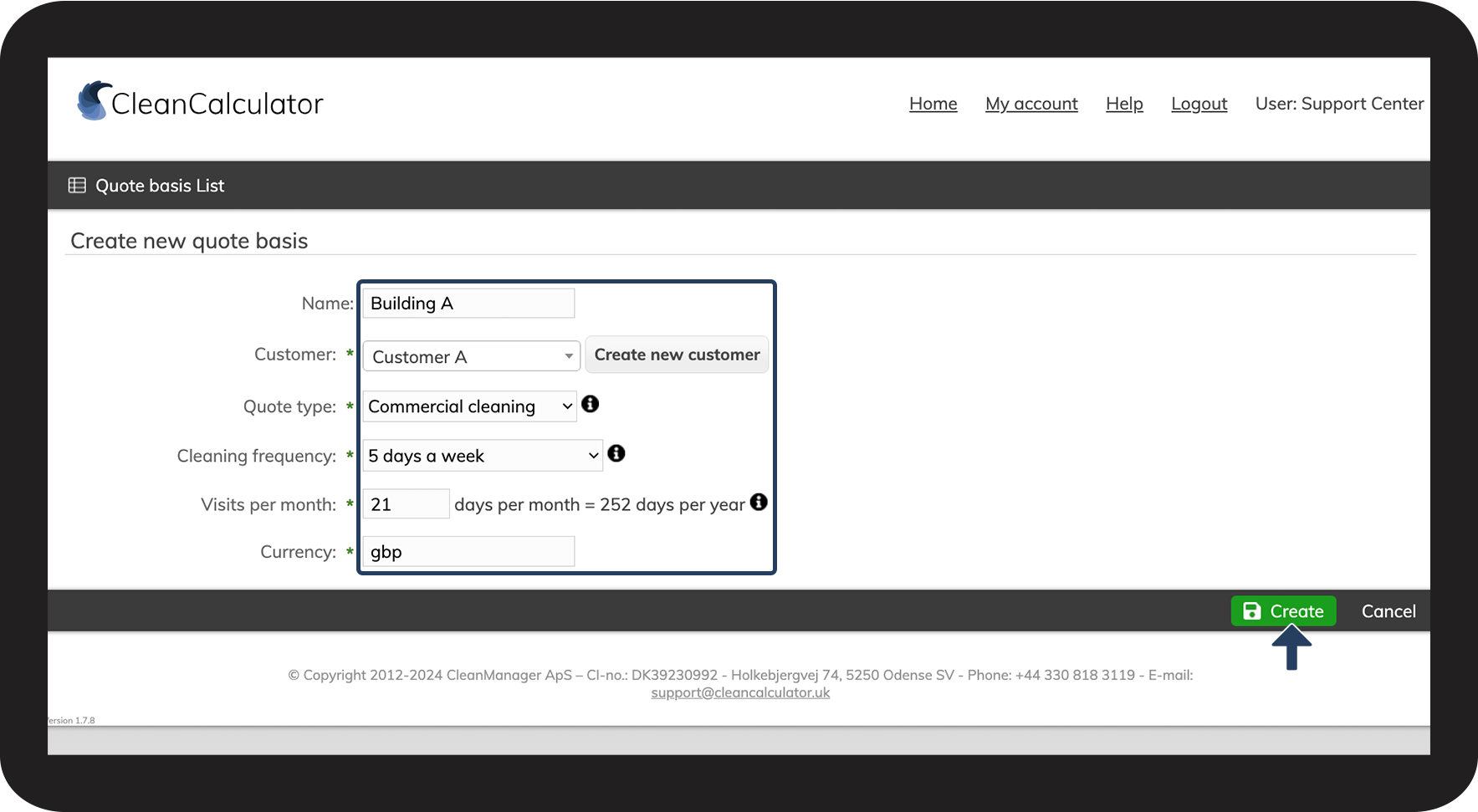

 
When you are done, click on Create to continue to the next step: Room registration

2NY.png


What do the different fields mean when you create a new quote basis?

Name

Give your quote basis a name

Give each of your quotes a name to distinguish them from one another (e.g. Quote 1, Quote 2, Quote 3, etc.).

Customer
Use the dropdown menu to select a customer from your list of existing customers, or click on Create new customer to add a new customer to the system.
Quote type

The quote type determines the standard set of rooms (see Room registration) for that specific type.

You can always select any type of room when you continue to the room registration, but your quote type defines a preset of the most commonly used types of rooms for that quote type.

Cleaning frequency

The cleaning frequency specifies how often cleaning will occur.

The dropdown menu gives you the choice between 1–7 days a week, and when selecting an option, you can see the average visits per months and the total of days per year.

If you select Schools, 5 days a week, it will take into account the extra school holidays throughout the year.

Visits per month

Visits per month shows the necessary amount of visits to the customer in accordance with the cleaning frequency. A cleaning frequency of 5 week days accumulates to 21 days a month and 252 days a year. 

You can also manually alter how many days per month the cleaning should occur.

Currency

Please note that if you change the type of currency, it does not affect the calculations, but only the visual display of currency.


Step_2.png

Continue to the article Room registration

Here, you can continue the configuration of your quote.