Skip to content
English
  • There are no suggestions because the search field is empty.

Start task - without NFC tag

How do I start a task without an NFC tag?

Tasks can be started in two ways through the app. Either manually, or by using NFC tags. In the following user guide, we will take you through the process of starting a task manually as an employee.


In this article, you will learn how to start a task without using NFC tags:


This is how you start a task manually

number_1.png

Start the CleanManager app and log in


NOTE:

For more information regarding getting started with the app, see the following articles: Installation of the app and Log in


number_2.png

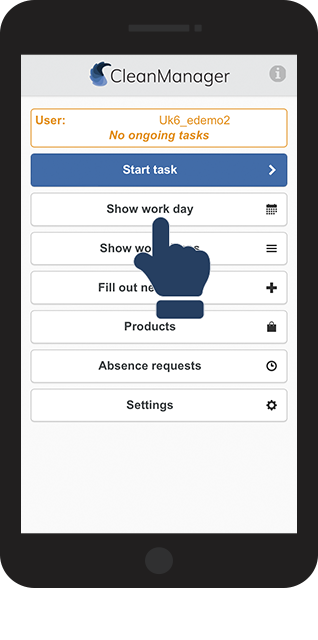
Click on Show work day to see all your tasks for the day

1NY.png
number_3.png

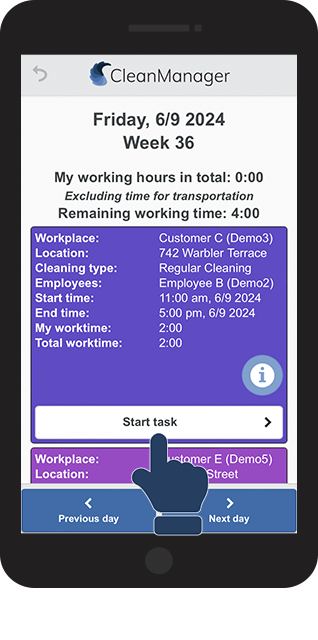
Click on Start task 

2NY.png
number_4.png

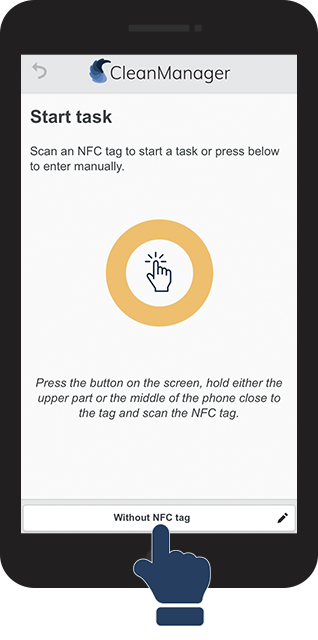
Then, click on Without NFC tag to start the task manually

3NY.png
number_5.png

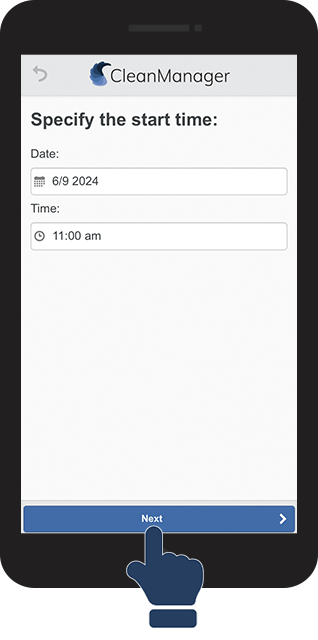
Specify the time you started, or simply click on Next

4NY.png
number_6.png
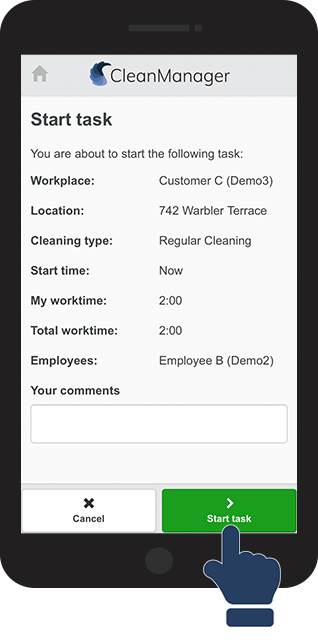
Here, you can see details about the task as well as enter a comment
 

Finally, click on Start task

5NY.png
number_7.png

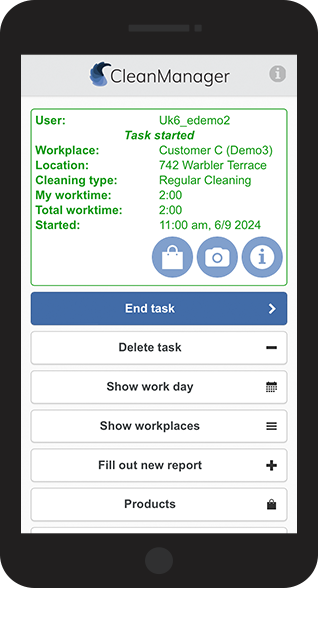
The task is now in progress


When you are done with your task, remember to end it in order to correctly register your time spent on the job.

Read more about how to end a task here: End task - without NFC tag 

6NY.png
 

NOTE:

You can only have one active task at a time. End the task before you can begin a new one.