Skip to content
English
  • There are no suggestions because the search field is empty.

Special supplements

How do I set up special supplements?

A special supplement can be used to compensate employees for special types of tasks, which might be dangerous or more physically demanding.

The special supplements can be added to the cleaning types that are used for creating tasks in the calendar.

It is possible to set up different types of special supplements and afterward choose which cleaning type they should be added to. 


Learn more about setting up and editing supplements in the following article:


In this article, you will learn how to add special supplements to cleaning types:


Adding special supplements to tasks

In order to use special supplements, they need to be ticked off at the different cleaning types:

number_1.png

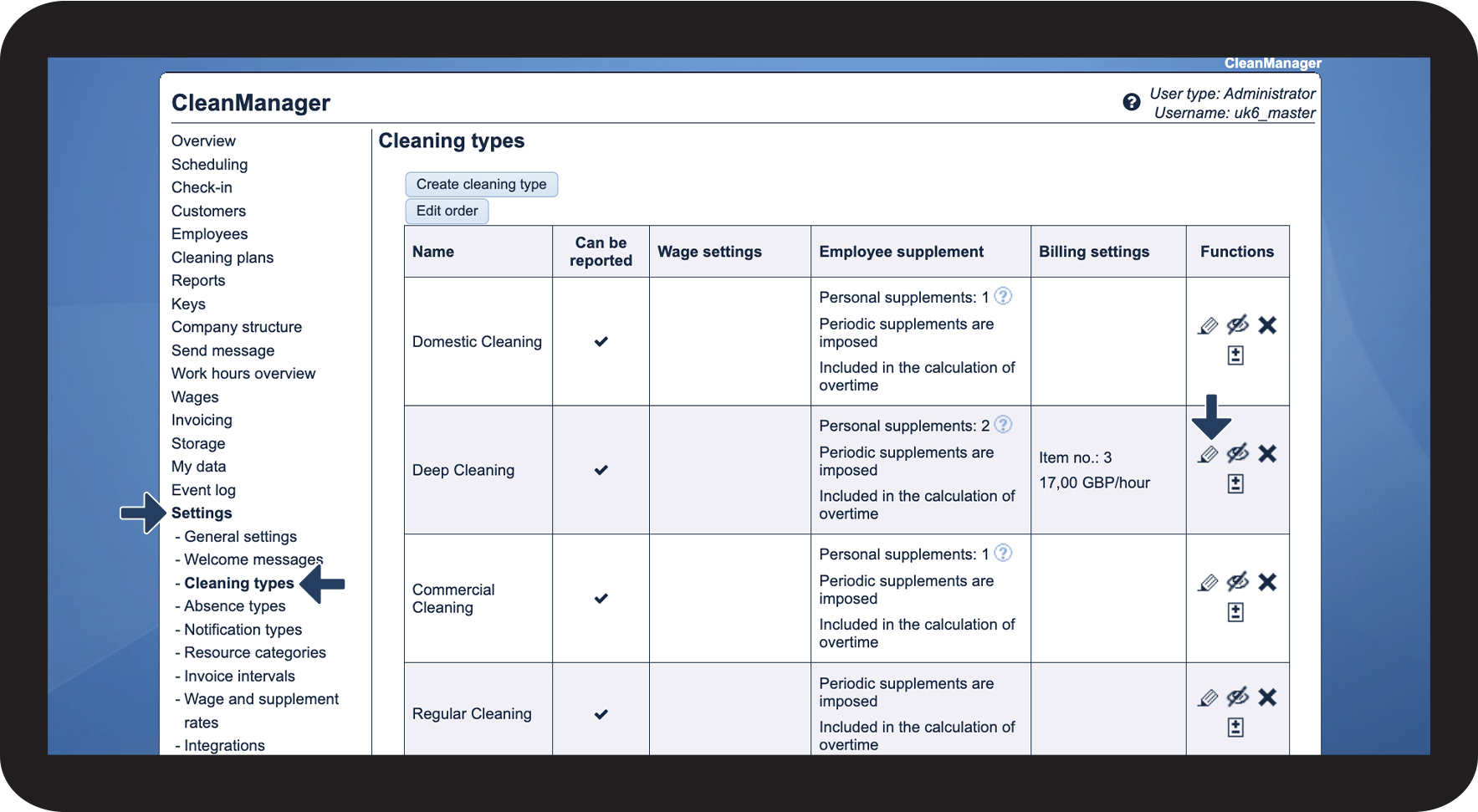
In the menu, go to Settings Cleaning types


Thereafter, click on Edit cleaning type edit.png in the Functions column next to the cleaning type you wish to edit
1.png

number_2.png

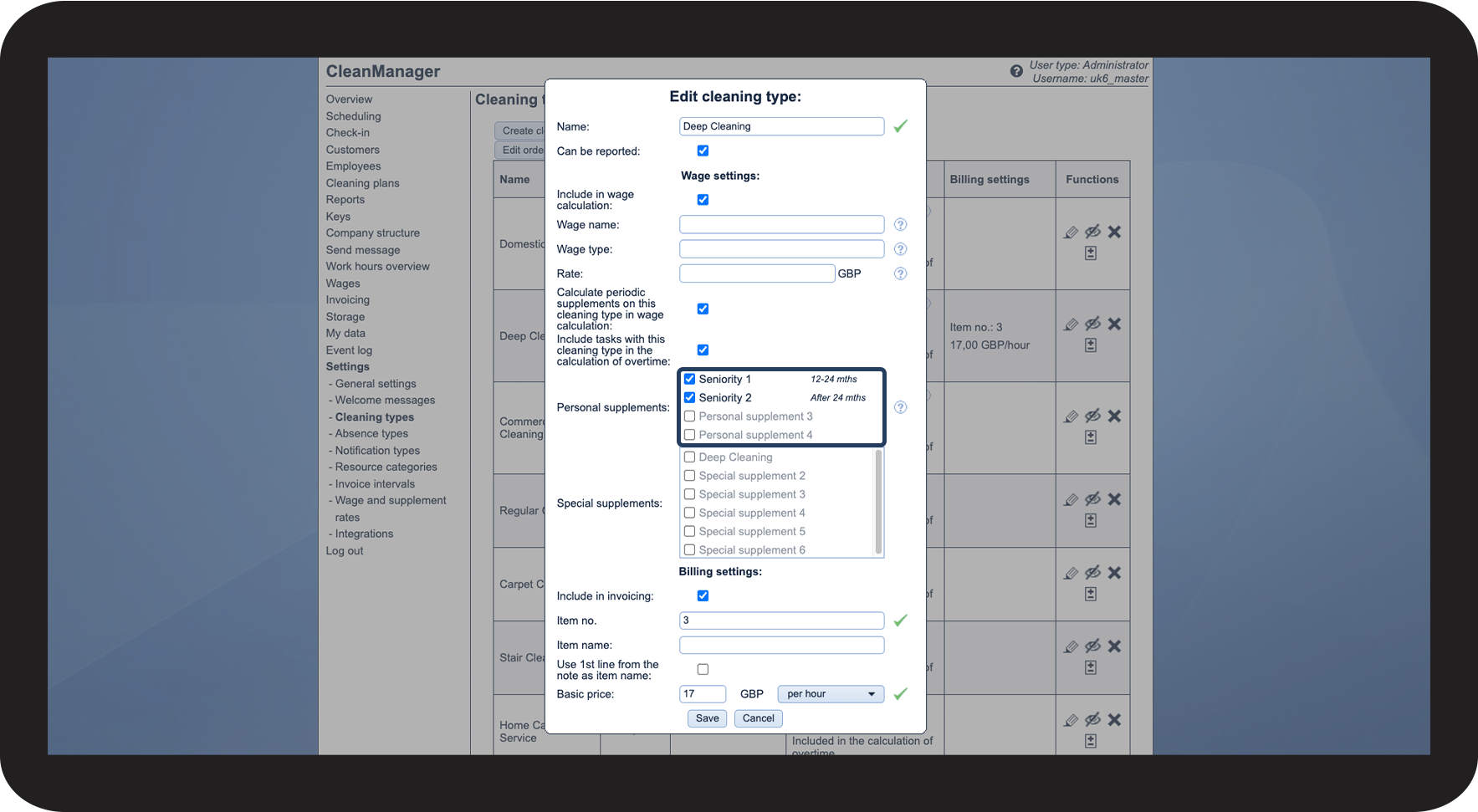
Set up the wage settings for the cleaning type


Here, you can specify which personal supplements should be triggered by the cleaning type. In this example, Seniority 1 and 2 have been selected. Note that the personal supplements must also be ticked off on the employees in order for them to be triggered.

For more information about the wage settings, see the following article: Introduction to cleaning types

2.png

number_3.png

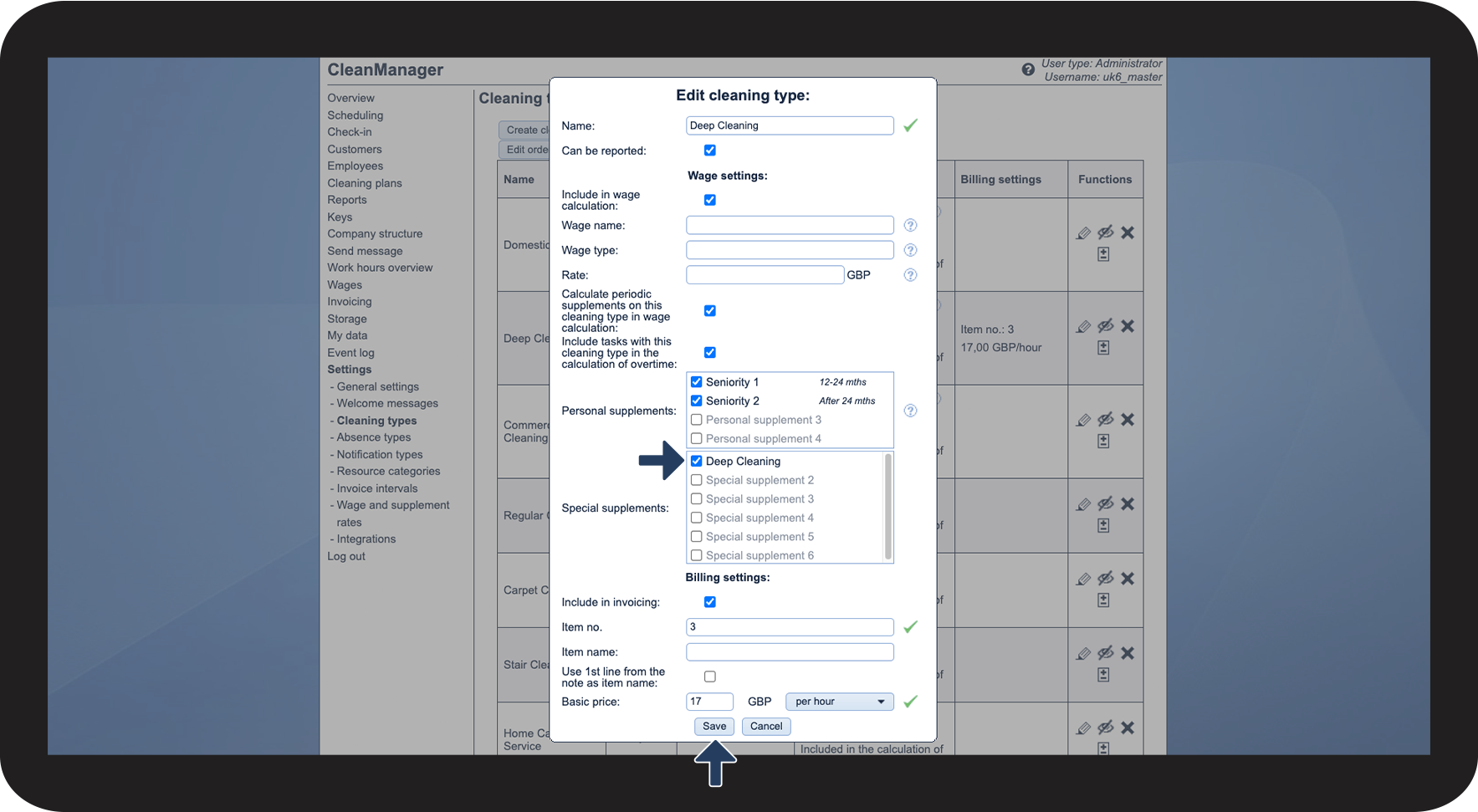
For a cleaning type to be able to trigger a special supplement, the supplement needs to be ticked off on the cleaning type


In this example, we will be adding the special supplement Deep Cleaning to compensate the employees further for a harder work burden.


Click on Save to complete the process

3.png

number_4.png

As you can see, the sentence Special supplement: 1 appeared on the cleaning type. The number indicates the number of special supplements that will be triggered by the cleaning type.

By clicking on the question mark Screenshot 2023-07-31 at 11.00.50.pngnext to the number, you can see that the special supplement for this cleaning type is Deep Cleaning.
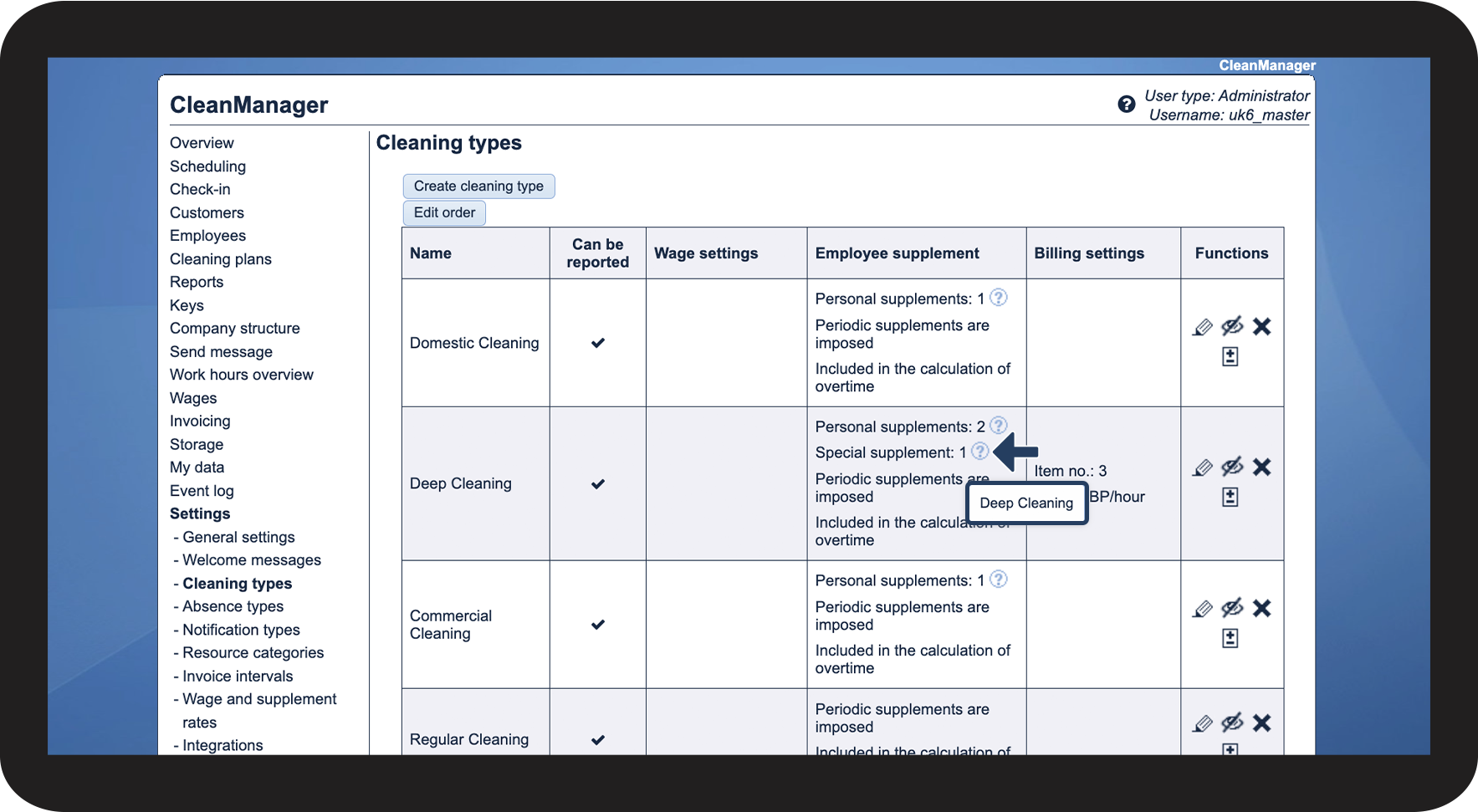

 

The special supplement will now be added to all tasks planned in the calendar with this cleaning type.

4.png


Do you want to set up supplements for transport?

Read this article to set up supplements for transport time or mileage allowance payments: