How do I set up product types?
The administrator can set up product types, which can be used to categorize products. Product types can be used to filter products, by only selecting the specific product type to see all the products connected with it.
A supervisor can set up, edit, and delete product types. However, it is required that the administrator enables this setting first. The following article will give you insight into how you can grant supervisors access to the storage administration: Storage.
In this article, you will learn how to set up, edit, and delete product types:
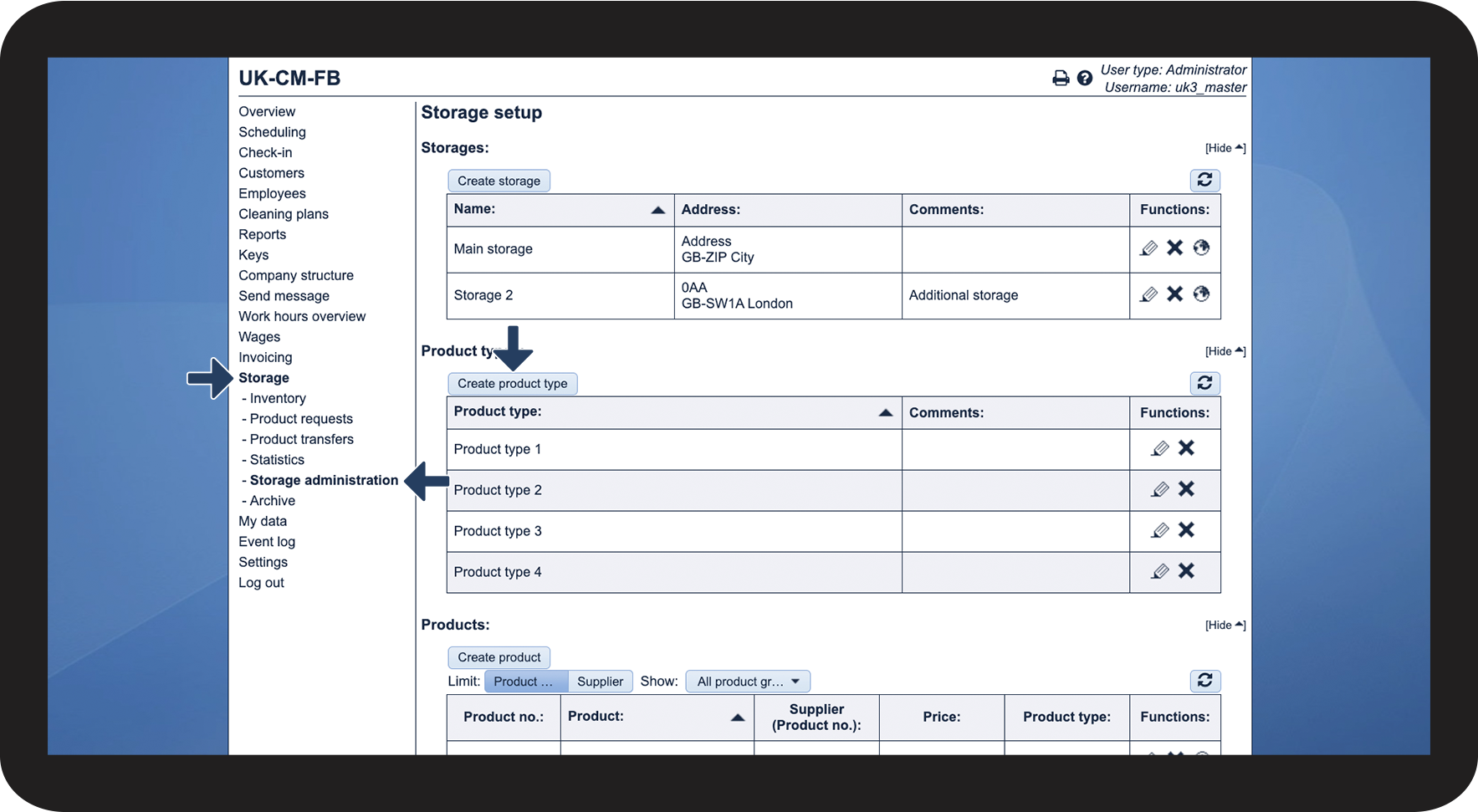
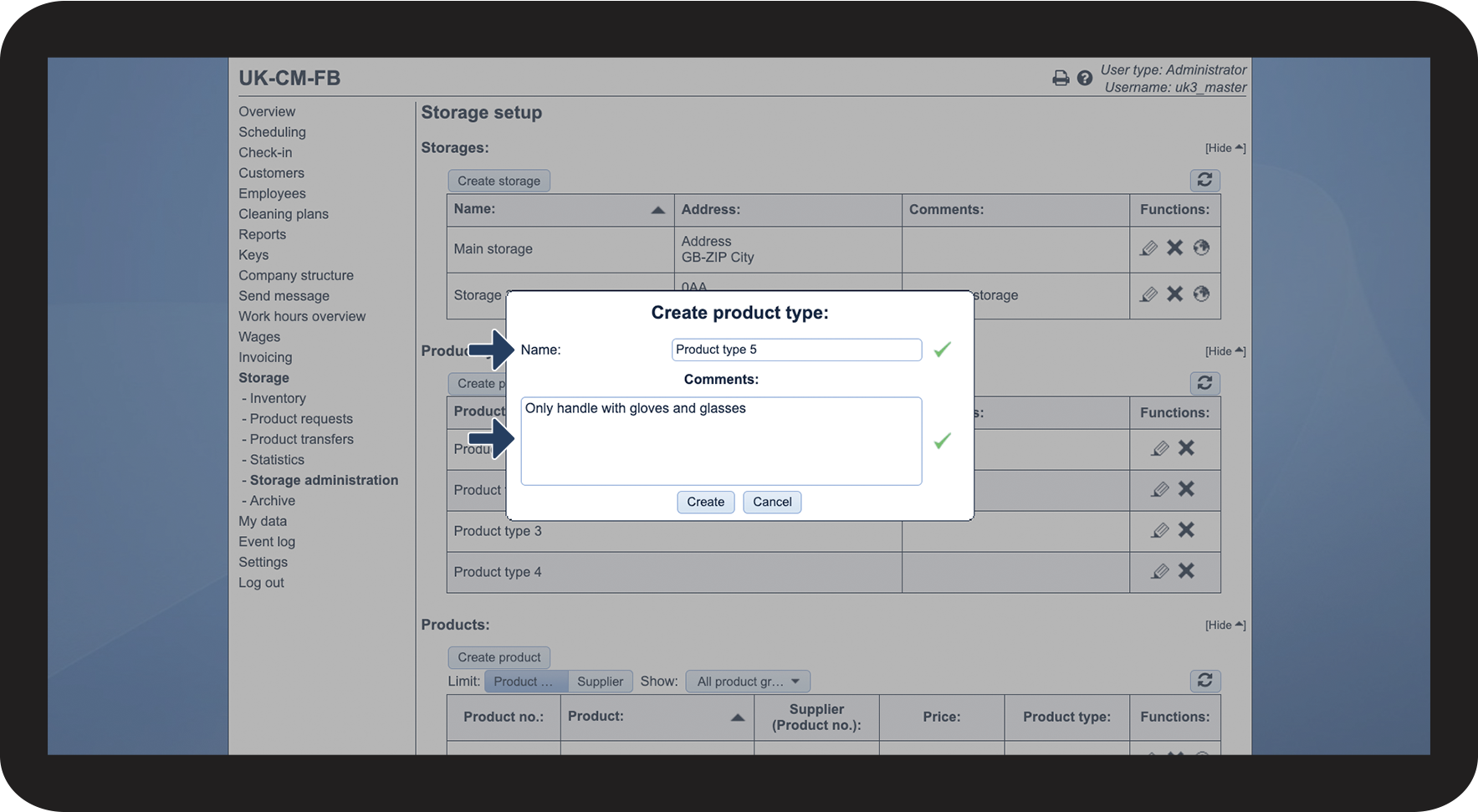
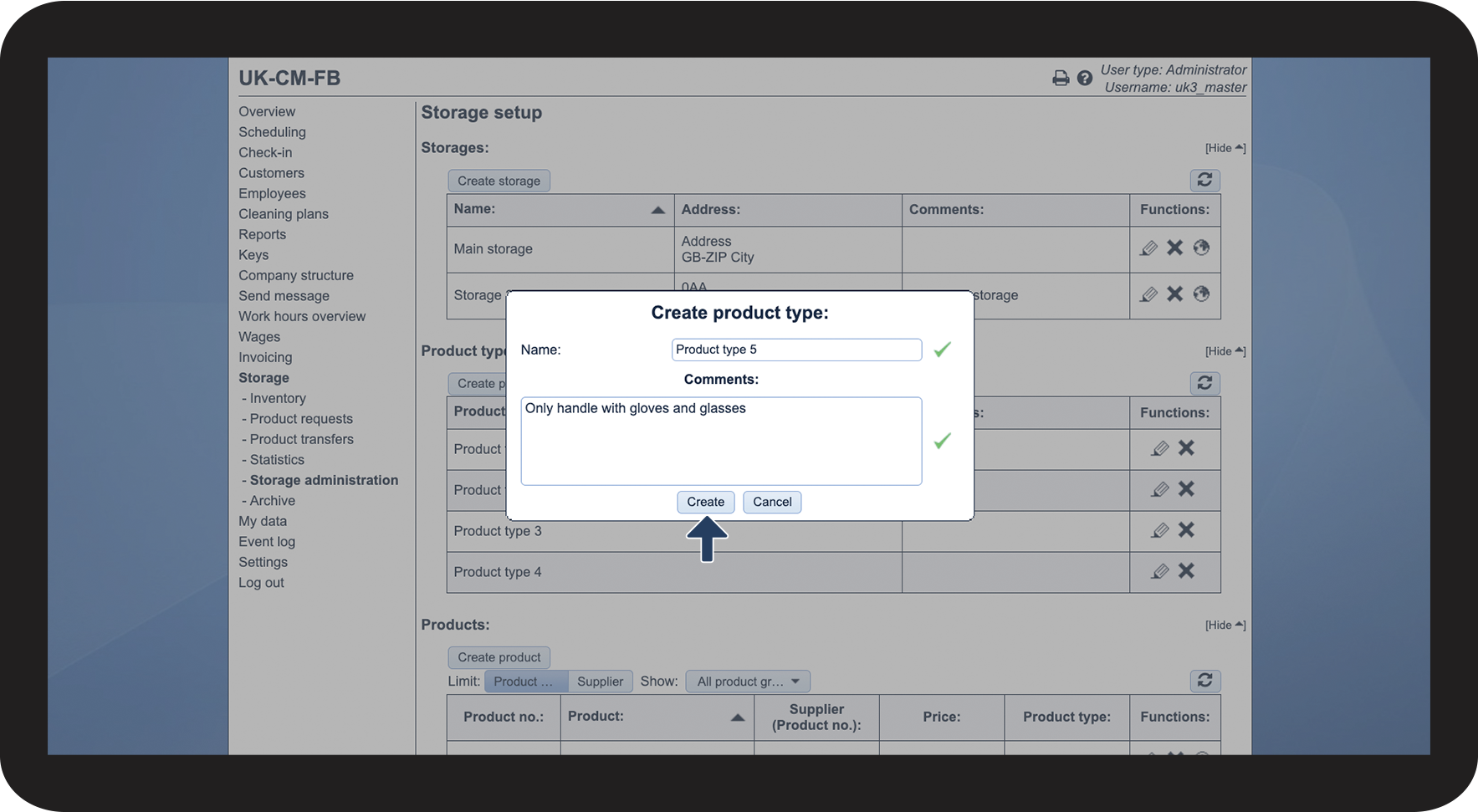
This is how you set up a product type



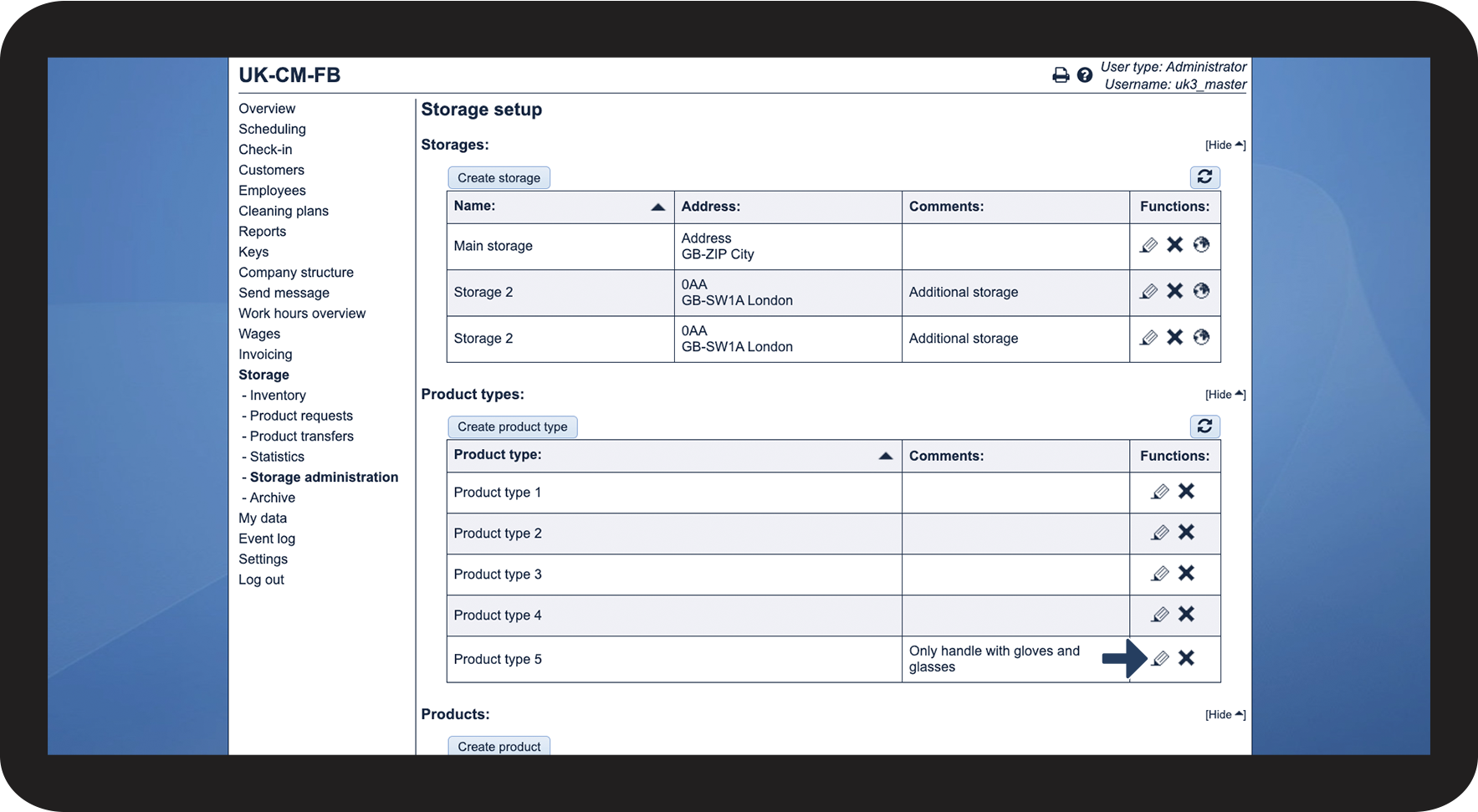
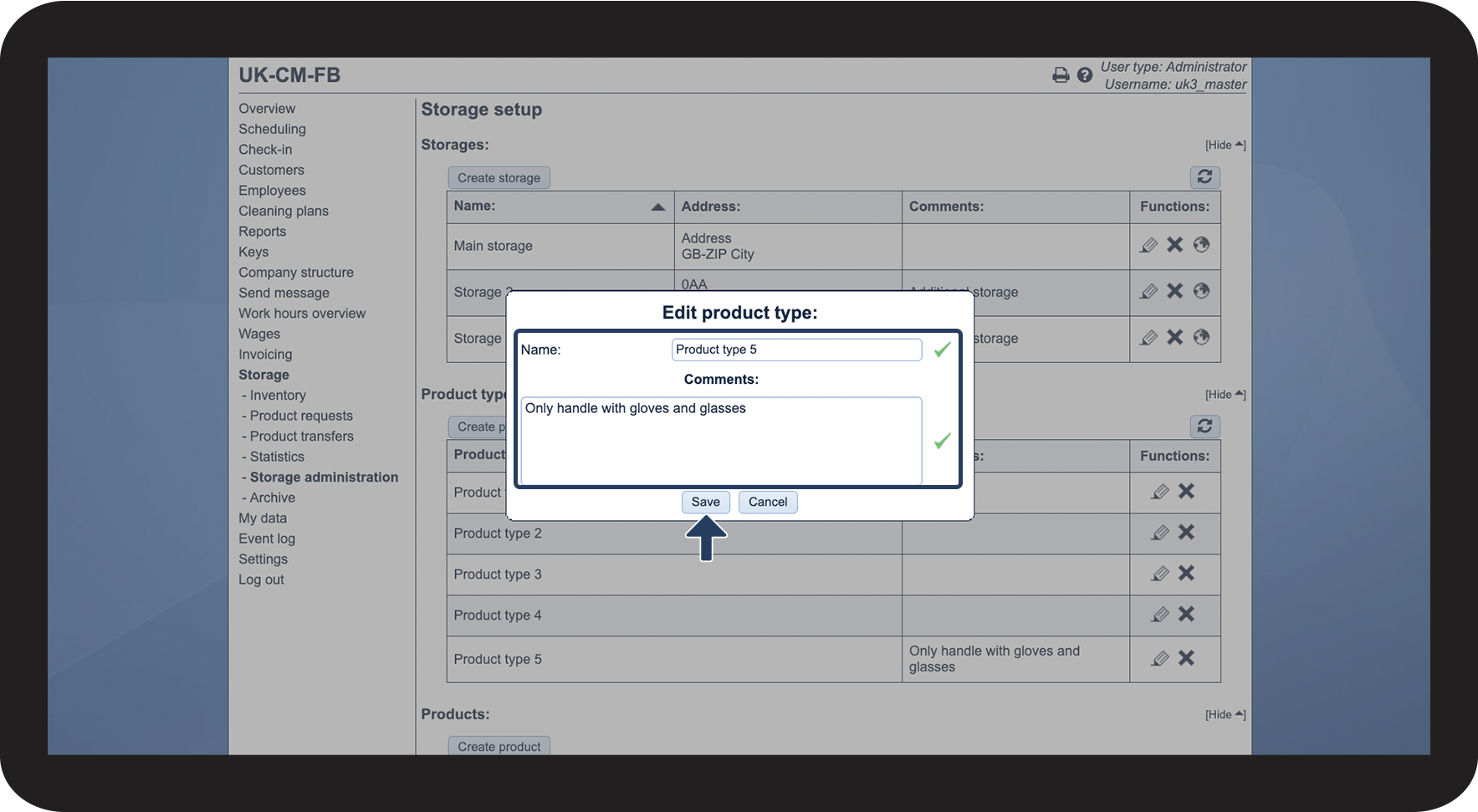
This is how you edit a product type

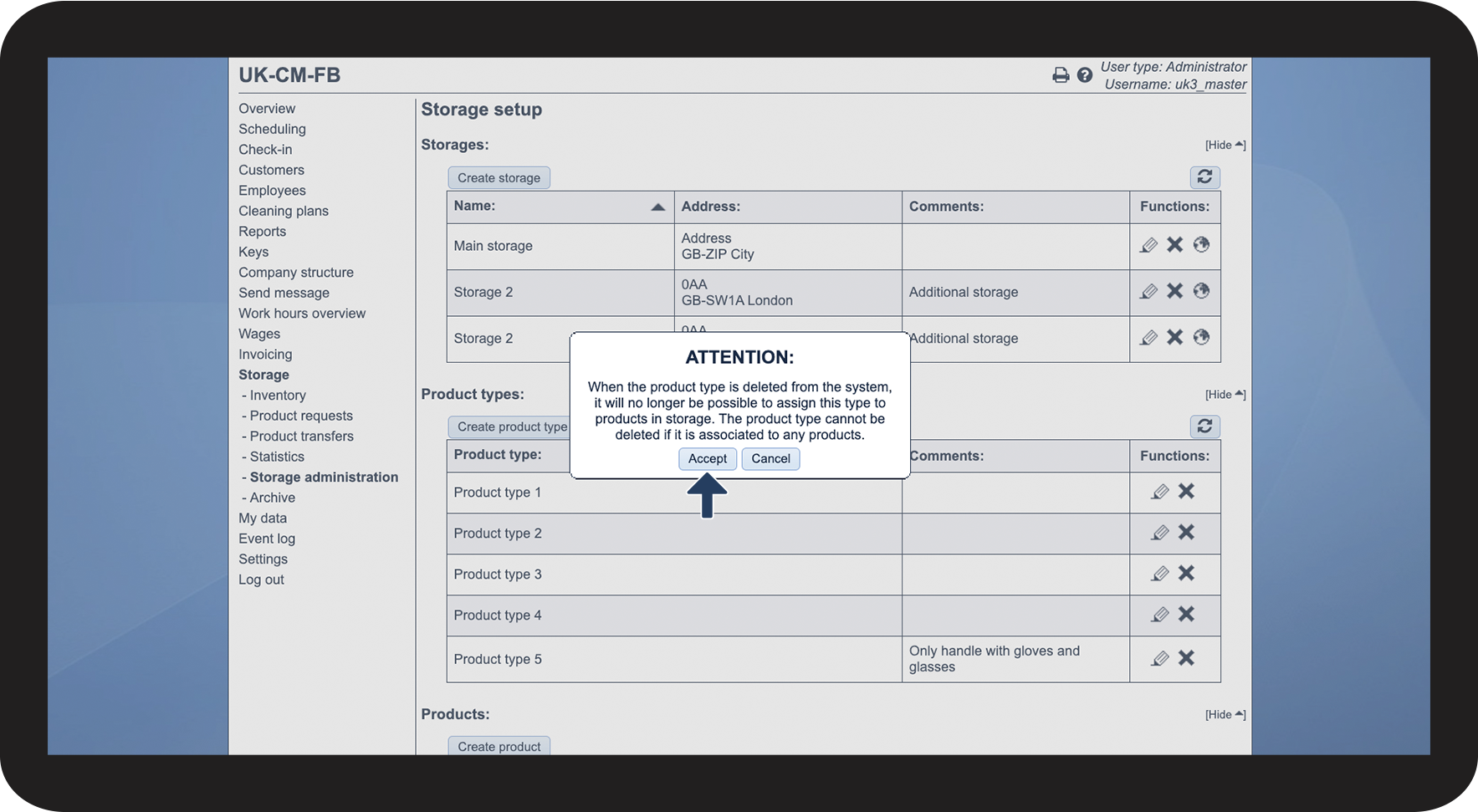
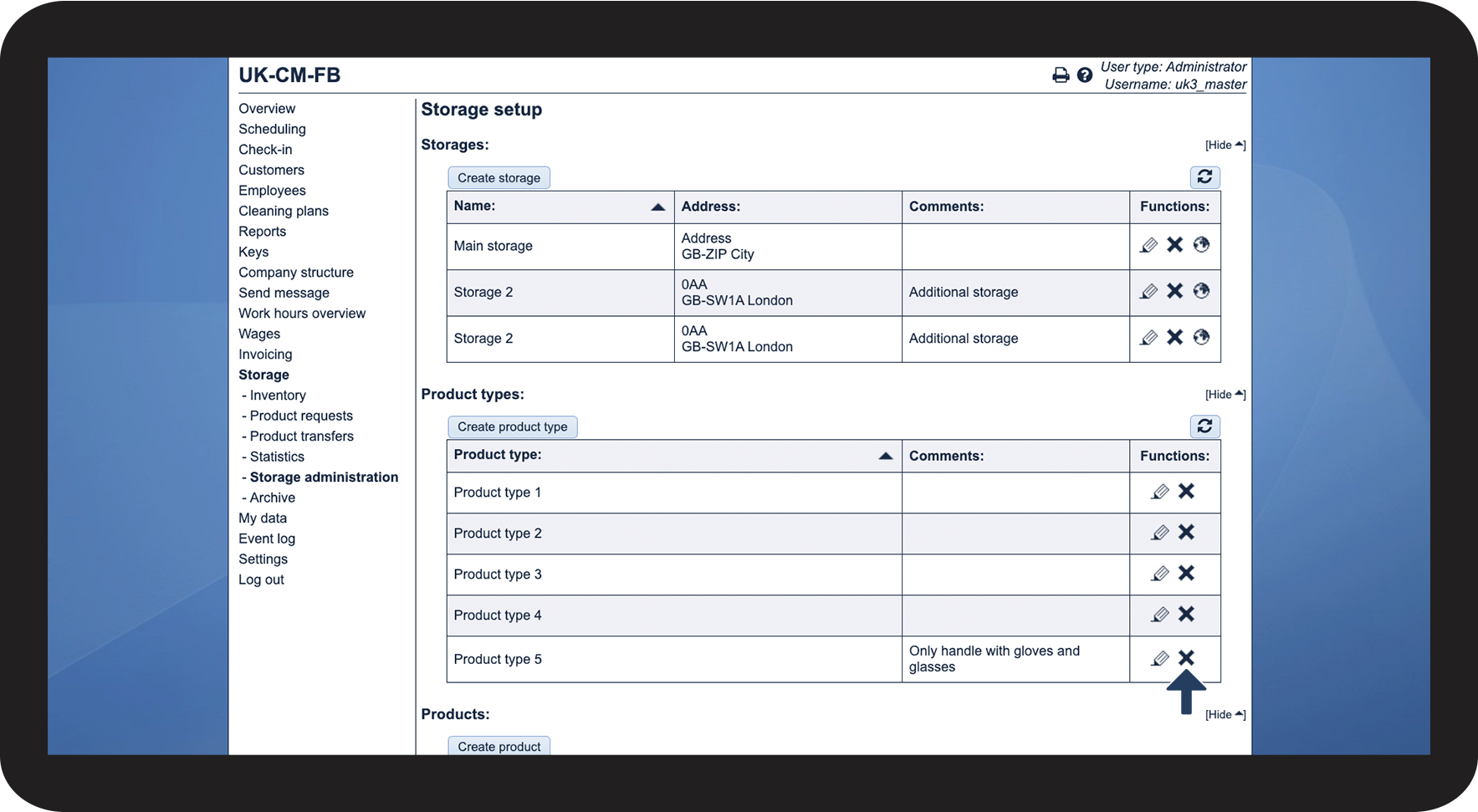
This is how you delete a product type

Note:
When a product type is deleted from the system, it will no longer be possible to assign this type to products in the storage administration. A product type cannot be deleted if it is connected to any product.