Skip to content
English
  • There are no suggestions because the search field is empty.

Setting up export of invoicing to Dynamics 365 Business Central

How do I set up my account to transfer invoices to Business Central?

Note:

To be able to set up the export of invoices to Business Central you need to have created an integration between CleanManager and Business Central.

Read more in the article: Integration setup for Dynamics 365 Business Central


To be able to transfer invoices to Business Central, you need to set up Business Central as the desired economy system used for invoicing.


Configuration of export options of invoices to Business Central

number_1.png
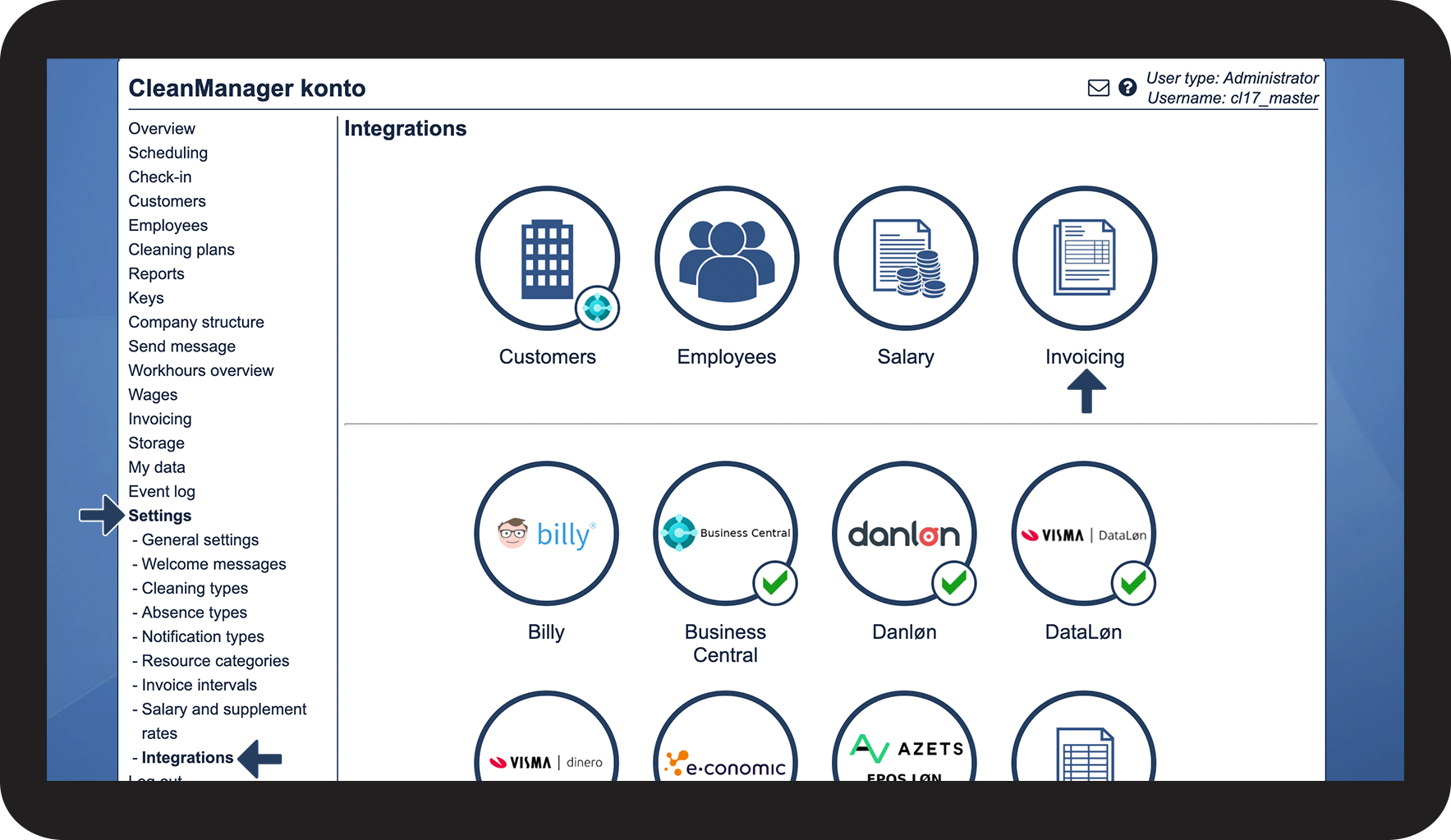
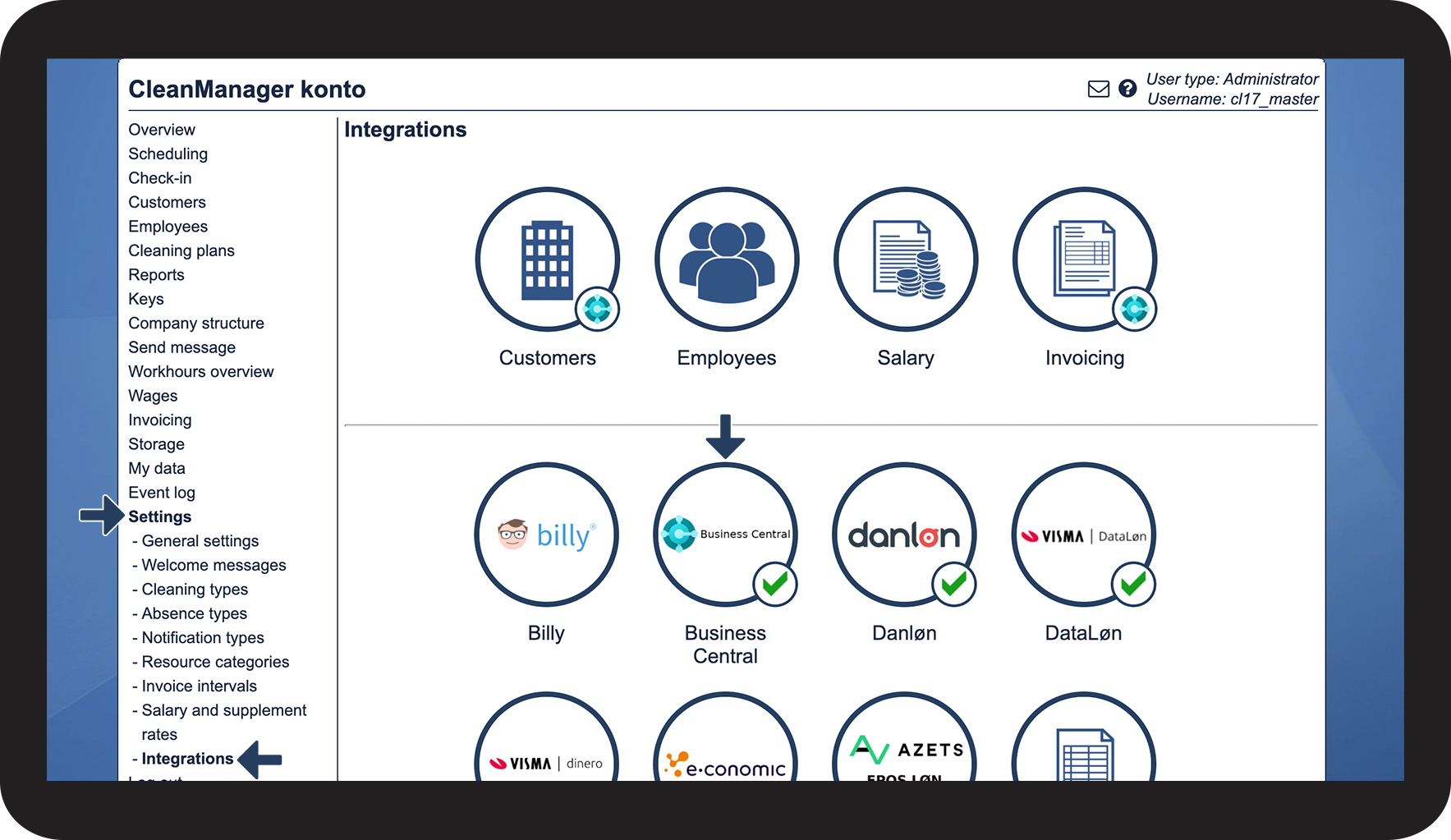
In the menu, go to Settings > Integrations
 
Afterward, press the button Invoicing

1.1.png


number_2.png
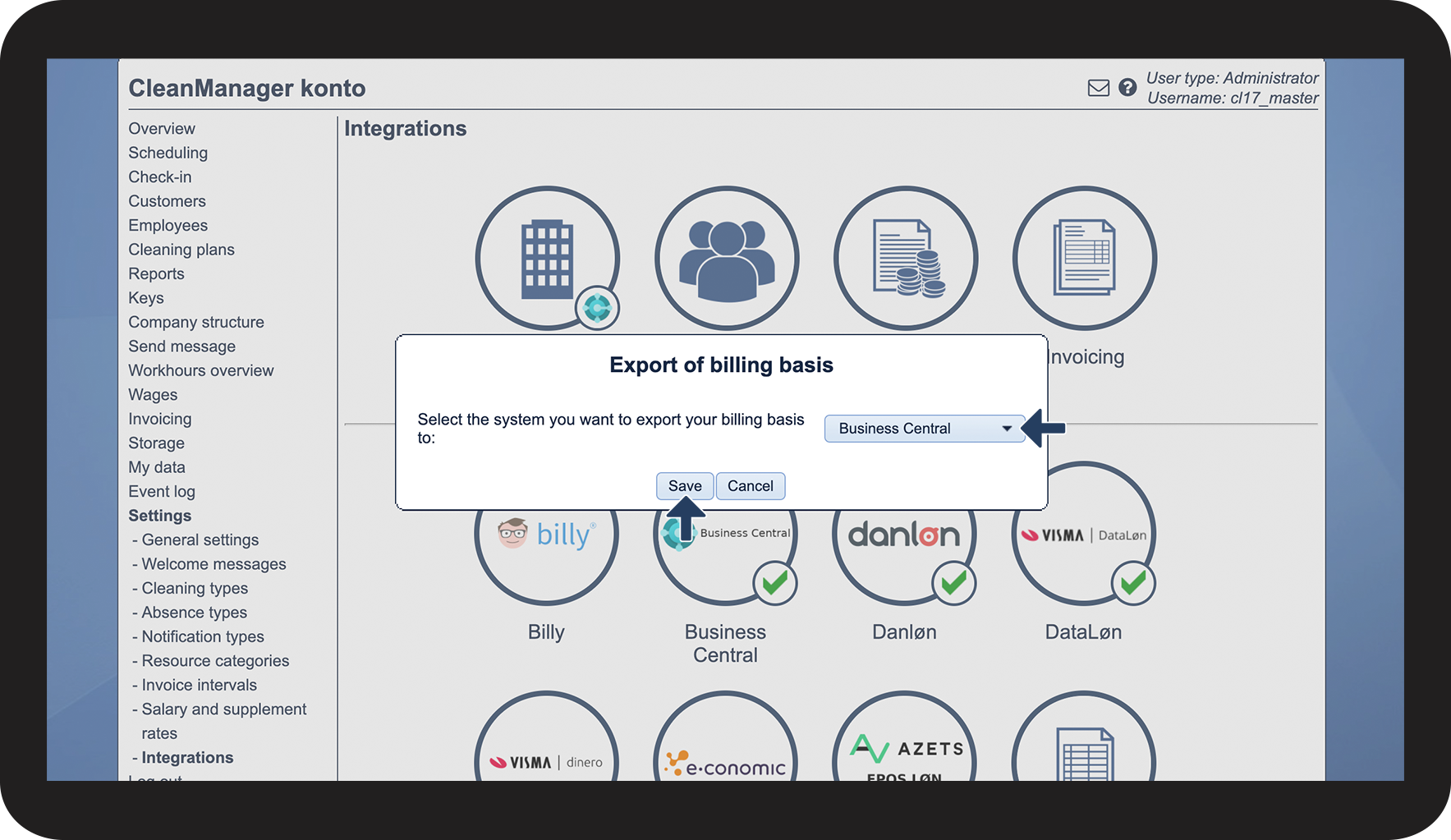
Press the dropdown button and select Business Central
 
Press Save to finish

1.2.png


number_3.png
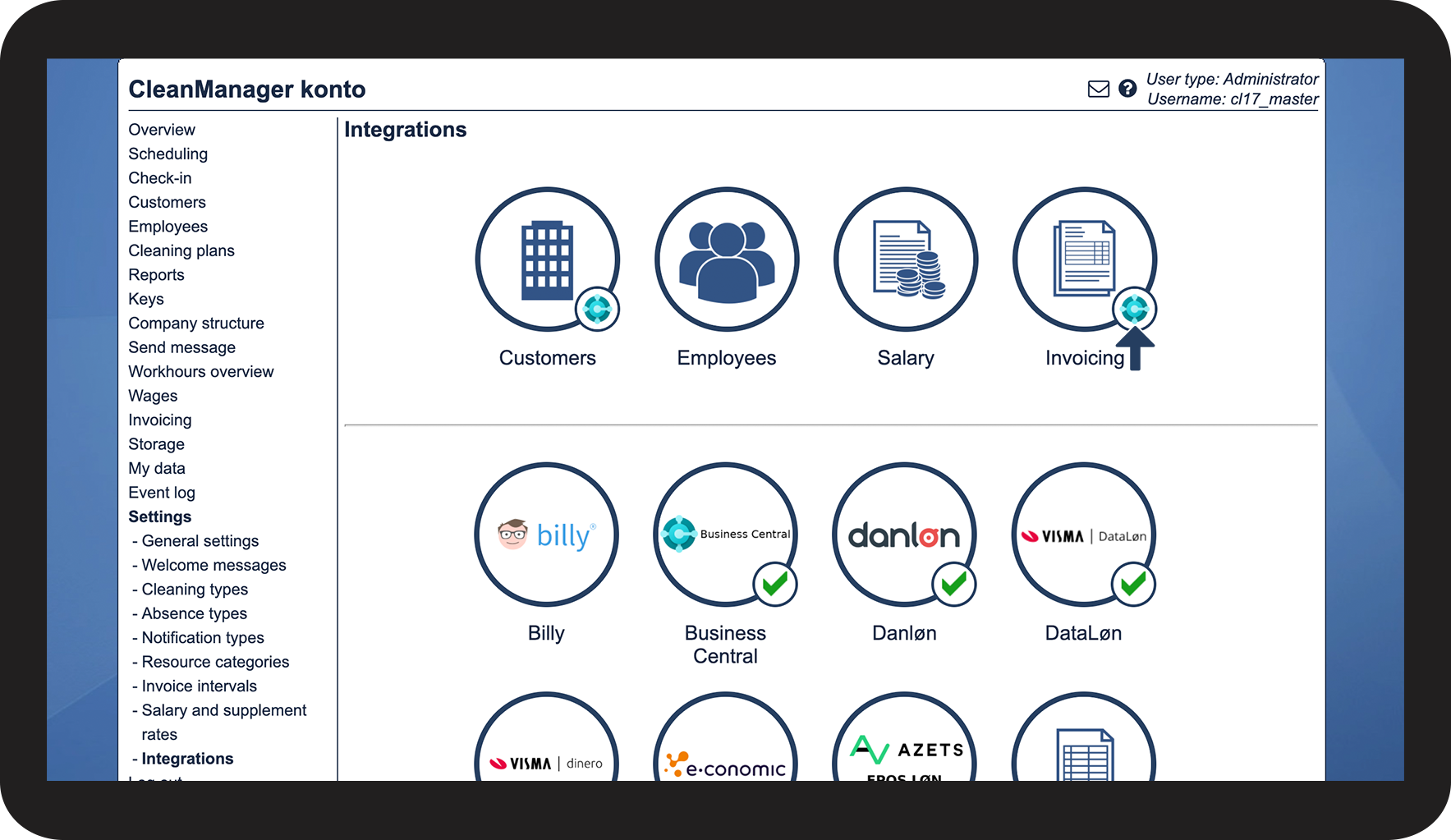
Your account is now configured to export invoices to Business Central.
See the validating icon Business_Central.png

1.3.png


Configuration of content on invoices to Business Central
number_1.png
In the menu, go to Settings > Integrations
 
Afterward, click on Business Central in the bottom section

2.1.png


number_2.png
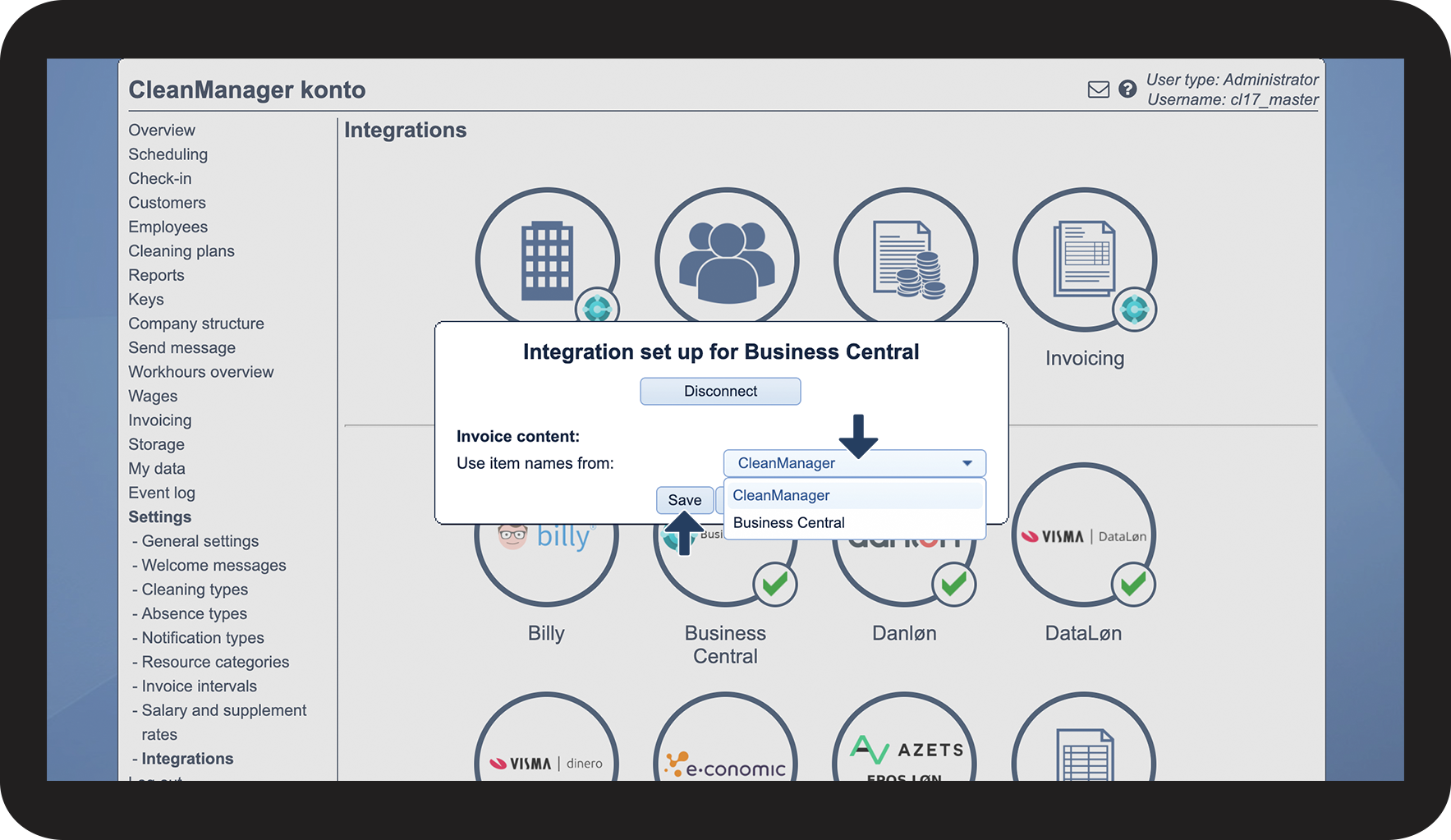
Configure which data you wish to include on your invoices
 

Choose if you want to use product names from CleanManager or Business Central when transferring invoices.

 
Press Save to finish

2.2.png