Skip to content
English
  • There are no suggestions because the search field is empty.

Setting up customer synchronisation with Dynamics 365 Business Central

How to set up customer synchronization between CleanManager and Business Central?

Note:

To be able to synchronize customer data you need to have created an integration between CleanManager and Business Central, see how to in this article:
Integration setup to Dynamics 365 Business Central


If your integration is already established to Business Central, you can set up CleanManager to synchronize customers with Business Central:


How to set up customer synchronization to Business Central

number_1.png
Log in to CleanManager with the user type Administrator
 
number_2.png
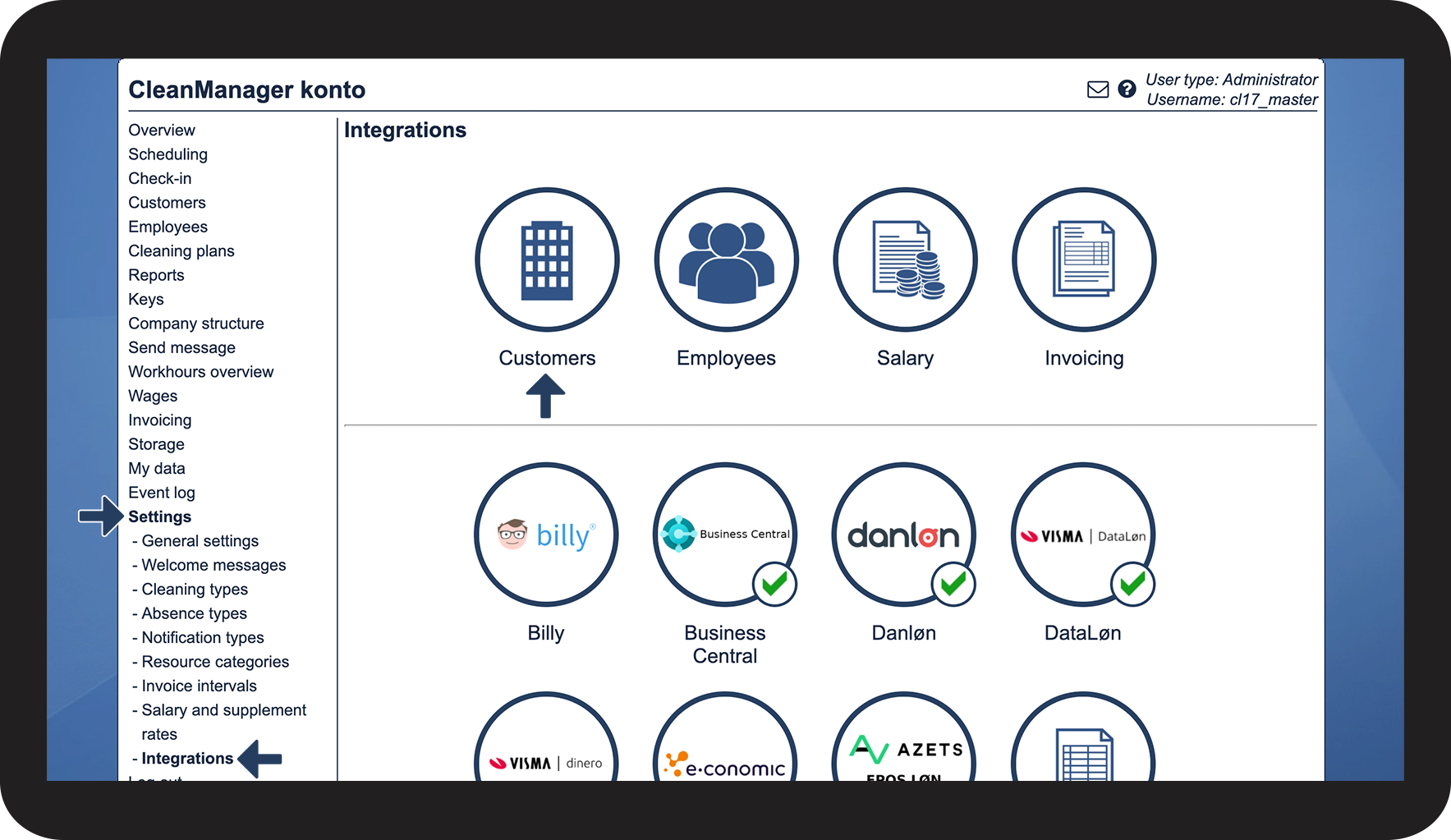
In the menu, go to Settings > Integrations
 
Afterward, click on the button Customers in the top section

1.png


number_3.png
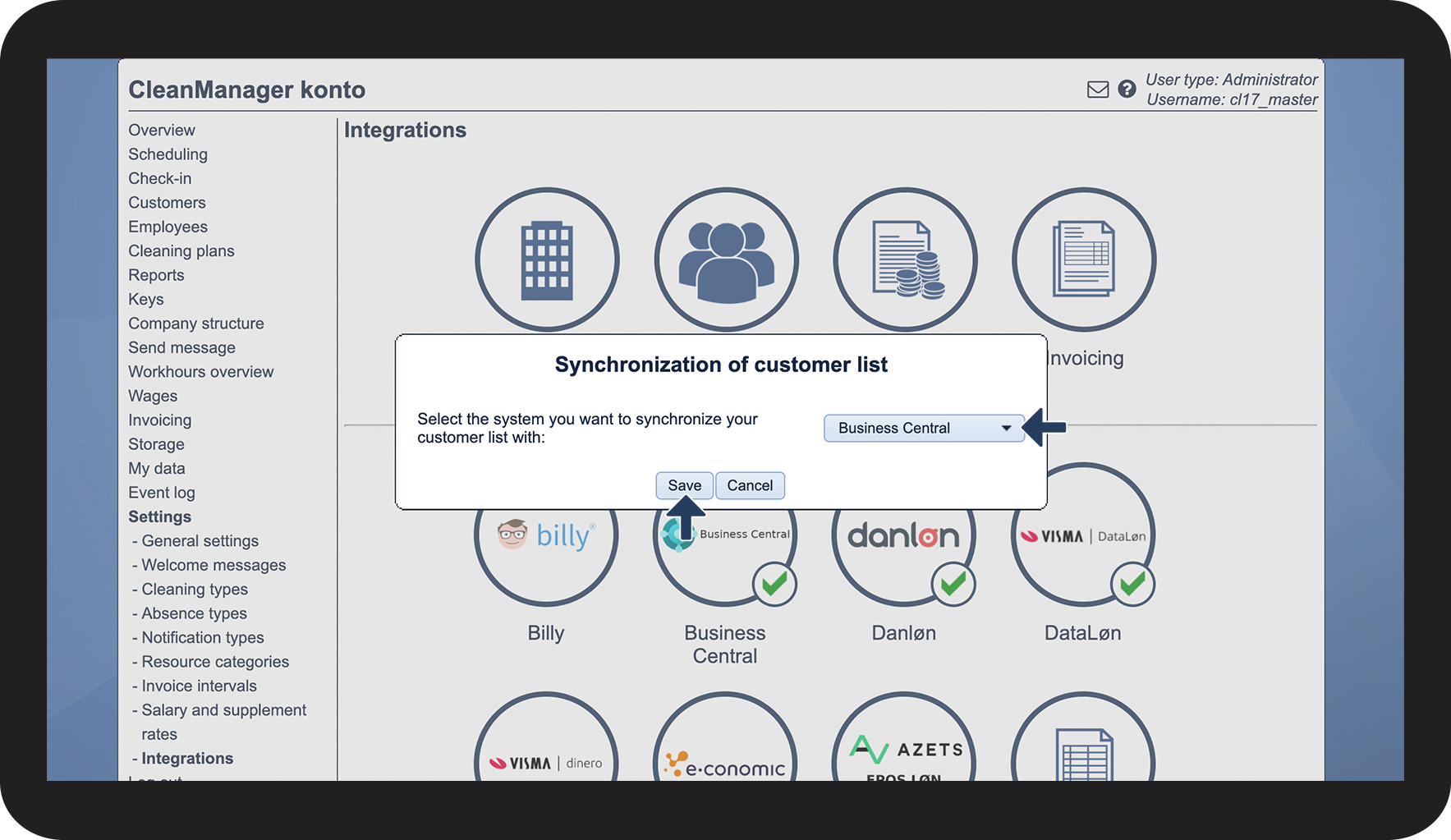
Click on the dropdown button and select Business Central
 
Press Save to finish

2.png


number_4.png

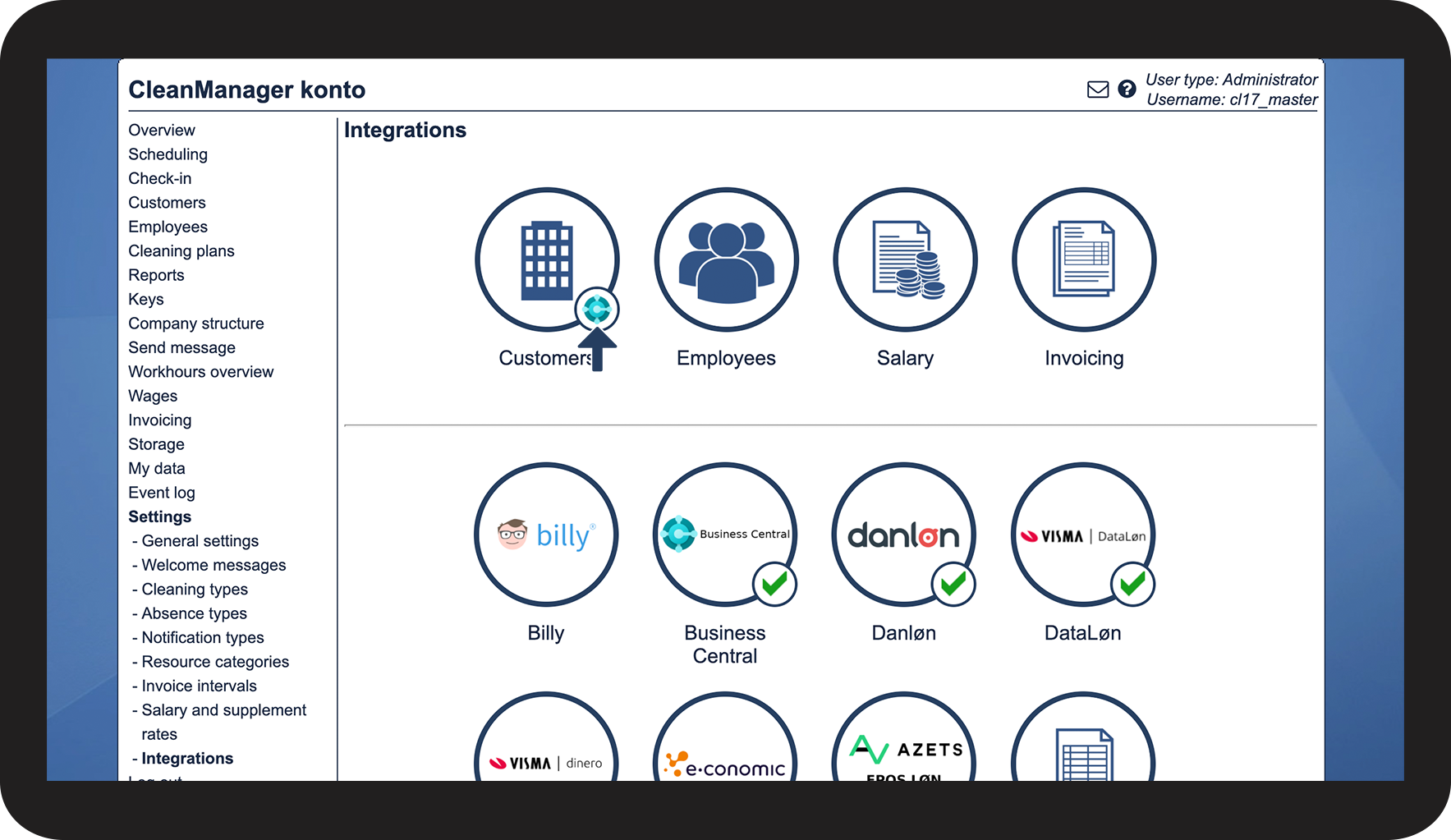
The synchronization is now established, see the active Business Central logo Screenshot_2021-08-10_at_15.10.54.png which has been added.

3.png