How do I set up a storage?
The administrator can set up multiple storage, in case your company operates more than one, with cleaning products for your employees. As a standard, there will always be a main storage set up in CleanManager, however, it is always possible to set up, edit, and delete new storage as well.
A supervisor can set up, edit, and delete storage as well. However, it is required that the administrator enables this setting first. The following article will give you insight into how you can grant supervisors access to the storage administration: Storage.
In this article, you will learn how to set up, edit, and delete storage:
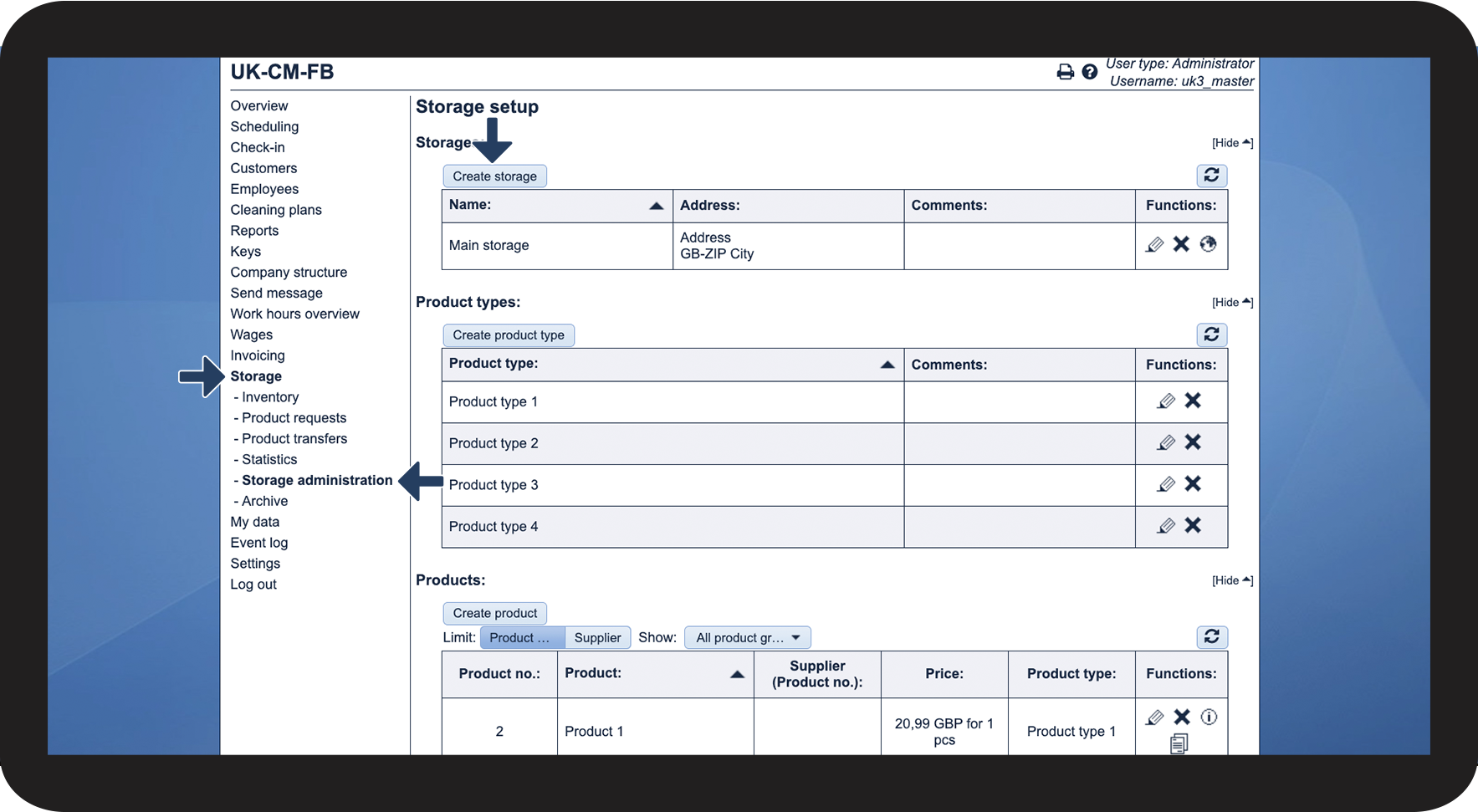
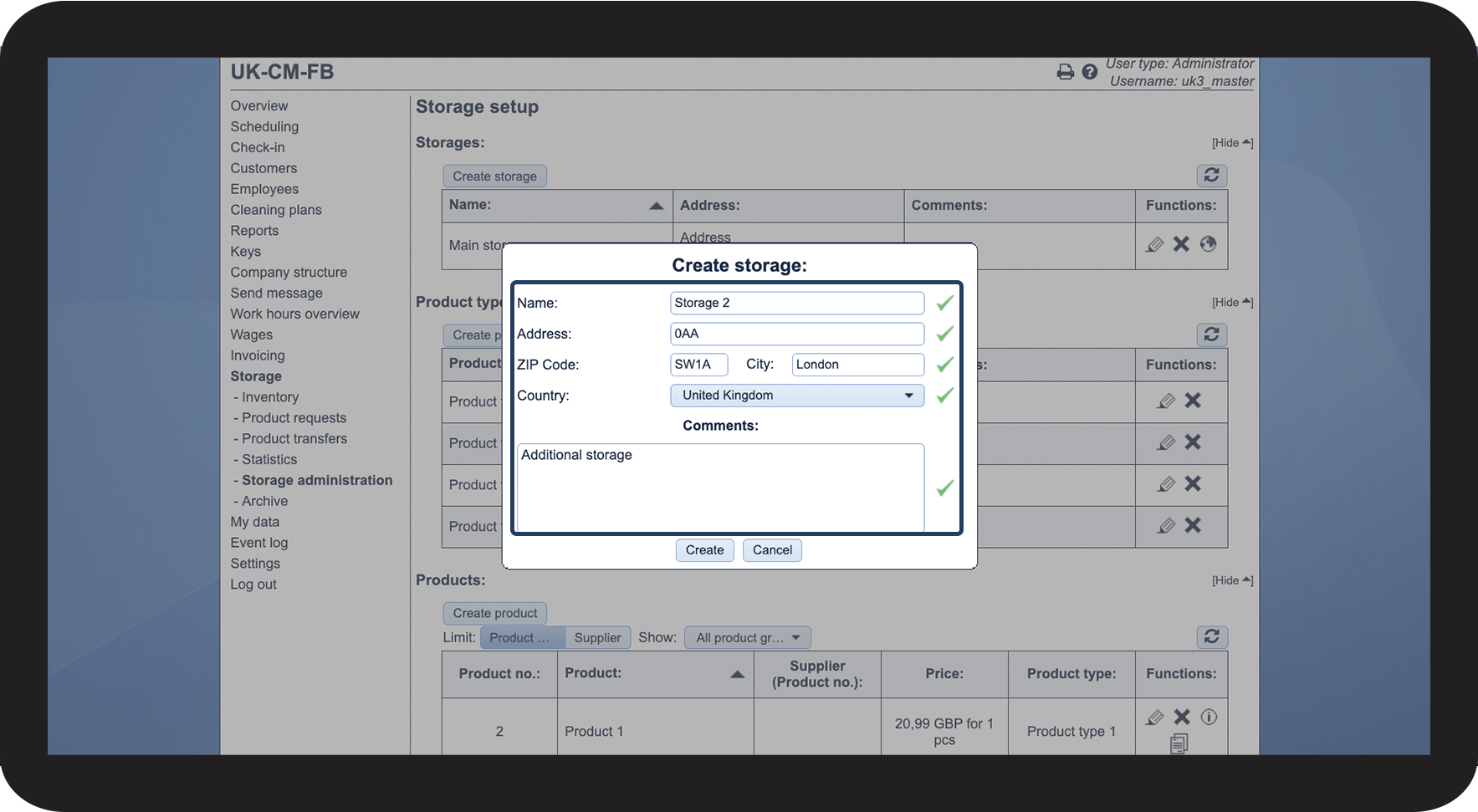
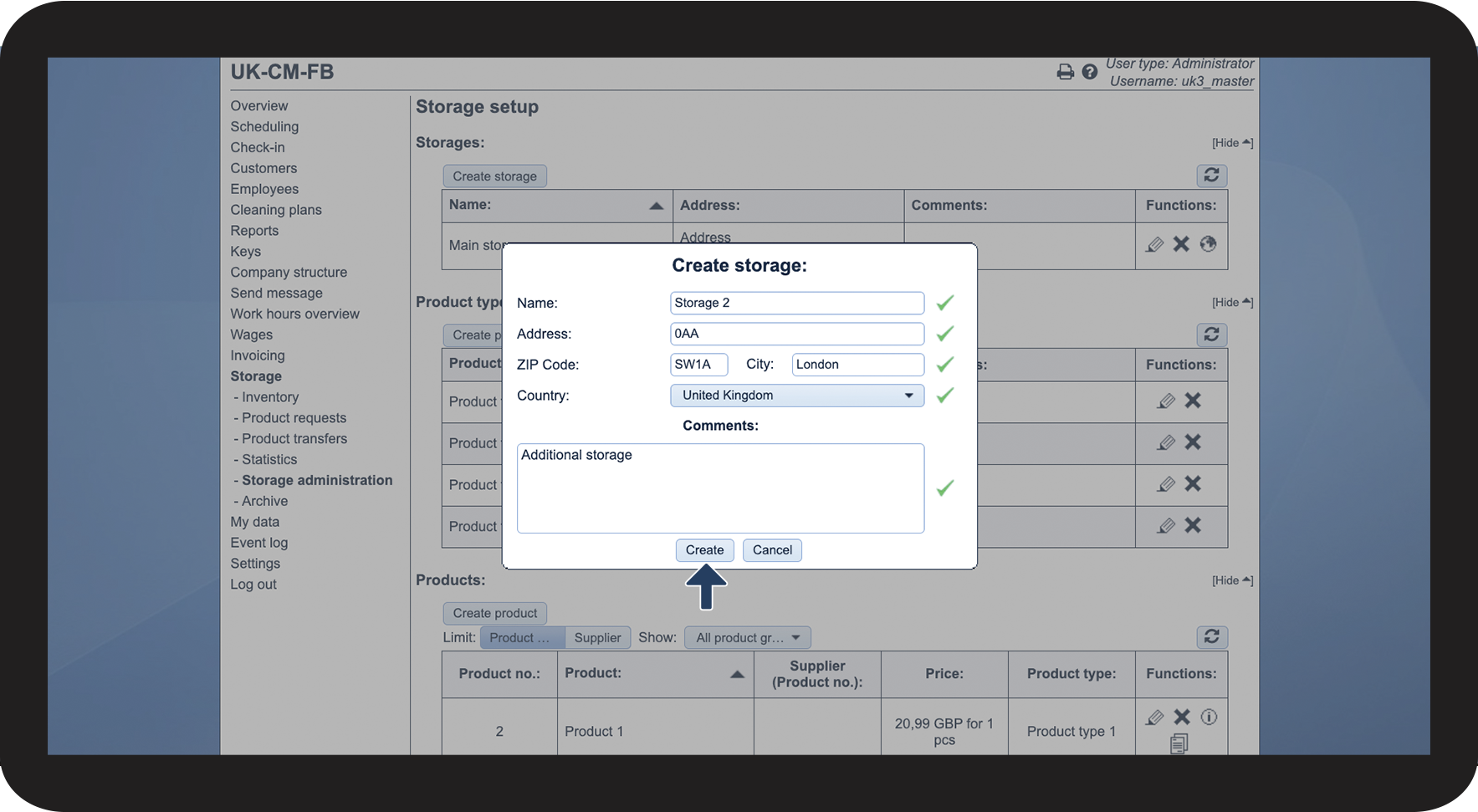
This is how you set up a storage



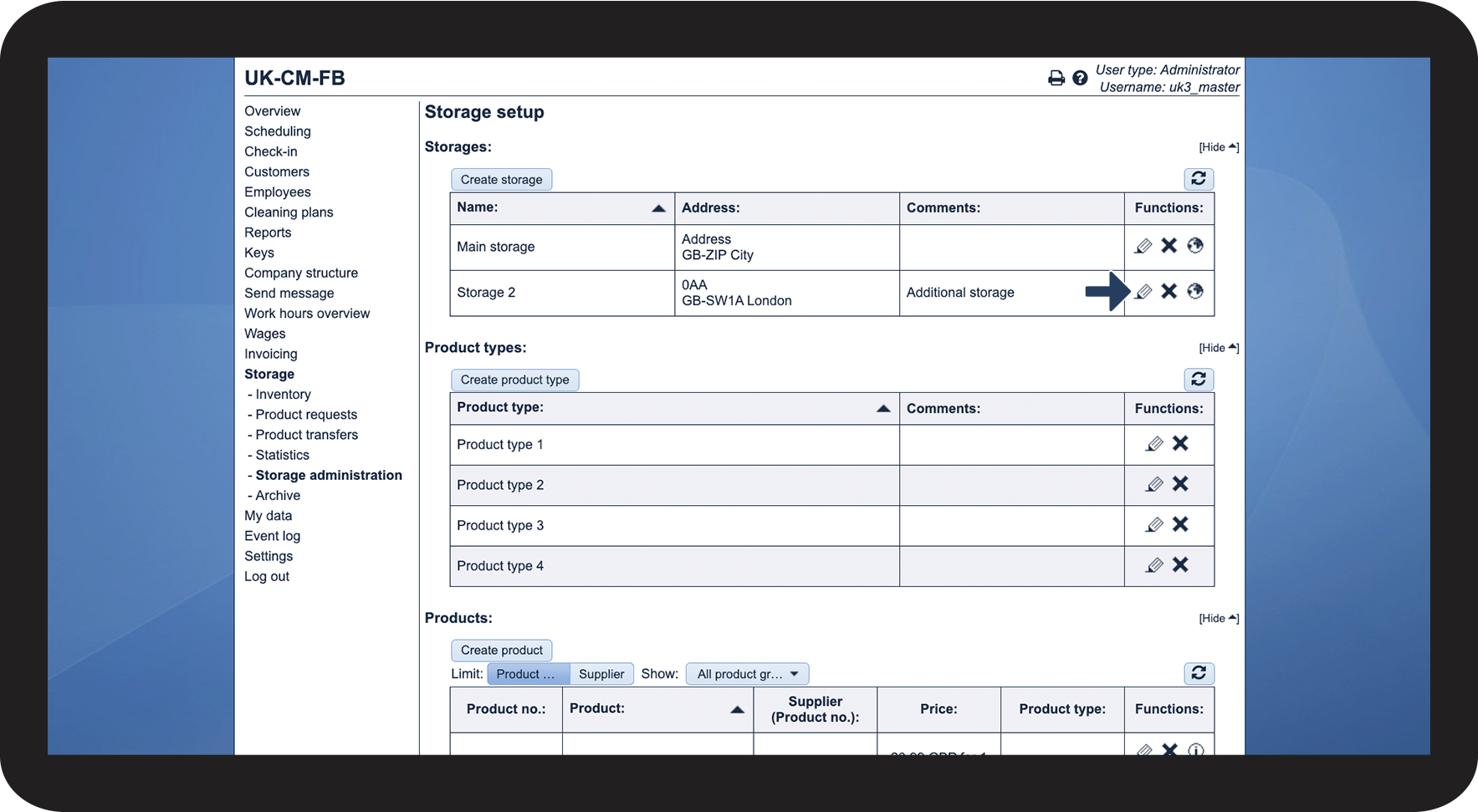
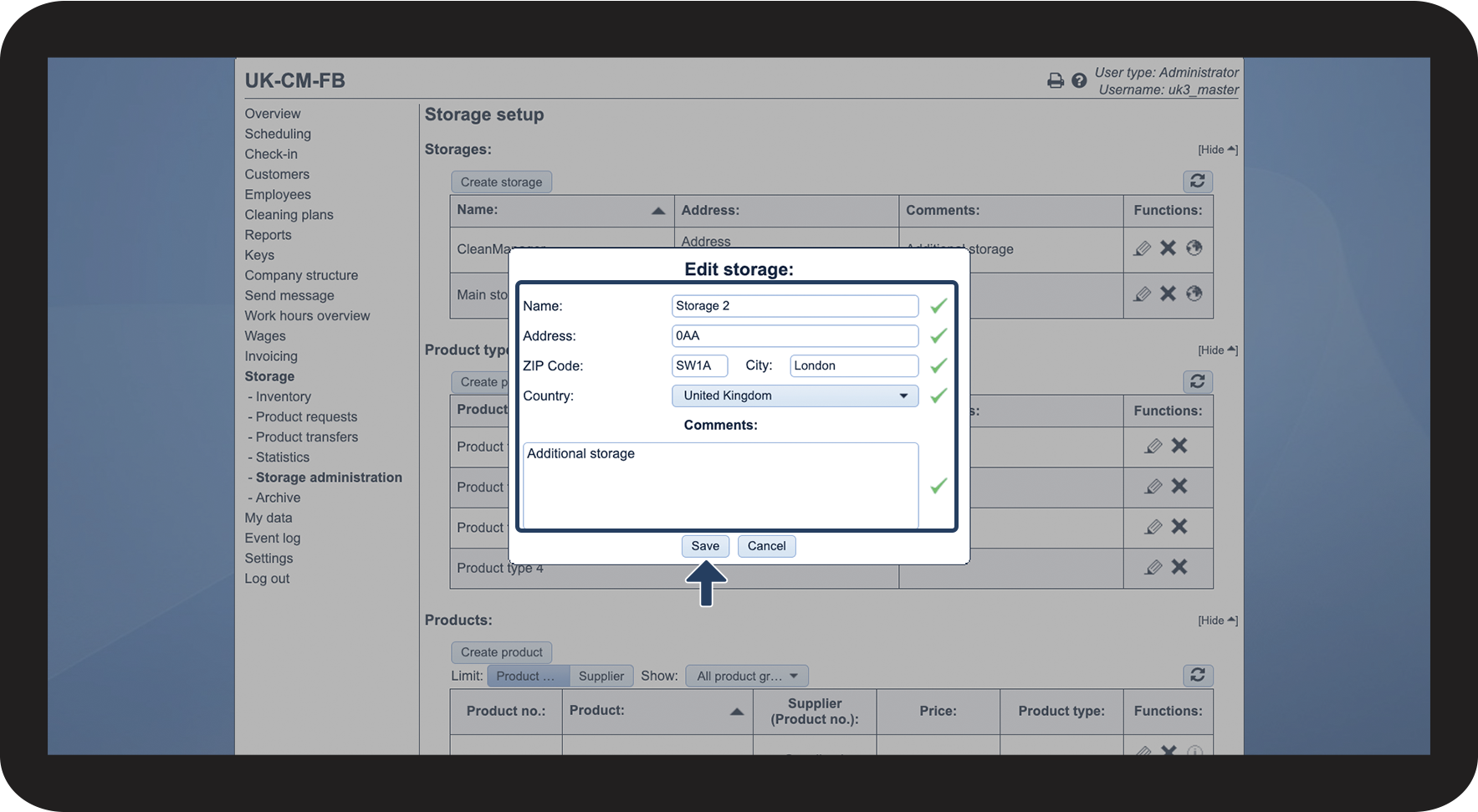
This is how you edit a storage

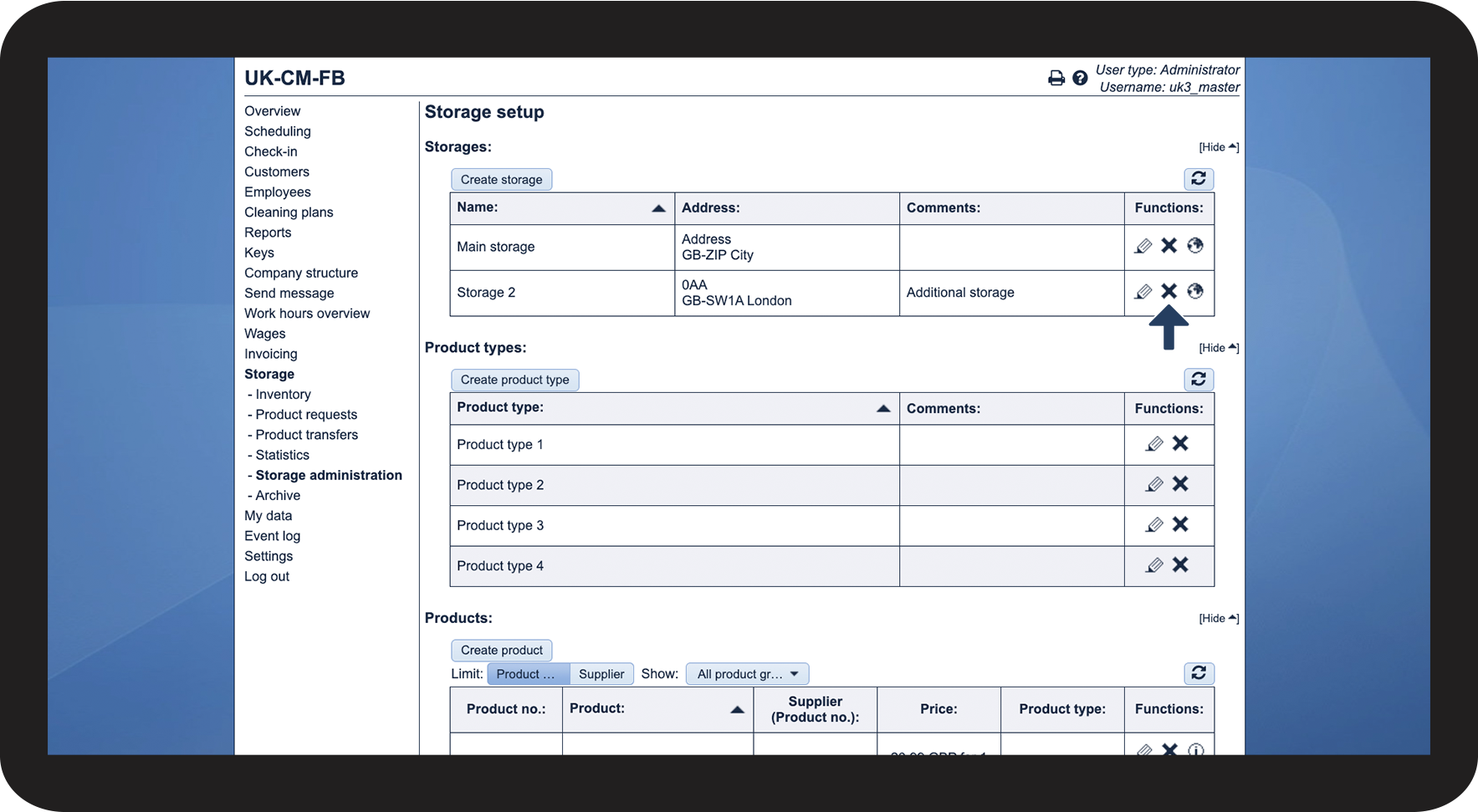
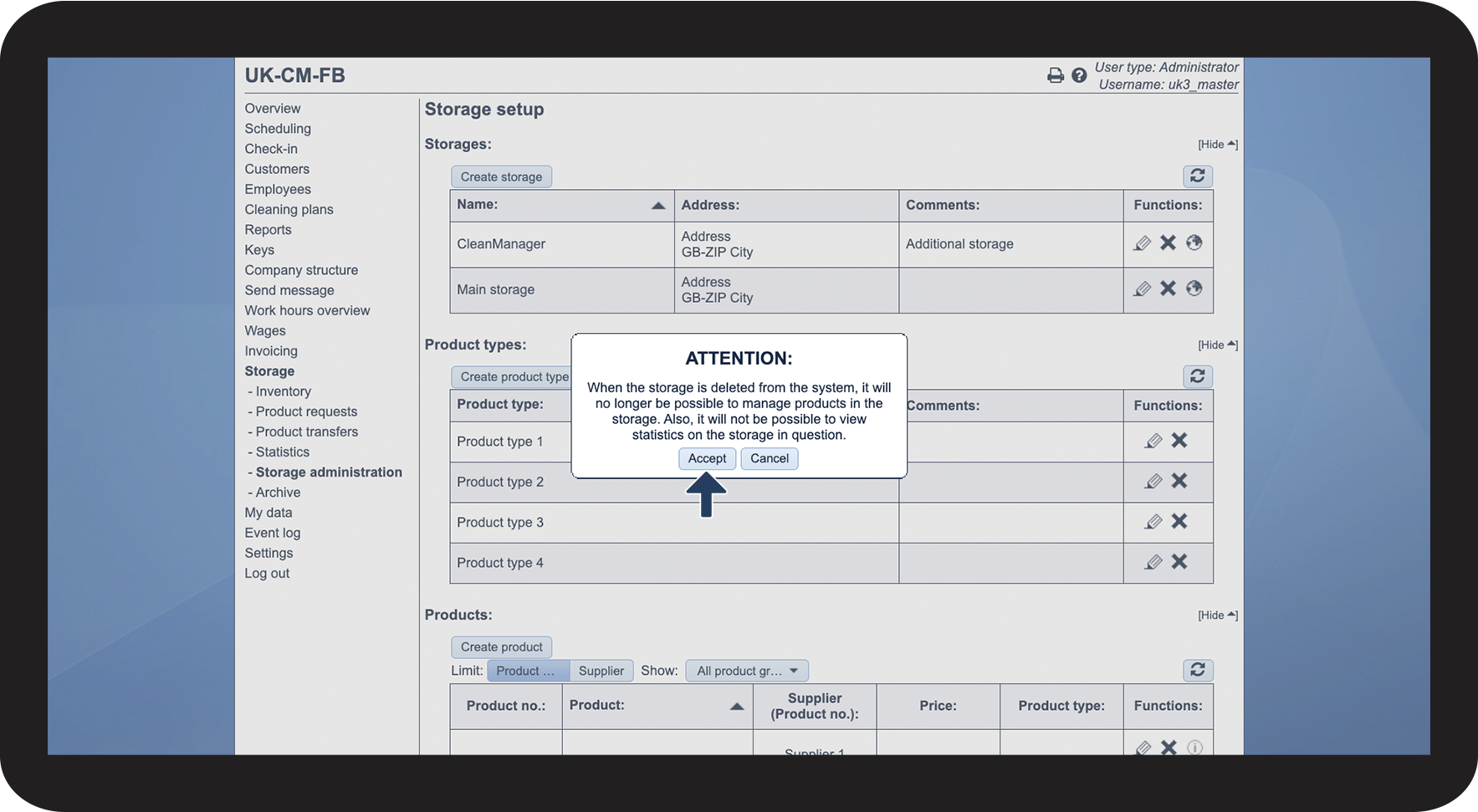
This is how you delete a storage

Note:
When a storage is deleted from the system, it will no longer be possible to manage products in the storage. Also, it will not be possible to view statistics on the specific storage either.
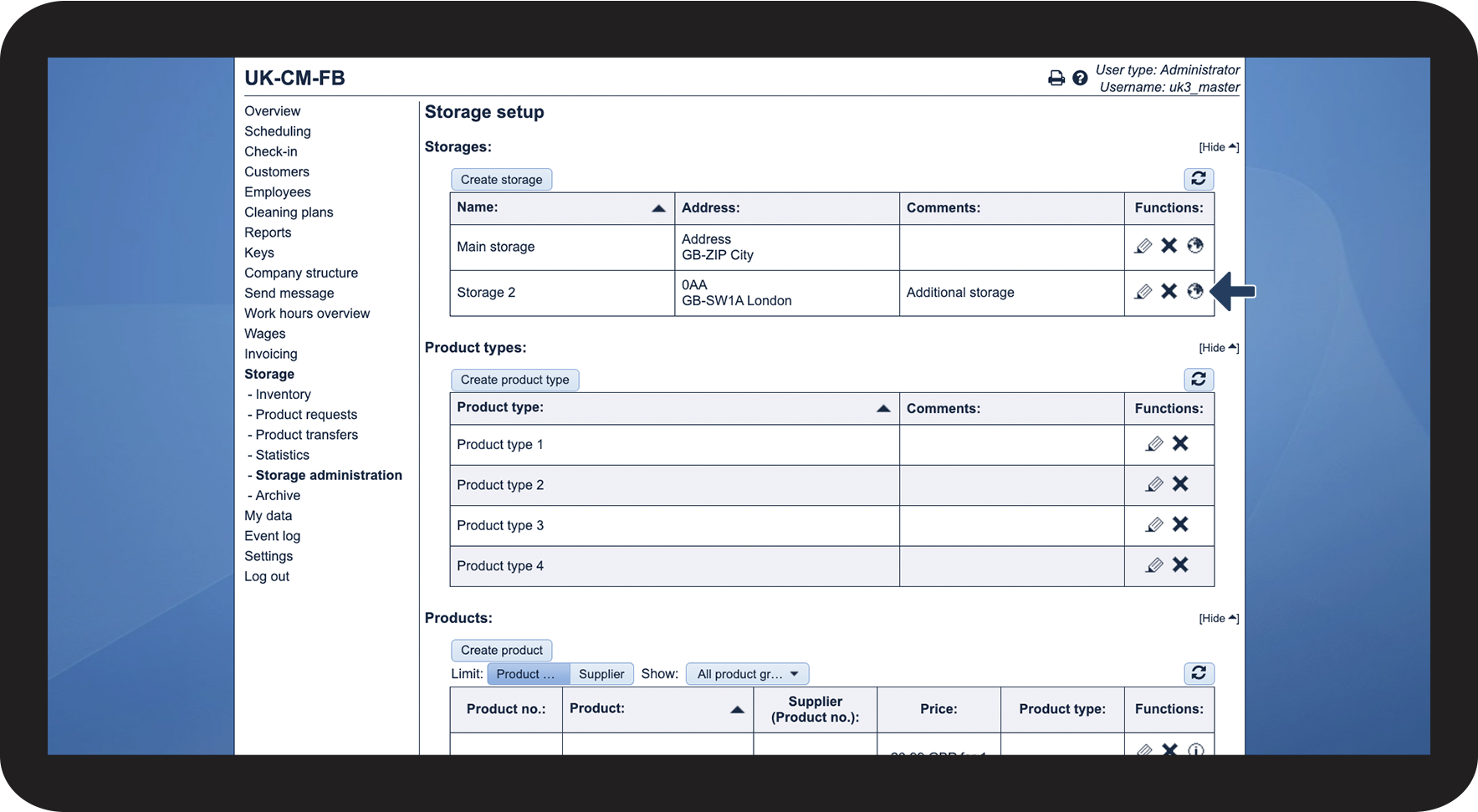
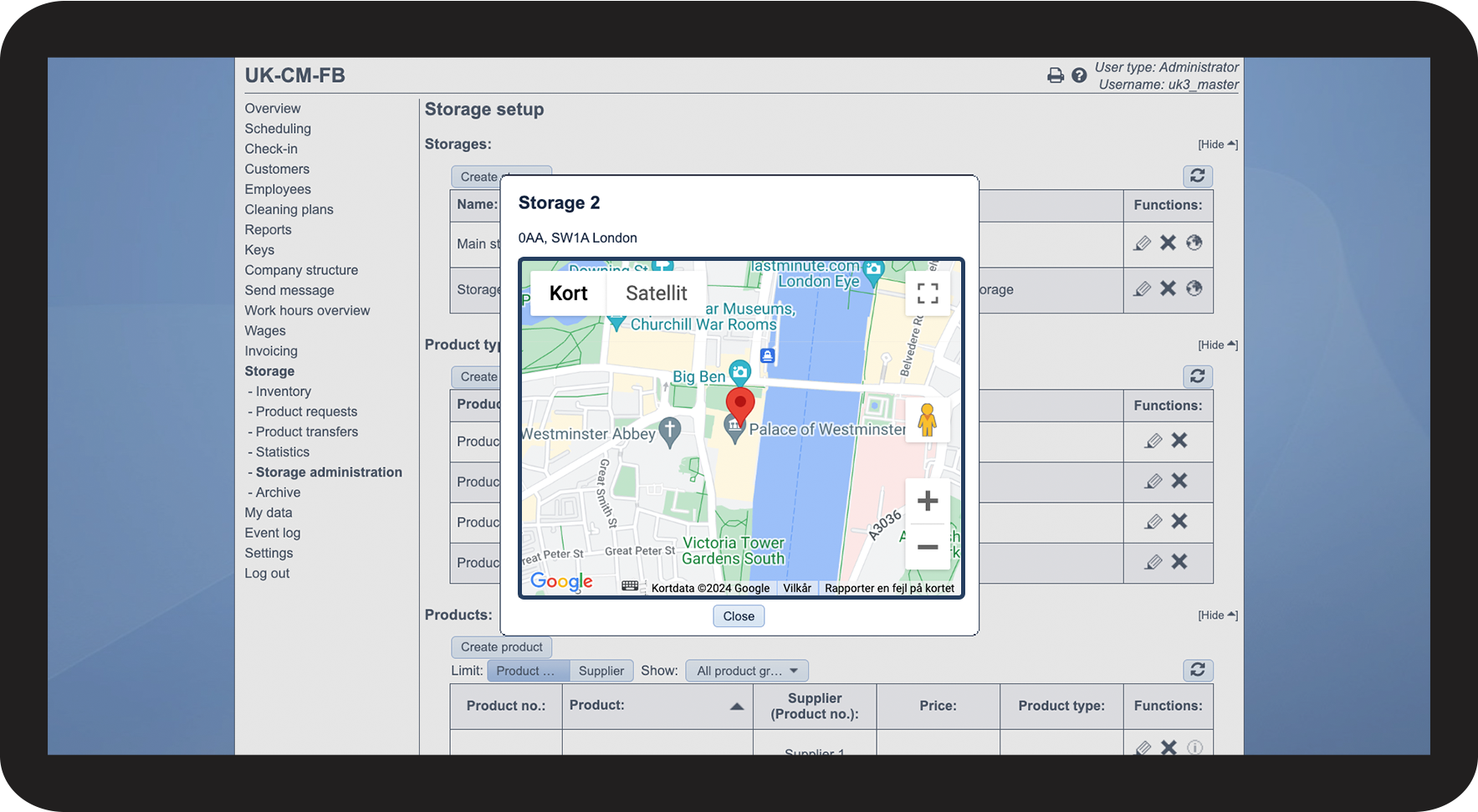
This is how you can see the storage address on a map