
How does an administrator/supervisor send an e-mail or an SMS through CleanManager?
Get started with sending e-mails or SMS to either customers or employees.
By default, it will be possible through the Base module to send e-mails to the customer's contact person or one's employees. If you would like to be able to send SMS, the SMS module has to be activated.
Supervisors will only be able to send messages to contacts located in the areas they manage.
It will only be possible to send messages through the web version of CleanManager.
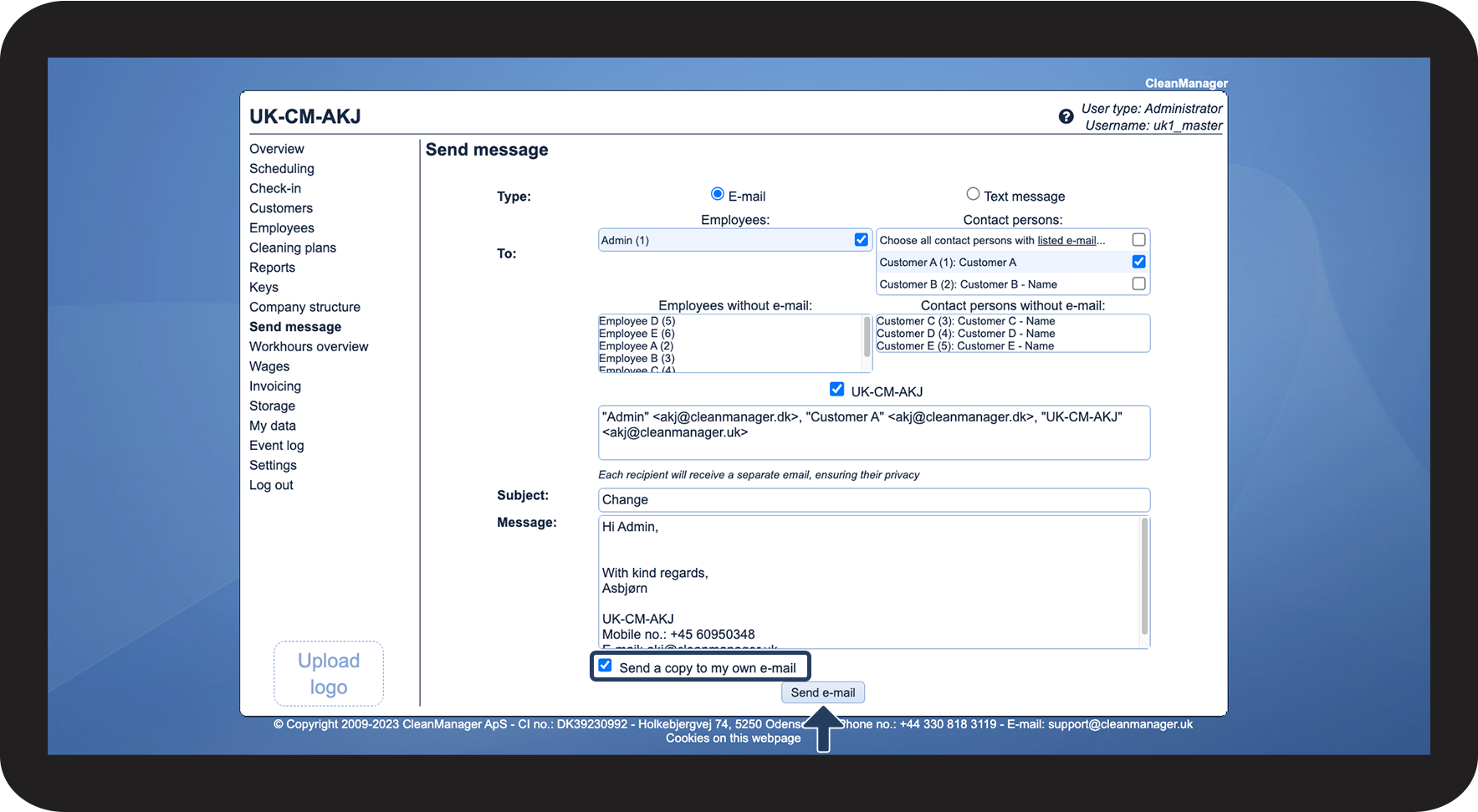
In this article, learn how an administrator/supervisor sends a message through CleanManager:
How to send an e-mail

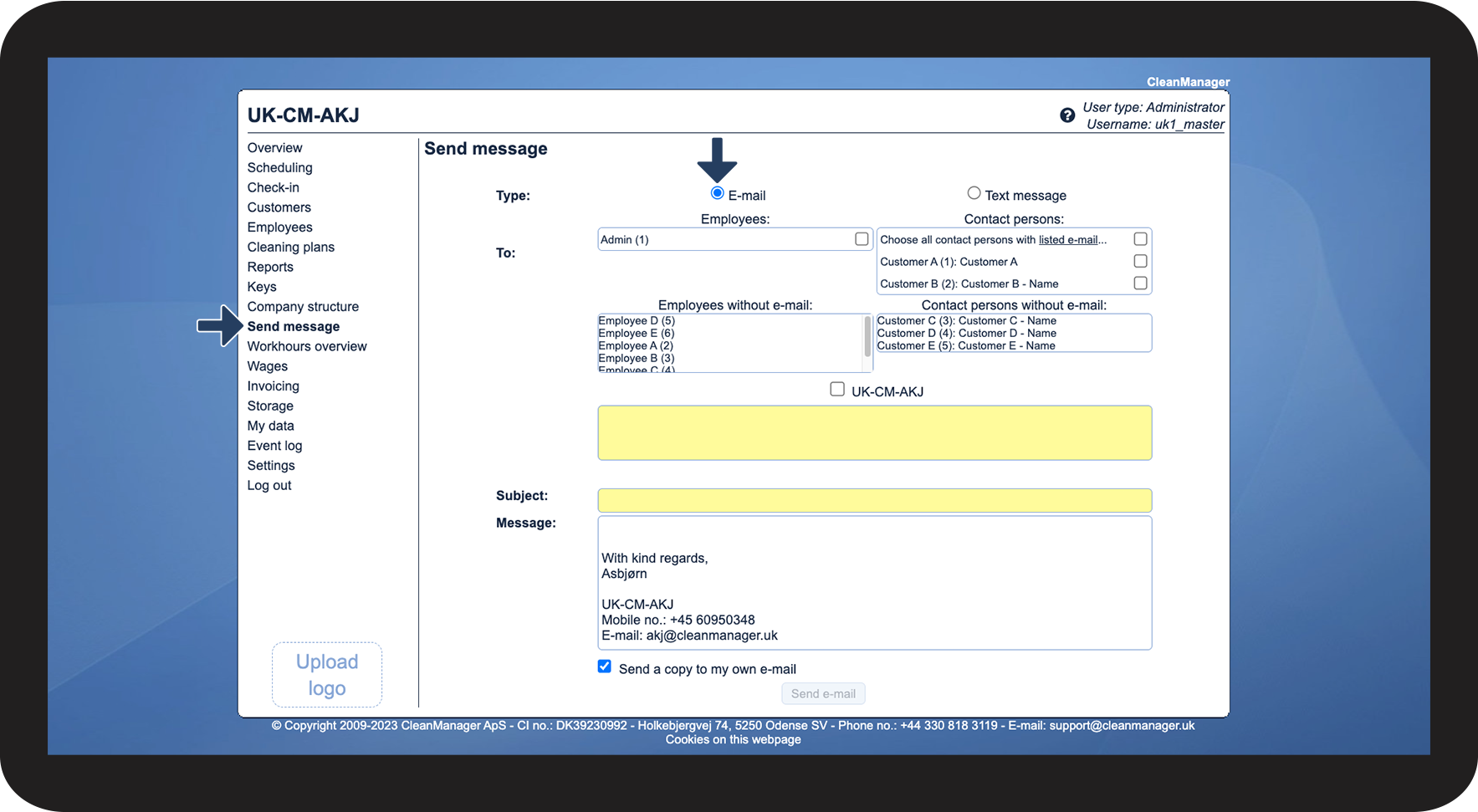

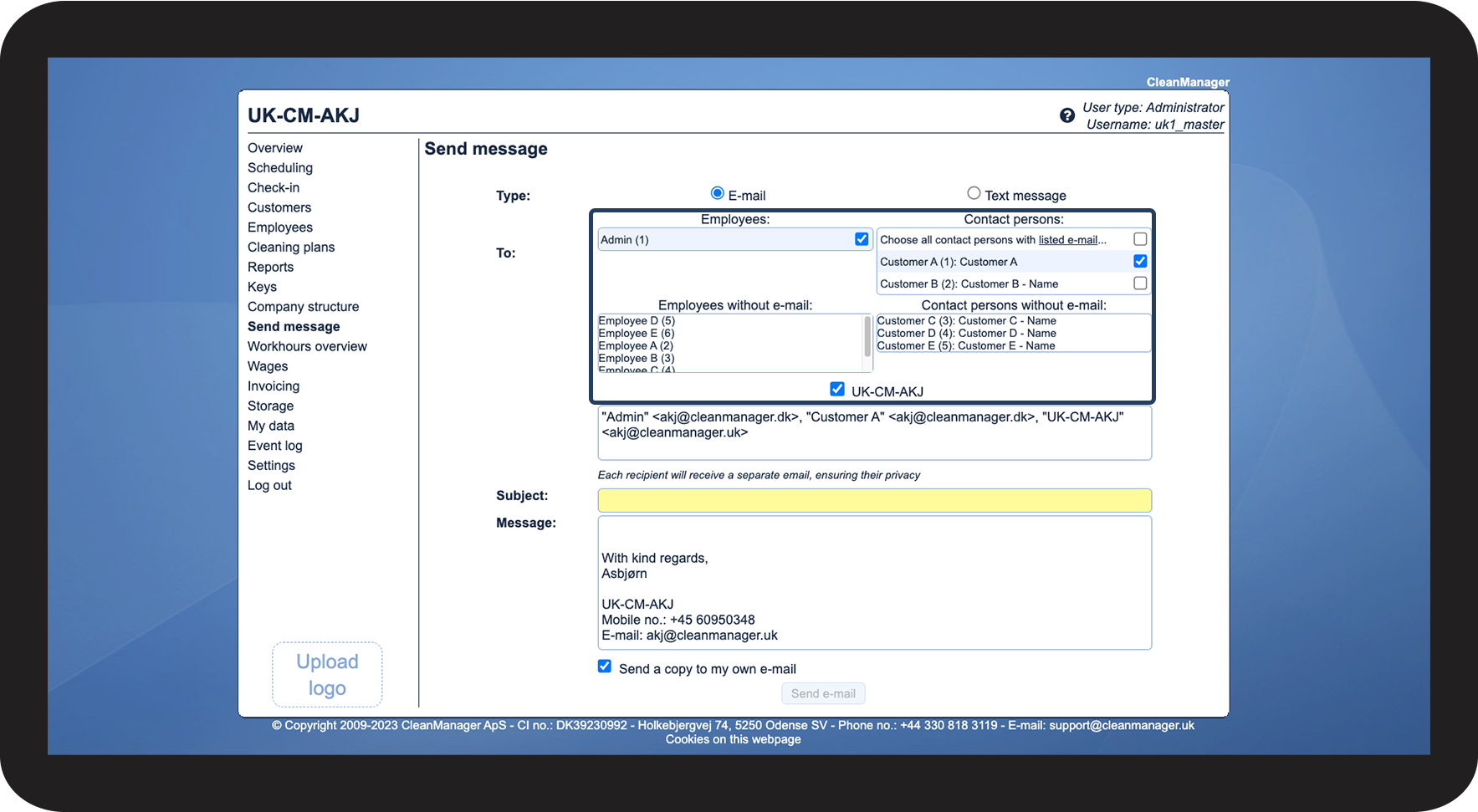

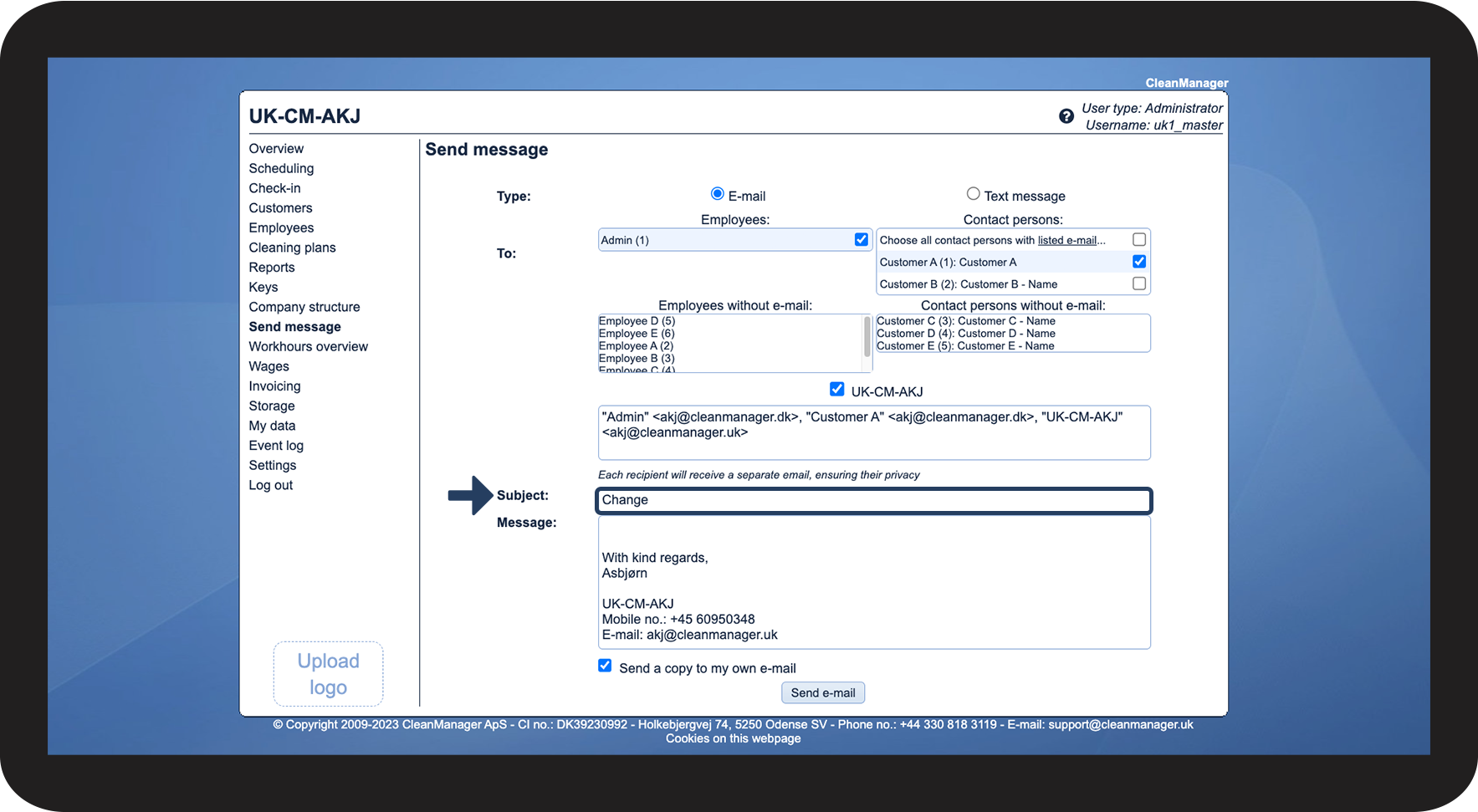

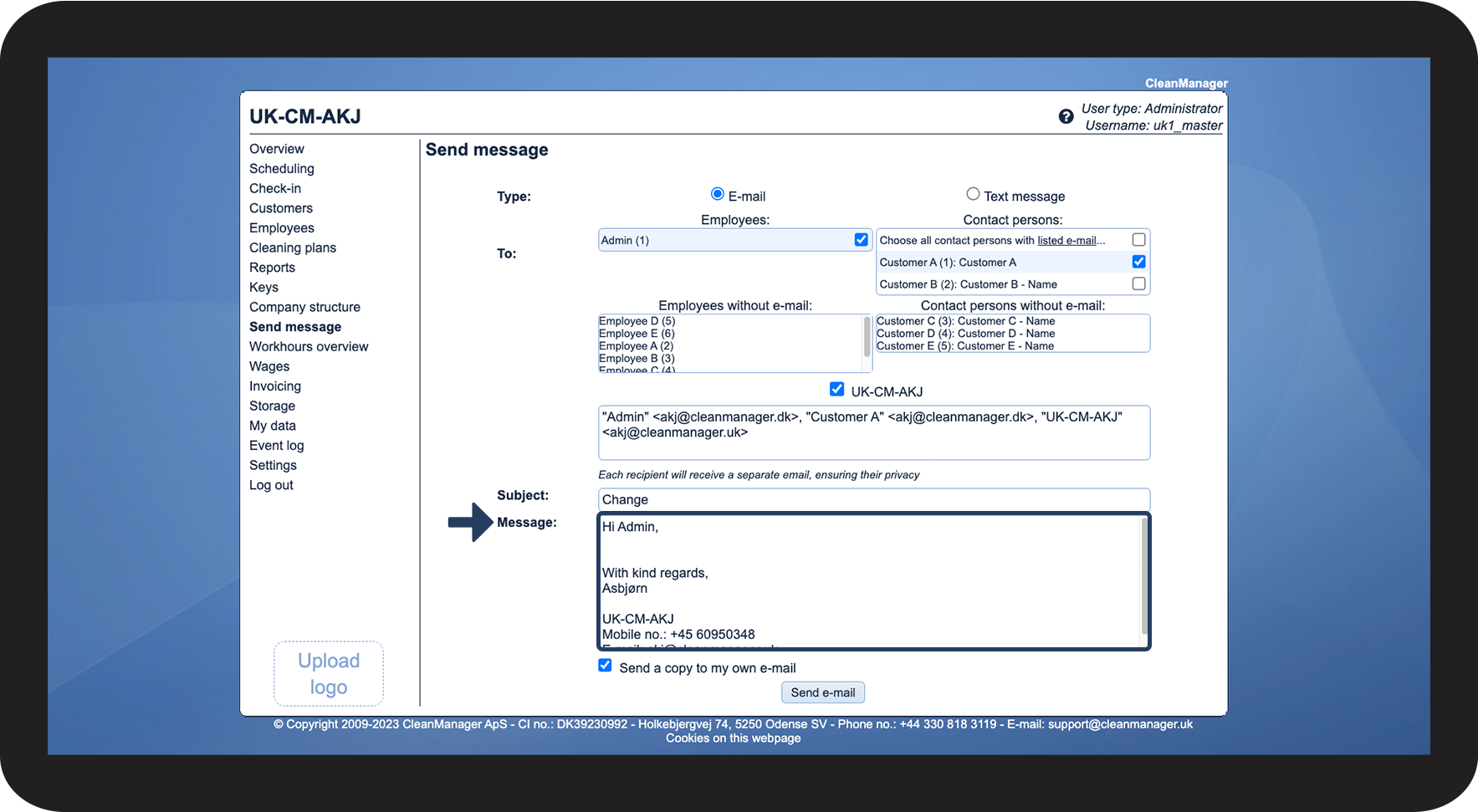

INFO:
Each recipient will receive a separate e-mail, ensuring their privacy.
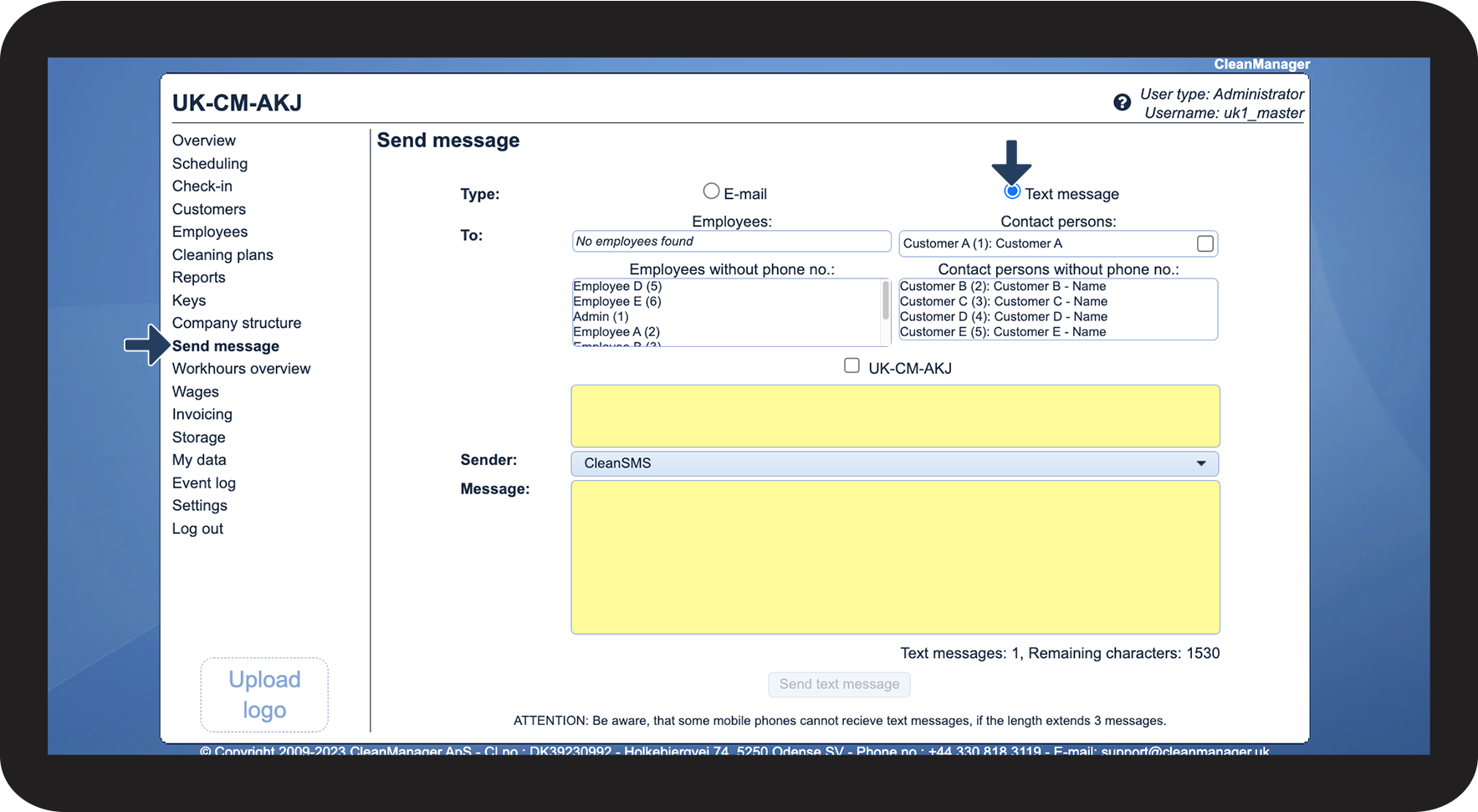
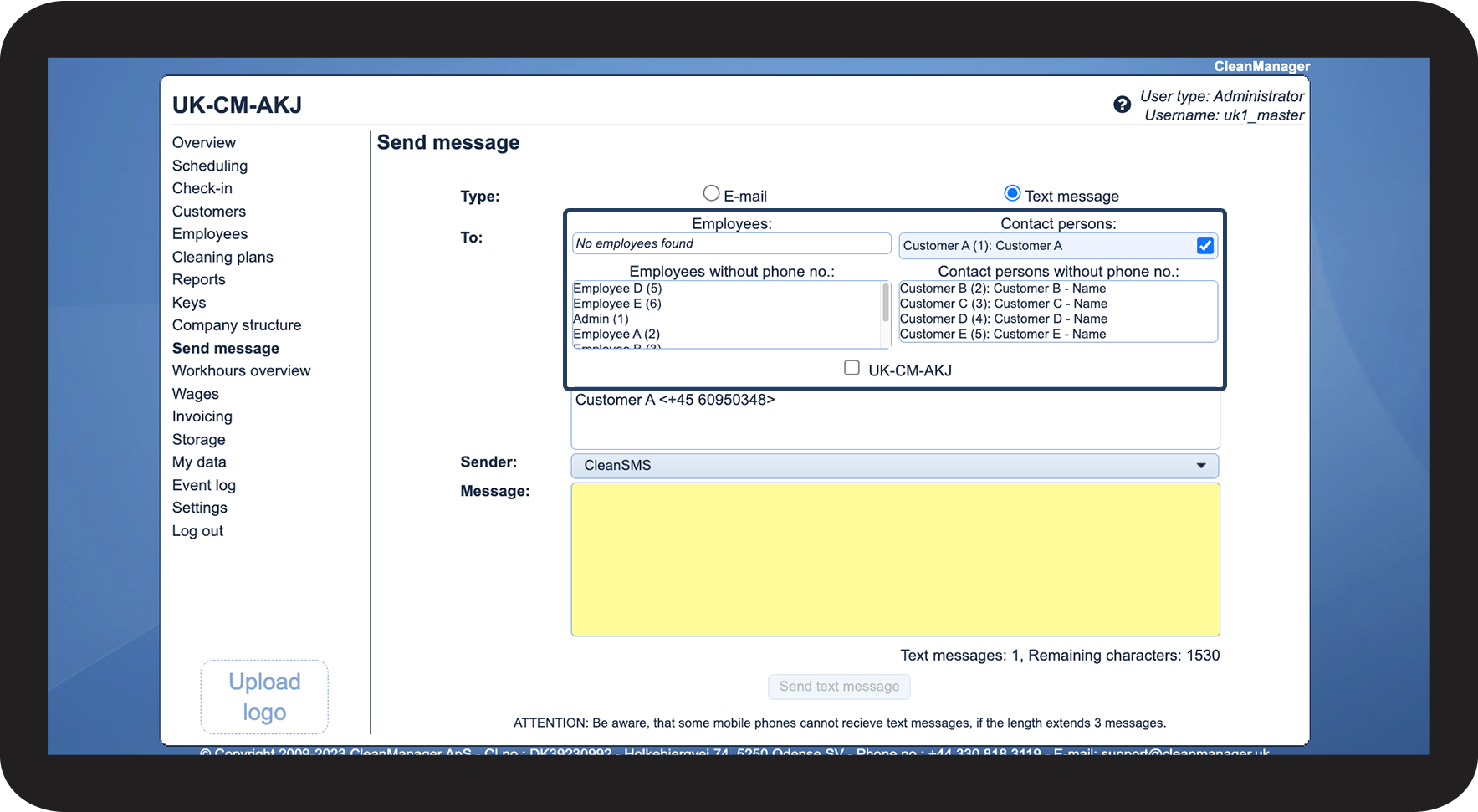
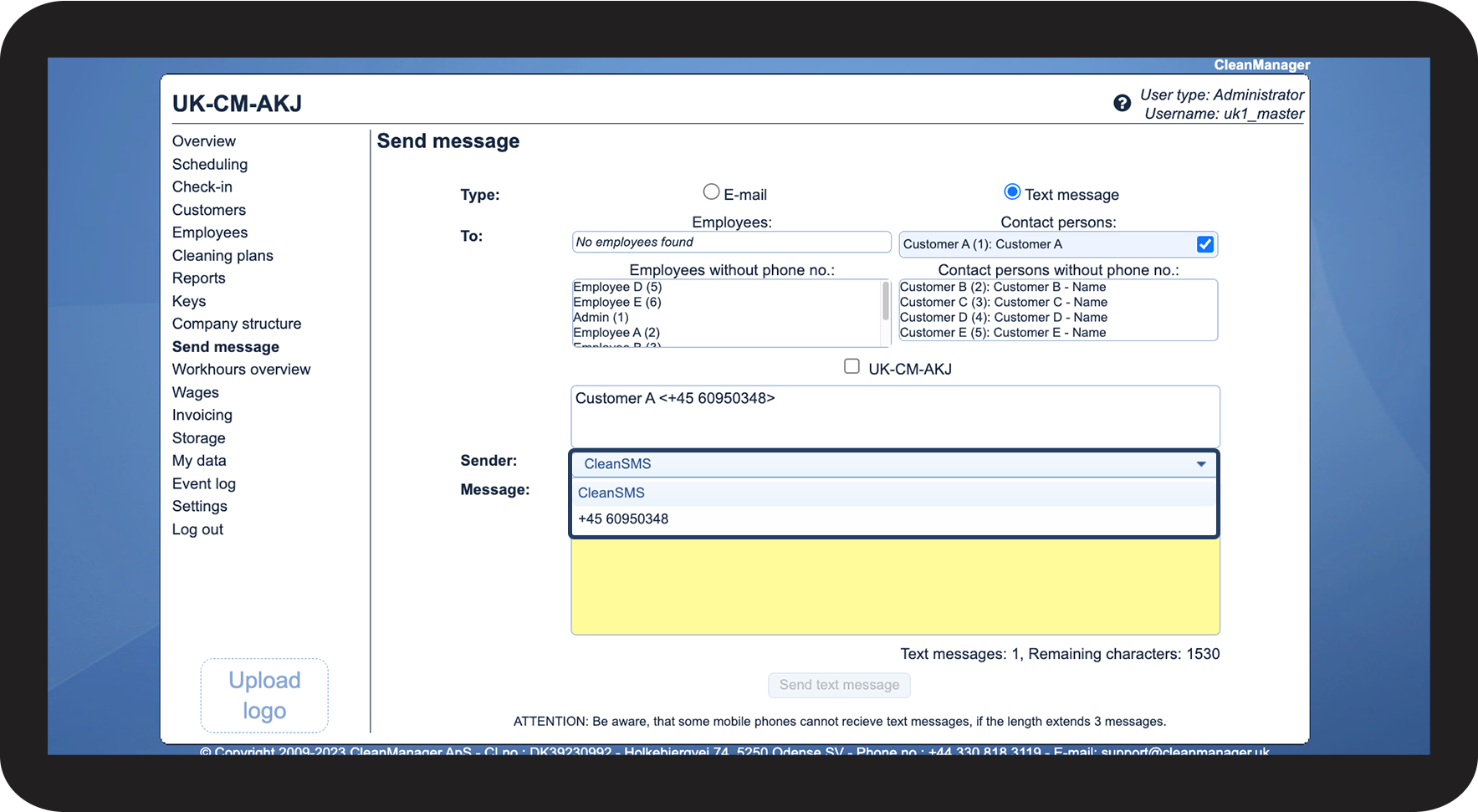
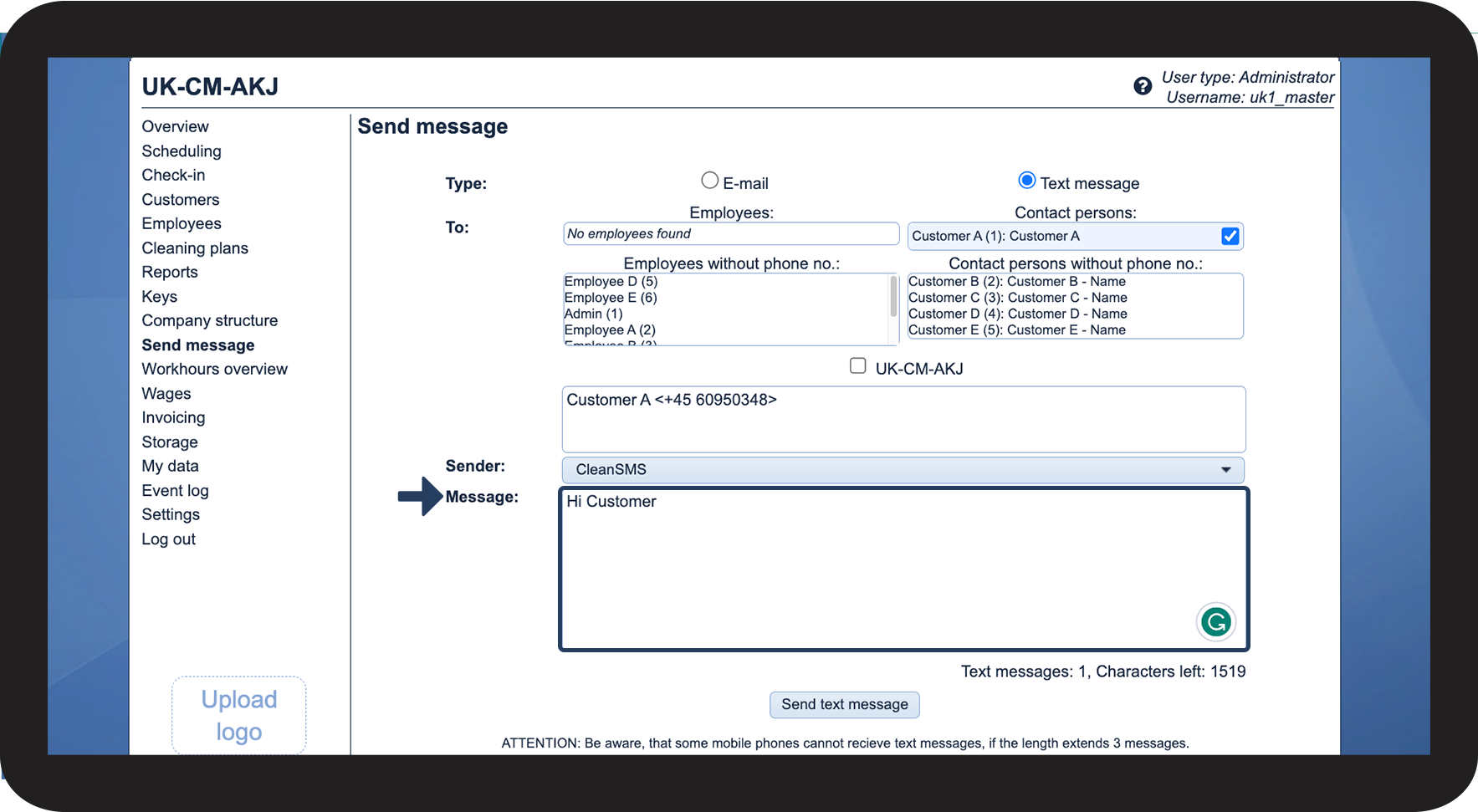
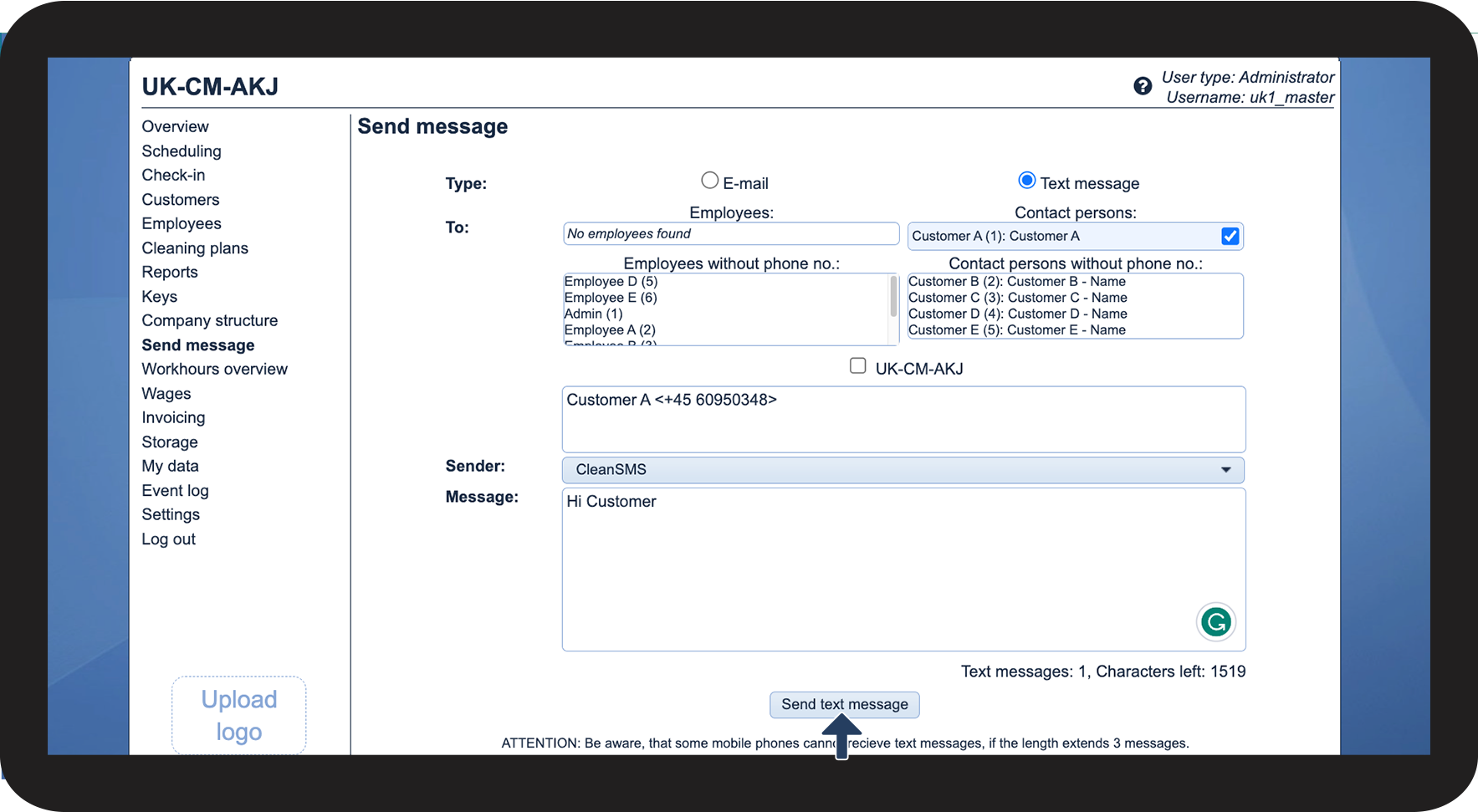
How to send an SMS
NOTE:
It is important to keep an eye on how many characters are used in the SMS, as it determines how many SMS messages the SMS itself takes up. The length of an SMS message is 161 characters and the maximum length is 1,530 characters.
Should an SMS, for instance, have a length of 203 characters, it will count as two SMS and hence be taxed for two.
INFO:
To see your SMS usage, read the following article: Outgoing text messages
To see how you increase your maximum amount of monthly SMS, read the following article: Maximum number of text messages