Skip to content
English
  • There are no suggestions because the search field is empty.

Sending messages as a customer contact

How does a customer send an e-mail through CleanManager?

Customers can send e-mails through CleanManager to supervisors, the administrator, and the registered company e-mail. It is only possible to do this through the web version of CleanManager - it also requires that the customer in question has access to CleanManager.


NOTE:

For customers, it will only be possible to send an e-mail to supervisors, the administrator, and the registered company e-mail.


In this article, learn how a customer sends a message through CleanManager:


How to send an e-mail

number_1_copy.png
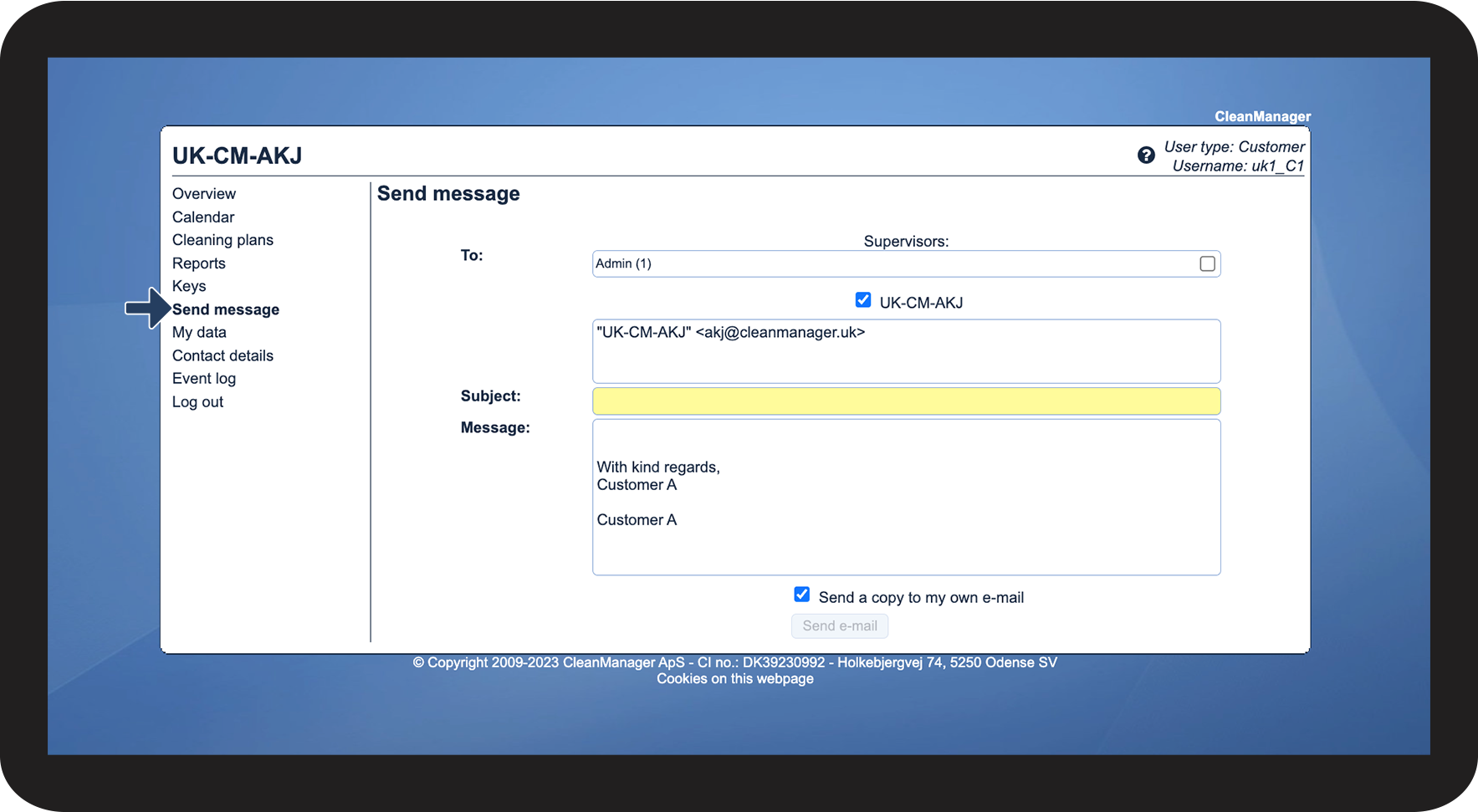
In the menu, click on Send message
 
Here, the customer will be able to send an e-mail to supervisors, the administrator, and the company e-mail.

1.png

number_2_copy.png
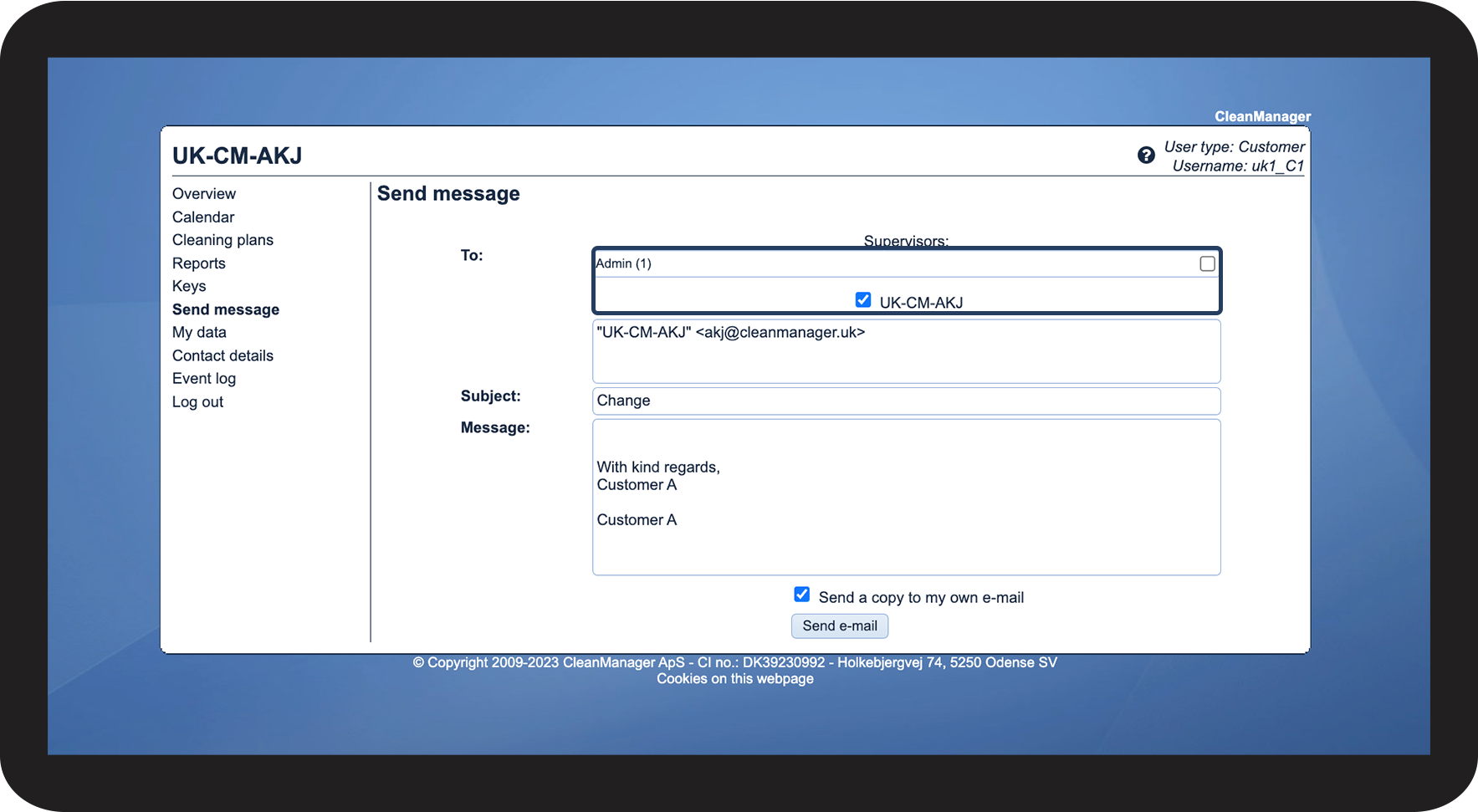
Choose a recipient
 
Select one or more recipients for the e-mail

2.png

number_3_copy.png
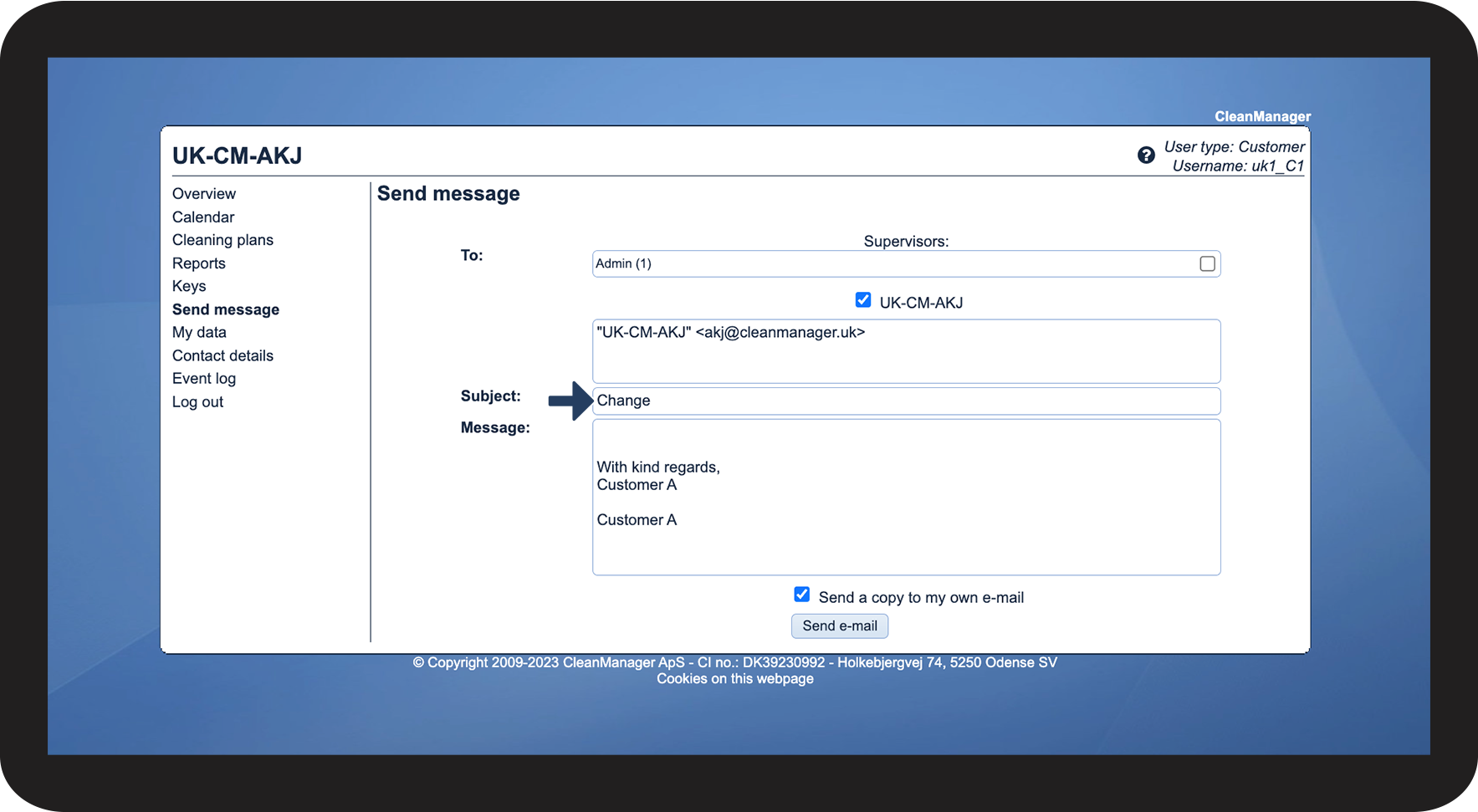
Add a subject under Subject

3.png

number_4_copy.png
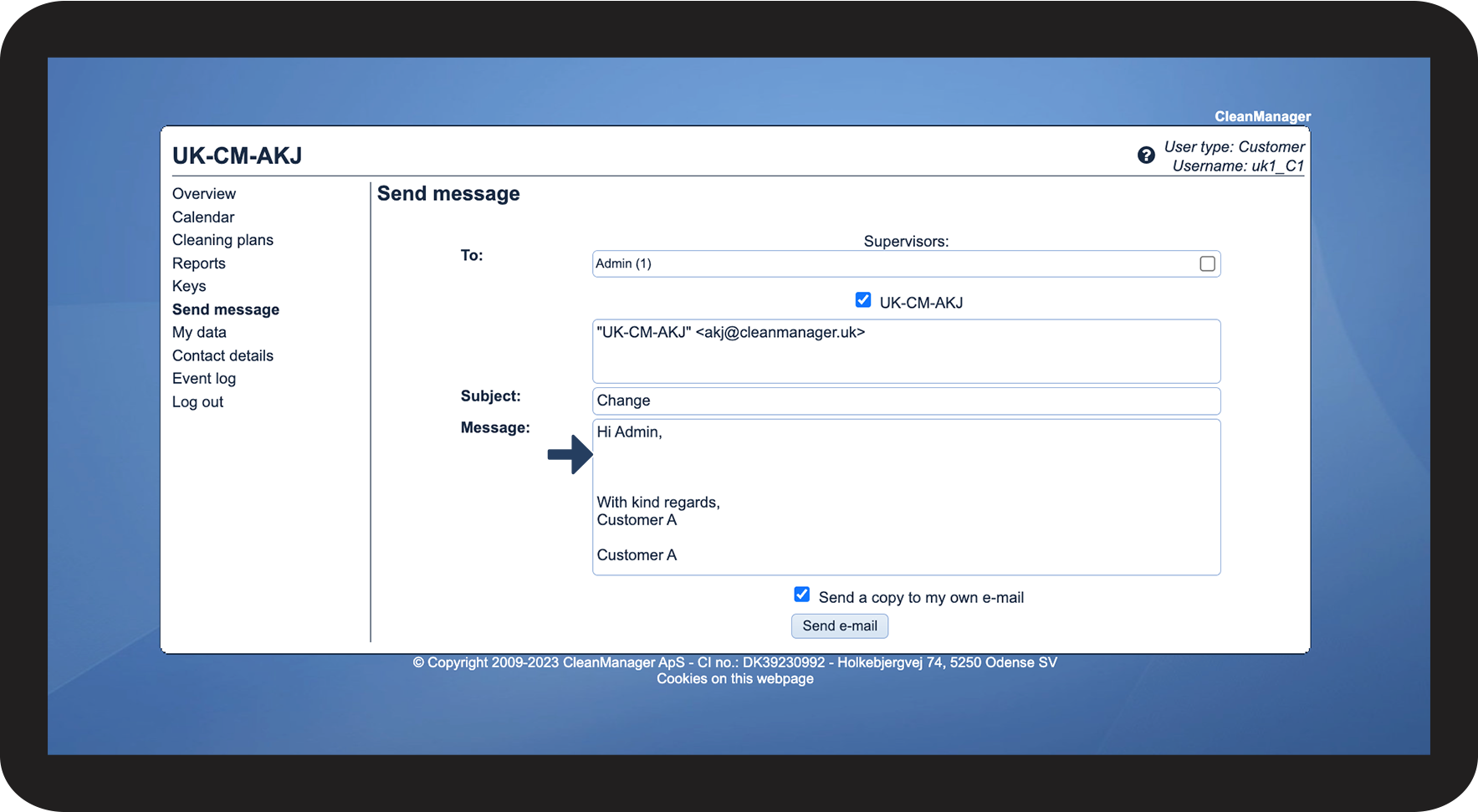
Write the content of the e-mail.
 
The system will by default end the e-mail with “With kind regards” and The contact person's name.

4.png

number_5_copy.png

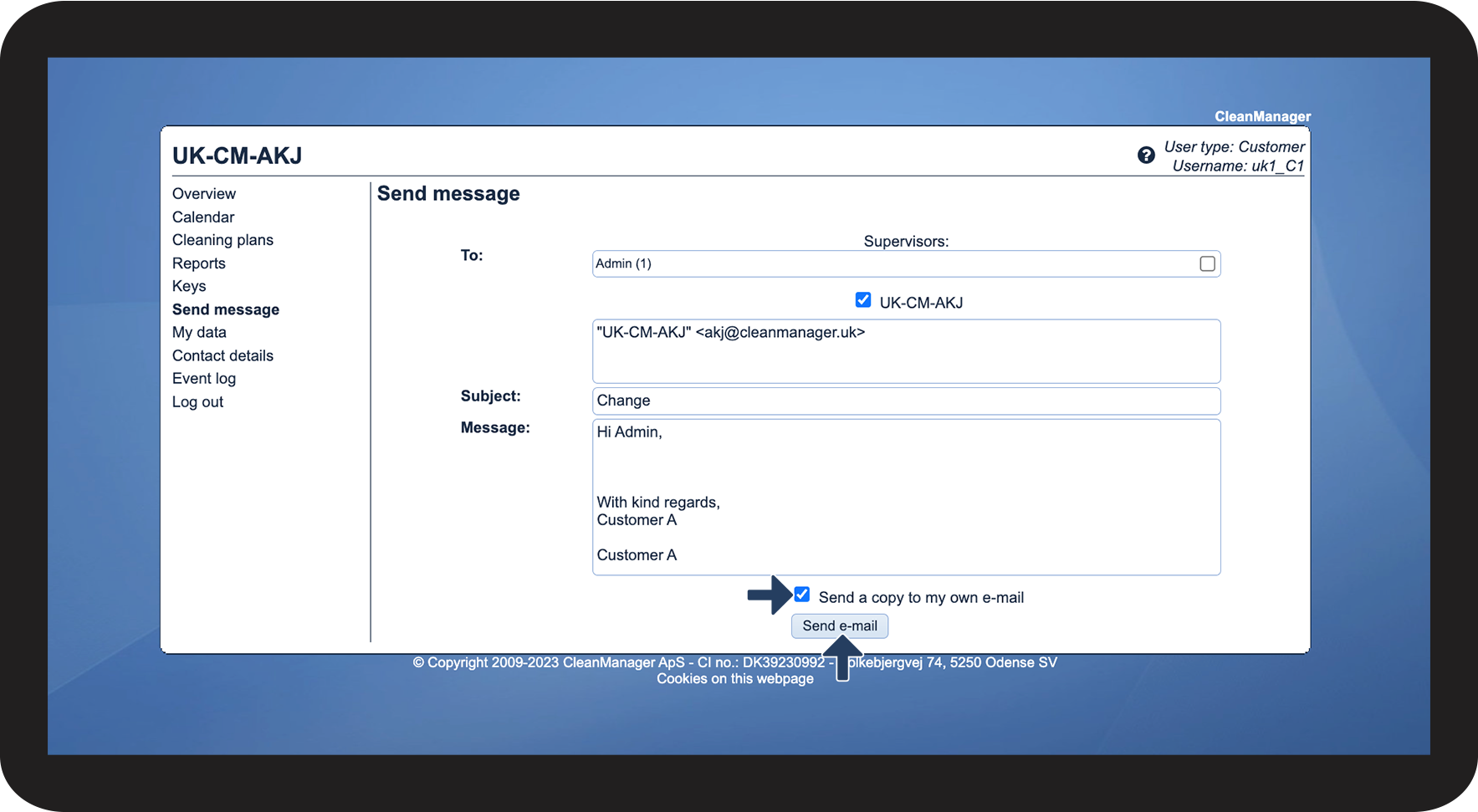
Select/Deselect, Send a copy to my own e-mail


Finish the process, by clicking on Send e-mail when the e-mail is ready.

5.png