
How can I send a message from the customer list?
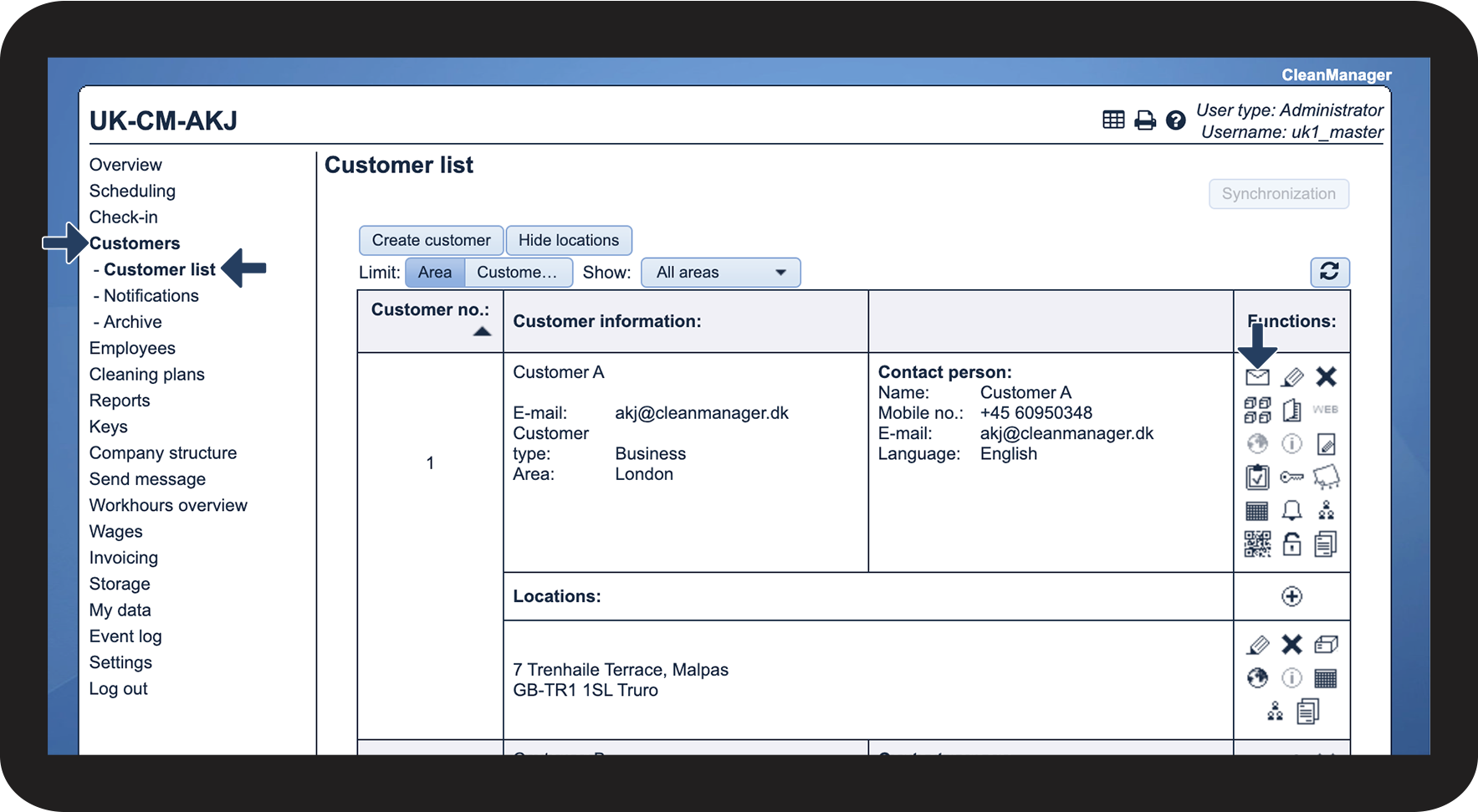
As an administrator and/or supervisor, it is possible to go directly to Send message through the customer list. By doing this, the system will have automatically selected the customer as the recipient of the message to be sent. In Send message, it will then be possible to choose whether it should be an SMS or an E-mail.
Supervisors will only be able to send messages to customers who are in the customer areas they manage. For more information regarding this, go to Company Structure.
NOTE:
If you want to send an SMS, the add-on module Text Messaging must be activated. The administrator will have the option to check if the module is activated by following the article: Add-on modules
In this article, learn how an administrator/supervisor goes to Send message through the customer list:
How to send a message to a customer



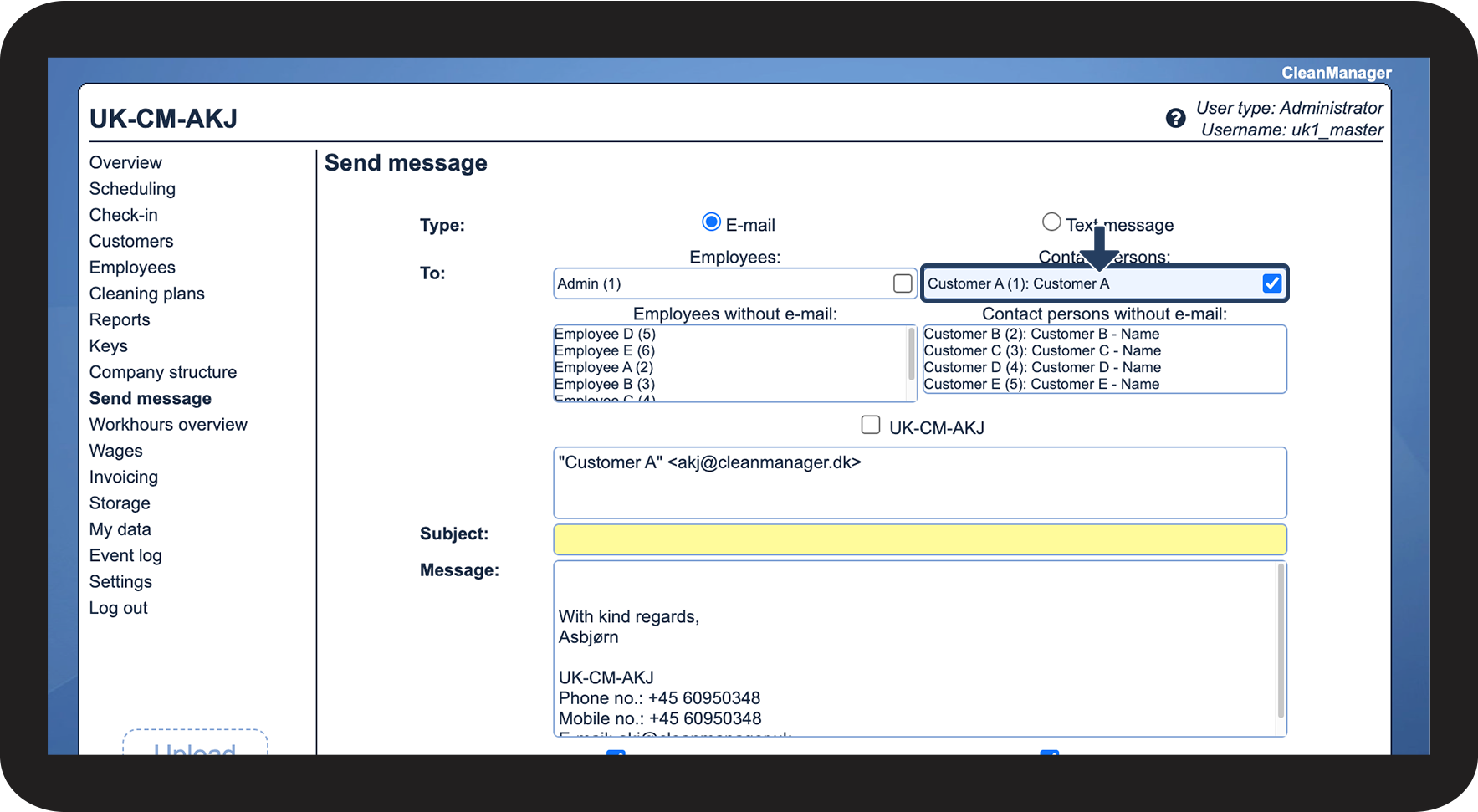
Proceed to the article Sending messages as an administrator/ supervisor
Here you can see how to complete an SMS or an e-mail.