Release notes 29/05/2024 Additional feature when saving views in the New calendar
Introducing a new functionality for saving views in the New calendar
This update offers expanded customization options to tailor your views in the New calendar, allowing you to better accommodate your unique requirements and preferences. With this update, you can now save settings such as text size, task size, minimum visible length, and task text within your views in the New calendar.
In this article, you will learn how to use the new functionality:
This is how you save formatting settings in your views
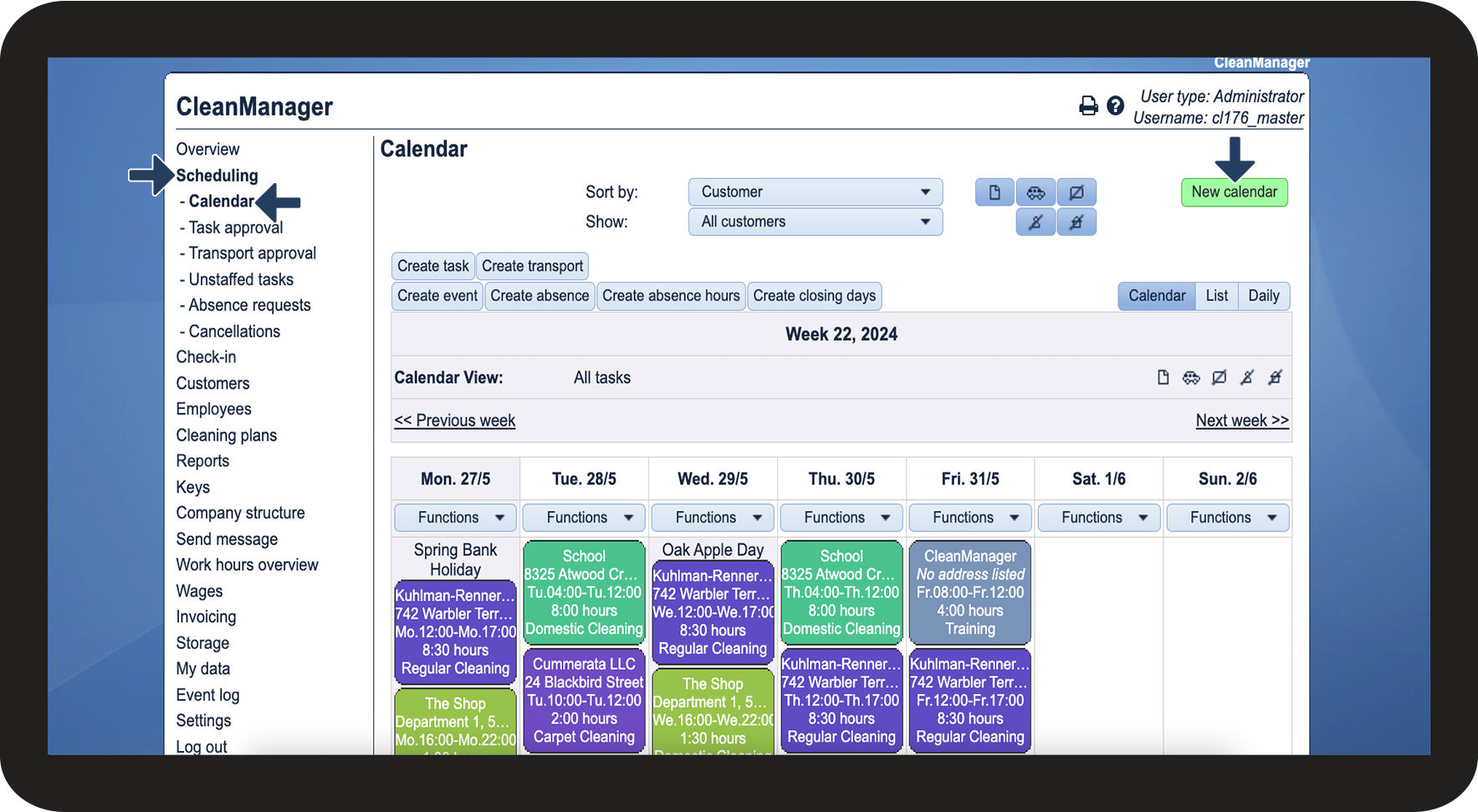
In the menu, go to Scheduling > Calendar
Afterwards, click on New calendar

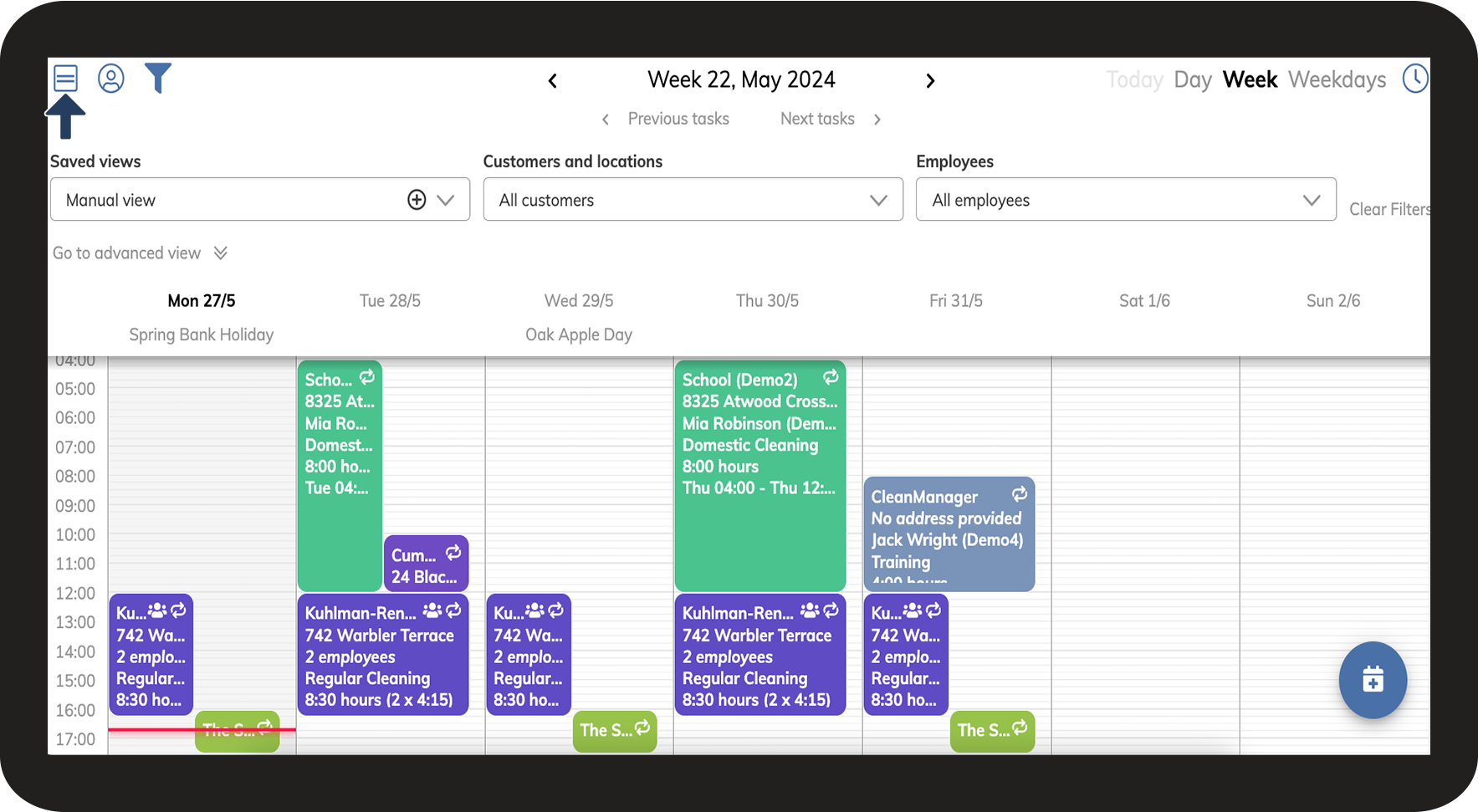
Click on Task view

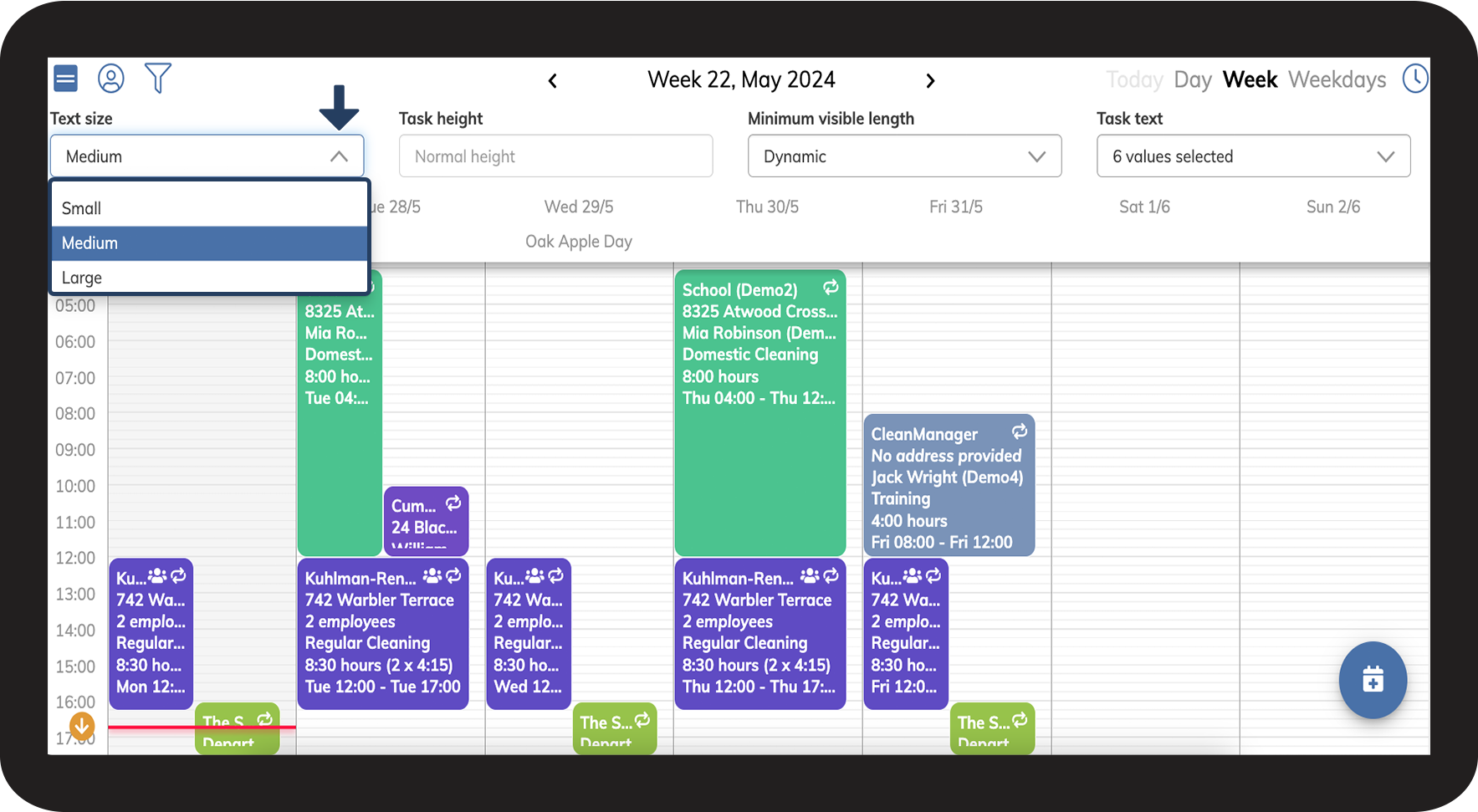
Select the desired Text size

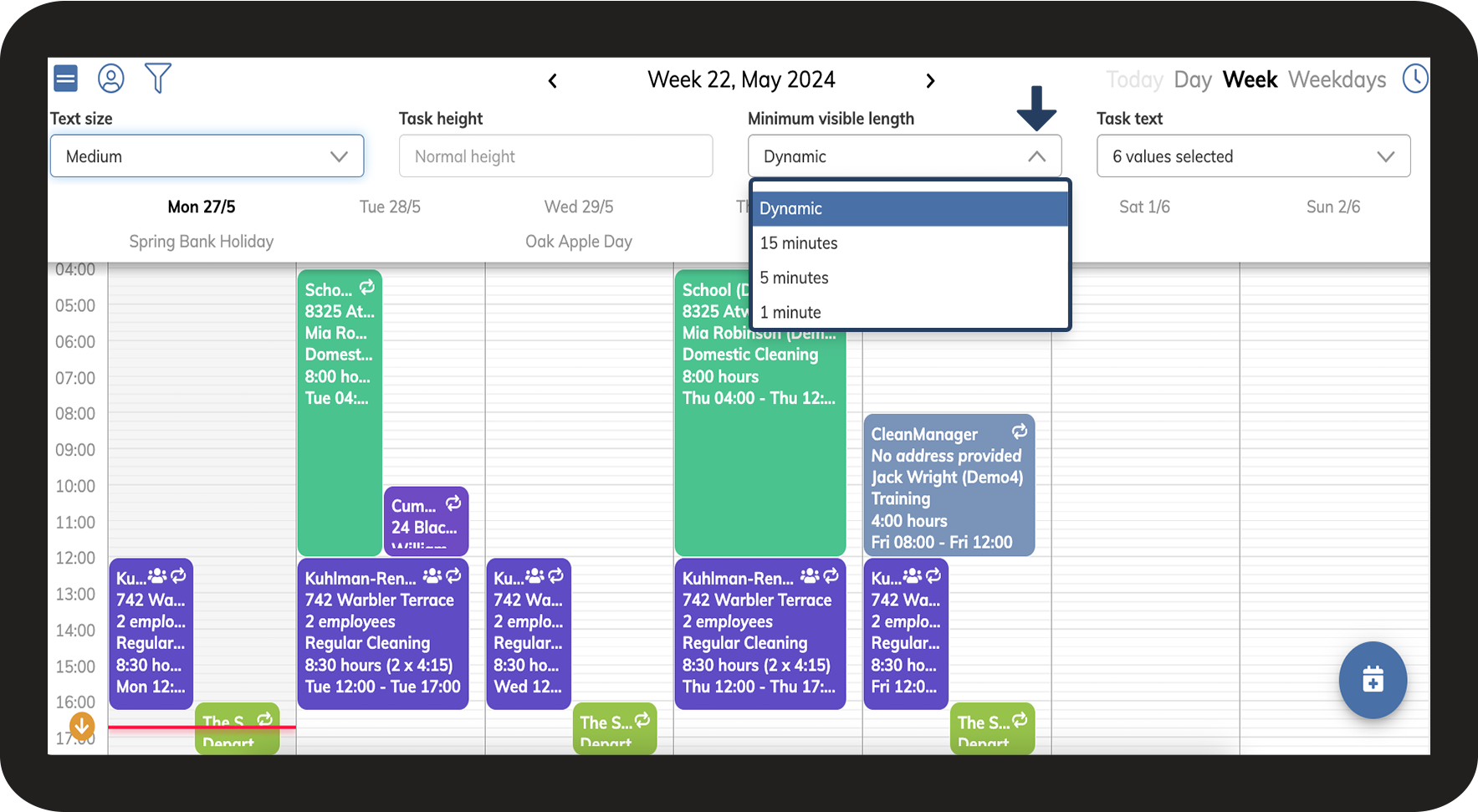
Select the desired Minimum visible length

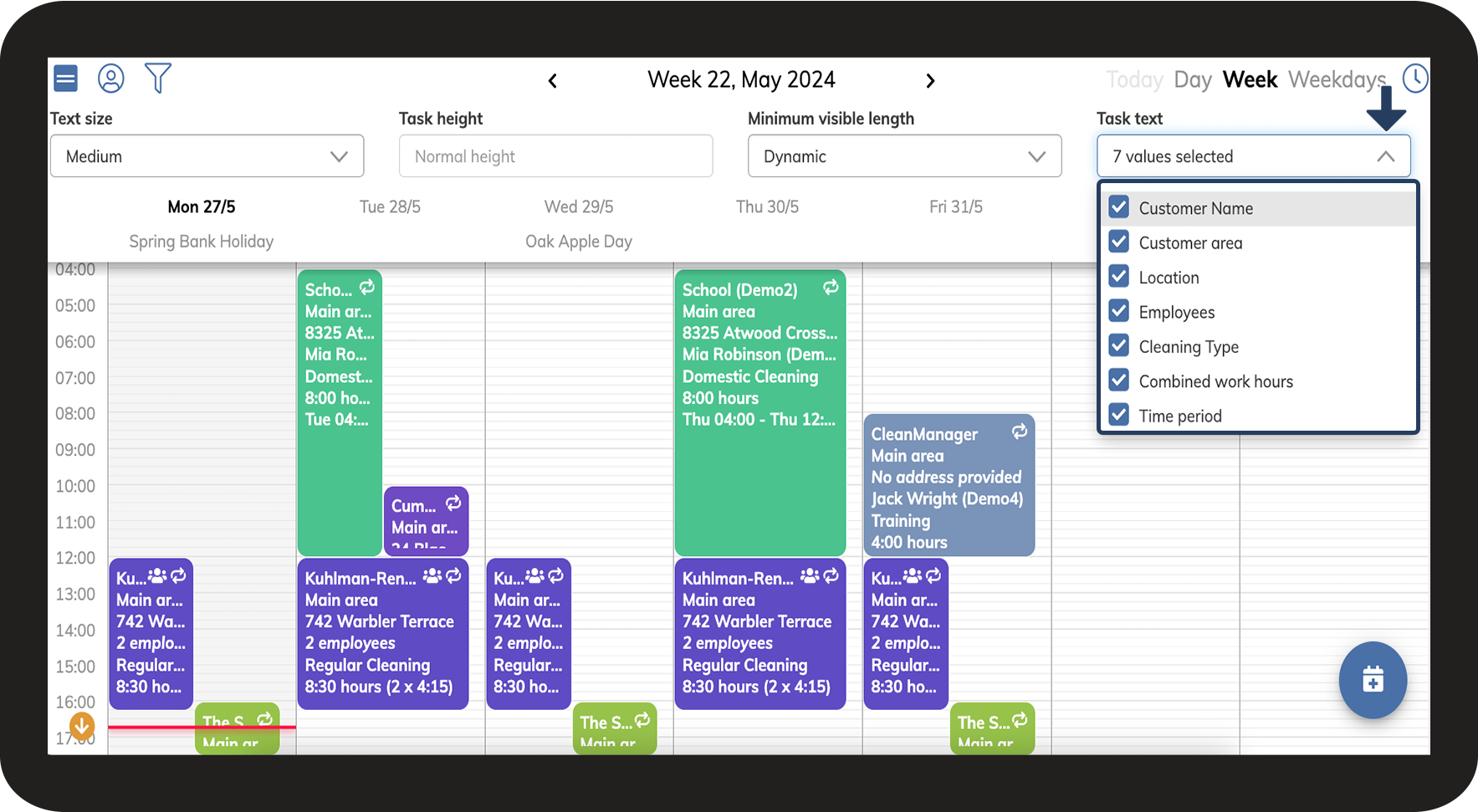
Select what information you want your tasks to display by clicking on the dropdown-menu Task text and selecting the desired information
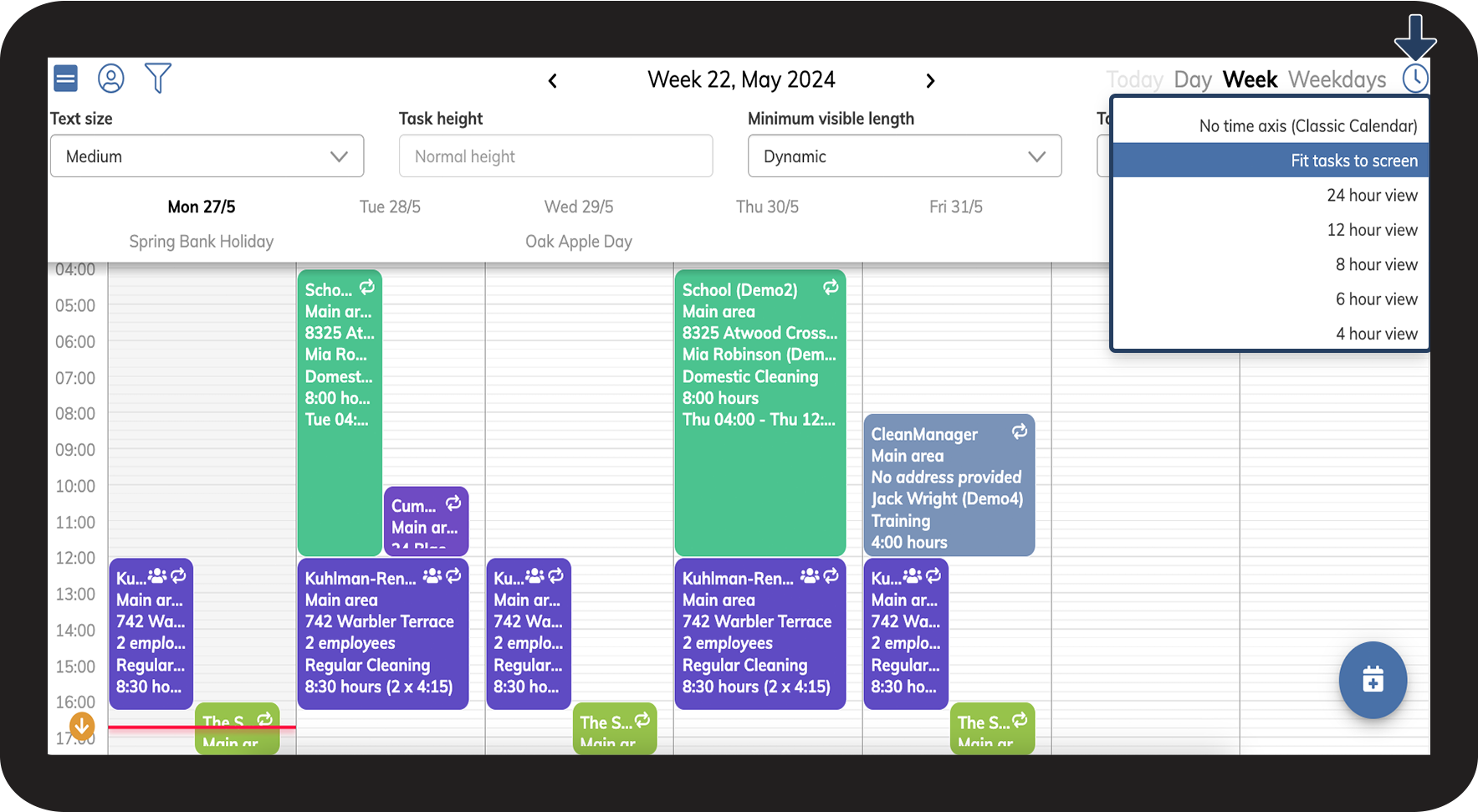
Lastly, click on Zoom settings and selected the desired task size
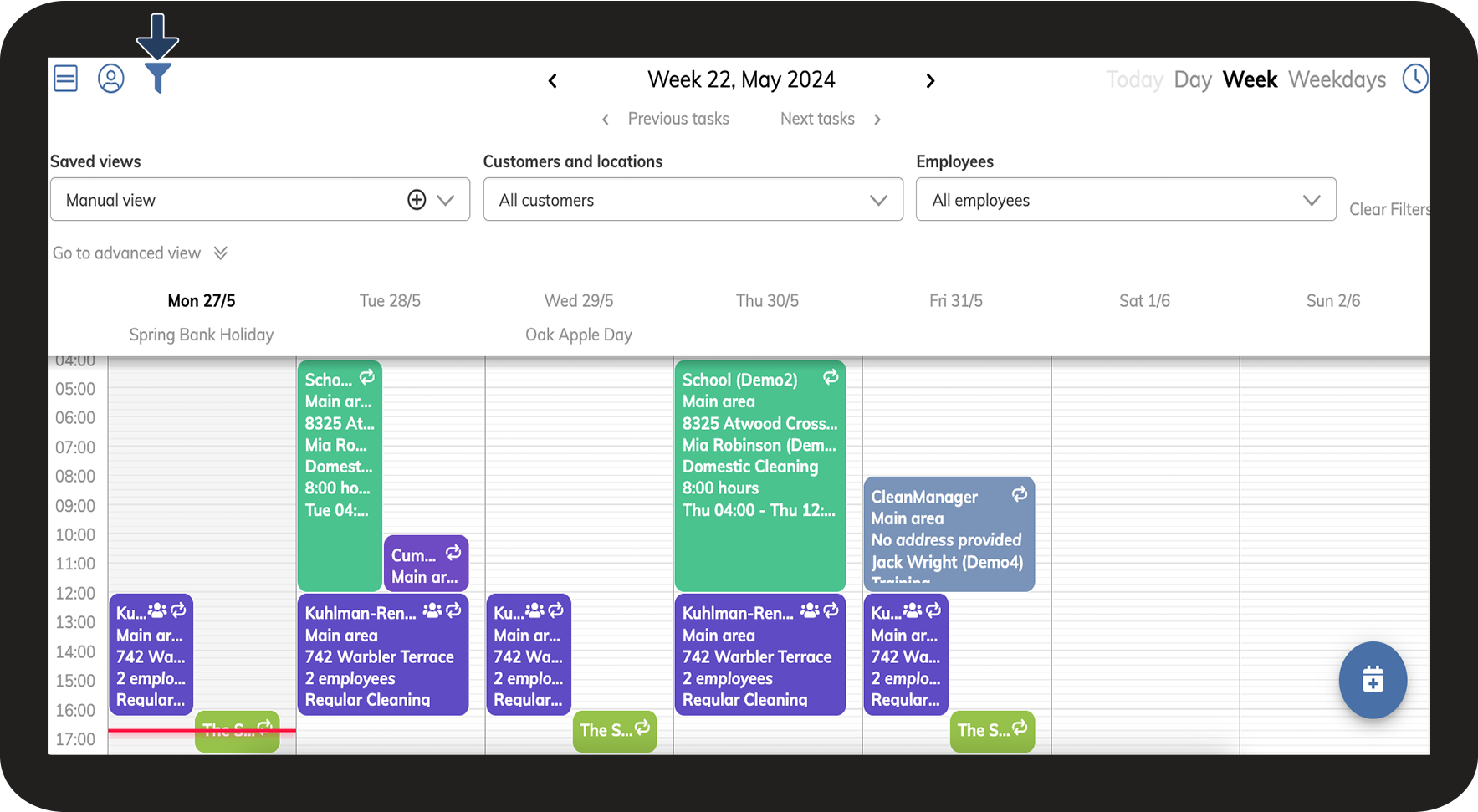
Click on Filter
Afterwards, click on the
at Saved views
at Saved views
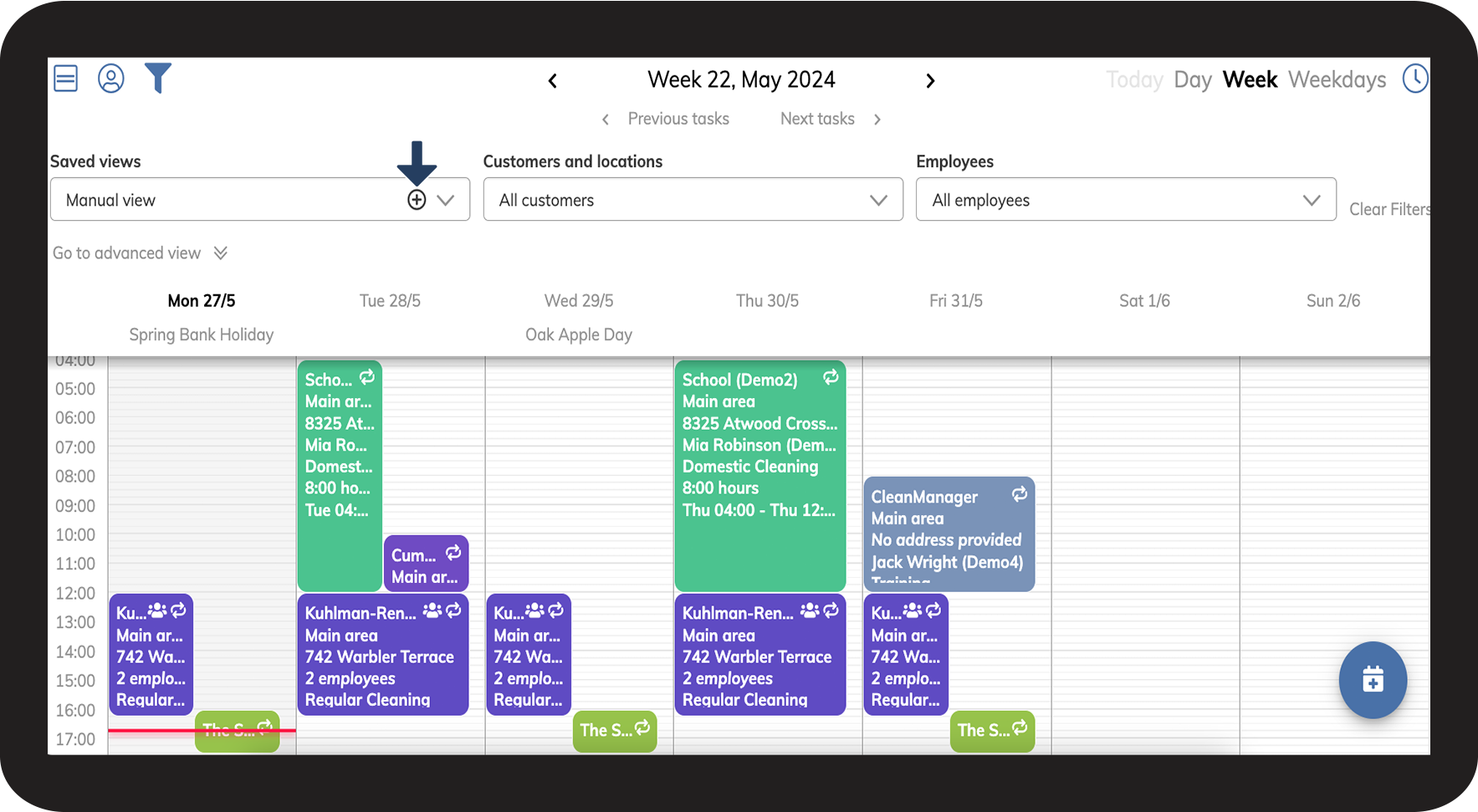
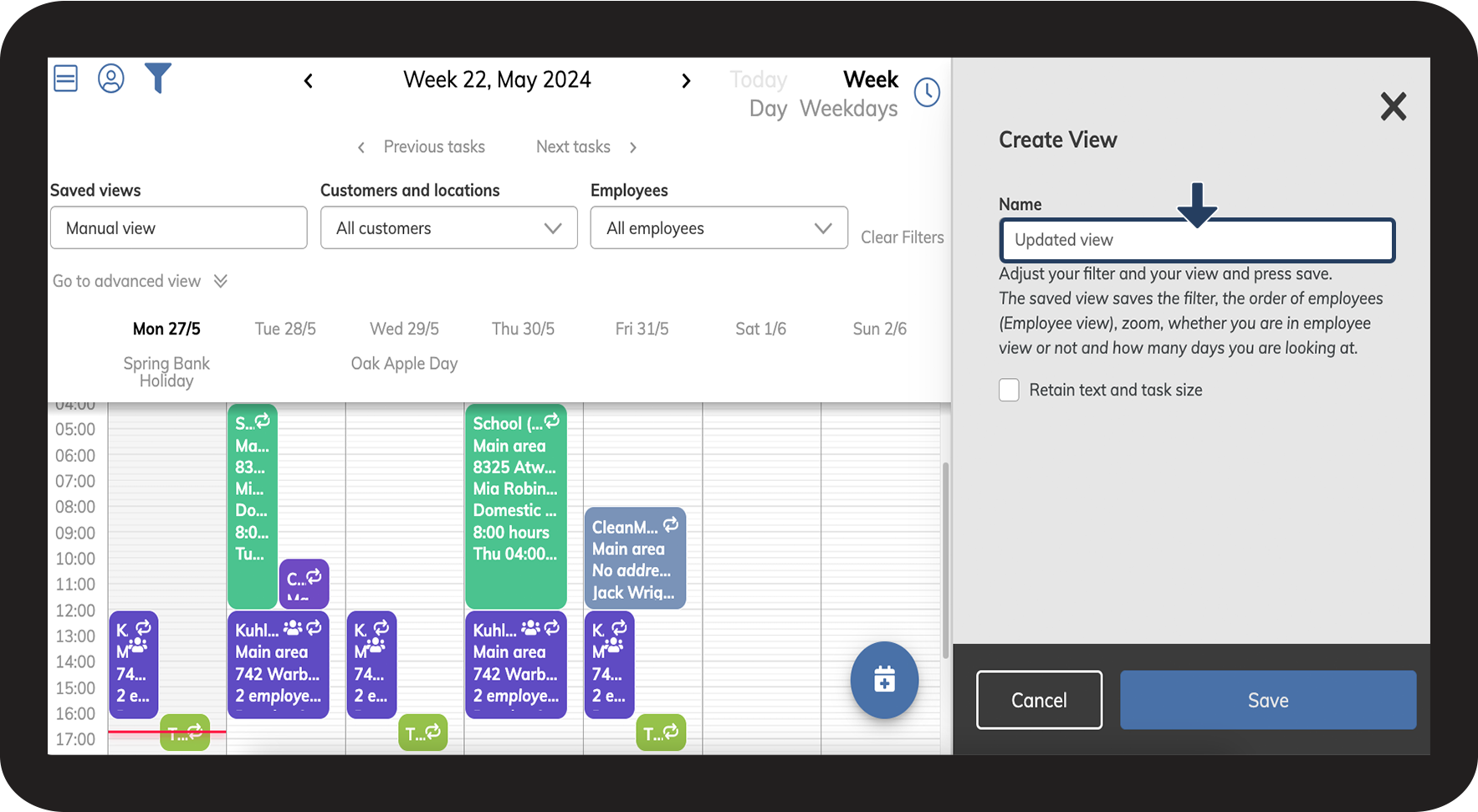
Name the view
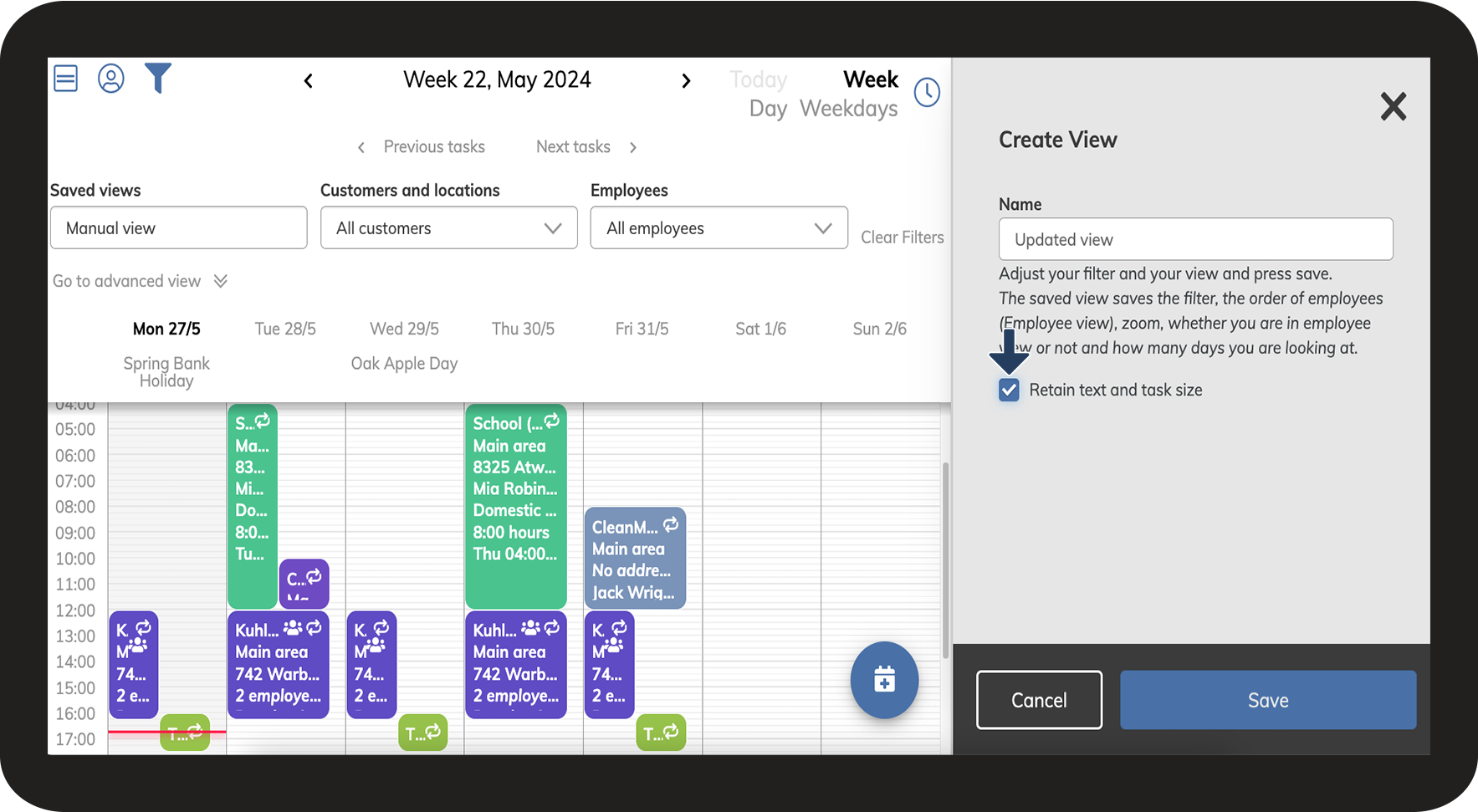
Tick off the box Retain text and task size
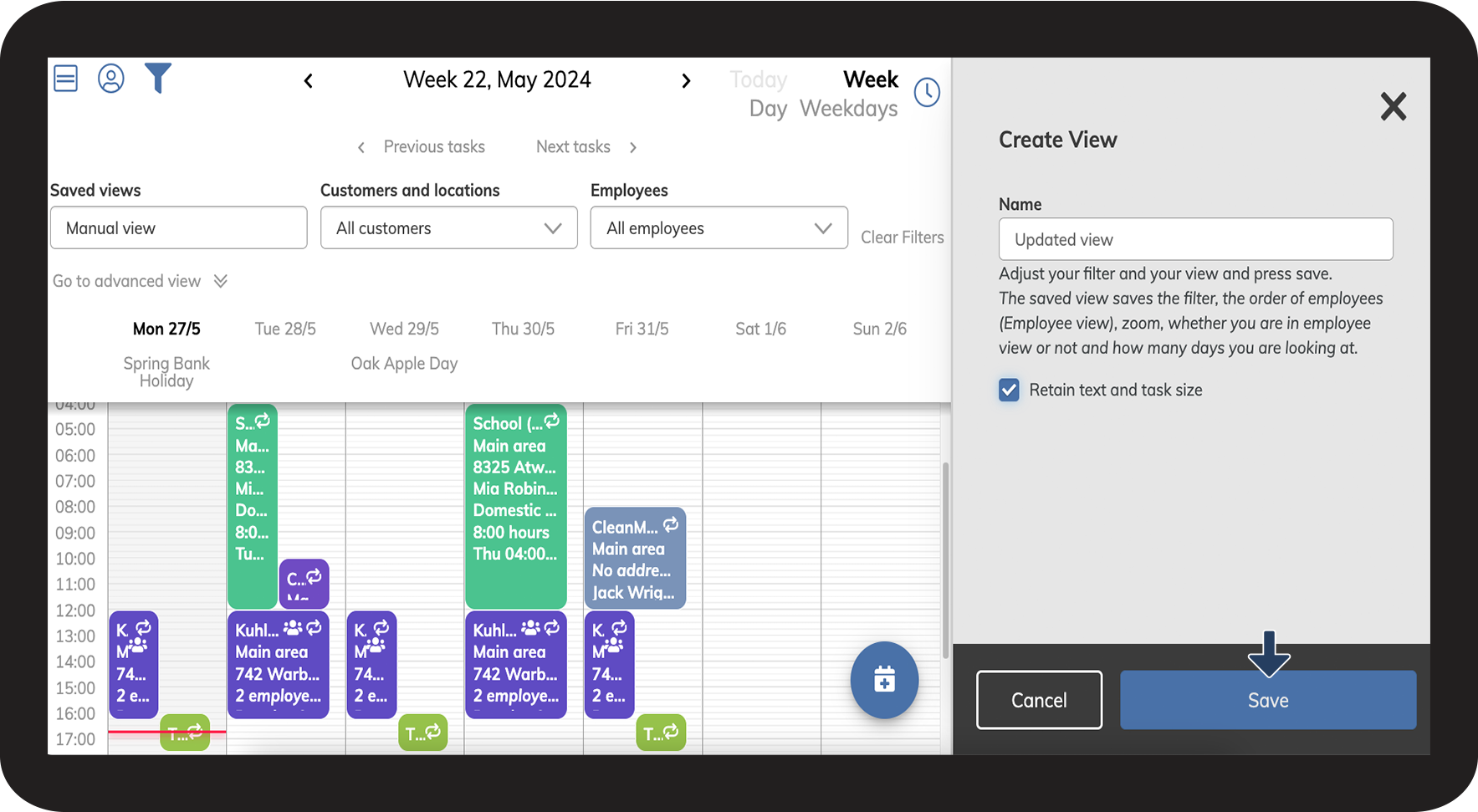
Complete the process by clicking on Save