Option to send e-mail and text message notifications when creating absences in the new calendar
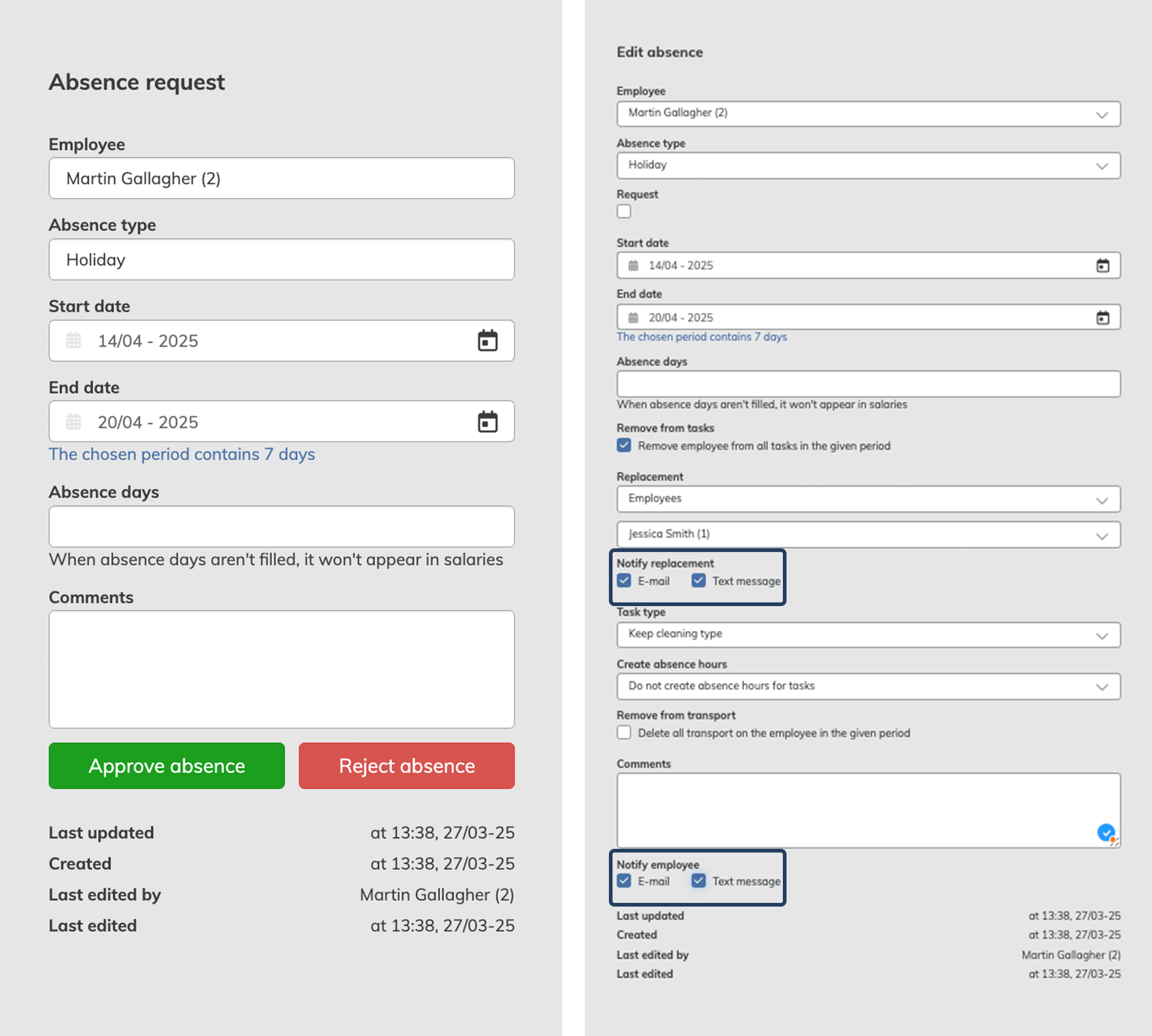
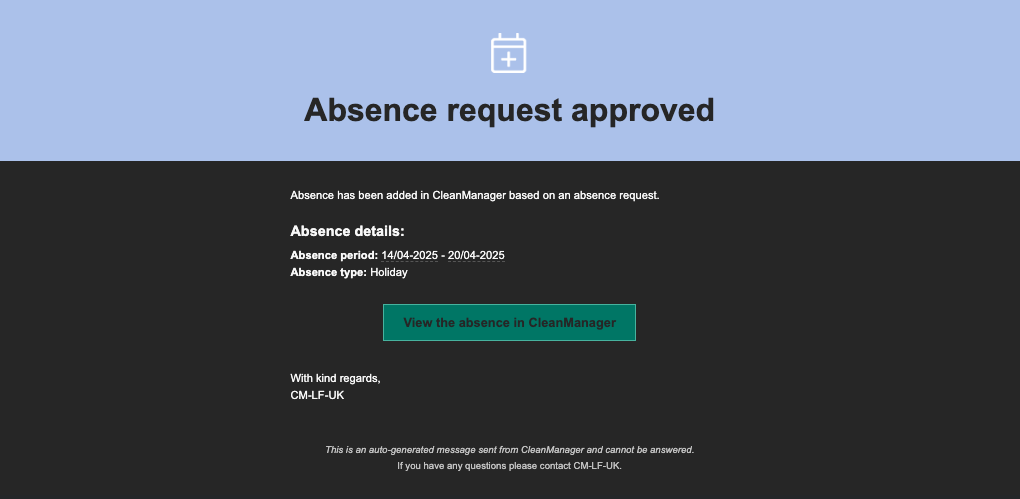
This update introduces the possibility to notify employees via e-mail and/or text message when their absence request is approved or rejected in the new calendar. It is also now possible to notify the replacement, if the absent employee is removed from their tasks when an absence is created.
To send these messages, simply check the new 'notify replacement' and 'notify employee' checkboxes and select your preferred communication method.
An e-mail or text message can be sent for the following actions:
- Creating an absence
- Deleting an absence
- Editing an absence
- Approving absence requests
- Rejection of absence requests
NOTE:
In order to send text messages, the Text Messaging add-on module must be activated.
Read more about how to activate add-on modules here: Add-on modules
See what this looks like below: