Option to choose how rounding adjustments are handled on invoices
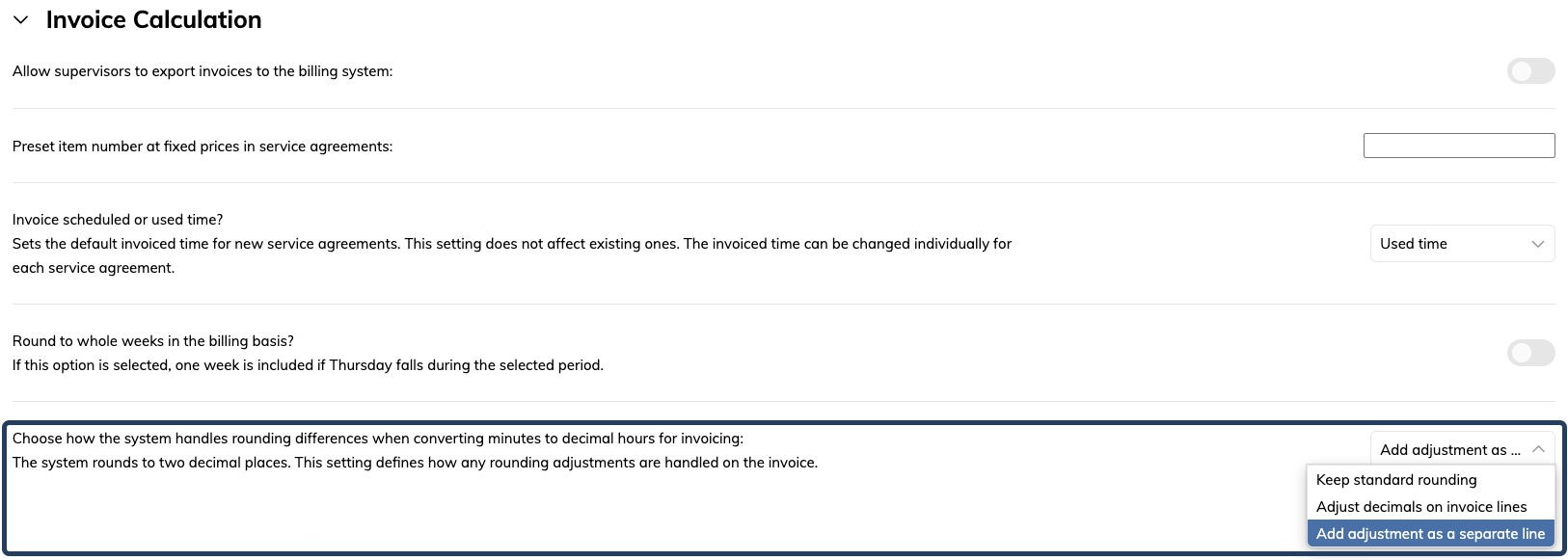
In this update, we’ve introduced a new setting that controls how rounding adjustments are displayed on invoices.
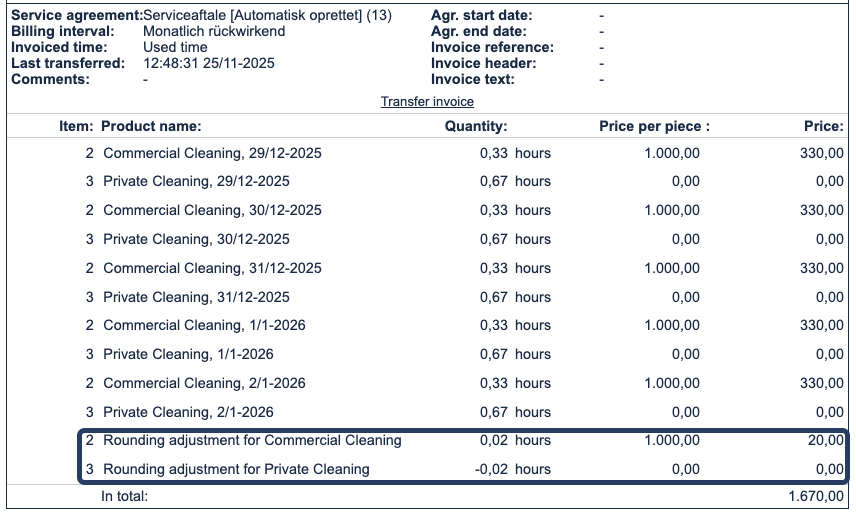
When you create tasks and export invoices in CleanManager, the working time is automatically converted from hours and minutes into decimal numbers with two decimal places. In some cases, small rounding differences may occur between the registered time and the time shown on the invoice.
You can now choose whether the rounding should be adjusted directly on the invoice lines, displayed as a separate line on the invoice, or if the normal standard rounding should be kept. This ensures that the invoice always shows the most accurate total working time.
Read more about the different options here: Rounding in invoicing
What changes should you be aware of