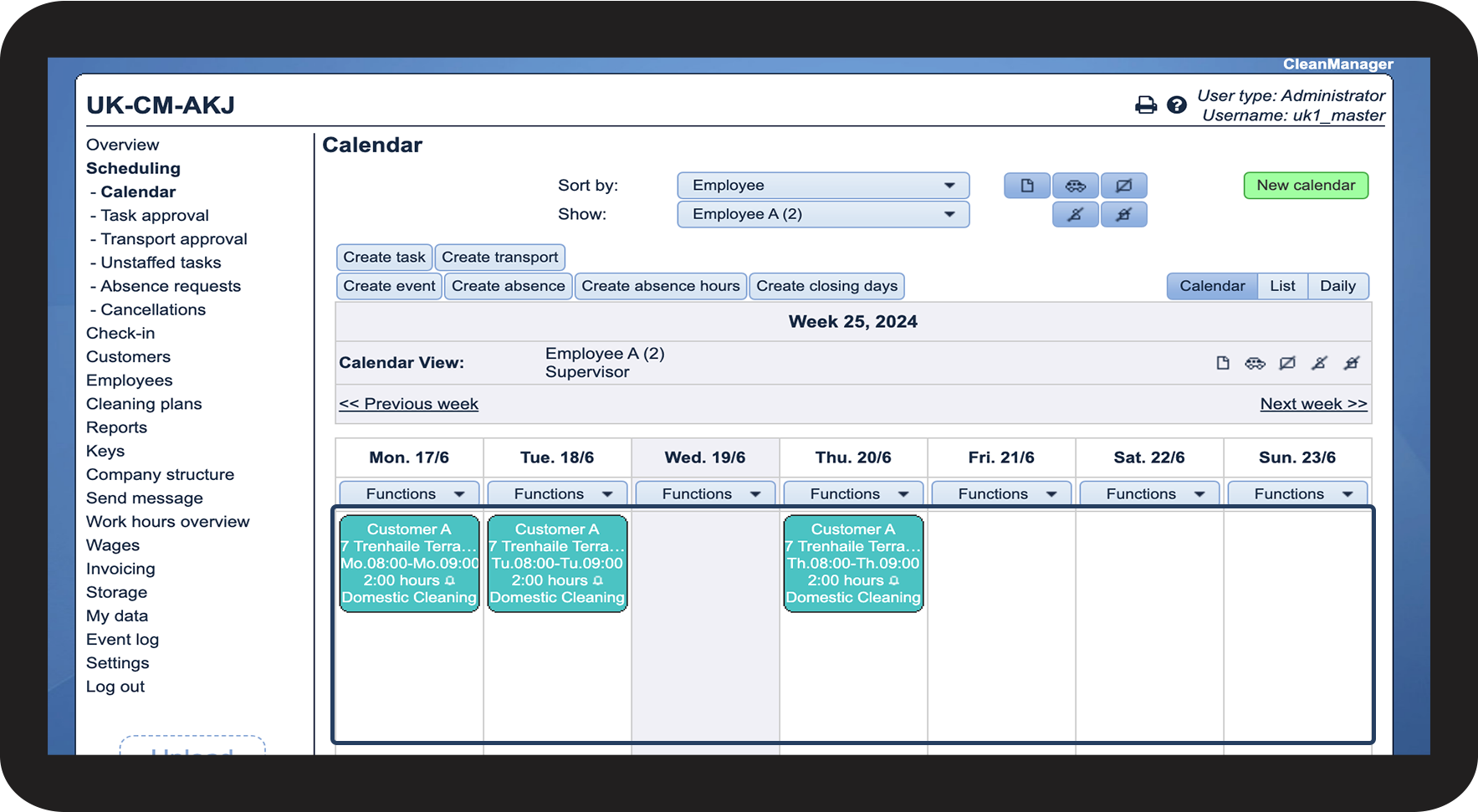
How do I easily access my employee's calendar?
Are you looking for a quick shortcut to an employee's calendar from the employee list?
The administrator and supervisors can easily access an employee's calendar through the employee list. You can therefore quickly get started planning tasks after creating the employee.
In this article, you will learn how to easily find an employee's calendar through the employee list:
This is how you access the employee's calendar through the employee list


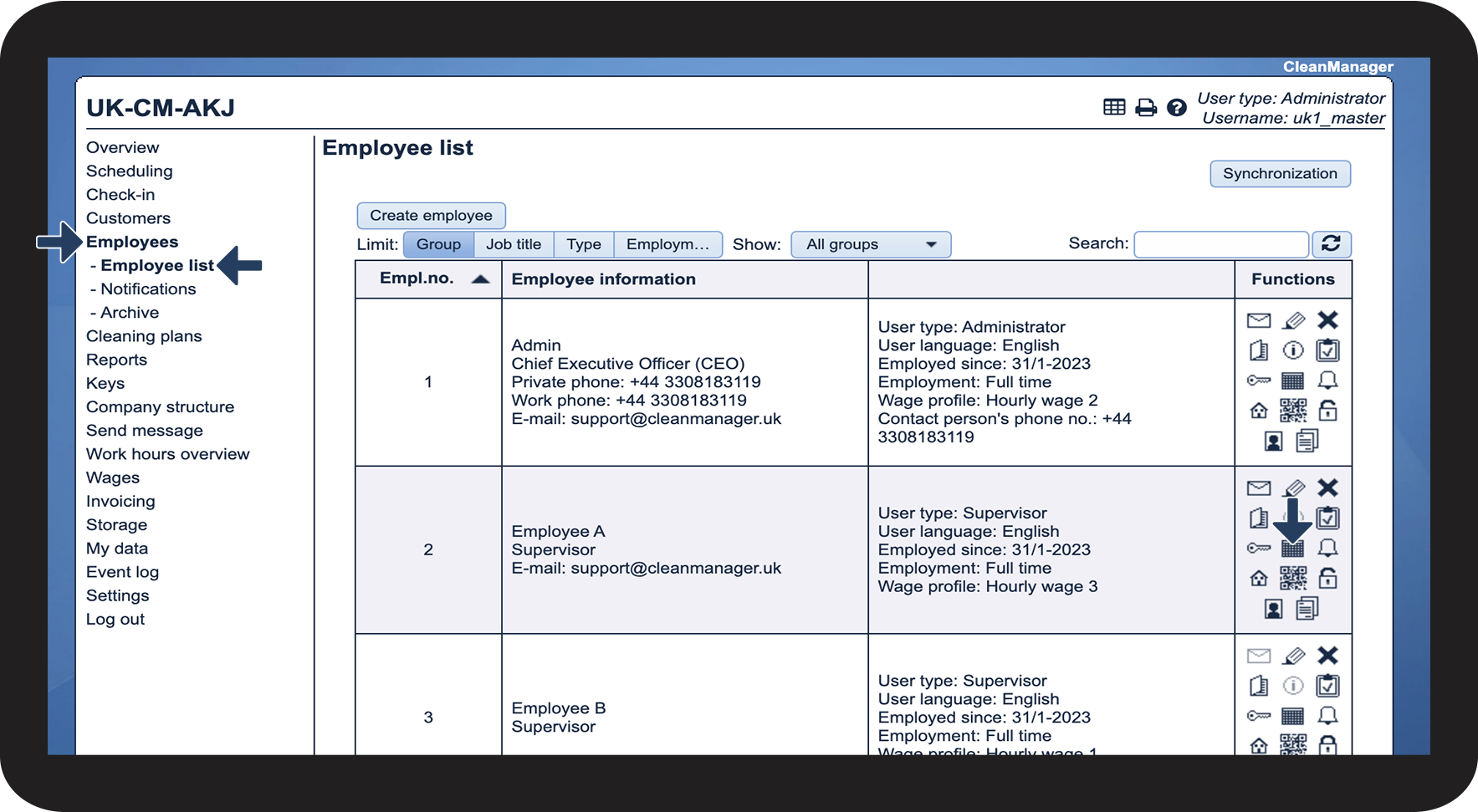

NOTE:
You will be redirected to the classic calendar.