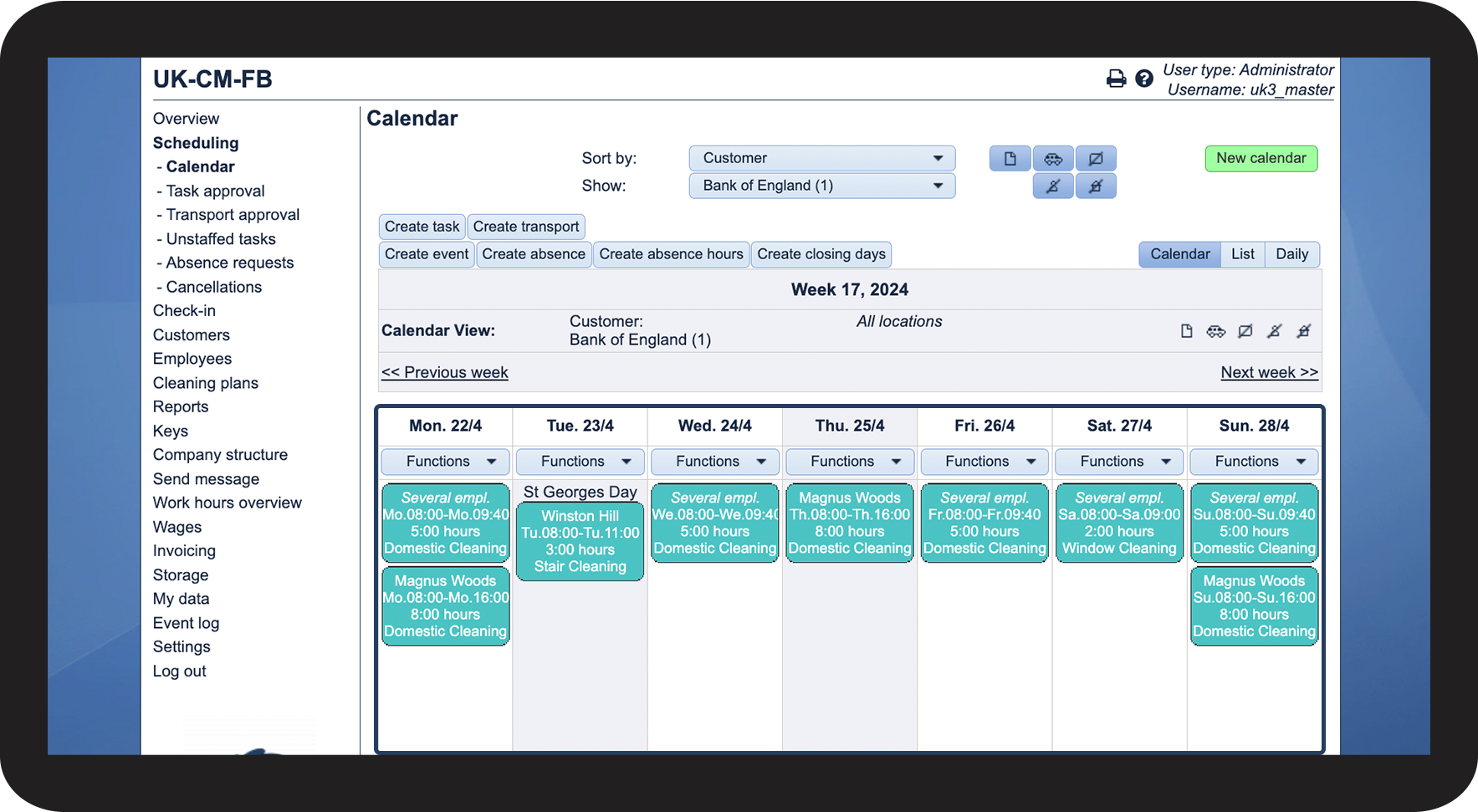
How do I easily access a customer's calendar?
As the administrator or a supervisor, you can easily access a customer's calendar through the customer list.
Once you create a new customer or add a new location, you can therefore get quick access to this specific calendar and start planning your tasks.
NOTE:
Supervisors can only access the calendar of customers within the supervisor's assigned customer areas. For more information regarding this, go to Company Structure.
In this article, you will learn how to quickly access a customer's calendar through the customer list:
This is how you access a customer's calendar through the customer list


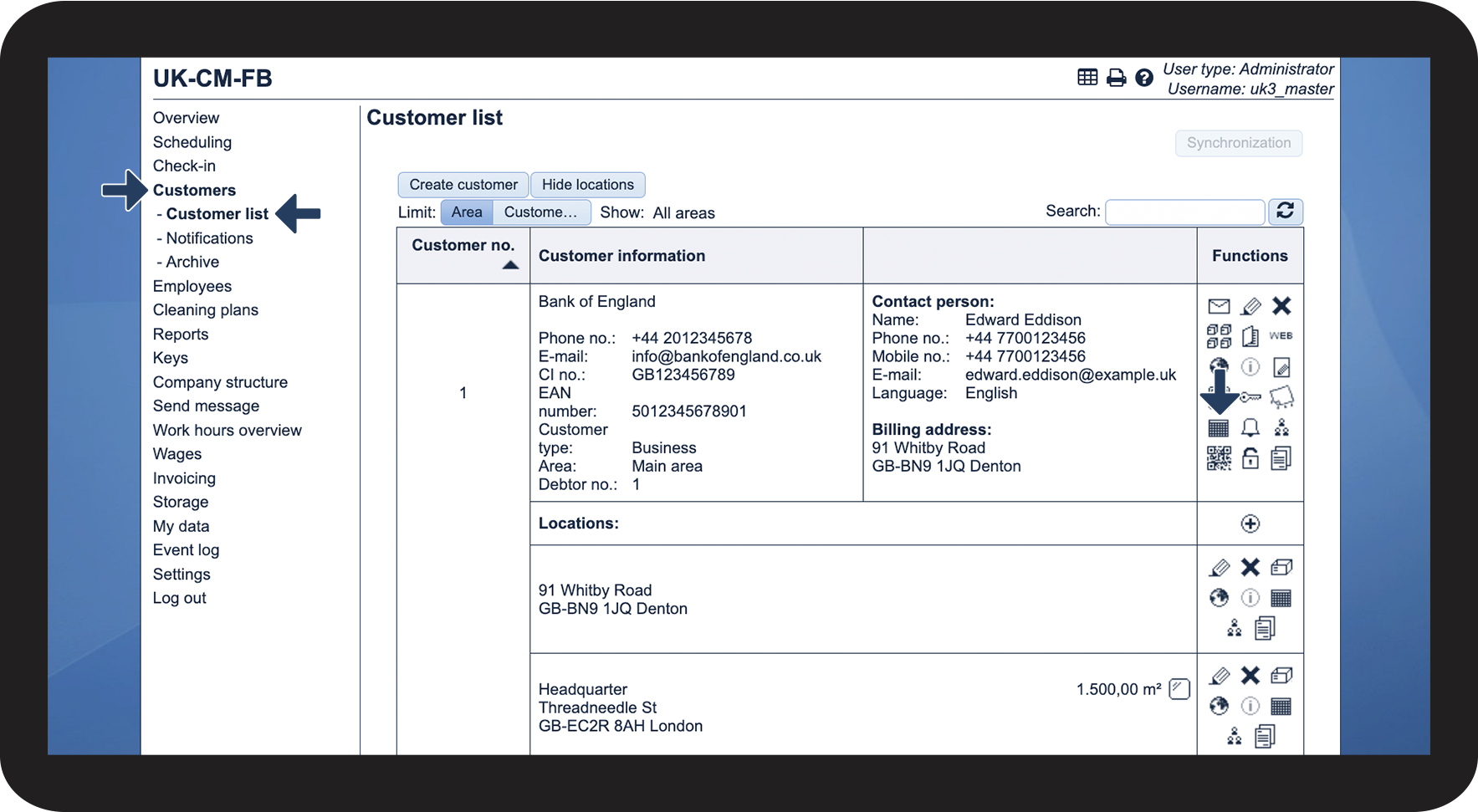

NOTE:
You will be redirected to the classic calendar.