Skip to content
English
  • There are no suggestions because the search field is empty.

Quality report (compact)

How do I set up a compact quality report?

The template type Quality report (compact) consists of parameters that are displayed in two columns with no text field for comments. 

This type of report template is well suited for basic quality control, where the primary goal is to gather statistical data on employee performance on tasks. 

If you want to add a comment about the work or shortcomings in the different focus areas, it can be added in the overall comment field at the end of the report.


In this article, you will learn how to:


Setting up a compact quality report template

number_1.png
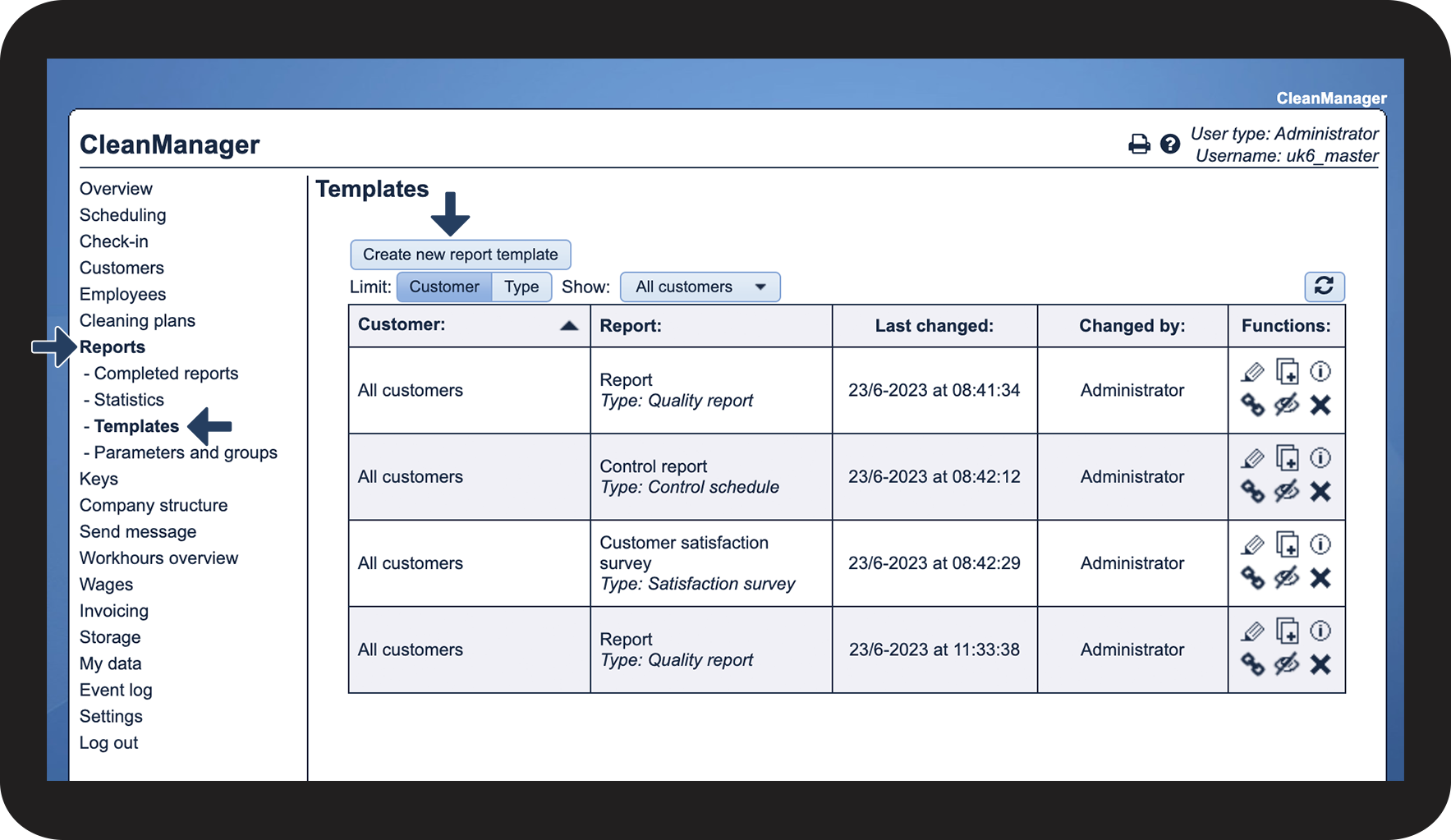
In the menu, choose ReportsTemplates
 
Click on Create new report template

1.png

number_2.png

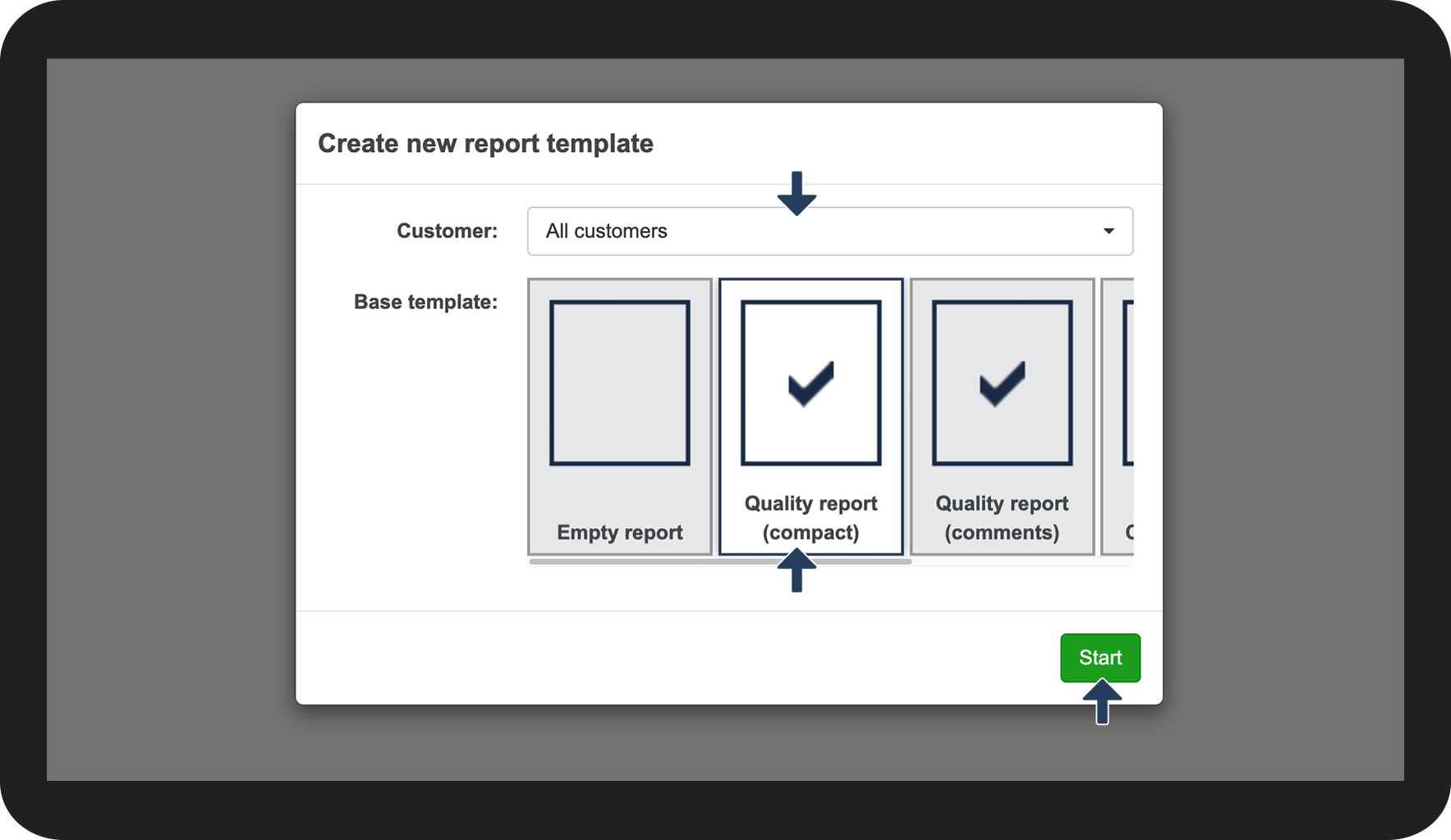
You can either select All customers or a specific customer (the template cannot be used for other customers)

 
Click on the base template Quality report (compact)
 
Click on Start to create the template

2.png

number_3.png
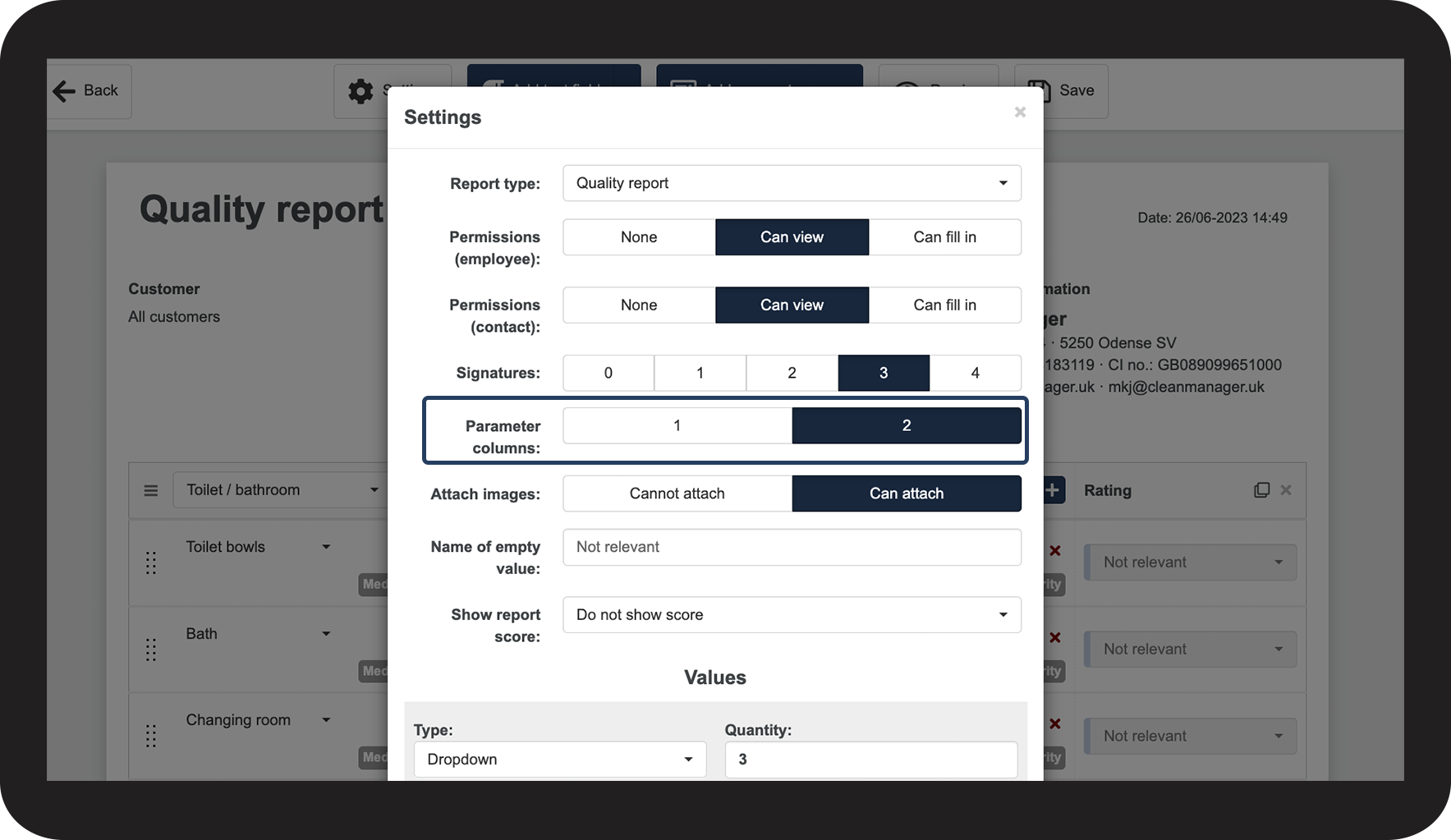
Continue setting up the template
 
You can read more about the different settings in the section: Report template settings
 

The main difference between this template and the template Quality report (comments) is the setting of parameter columns, which in this case is set to 2 

3.png