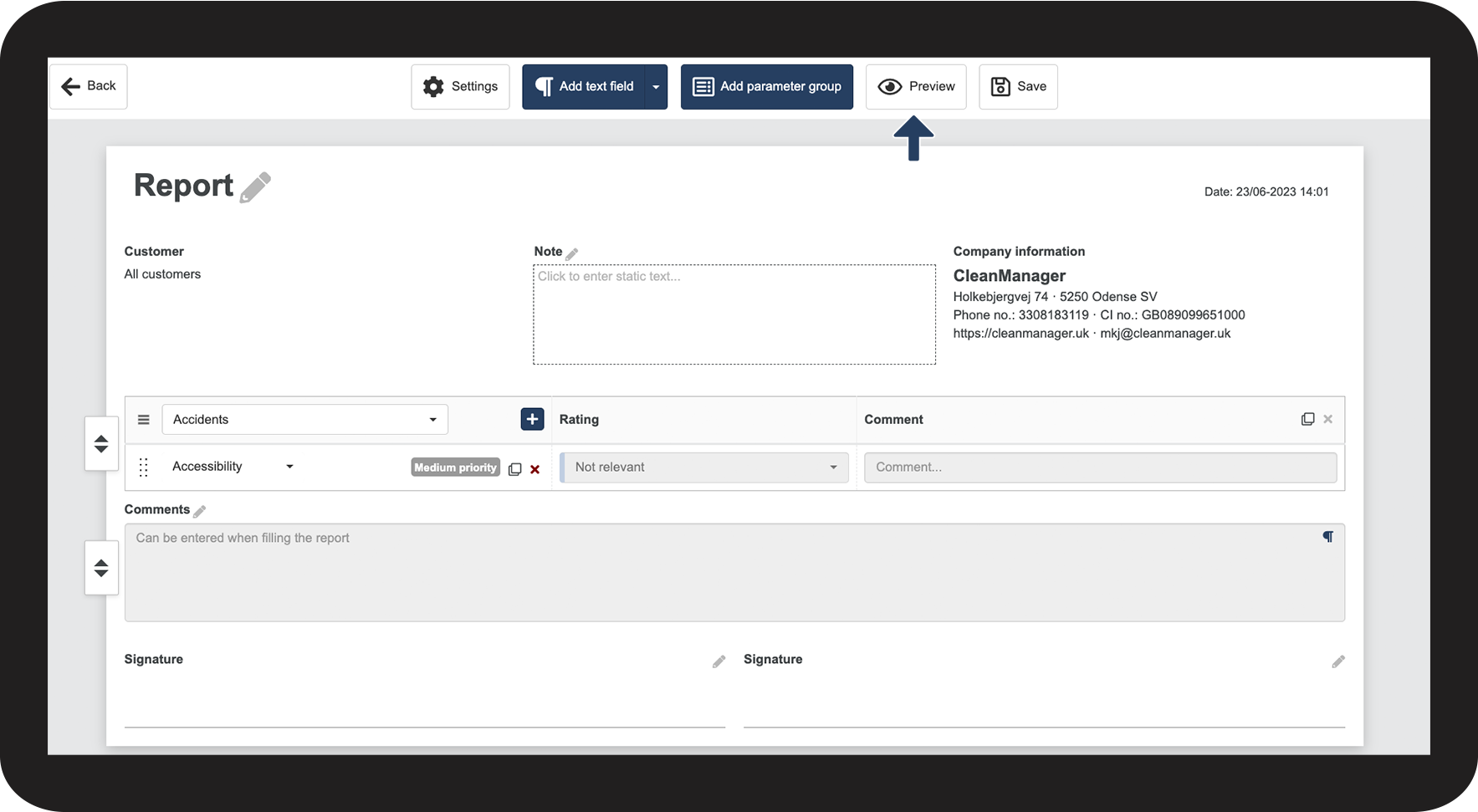
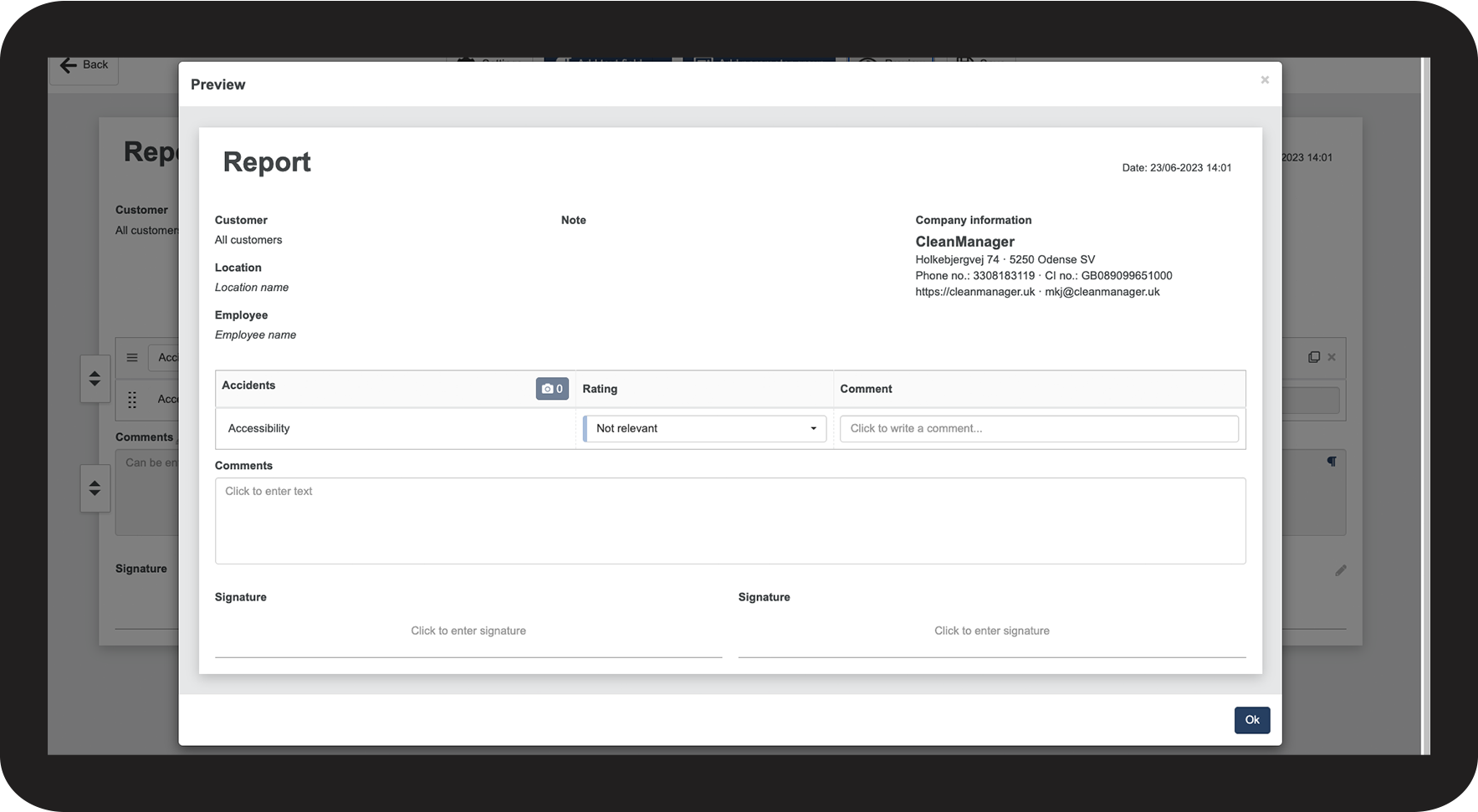
How can I preview what my report will look like?
The preview button allows you to see how the report will end up looking when you go to fill out a new report.
This way, you can make sure that the report looks exactly the way that it should, to make sure that the person to fill it out will be able to understand it.

 to edit the report template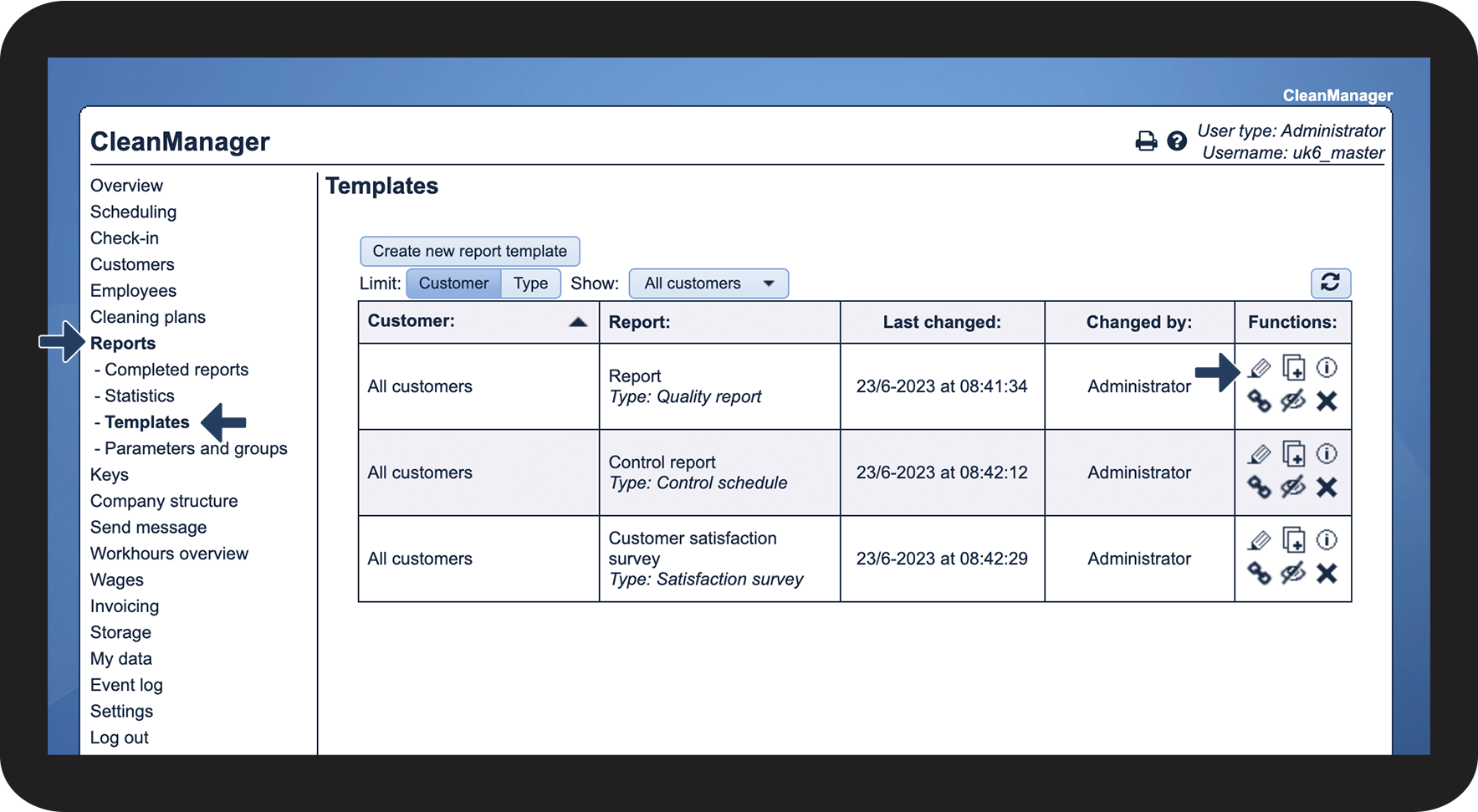
NOTE:
Once you start using a template to fill out reports, you can no longer edit the template. Instead, you can create a new report template or copy an existing one and edit the copy.