Skip to content
English
  • There are no suggestions because the search field is empty.

Order products

How do I order products?

Are you in need of new cleaning products at a customer location?

In the CleanManager app, you can order those missing products for your workplace, they will then be sent to the location from your storage facility.


Read this article to find out how to place an order and how you can stay updated on your orders:


Ordering of products

You can either order products during your task, which will be ordered to the location of your task, or directly under the menu point Products.
This guide shows you how to order products from the main menu.

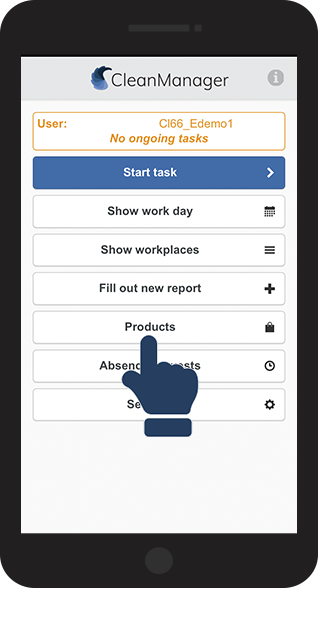
number_1.png

Click on Products

1.png
number_2.png

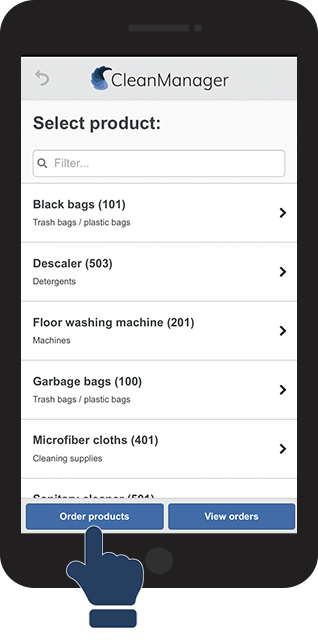
Click on Order products

2.png
number_3.png

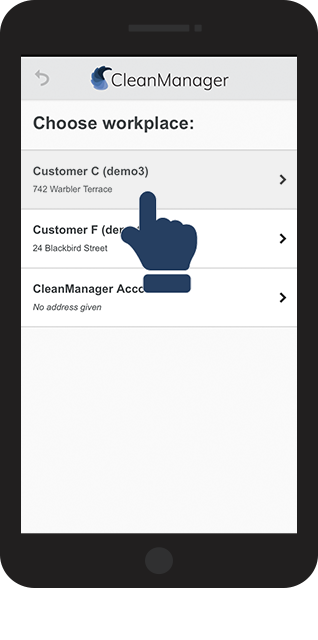
Choose the workplace you want to order the product for

3.png
number_4.png

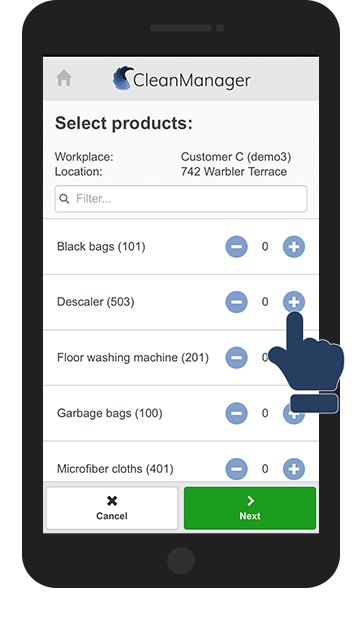
Choose the number of products you want to order, by pressing _.png and -.png 

4.png
number_5.png

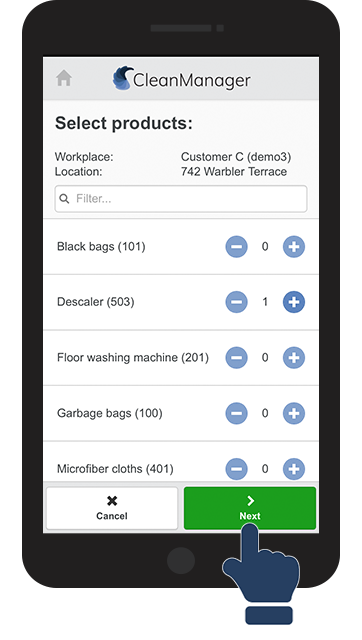
Click on Next after you have chosen the number of products you want to order 

5.png
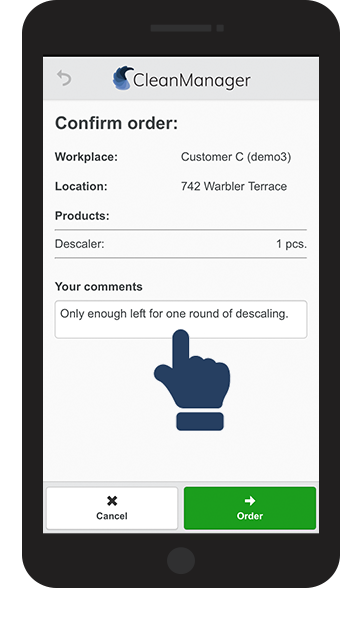
number_6.png

Click on the comment section to attach a comment to your order if necessary

6.png
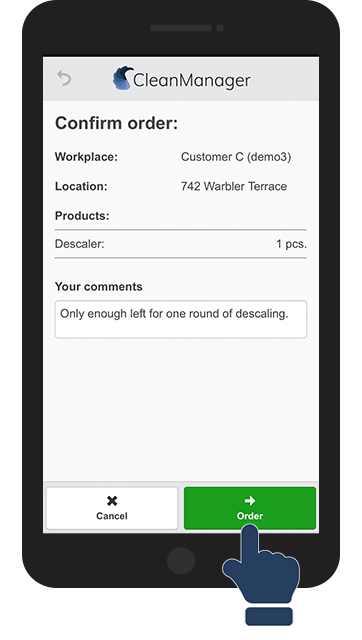
number_7.png

Click on Order to finish

7.png
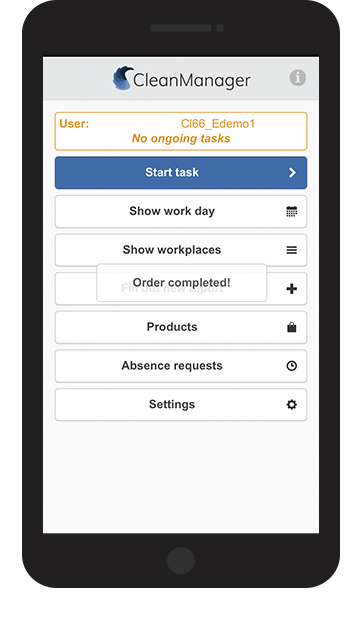
number_8.png

Your order is now completed and sent to the administration

8.png


View your orders

Under Products you can use View orders to see the orders you have placed:
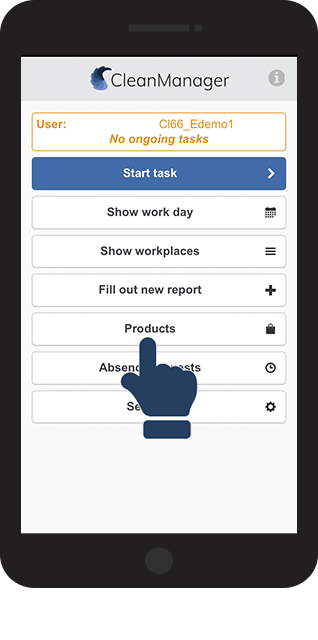
number_1.png

Click on Products

1.png
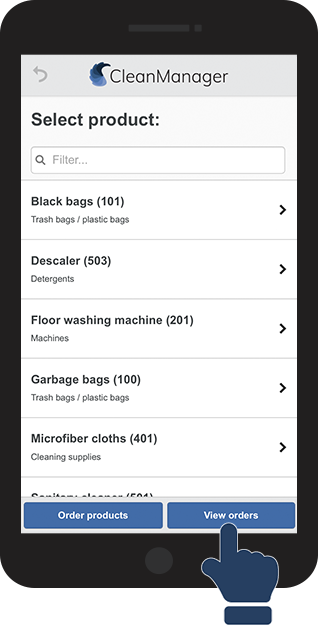
number_2.png

Click on View orders

2.png
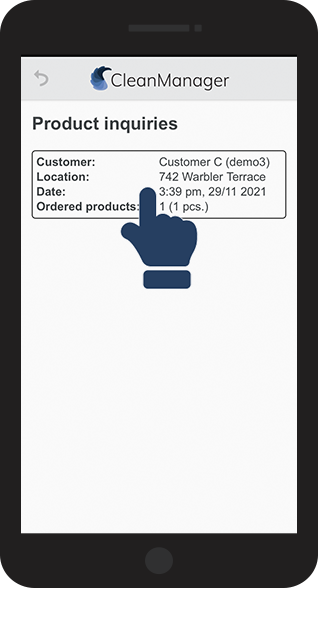
number_3.png

Click on any of the Product inquiries on the list.

3.png
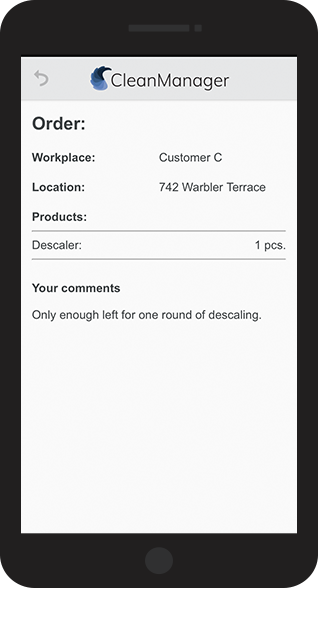
number_4.png

Check if your order is correct


If your order needs to be changed or deleted, contact your administration.

When an order has been processed (confirmed or denied), it will disappear from your list of orders.

4.png