
How do I set up my account to transfer invoices to Xero?
Note:
To be able to set up your invoicing export to Xero, you need to have set up an integration between CleanManager and Xero, see this article: Integration setup for Xero
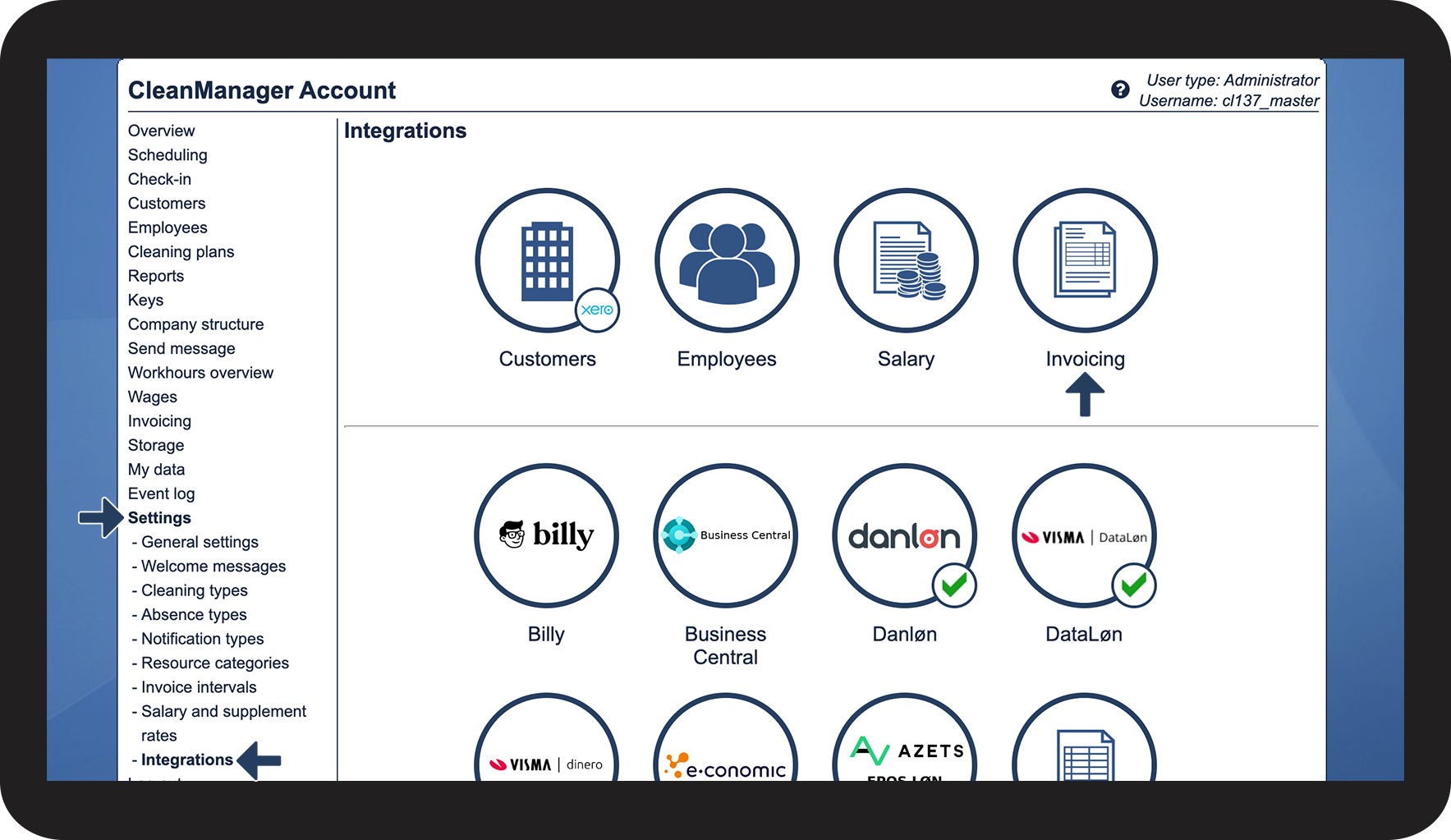
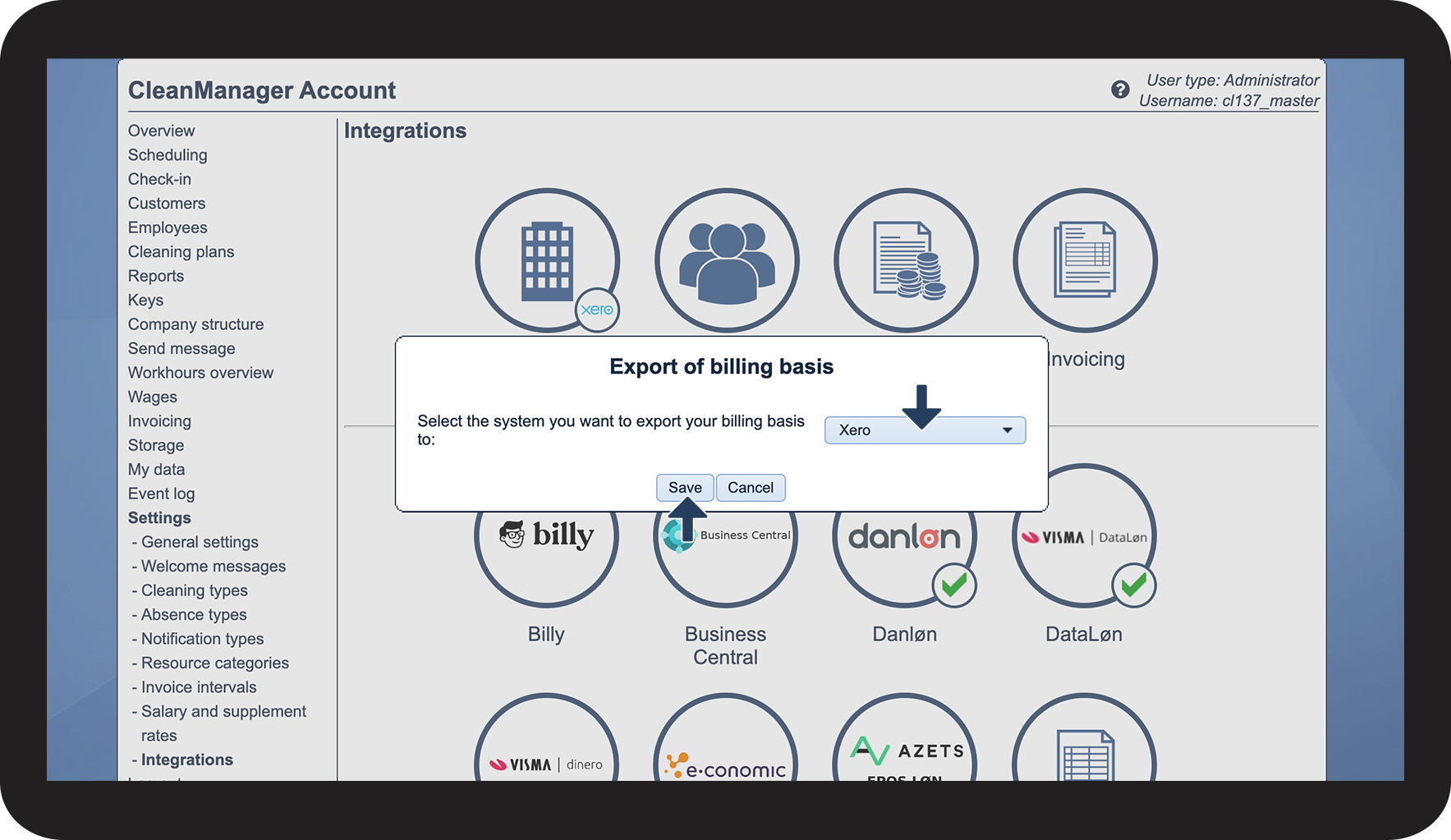
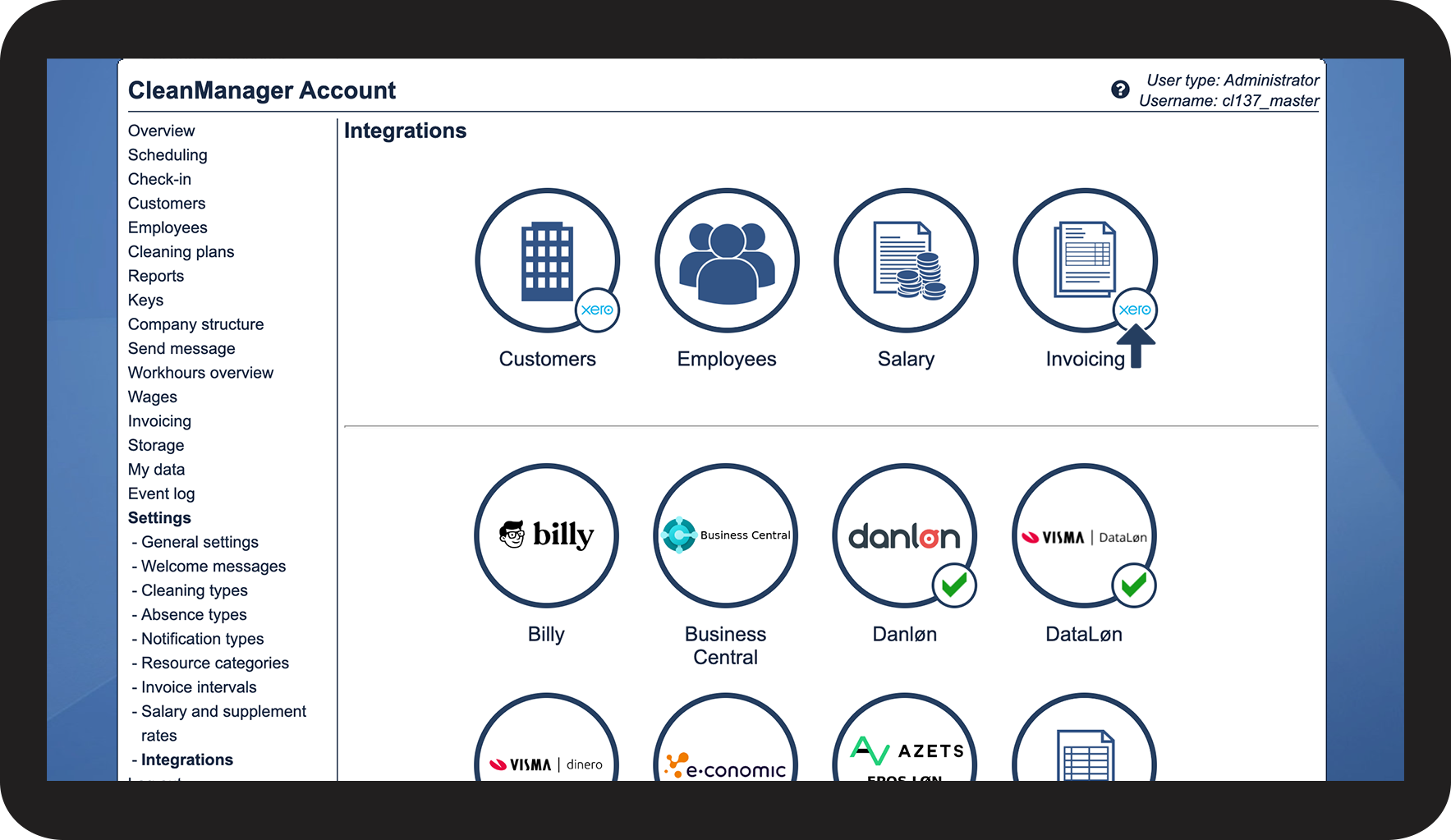
To be able to transfer invoices from Invoicing to Xero you must set Xero as the designated accounting software for invoicing:
Setup of invoicing to Xero




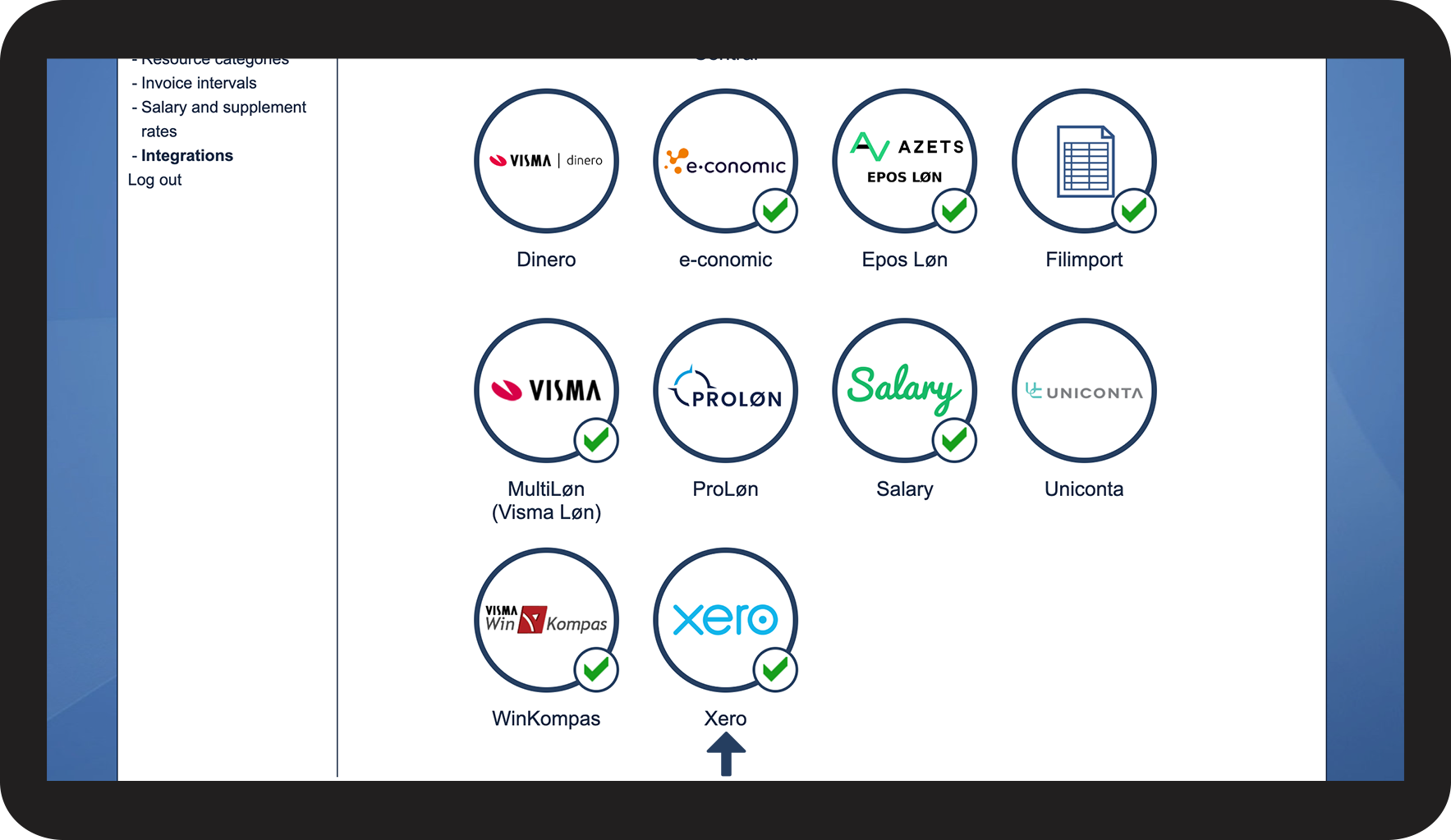
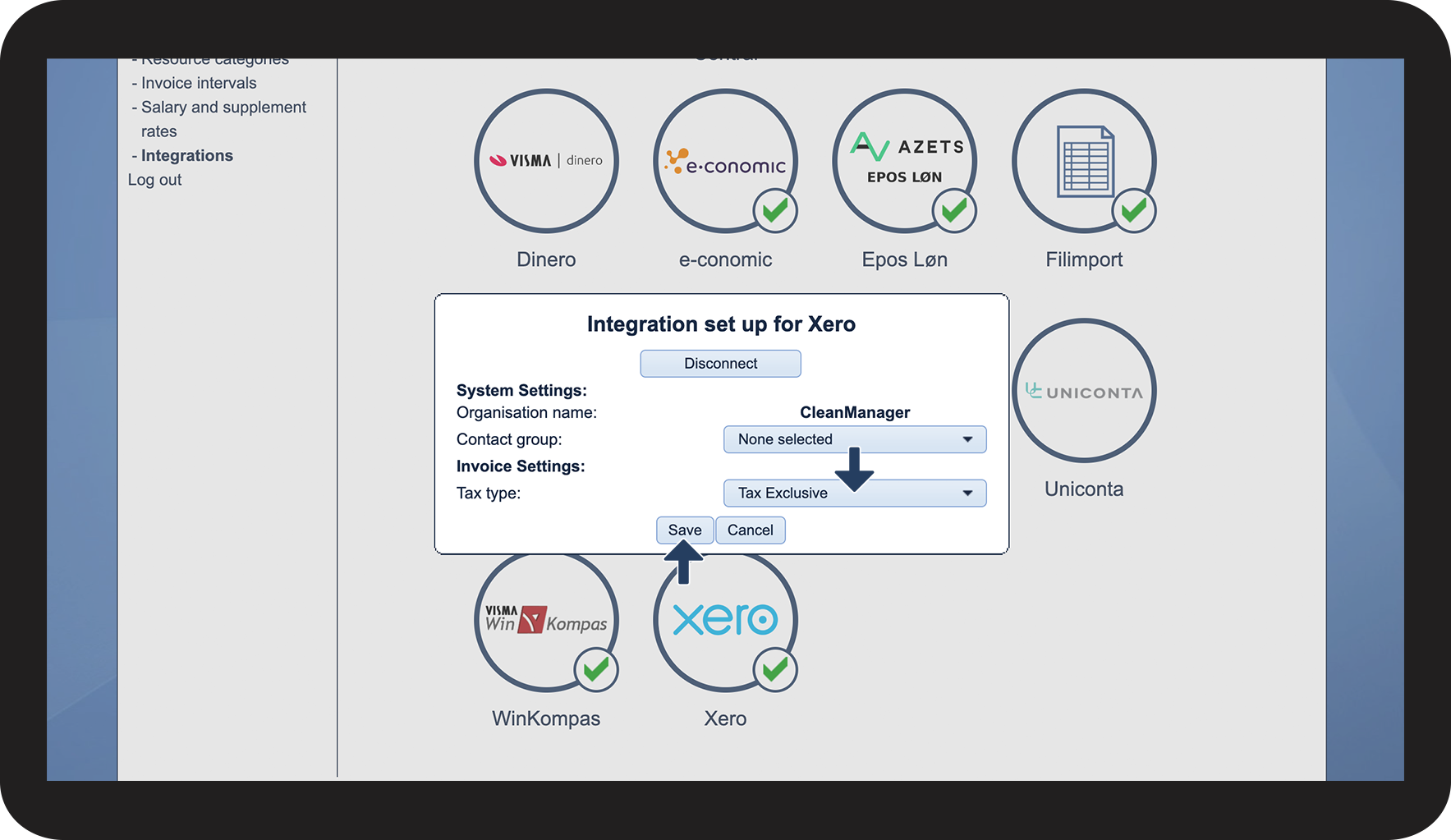
Setup of VAT values on invoices to Xero
INFO:
The standard Tax type setting is Tax Exclusive.
Hereby, the tax will get added to the individual invoices in Xero after an invoice has been transferred to Xero.
Choose Tax Inclusive if your prices in CleanManager are added including the taxation.
Choose No tax if you don't wish to include any tax on your invoices.