Skip to content
English
  • There are no suggestions because the search field is empty.

Invoicing setup for Sage

How do I set up my account to transfer invoices to Sage?

Foruds_tning_large.png

Precondition


To be able to set up your invoicing export to Sage, you need to have set up an integration between CleanManager and Sage, see this article: Integration setup for Sage


NOTE:

In order for the CleanManager system to be able to send an invoice to Sage, it is important that you have a registered VAT number in your Sage account.

You can find your VAT number here:

Settings > Business settings > Financial settings > Accounting dates and VAT > VAT details


To be able to transfer invoices from Invoicing to Sage, you must set Sage as the designated accounting software for invoicing:


Setup of invoicing to Sage

number_1.png
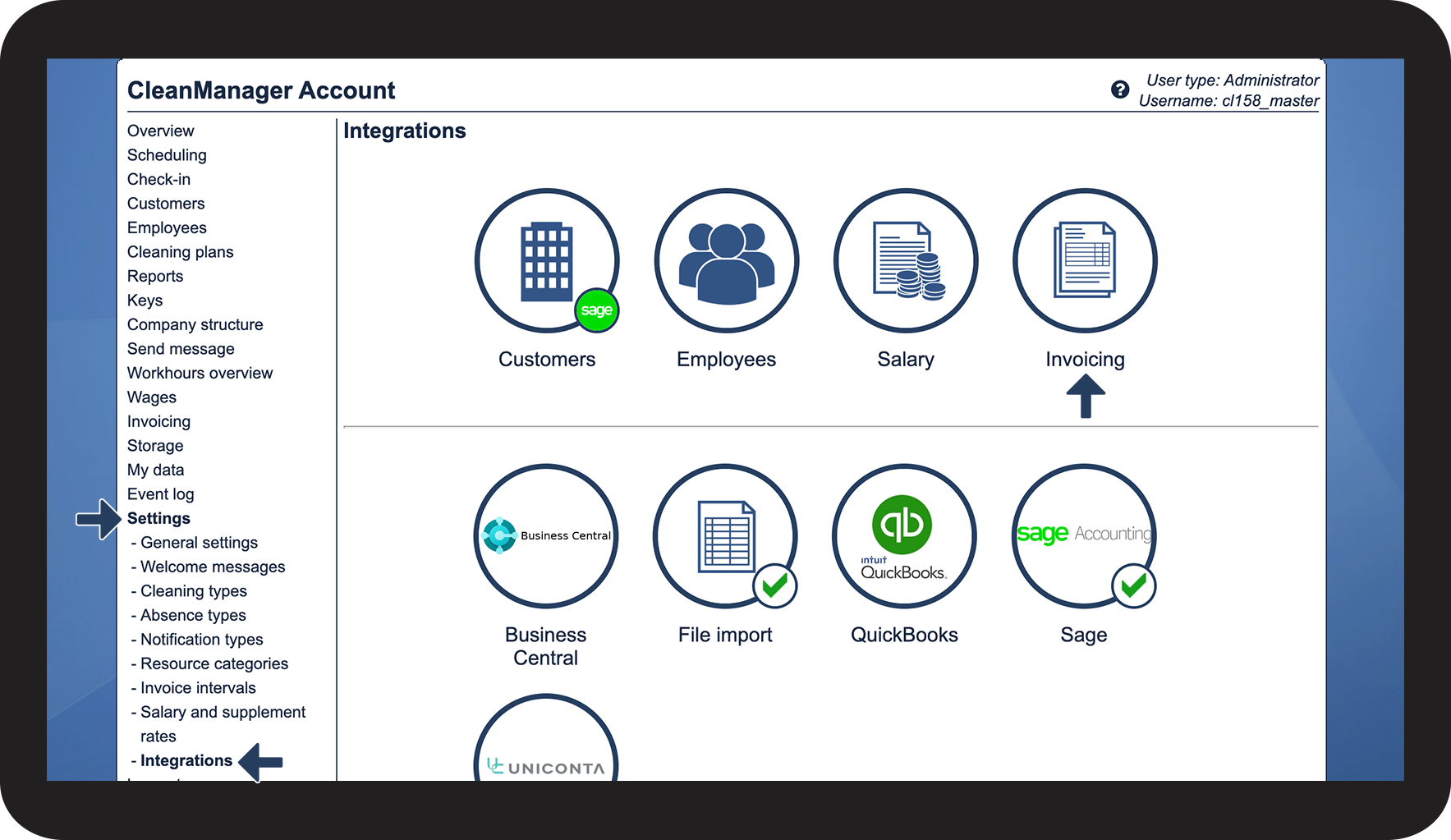
In the menu, click on Settings > Integrations
 
Hereafter, click on the button Invoicing

2.png


number_2.png
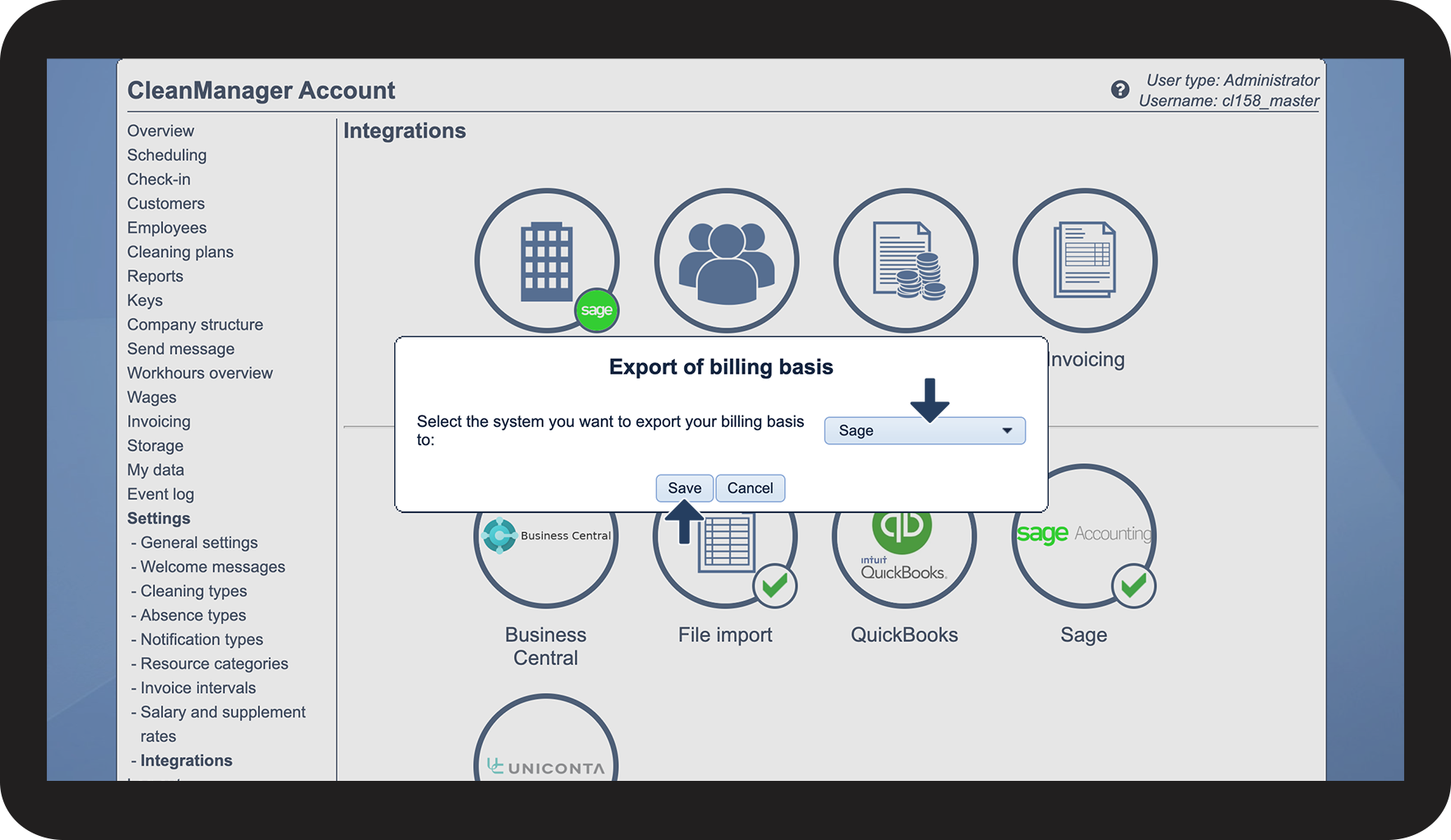
Click on the Dropdown button and select Sage
 
Click on Save to complete the setup

3.png


number_3.png
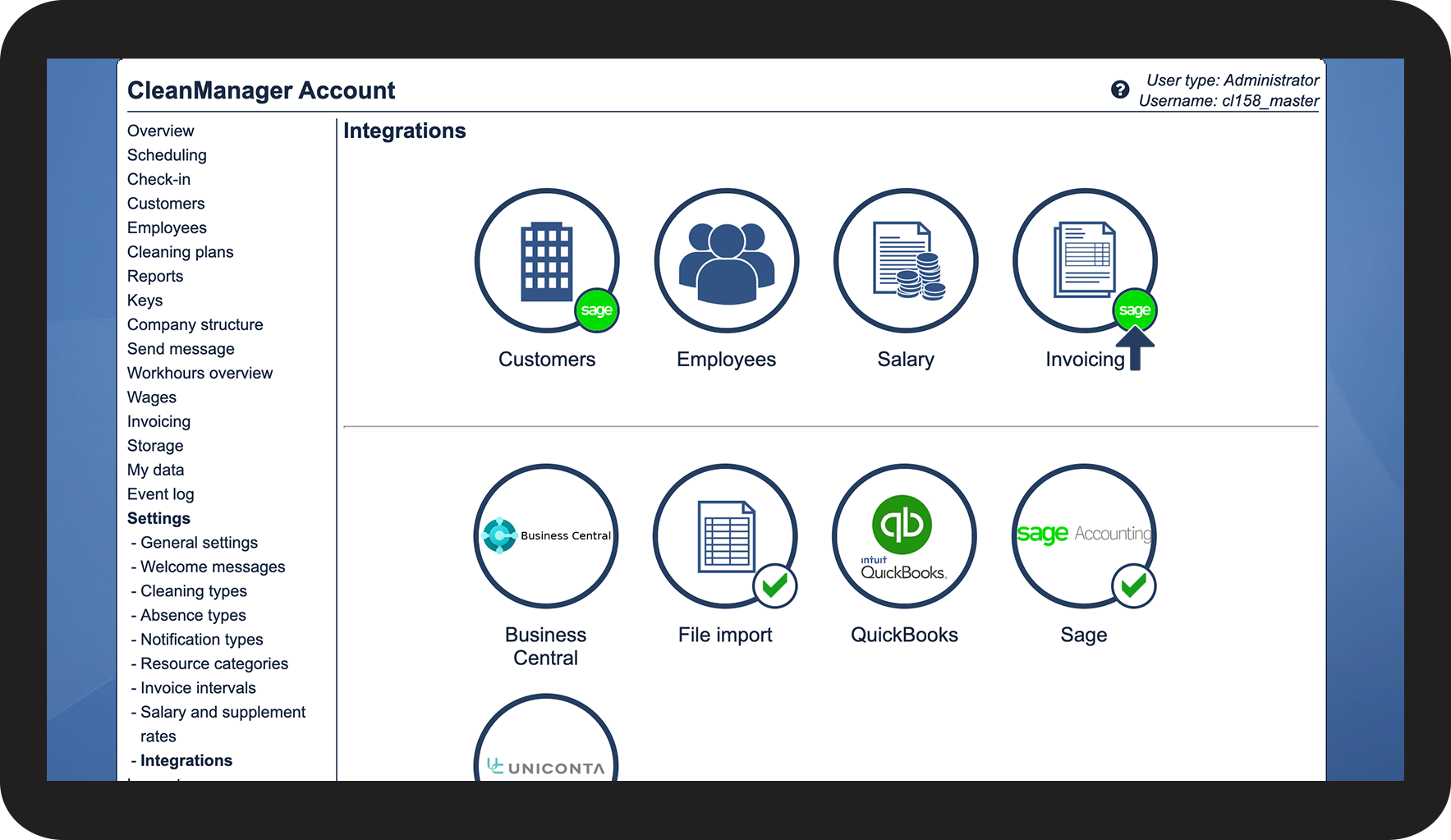
Your account is now set up to export invoices to Sage ,
see the validating icon Sage_logo.png

4.png