Invoicing setup for QuickBooks
How do I set up my account to transfer invoices to QuickBooks?
Precondition
To be able to set up your invoicing export to QuickBooks, you need to have set up an integration between CleanManager and QuickBooks, see this article: Integration setup for QuickBooks
To be able to transfer invoices from Invoicing to QuickBooks you must set QuickBooks as the designated accounting software for invoicing, and select the appropriate VAT rate:
Setup of invoicing to QuickBooks
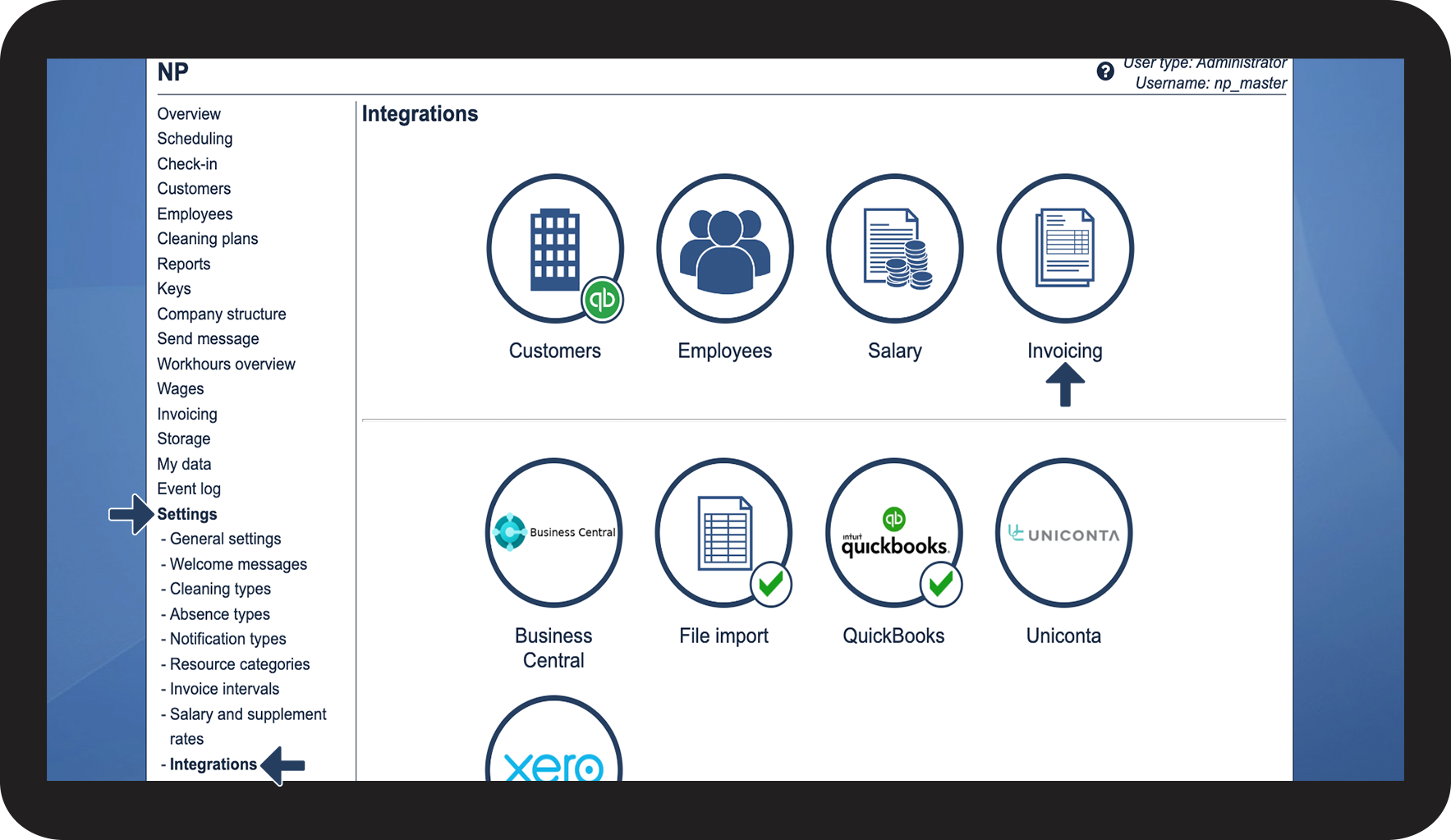
In the menu, click on Settings > Integrations
Hereafter, click on the button Invoicing

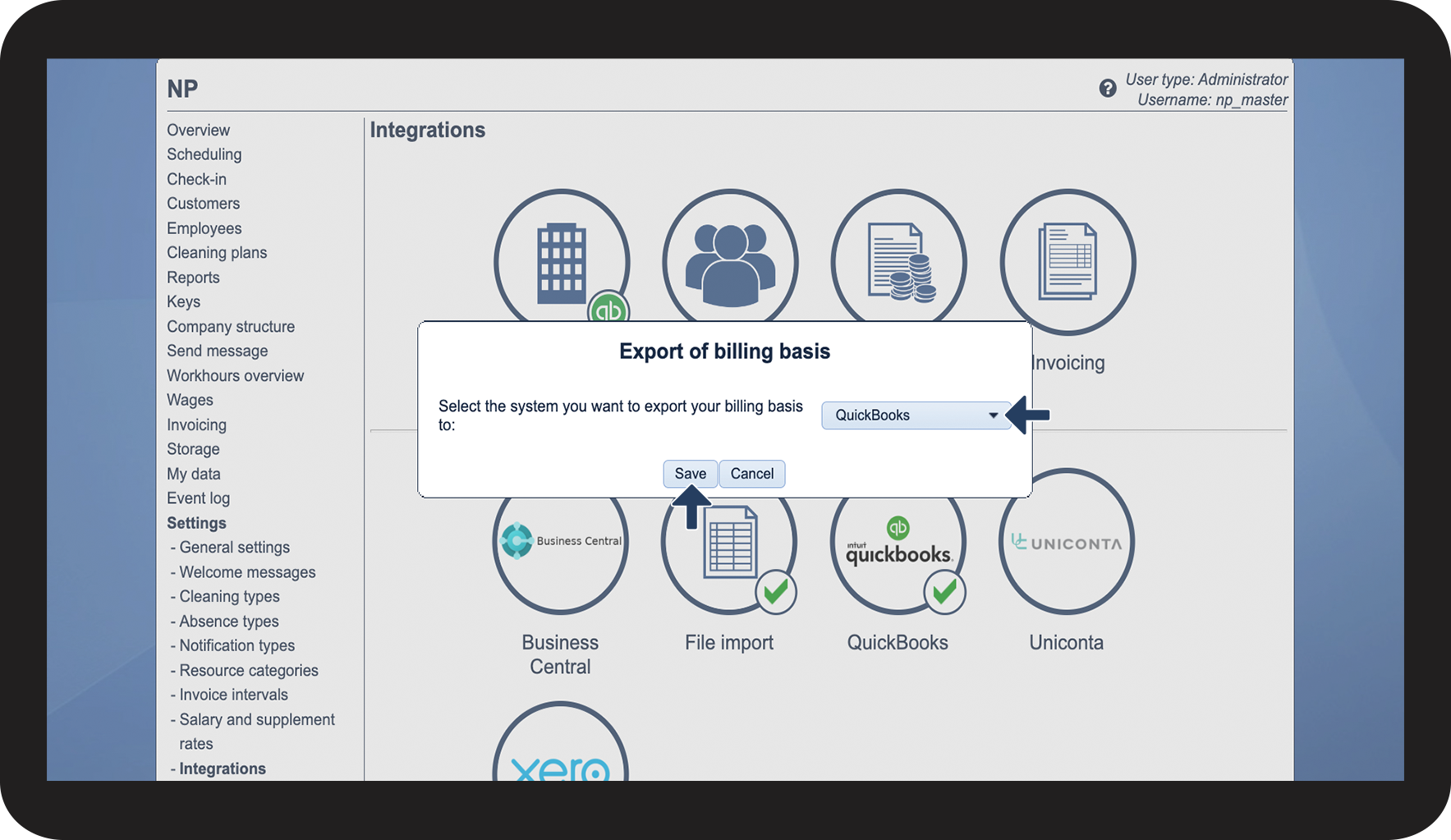
Click on the dropdown button and select QuickBooks
Click on Save to complete the setup

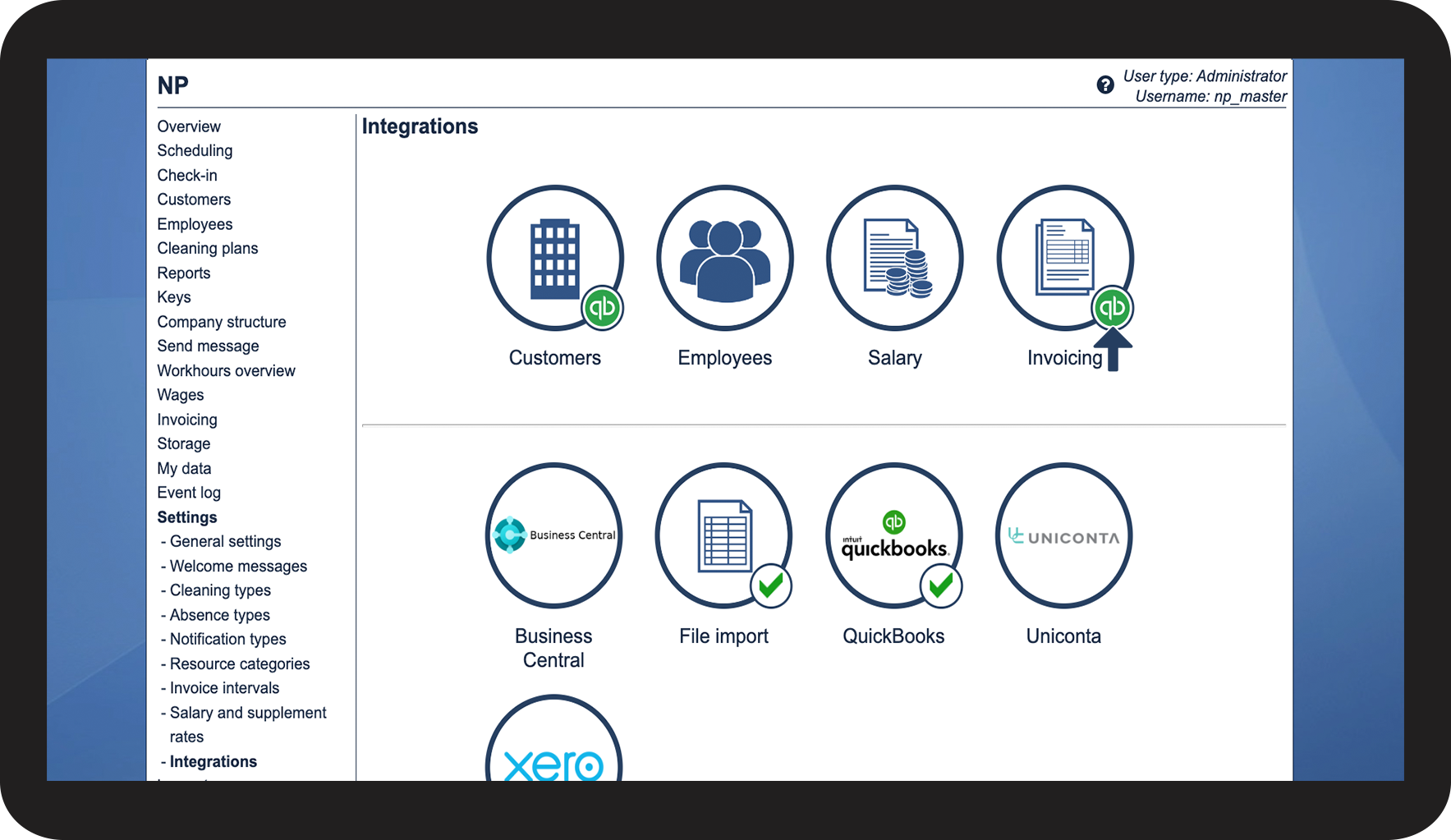
Your account is now set up to export invoices to QuickBooks
,
see the validating icon

Setup of VAT values on invoices to QuickBooks
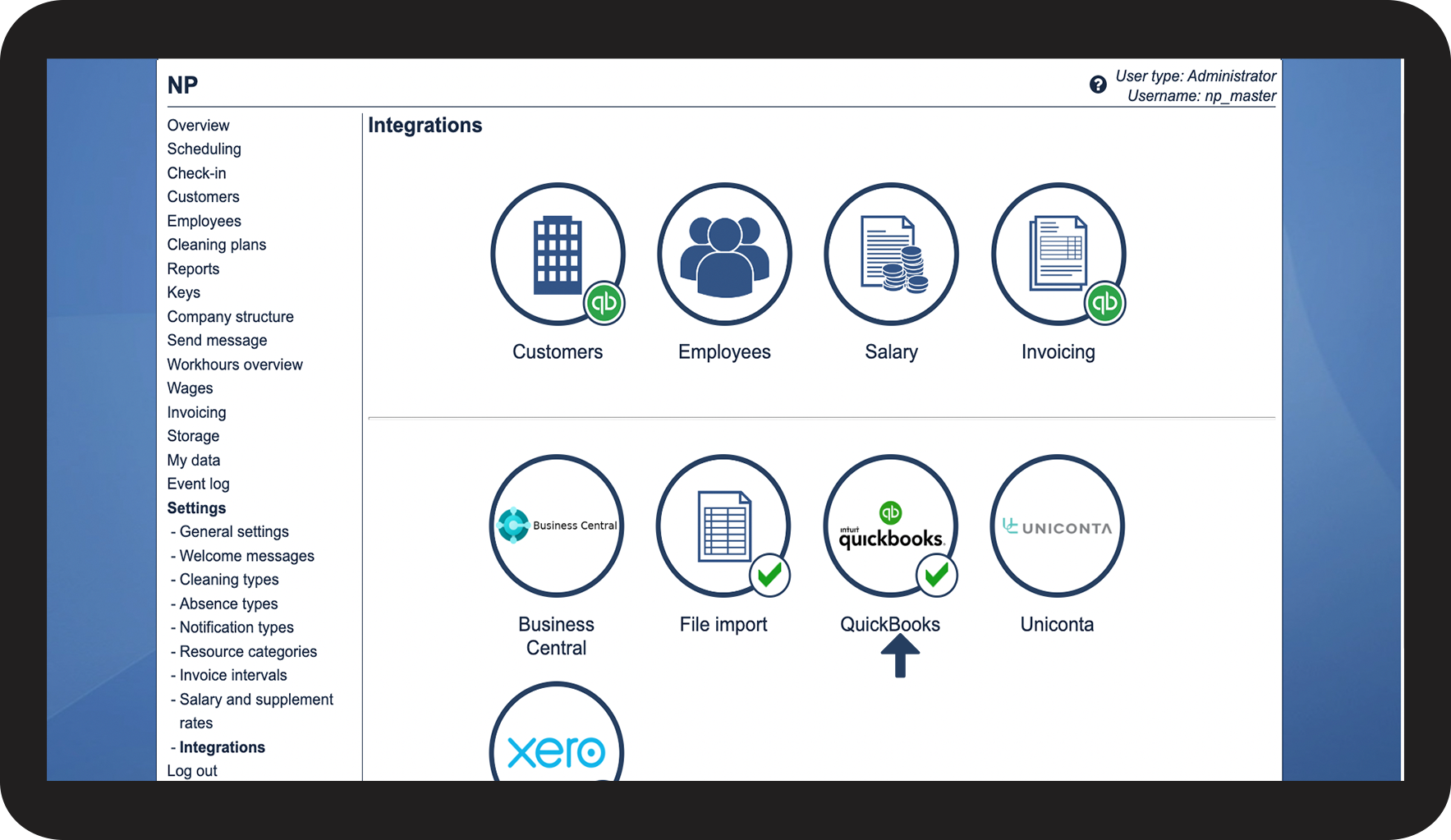
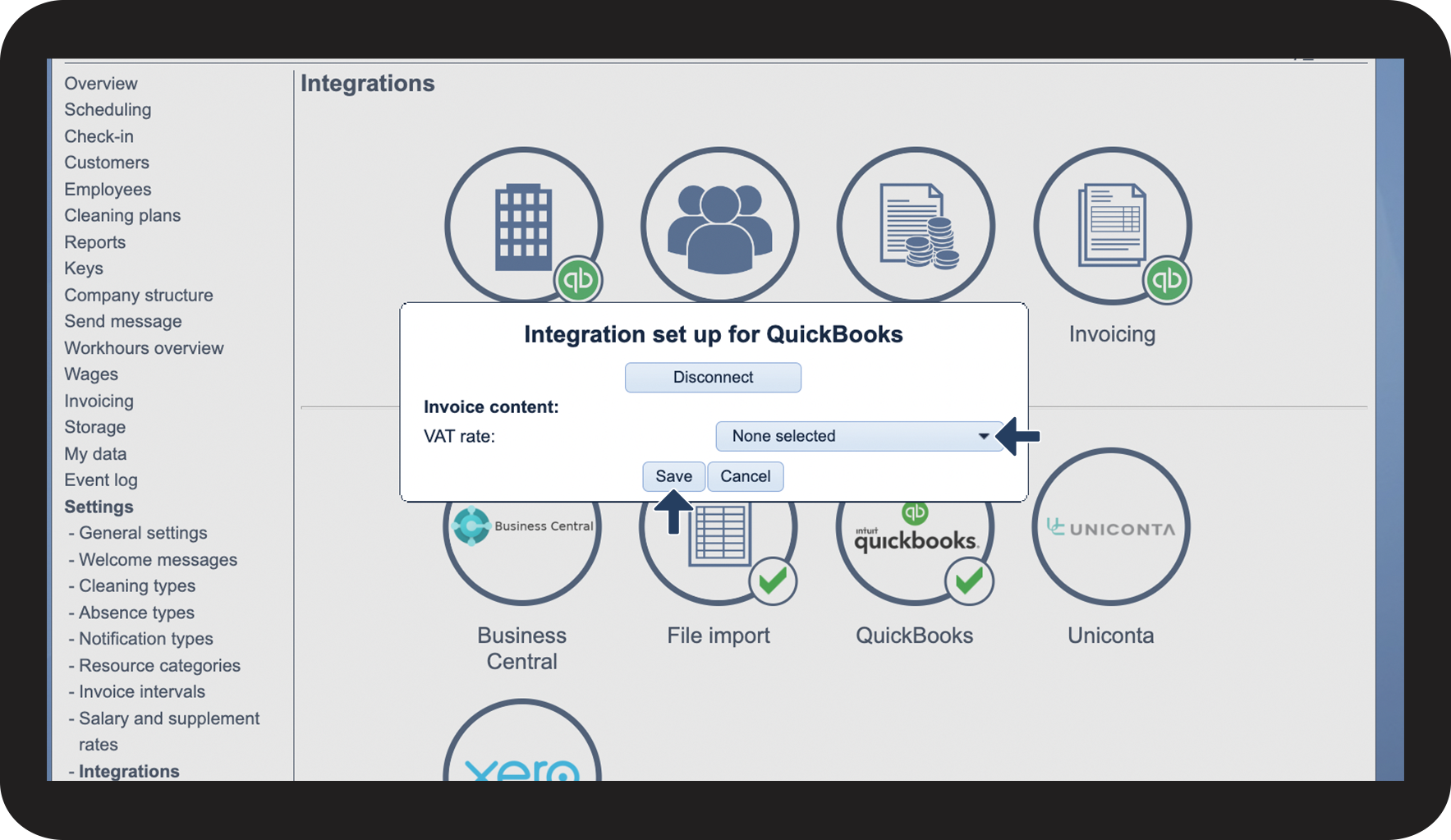
Click on the QuickBooks button in the lower section

Click on the dropdown button to select the desired VAT rate to implement on all invoice transfers
Click on Save to complete your setup