Skip to content
English
  • There are no suggestions because the search field is empty.

Integration setup for Xero

How to set up the integration between CleanManager and Xero?

As an administrator in CleanManager, you can set up the integration to Xero.

With integration to Xero, you can synchronize customer data and transfer invoices between CleanManager and Xero.


See here in the article on how to integrate Xero and CleanManager:


How to create the integration from CleanManager to Xero?

number_1.png
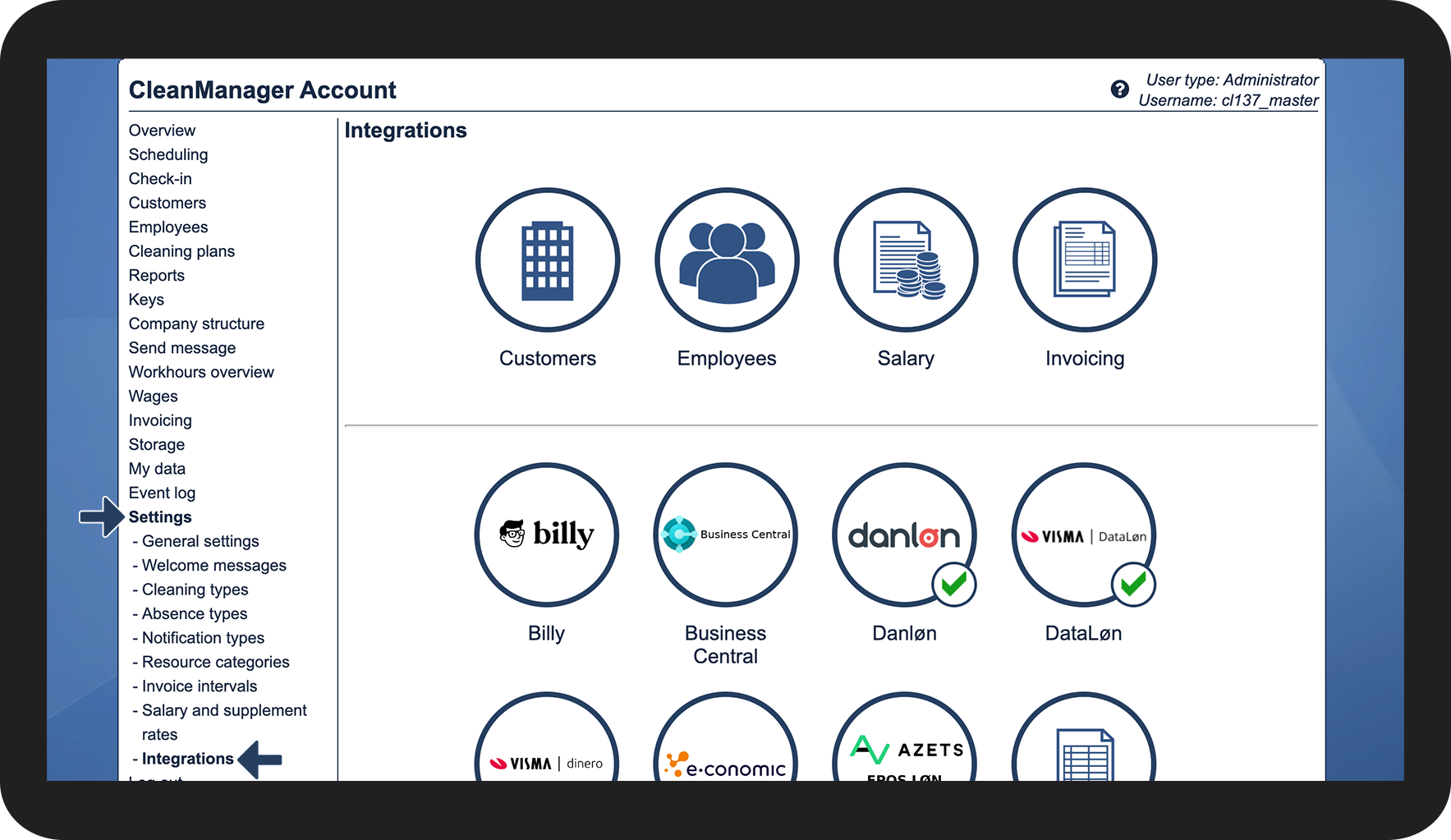
Log in to CleanManager with the user type Administrator
 
number_2.png
In the menu, go to Settings > Integrations

1.png


number_3.png
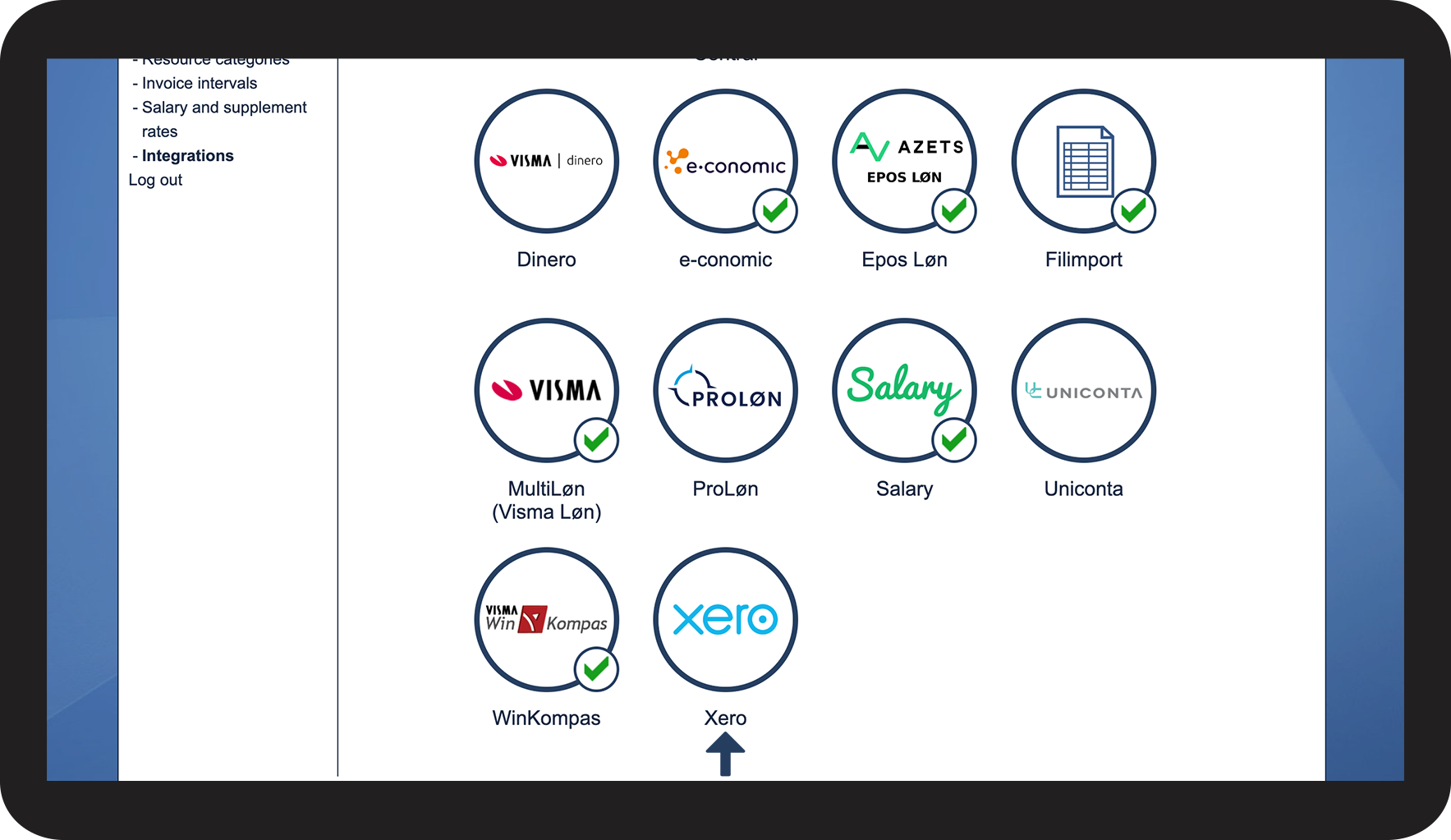
Click on the Xero logo in the bottom section

2.png


number_4.png
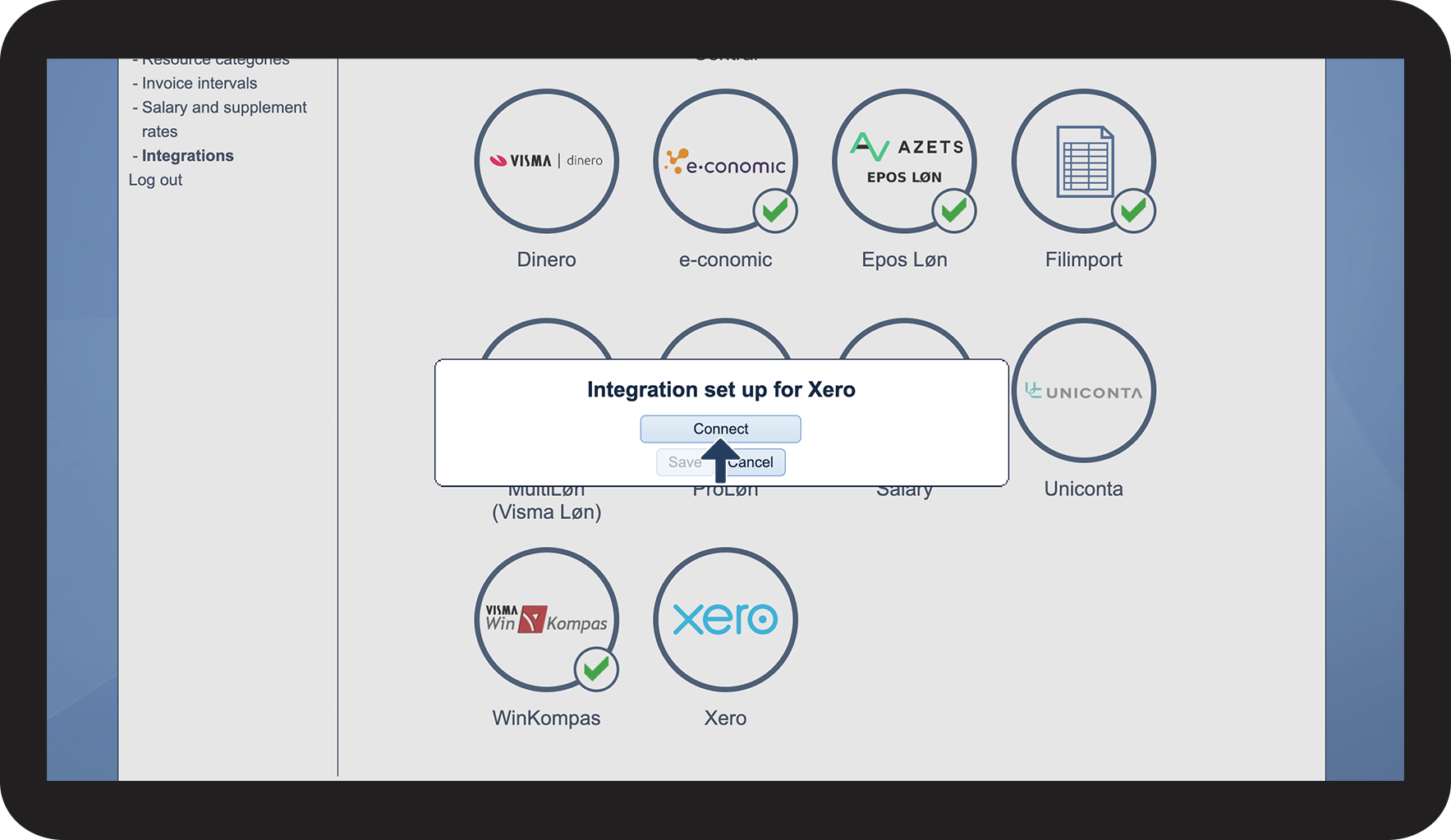
Click on Connect 

3.png


number_5.png
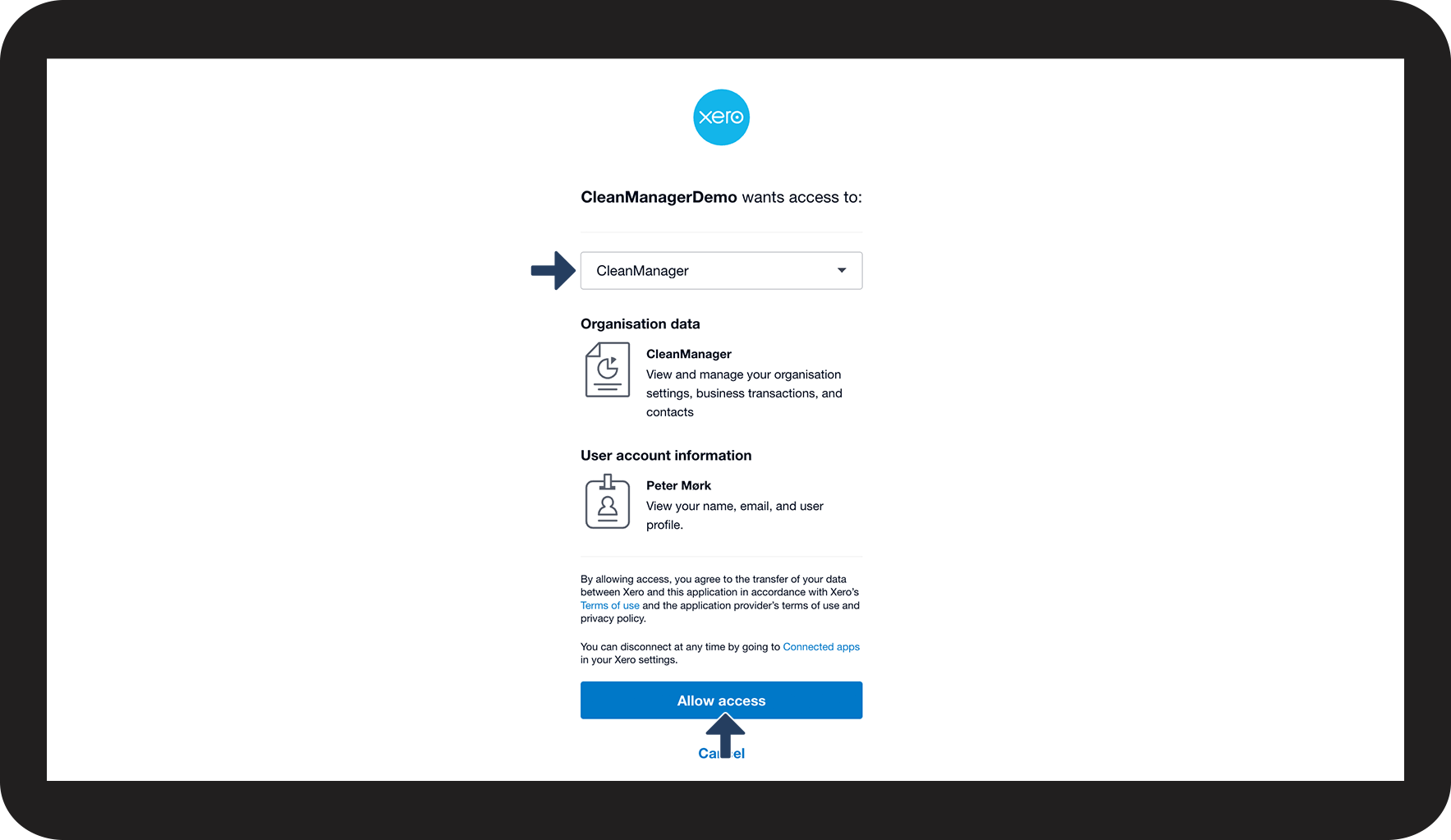
Select the desired Organisation from the dropdown you wish to connect to
 
Click Allow Access to continue

4.png


number_6.png

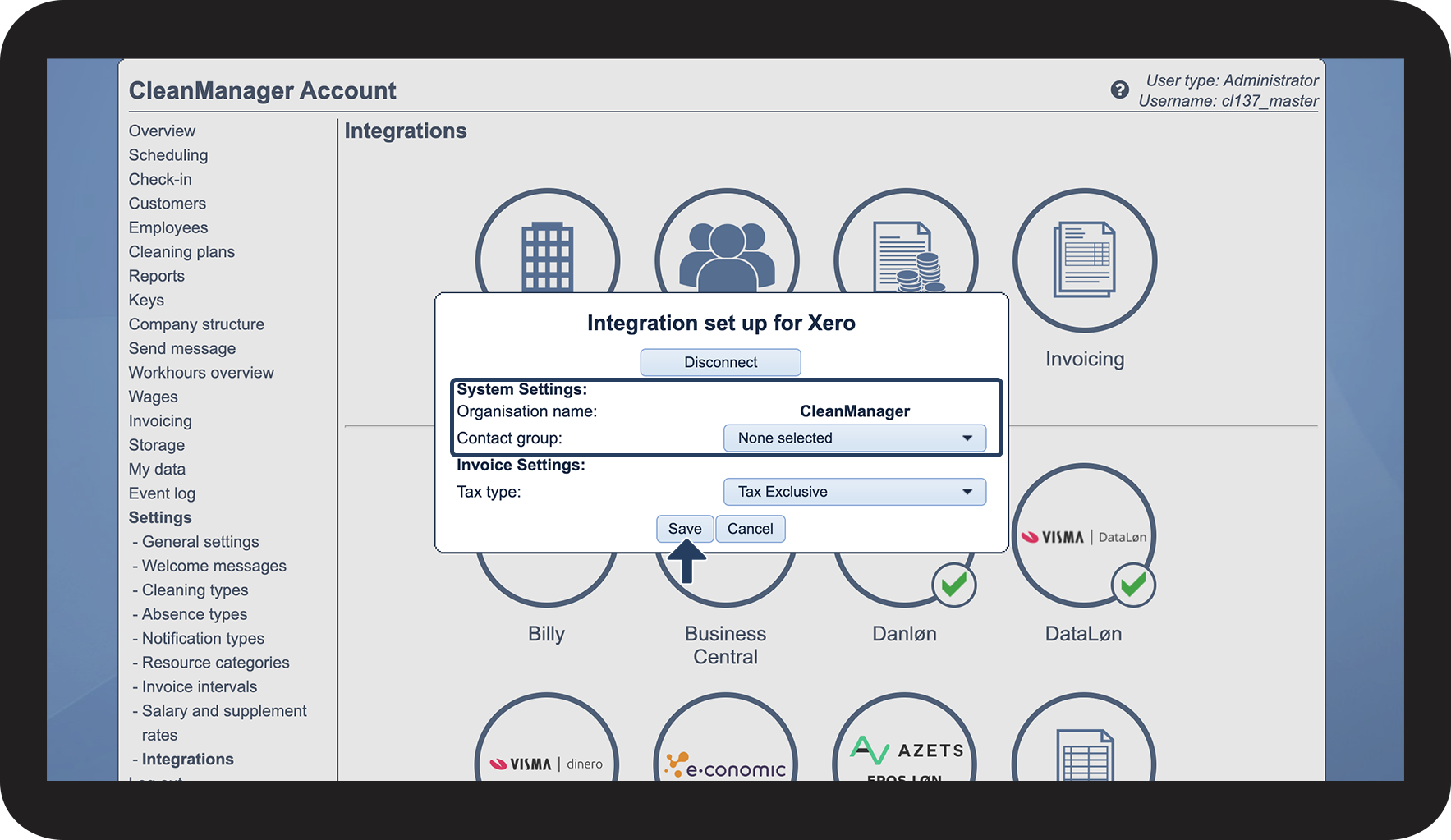
Under System Settings > Organisation you can view the organization you have setup up the connection to.


Under System Settings > Contact group, you can select a specific contact group that CleanManager would only get access to. If you wish for CleanManager to have access to all your contact groups you can keep the setting None selected.

 
Click on Save to complete the setup

5.png


number_7.png
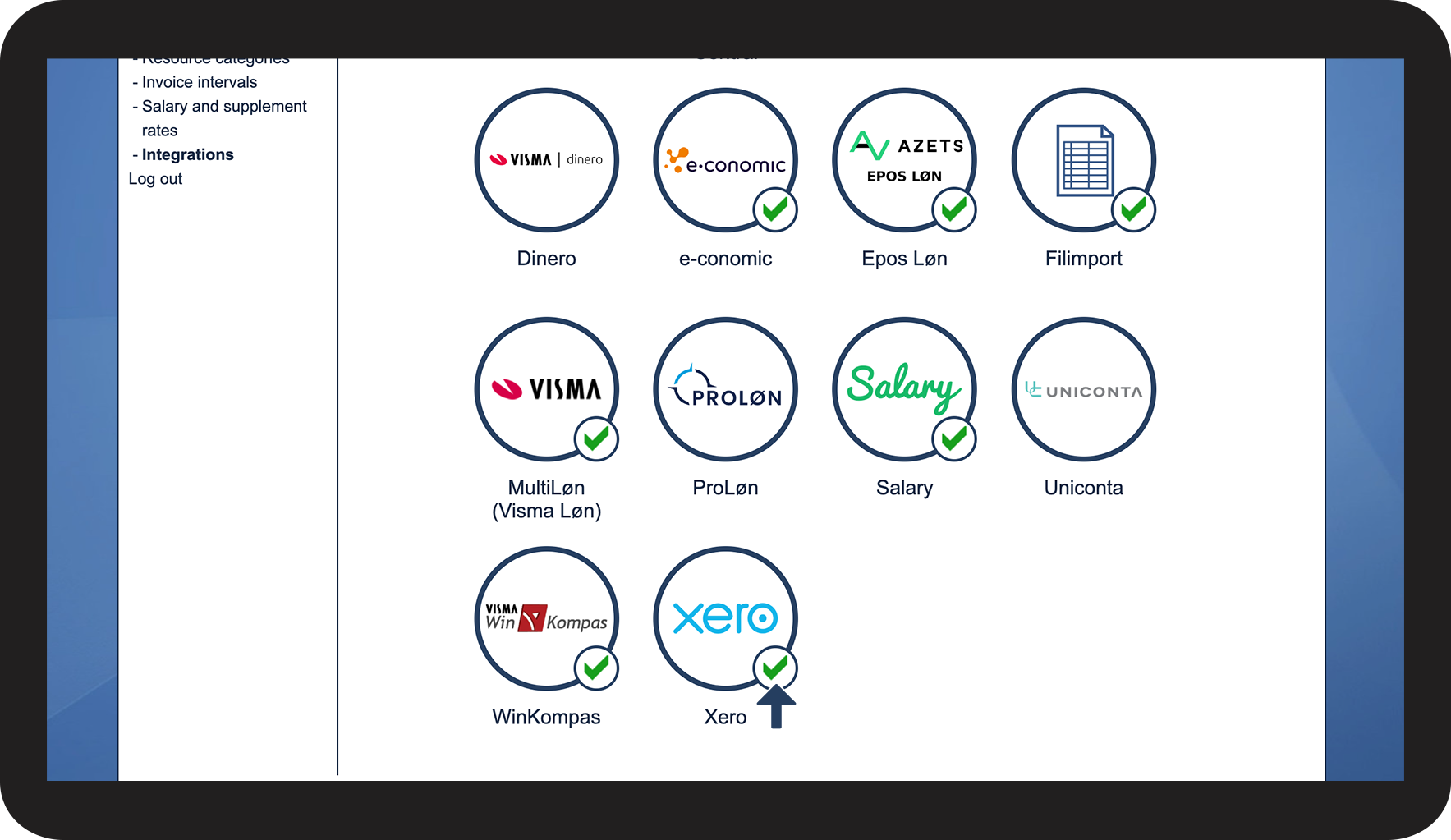
Your integration setup is now completed, see the validation icon valideret_forbindelse.png next to the Xero logo
6.png


Continue to the article Customer synchronization setup for Xero

Here you can continue setting up the customer synchronization to Xero.