How do I set up an integration between CleanManager and Uniconta?
As an administrator, you can set up an integration for Uniconta.
With a connection to Uniconta, you are able to synchronize customer data and transfer invoices between CleanManager and Uniconta.
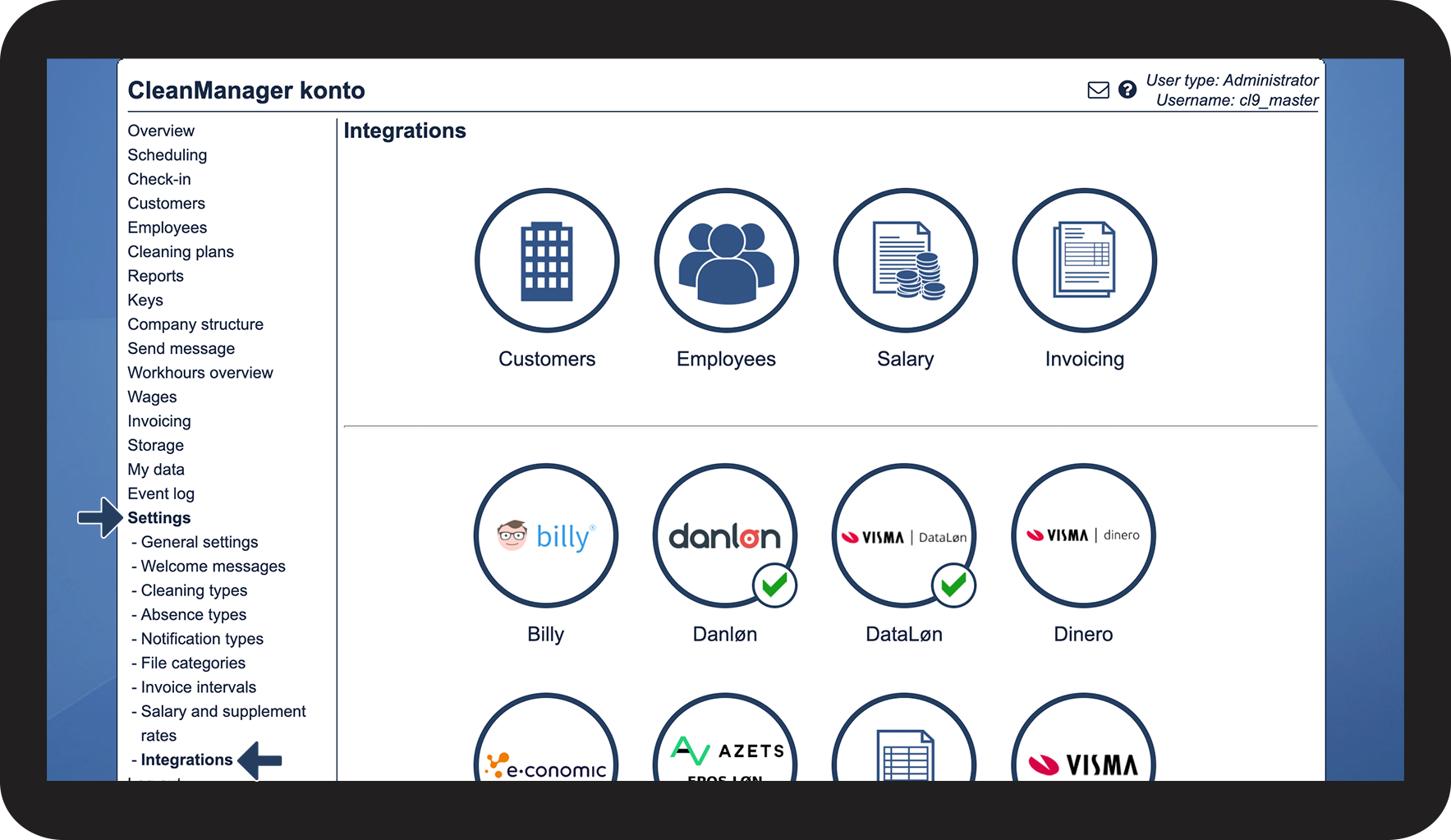
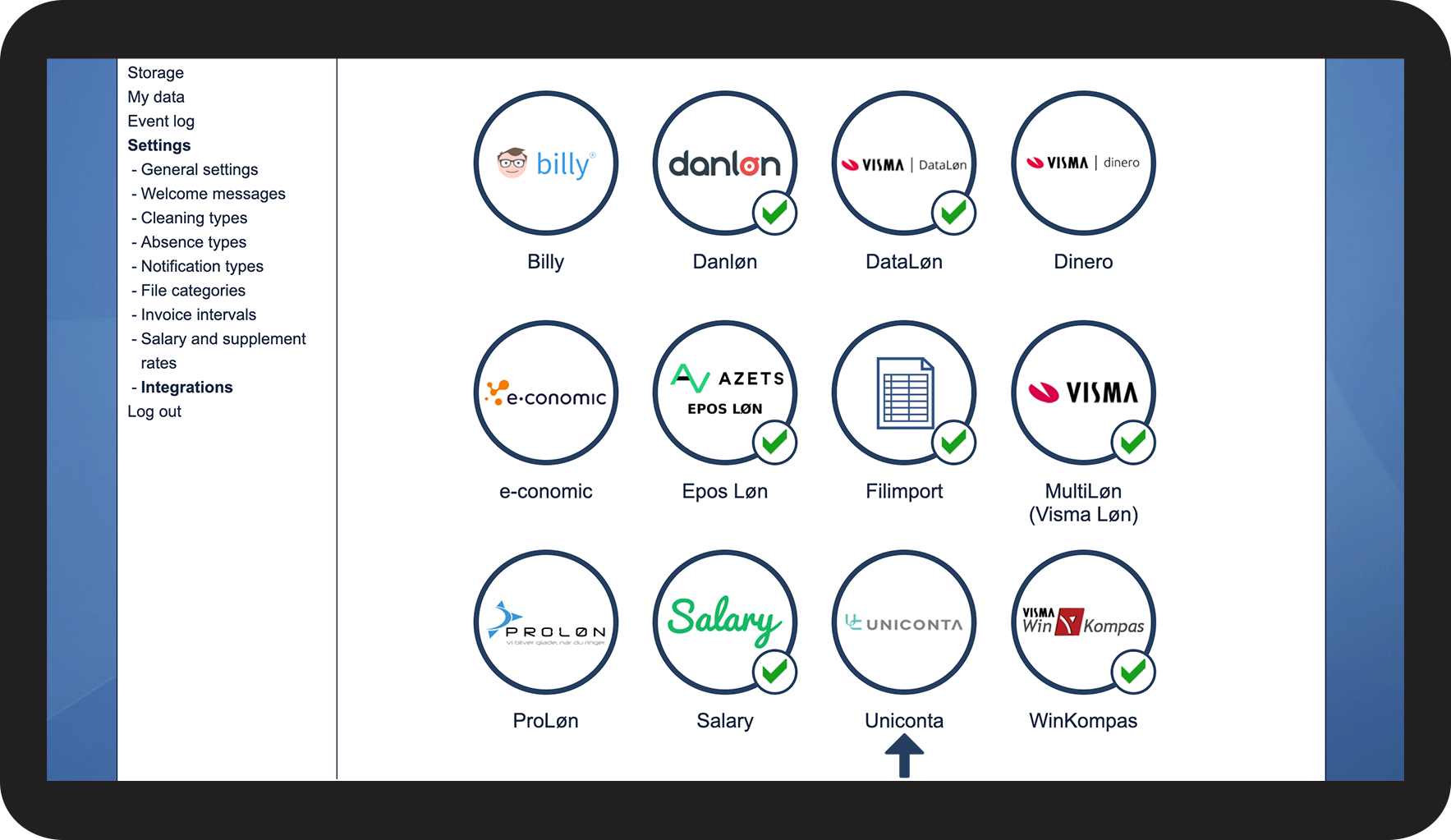
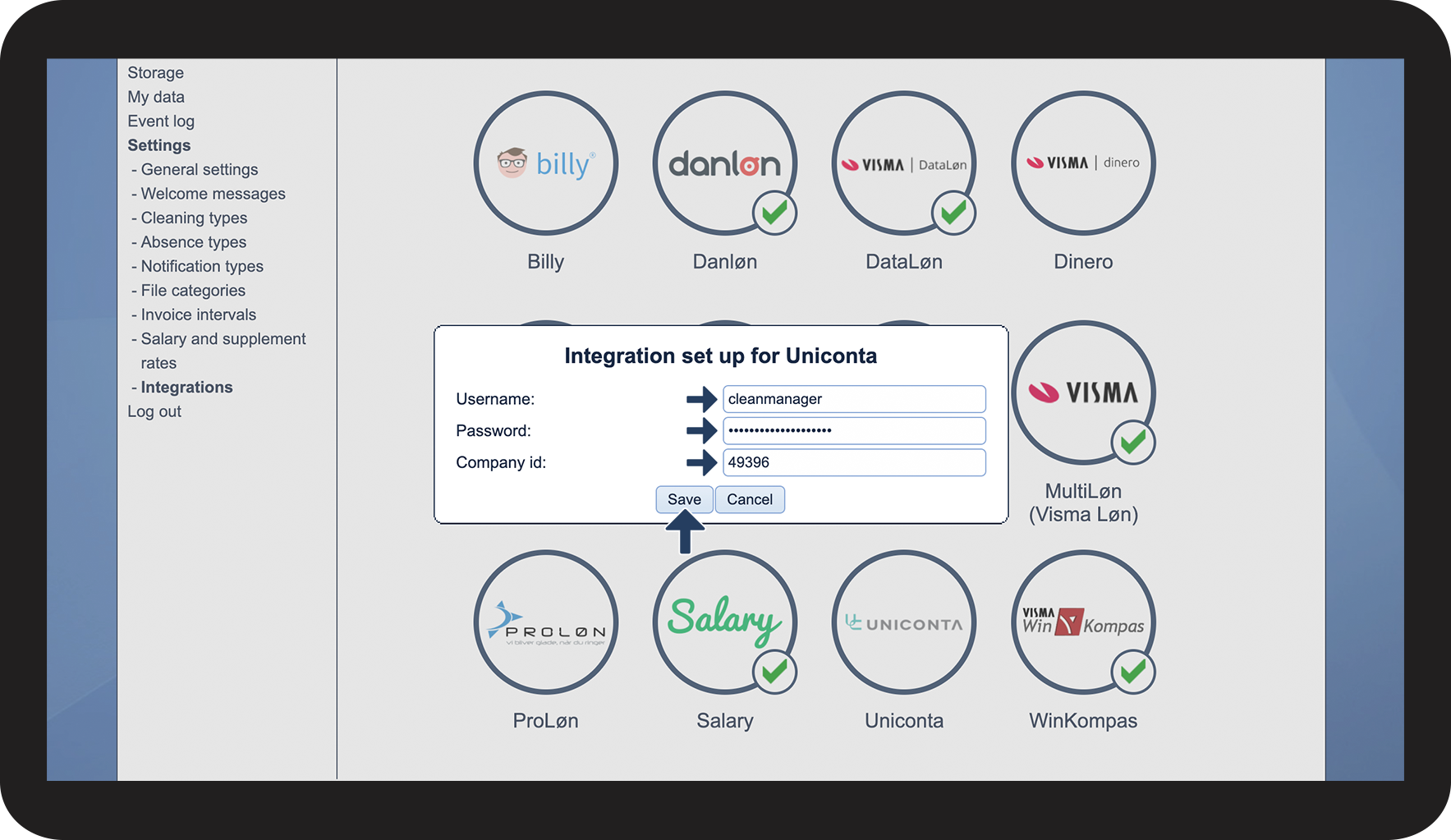
See here in the article how to integrate Uniconta and CleanManager:
How to create the integration from CleanManager to Uniconta






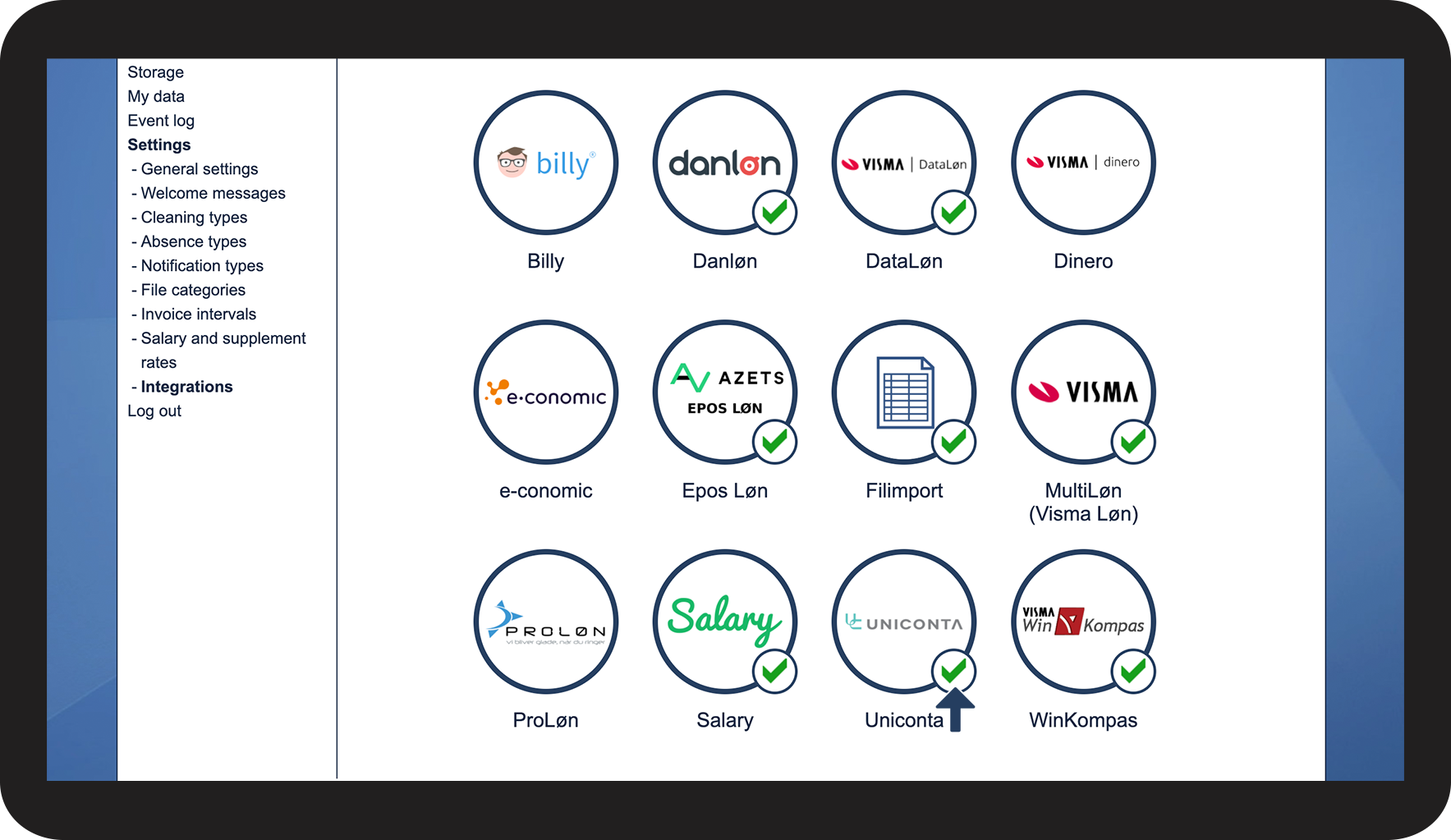
The integration is now completed, and you can continue setting up customer synchronization with Uniconta: