Skip to content
English
  • There are no suggestions because the search field is empty.

Integration setup for FreeAgent

How to set up the integration between CleanManager and FreeAgent


As the administrator in CleanManager, you can set up the integration with FreeAgent.
This integration lets you synchronise customer details and export invoices directly from CleanManager to FreeAgent. 


In this article, you will learn how to connect FreeAgent with CleanManager:


How to set up the integration between CleanManager to FreeAgent

number_1.png
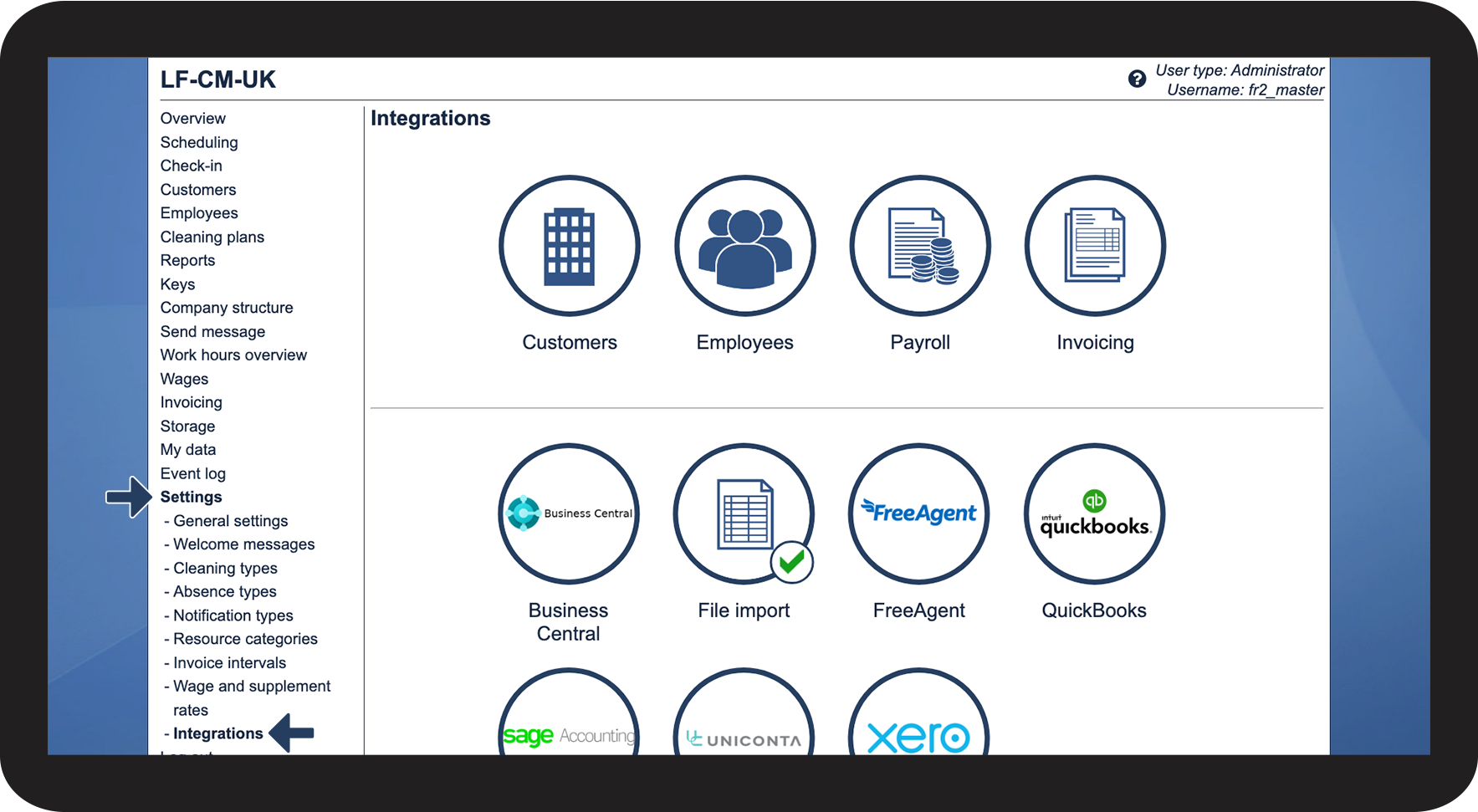
Log in to CleanManager with the user type Administrator
 
number_2.png
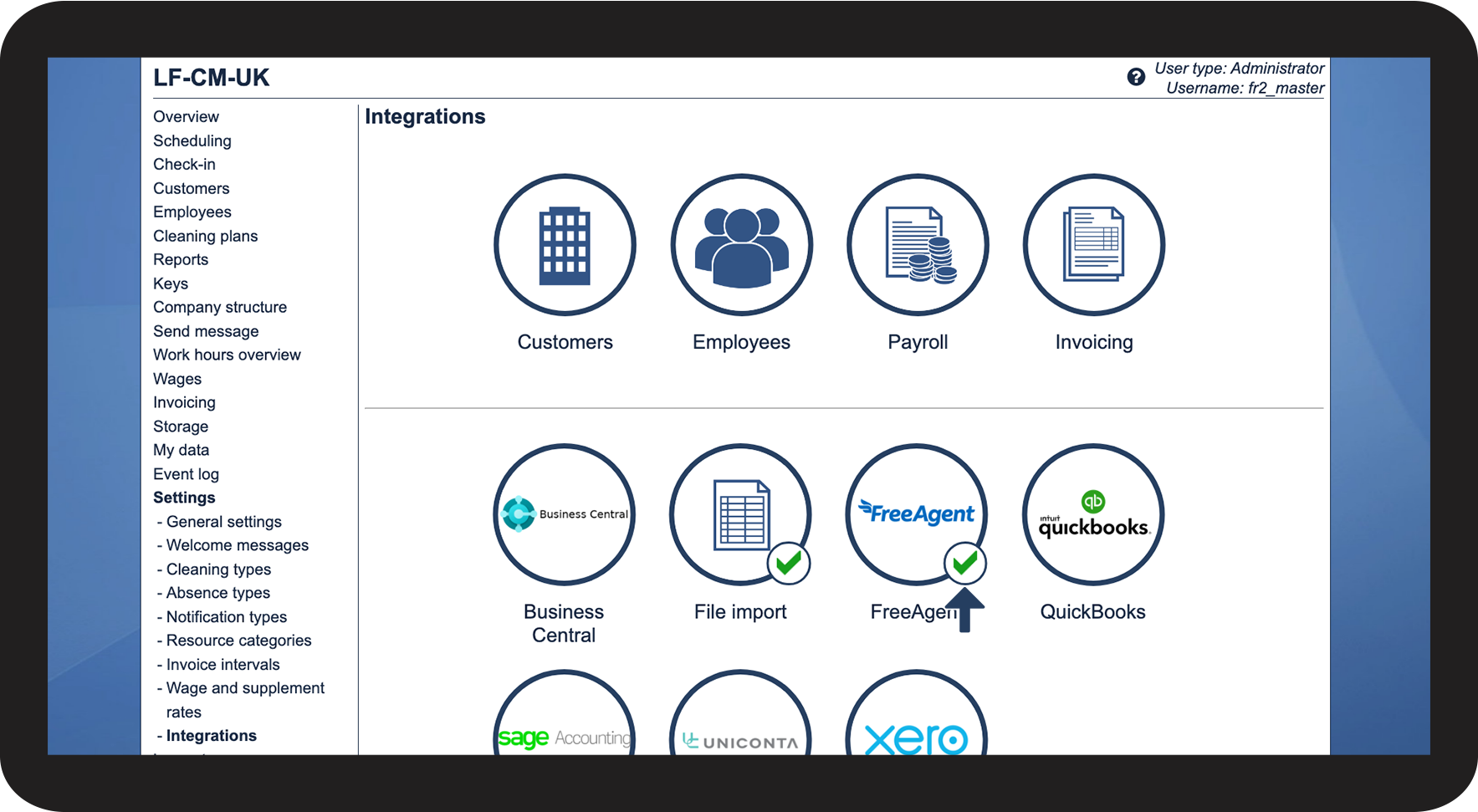
In the menu, go to Settings > Integrations
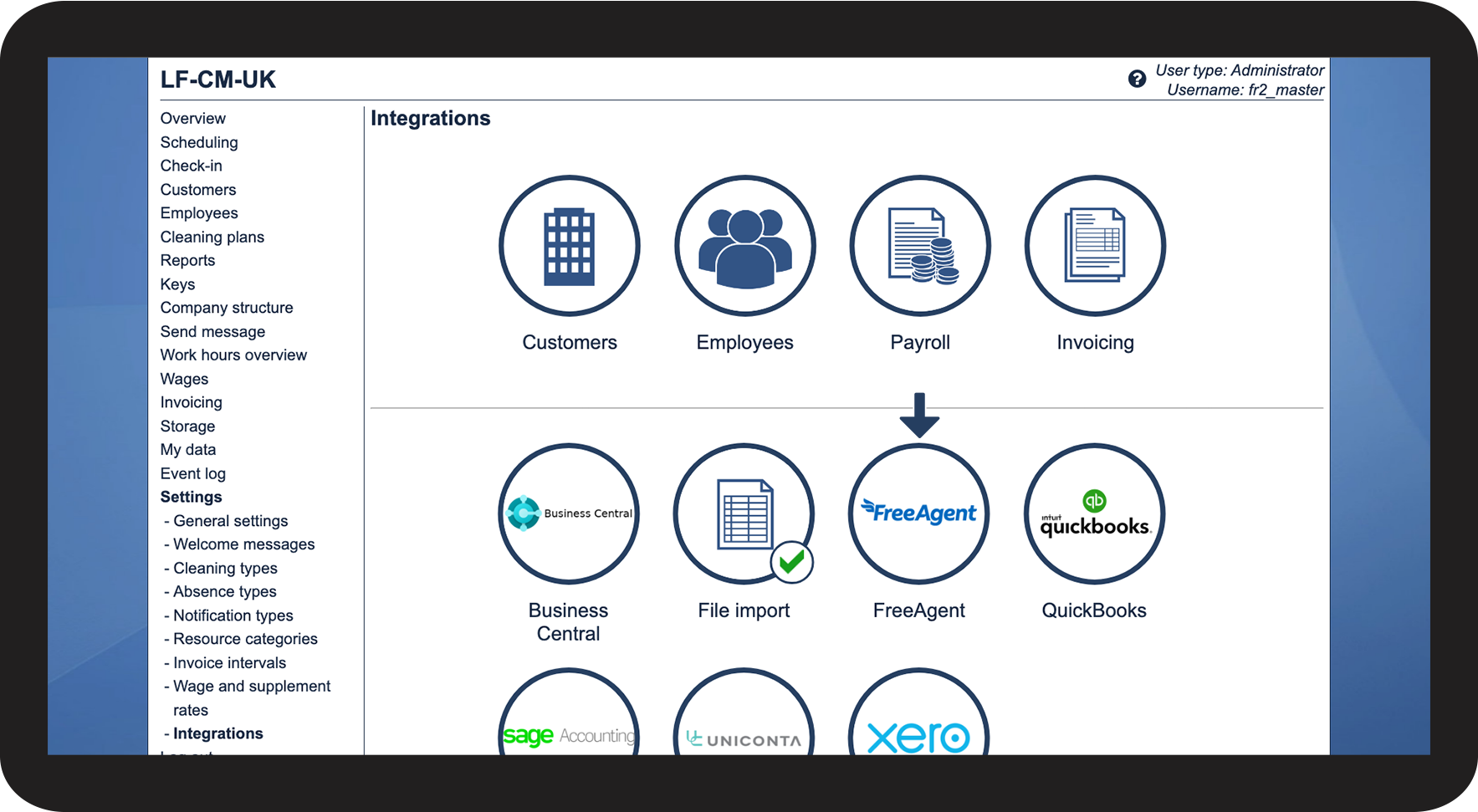
number_3.png
Click on the FreeAgent logo
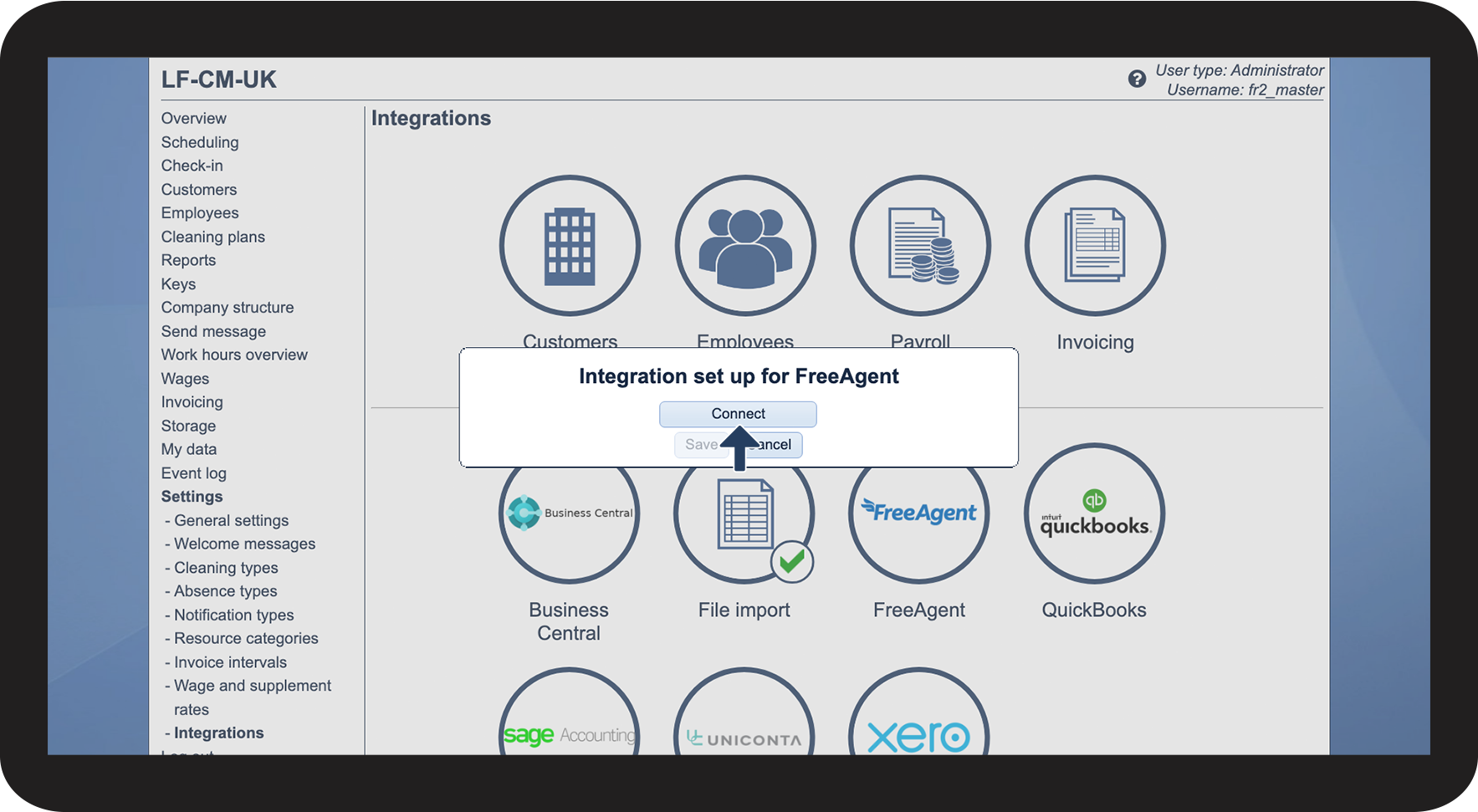
number_4.png
Click on Connect 
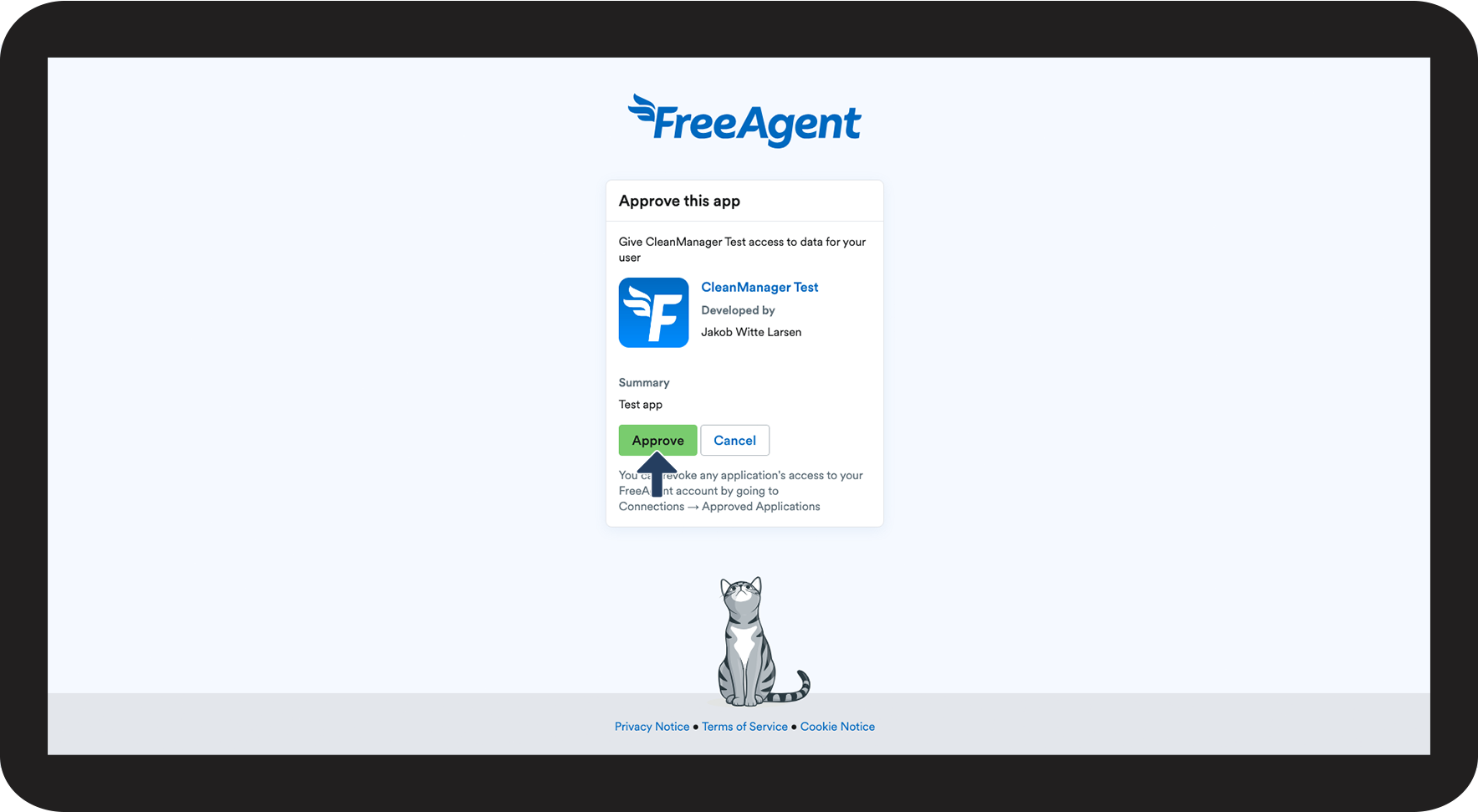
number 5 copy.png
Click Approve to continue
number 6 copy.png
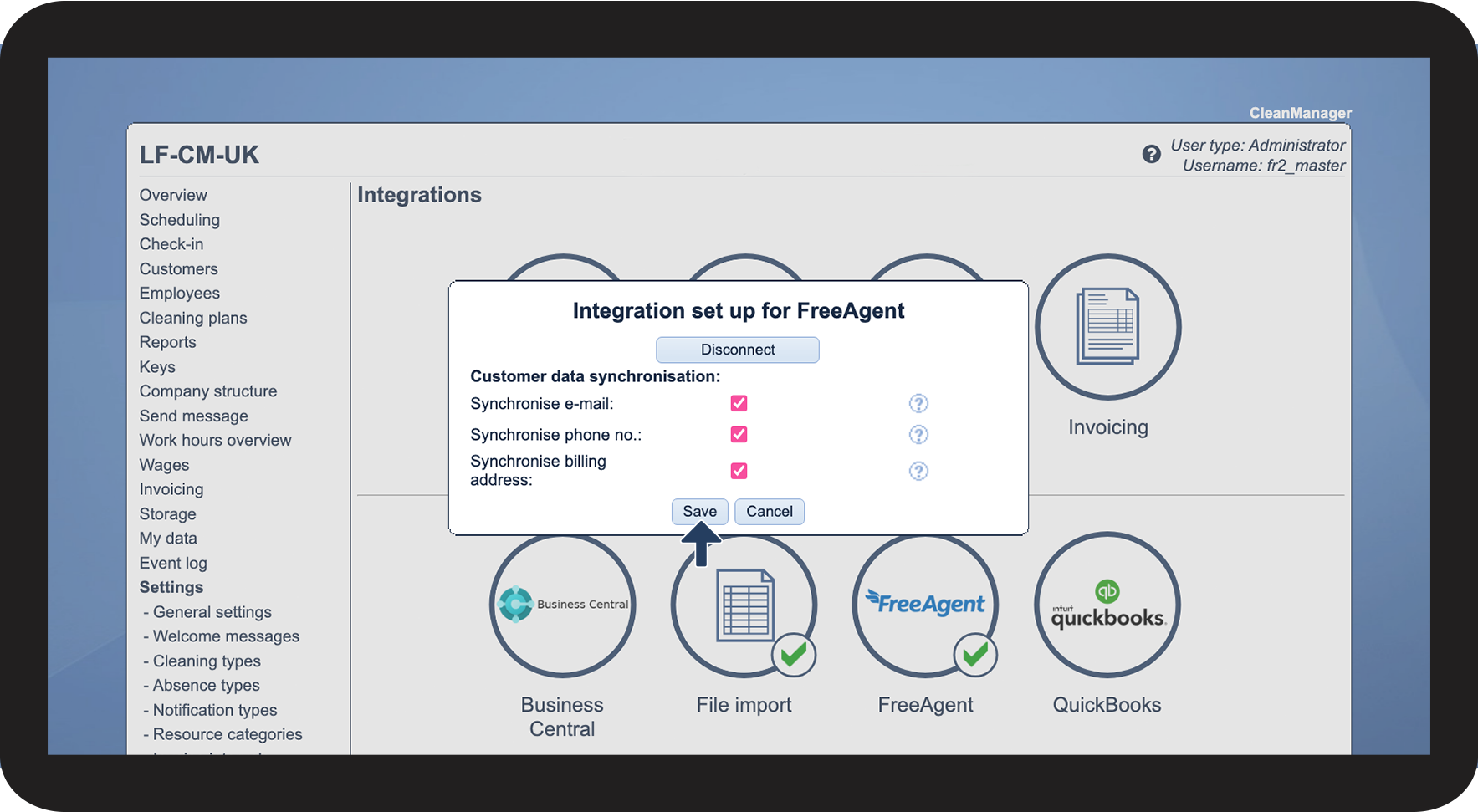
Choose which data you want to synchronise and click Save
 

Synchronise e-mail: If enabled, the customer's primary e-mail address will be synchronised. This does not include the contact person's e-mail.

Synchronise phone no.: If enabled, the customer's primary phone no. will be synchronised. This does not include the contact person's phone no.

Synchronise billing address: If enabled, the customer's billing address will be synchronised. This does not include additional locations.

number 7 copy.png
Your integration setup is now completed. See the validation icon valideret_forbindelse.png next to the FreeAgent logo


Continue to the article Customer synchronisation setup for FreeAgent

Here you can find the next step in setting up your customer synchronisation with FreeAgent.