Skip to content
English
  • There are no suggestions because the search field is empty.

Integration setup for file import

How do I set up my account to import files containing customer and employee data?

Set up that you want to import your customers and employees using Excel files:


Set up file import of customer data

number_1.png
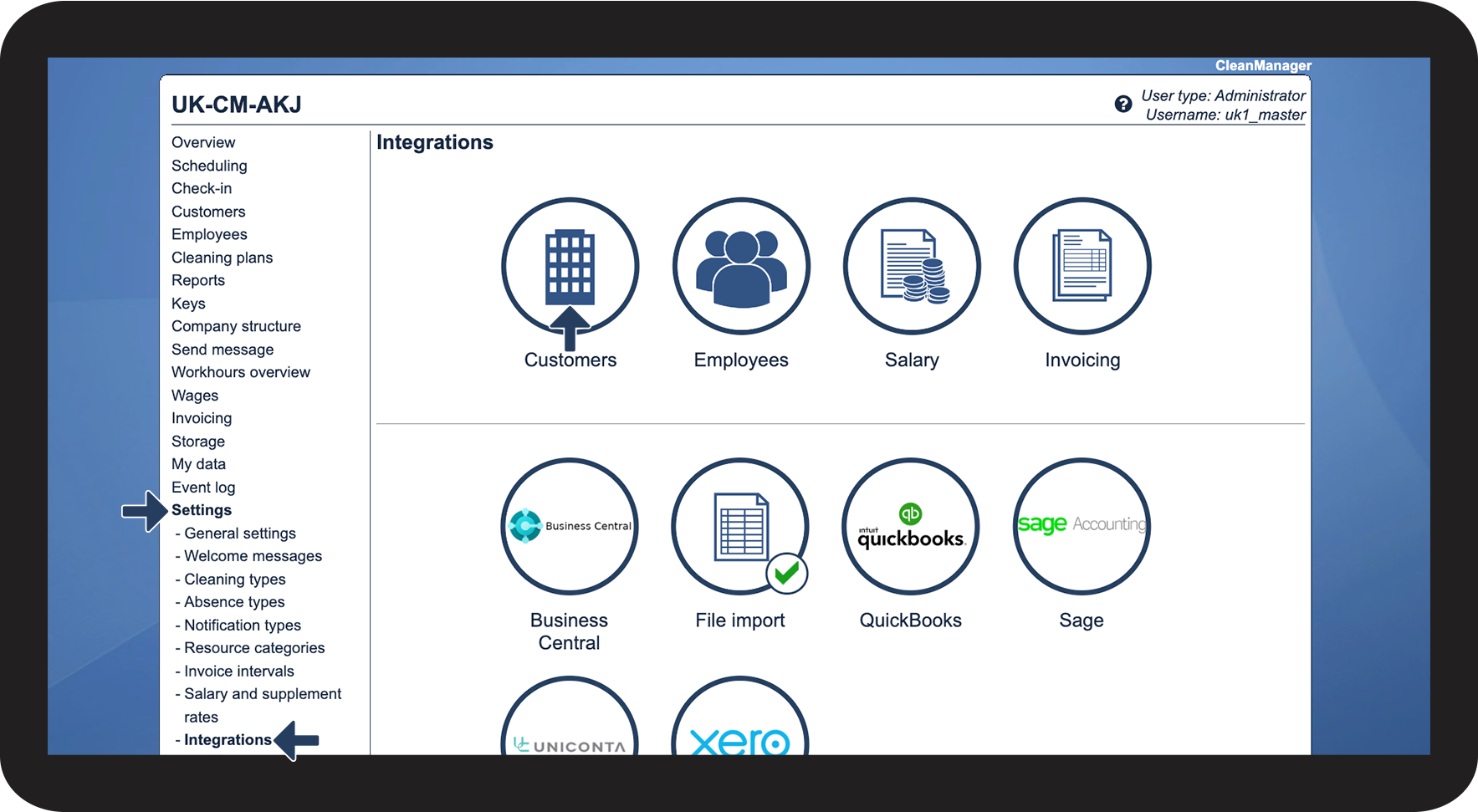
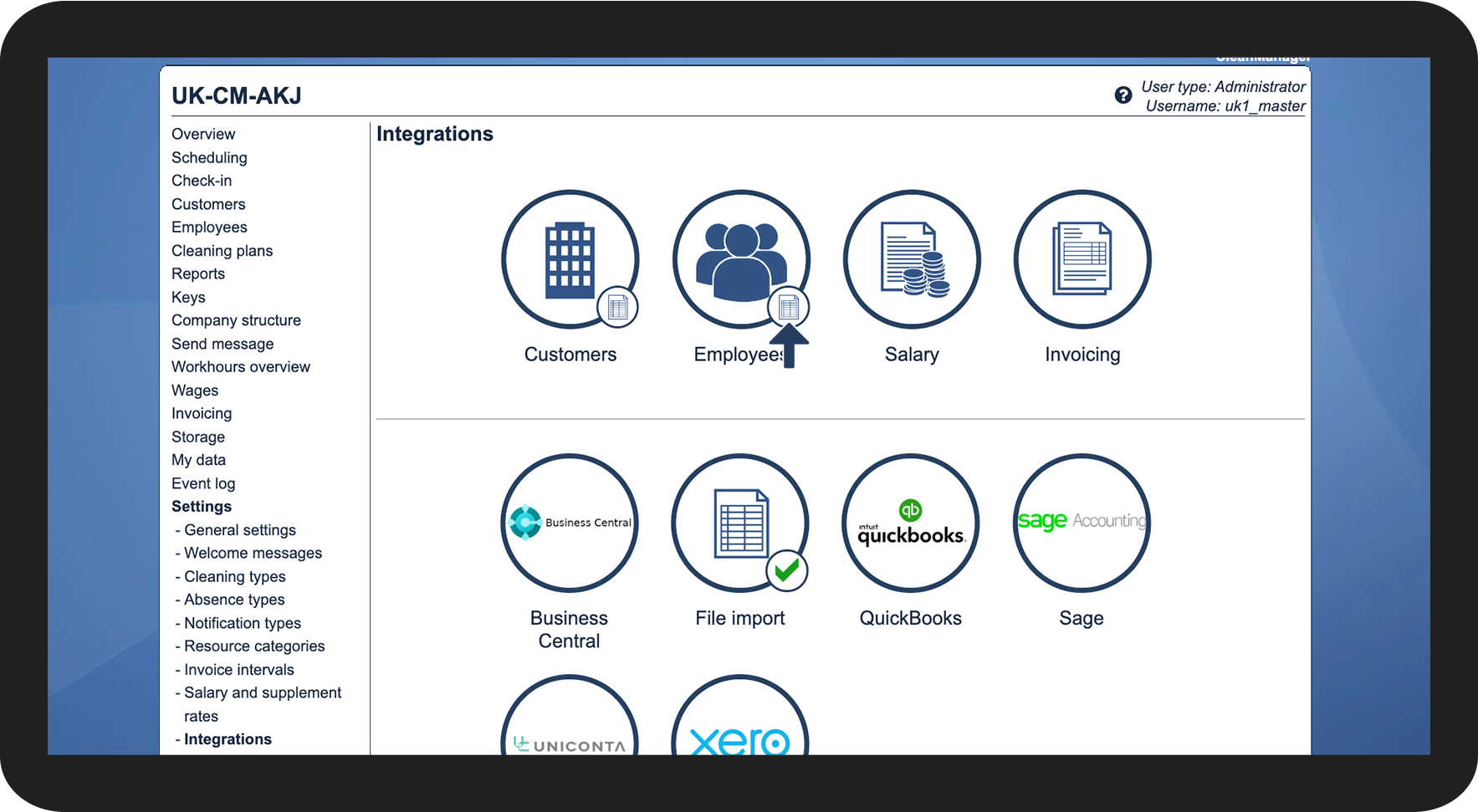
In the menu, go to Settings > Integrations
 
Then click on the Customers button

1.png


number_2.png
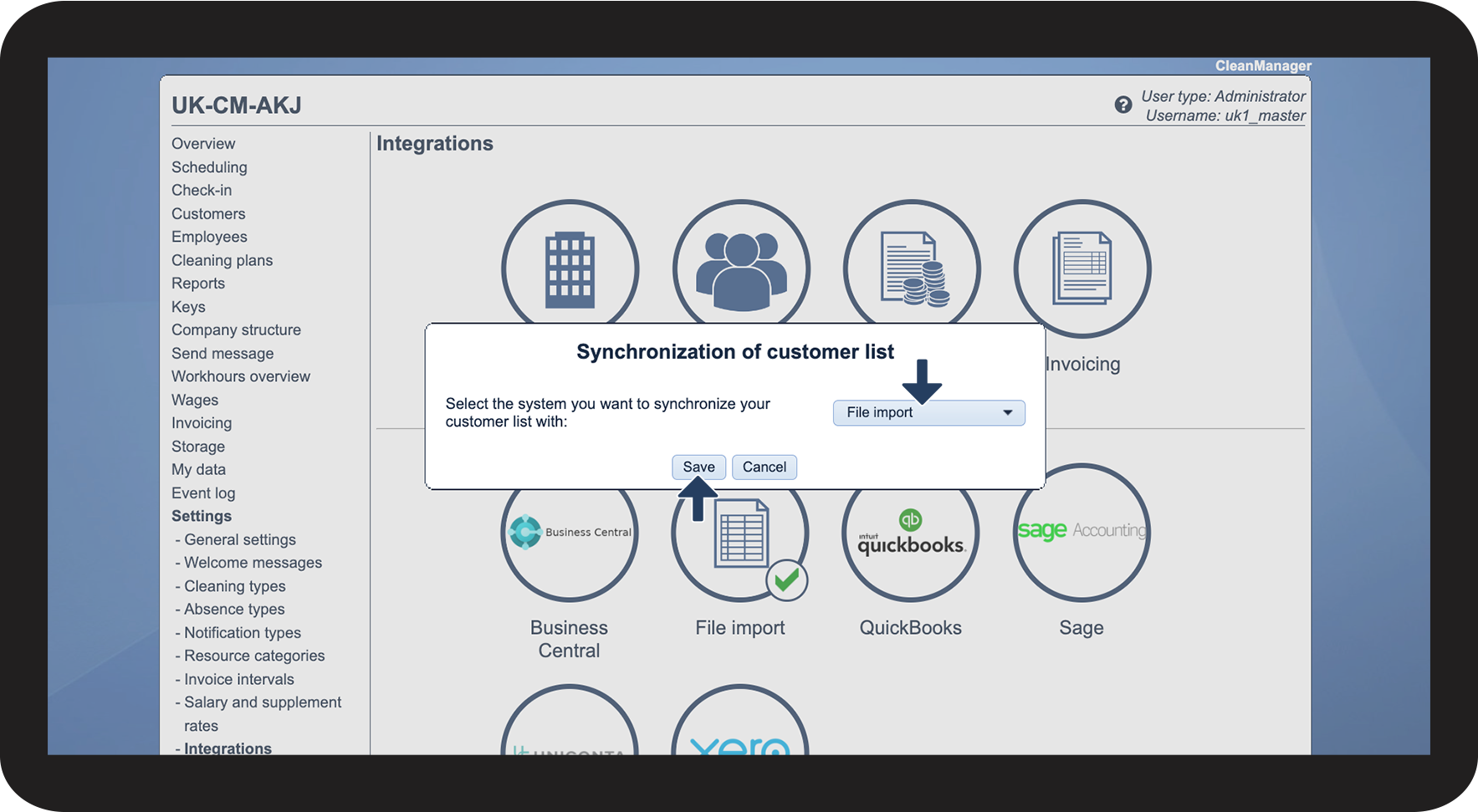
Click the dropdown button to select File import
 
Click on Save to finish

2.png


number_3.png
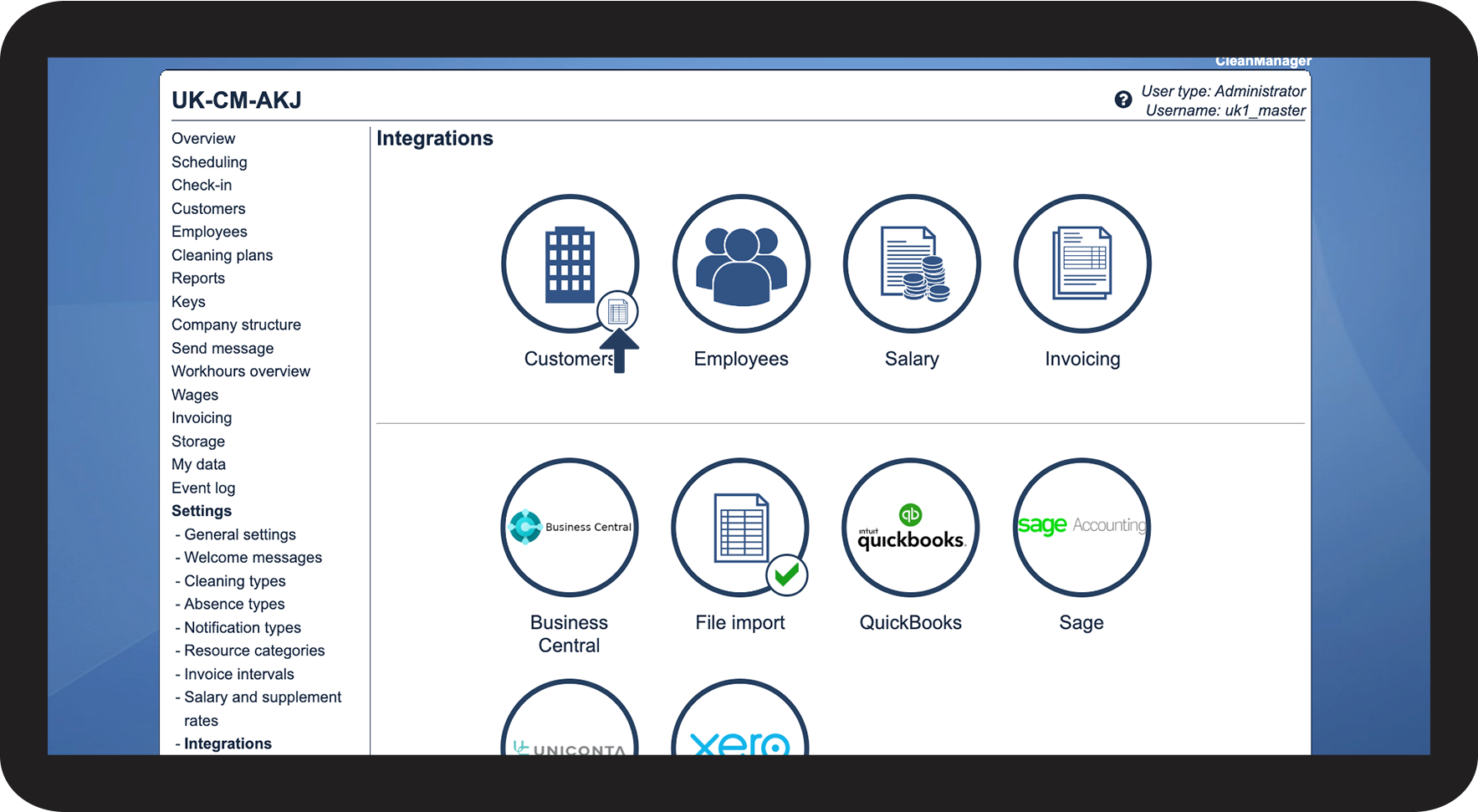
You have now set up the integration with file import and you can now synchronize customers
 
You can see that the integration is set up for files on the validating icon filimport_icon_in_interface.png

3.png


You can now start preparing your customer data for import:

Or you can start importing and synchronizing your customer data:



Set up file import of employee data
number_1.png
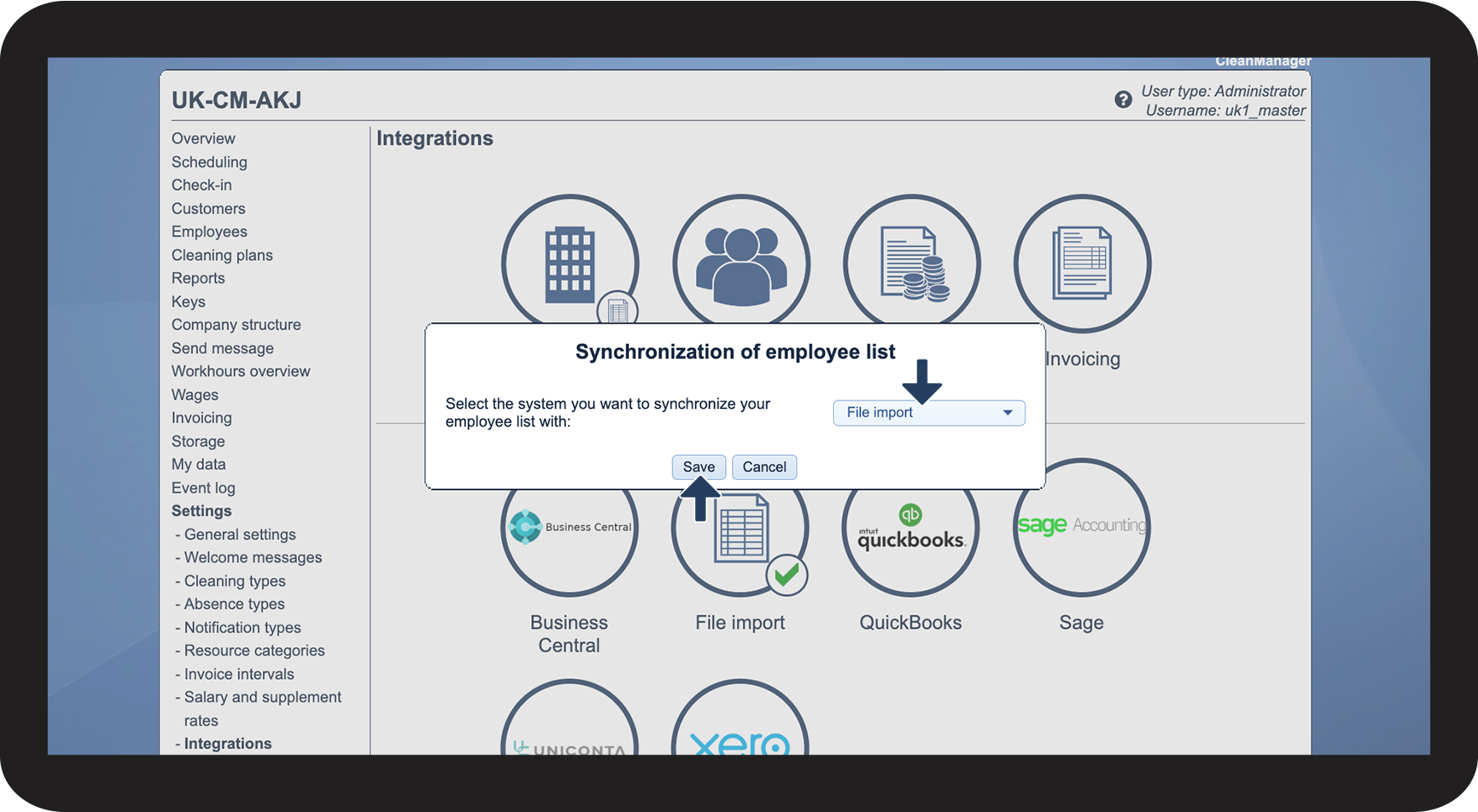
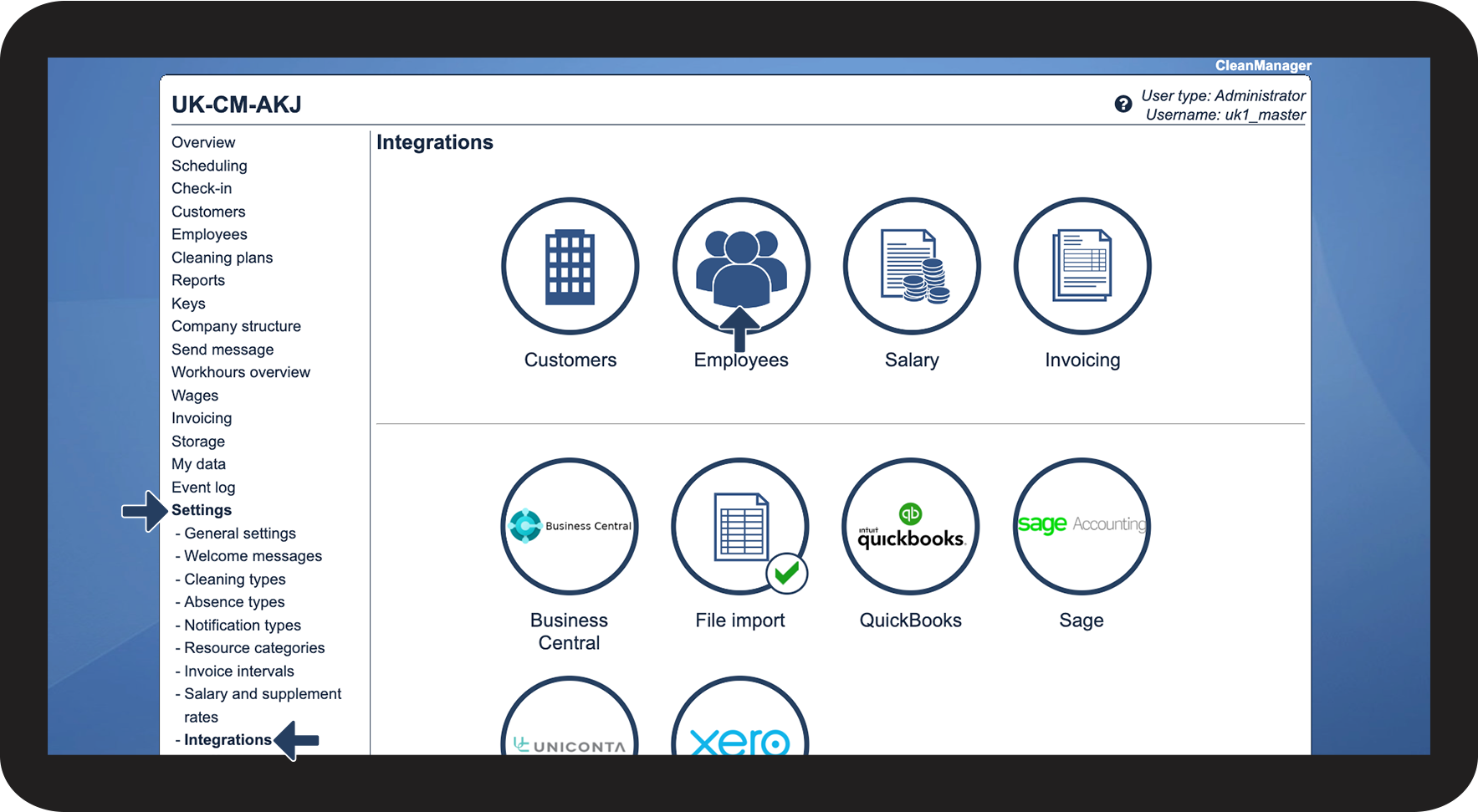
In the menu, go to Settings > Integrations
 
Then click the Employees button

4.png


number_2.png
Click the dropdown button to select File import
 
Click on Save to finish

5.png


number_3.png
You have now set up the integration with file import and you can now synchronize employees
 
You can see that the integration is set up for files on the validating icon filimport_icon_in_interface.png

6.png


You can now start preparing your employee data for import:

Or you can start importing and synchronizing your employee data: