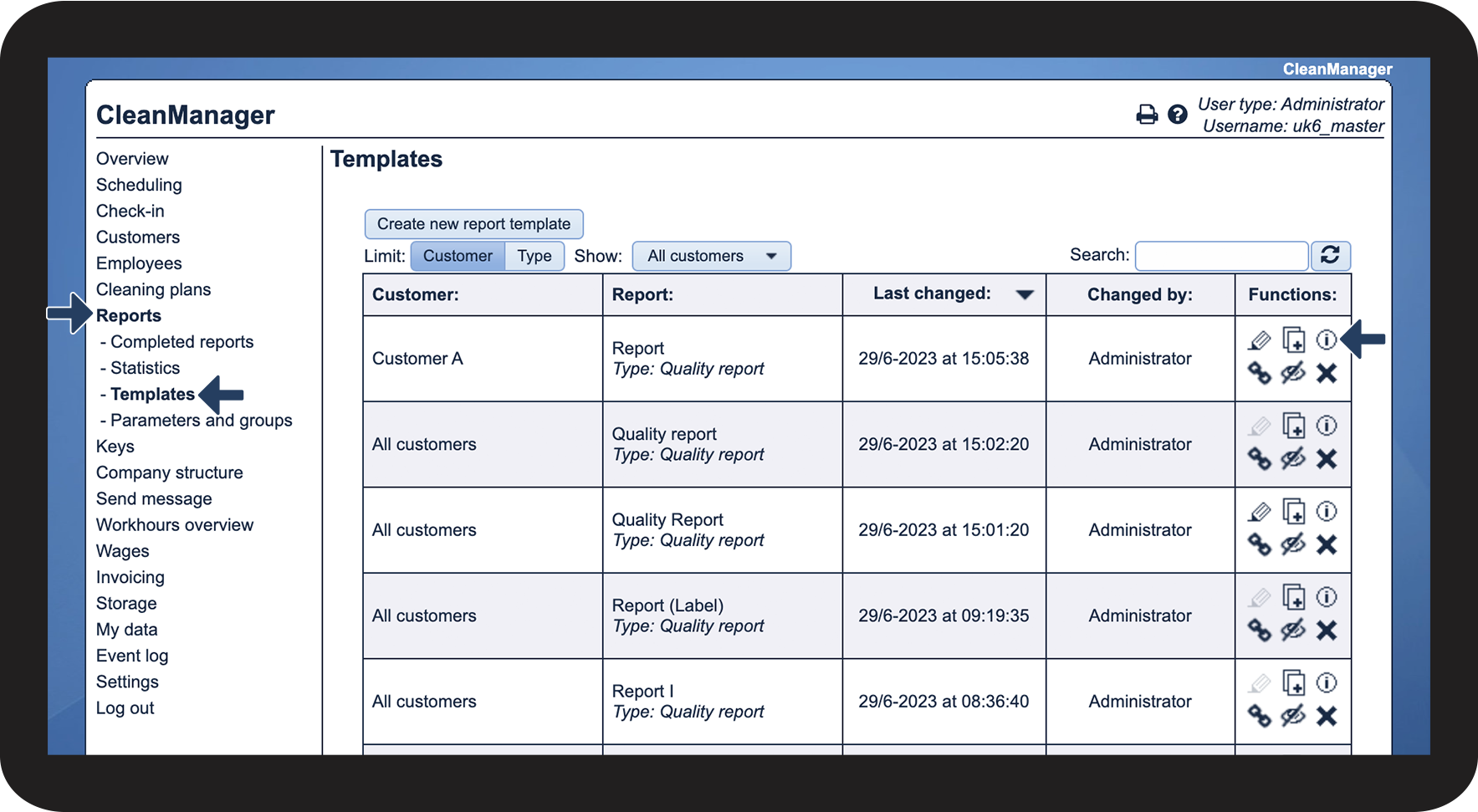
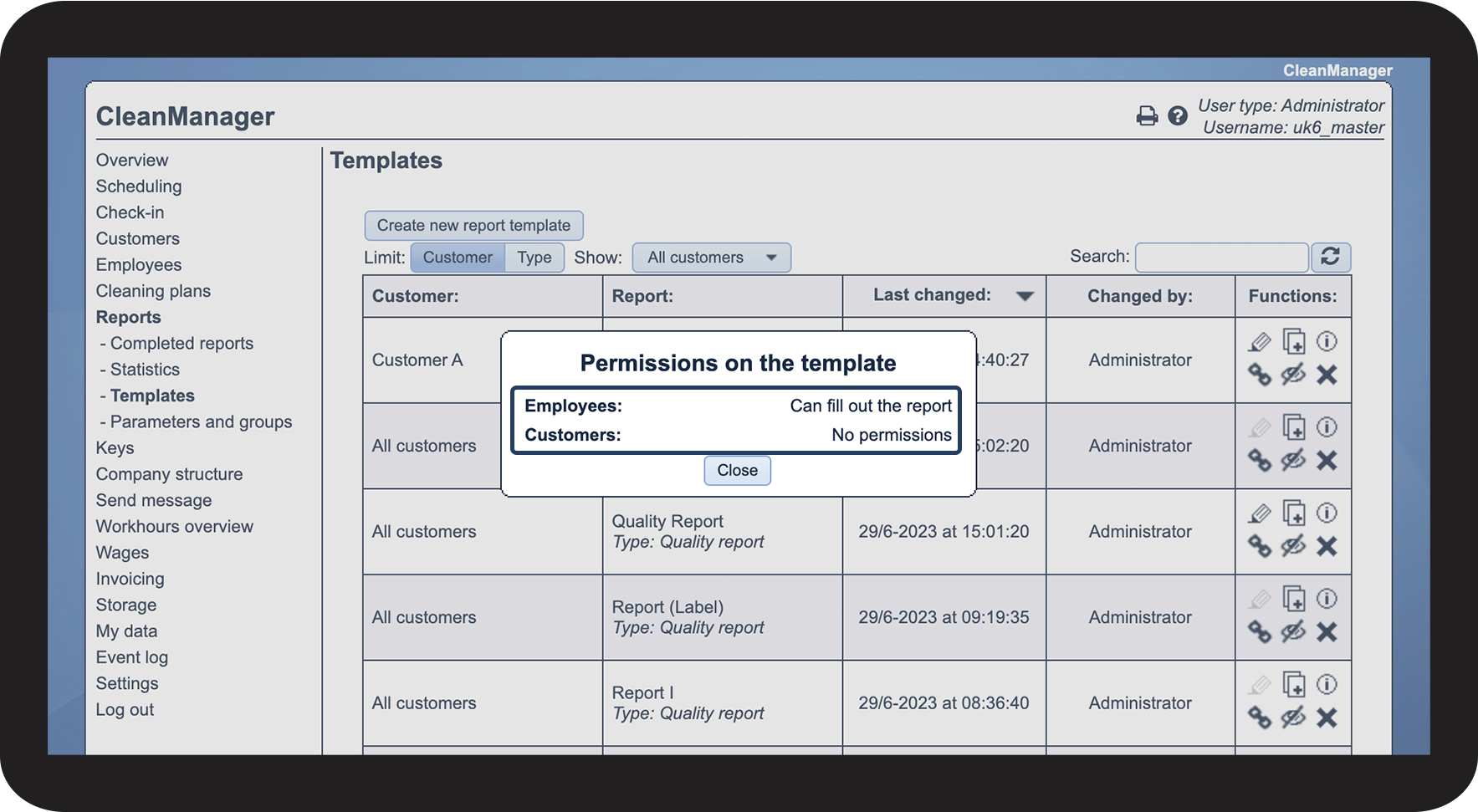
How can the Administrator or the Supervisors see who has been granted access to a report template?
During the setup of a report template, you can decide if employees and/or customers should have access to fill out and view the report.
The administrator and supervisors can see who has been granted access after a template has been made.
In this article, you will learn where to see the permissions for a report template:
How to see the set permissions

 to see the permissions