
How do I order NFC tags?
NFC tags can be ordered through CleanManager´s support department.
In this article you can find answers to common questions regarding the order process of NFC tags:
-
How much do NFC tags cost?
-
How do I order NFC tags?
-
How do I pay for the NFC tags?
-
What should I do if my NFC tags do not work?
How much do NFC tags cost?


How do I order NFC tags?
Follow the guide below to place an order for NFC tags:

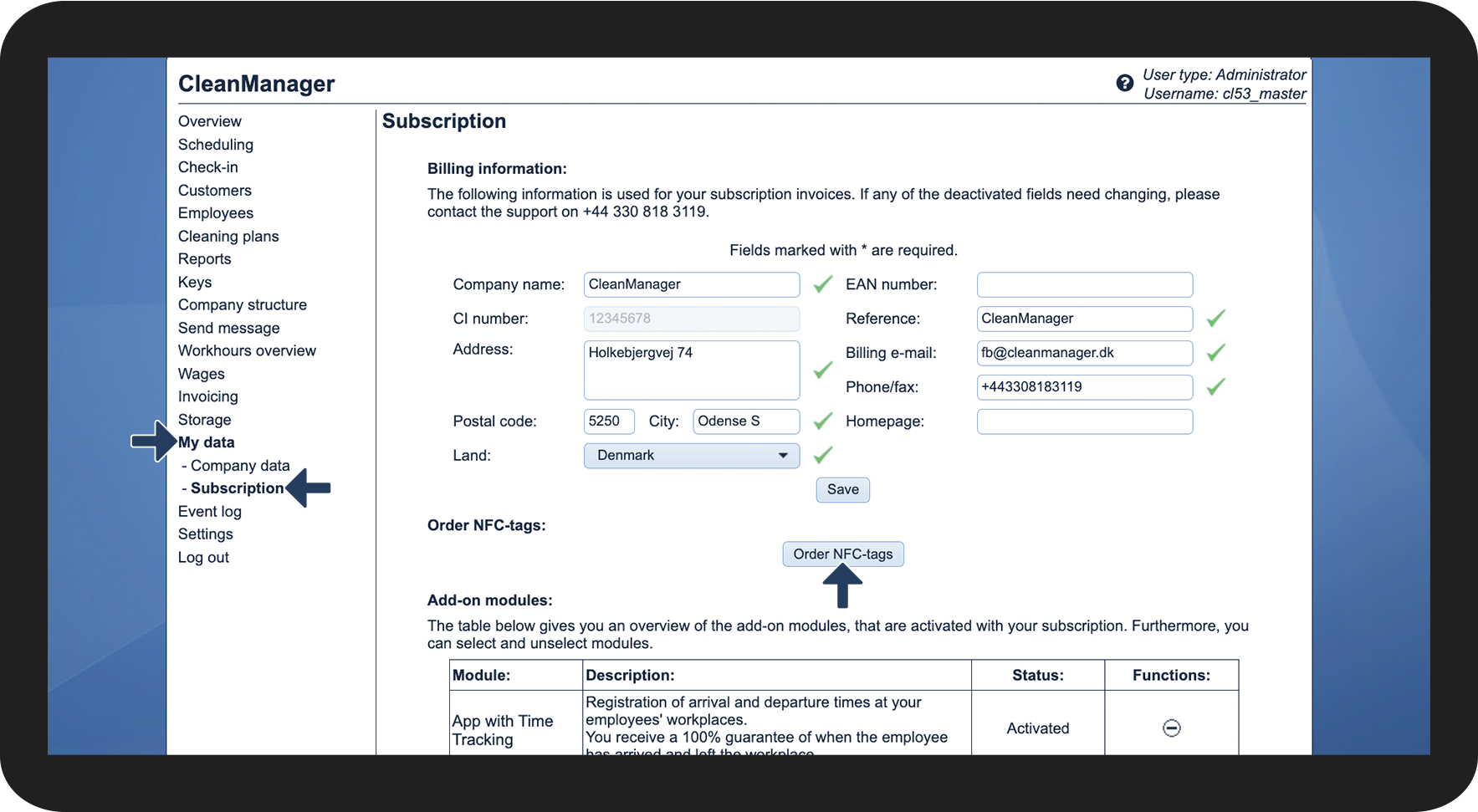

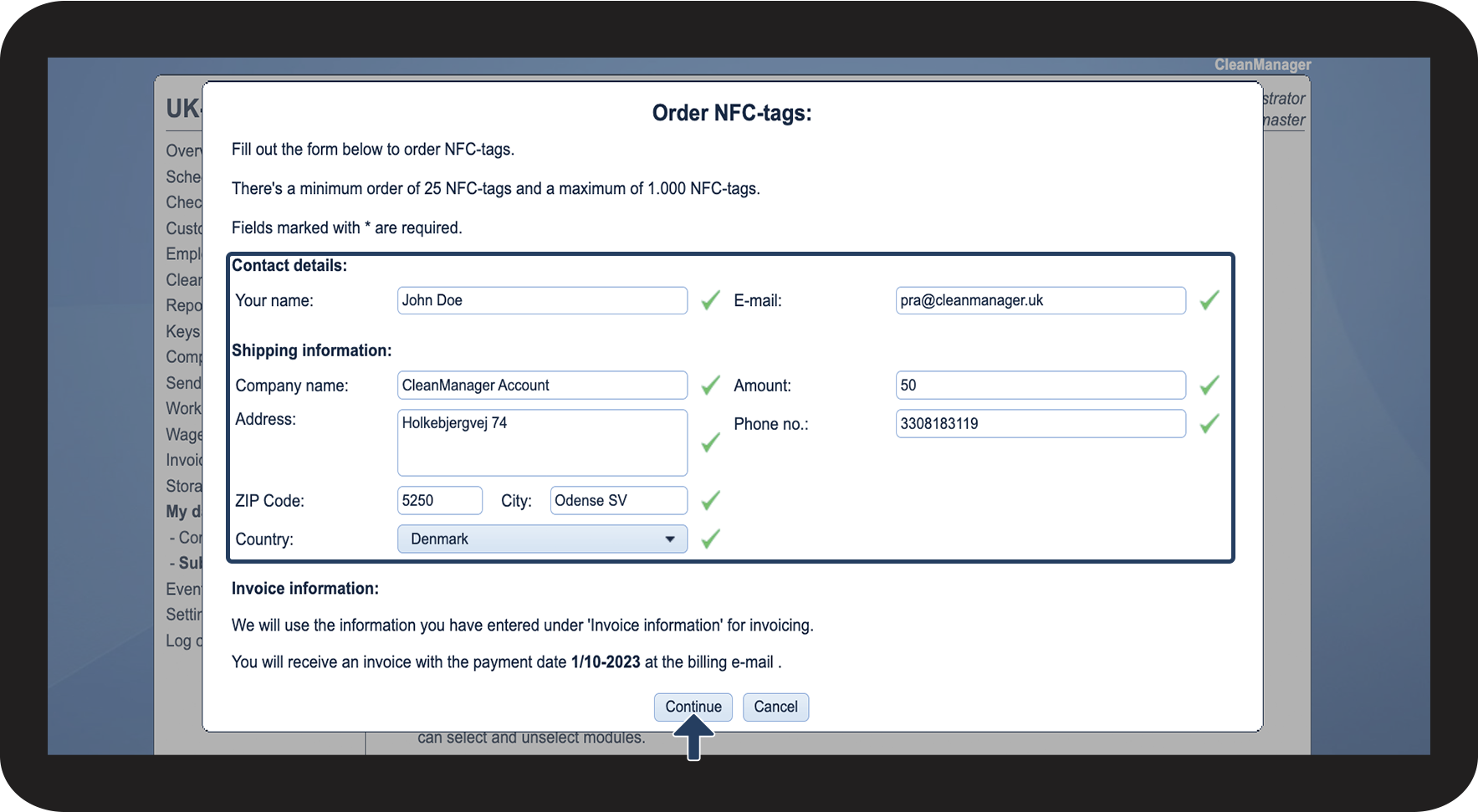
INFO:
NFC order information will automatically be filled out based on the applied invoice and contact information.
Change the contact details or delivery address if necessary.
Contact details:
- Your name: Name of the relevant contact person for the delivery.
- E-mail: The e-mail of the recipient of the order, for delivery updates.
(The invoice will automatically be sent to the accounts invoice e-mail.)
Shipping information:
- Company name: The name of your company
- Address/ZIP code/Country: Your company address (You can change this information to another delivery address if necessary)
- Amount: The amount of NFC tags for your order
(Order between minimum 50 and maximum 1000 per shipment)
- Phone no.: The telephone number of the company or of the contact person in case of delivery changes.

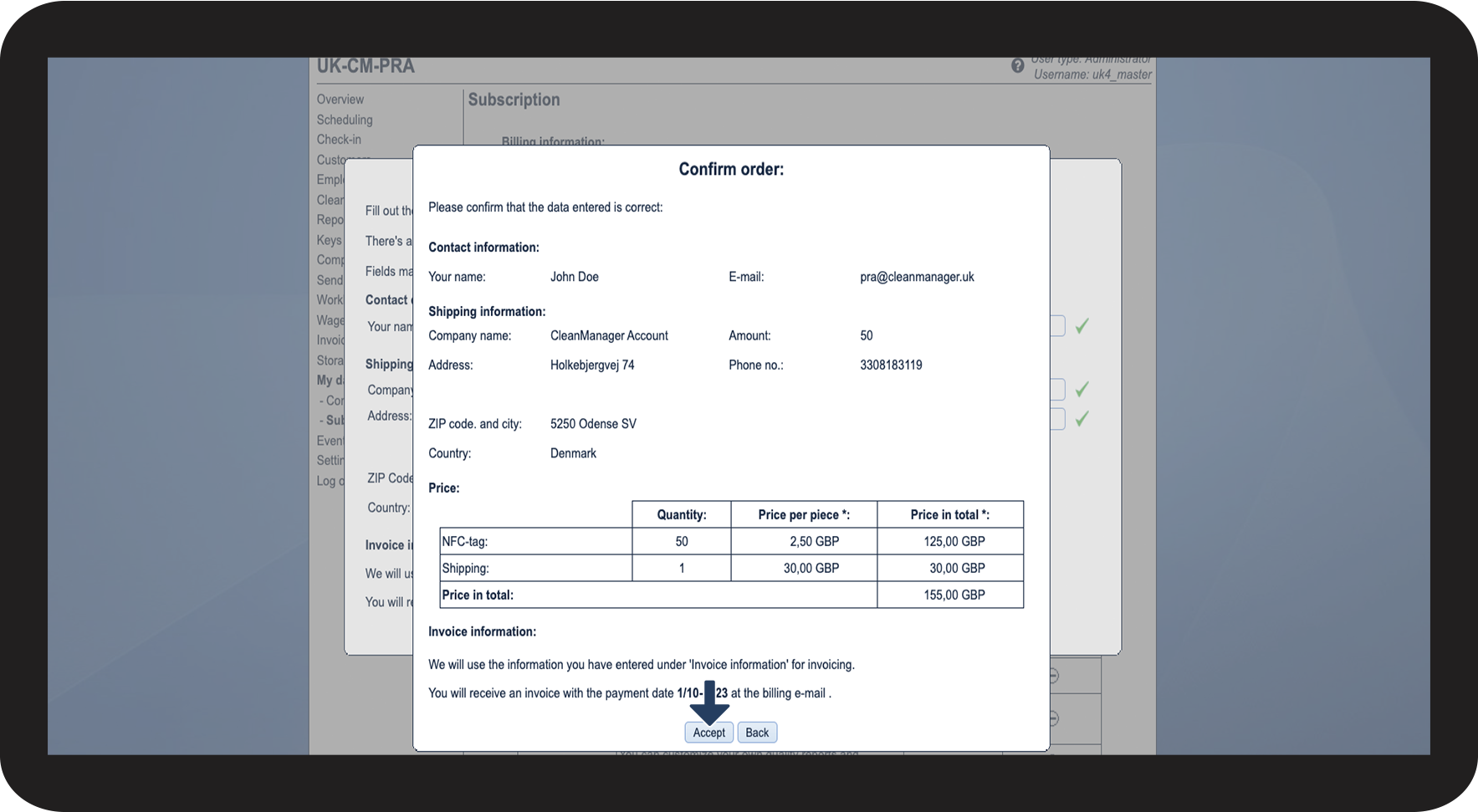

How do I pay for NFC tags?
The payment for ordered NFC tags will be invoiced by CleanManager on the first of the following month.
What should I do if my NFC tags do not work?
Go through the list below to confirm the issues with the received NFC tags. CleanManager will after that replace the defective tags.