How does CleanManager calculate the final score of a report?
What determines the score of a report?
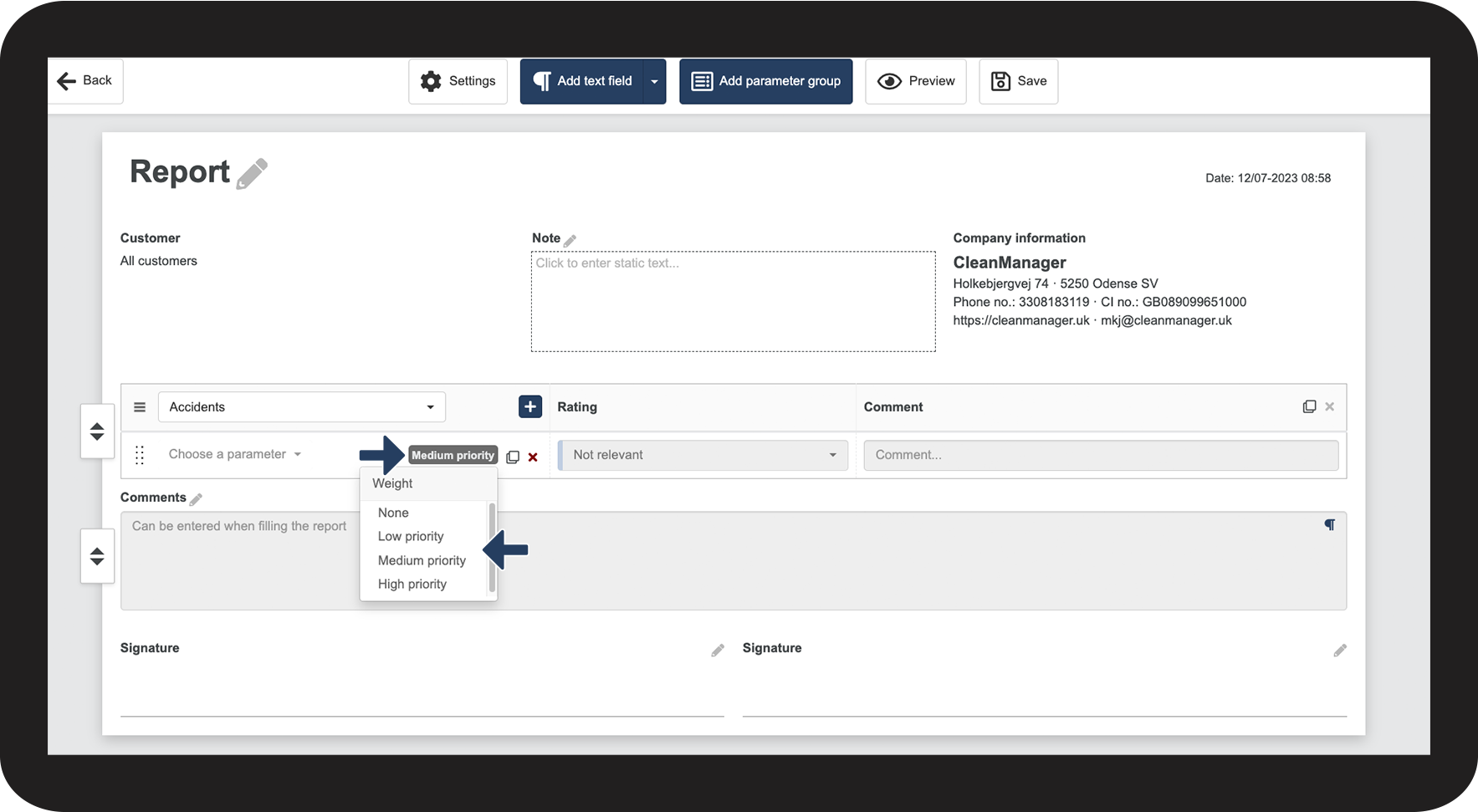
In a report template, each parameter can be set to a priority, which decides how much it will weigh in the calculation of the score.
The weight is divided into 4 priorities: None, low, medium, or high priority.
When you fill out a report, you can use values to rate each parameter. The priorities combined with the values for the parameters determine the final score of a report.
This article will provide some examples to illustrate what happens if you change the weight of a parameter.
In this article, you will learn how changing the priority can affect the final score of the report:
- How does each priority get weighted?
- Use of medium priority
- Use of high priority
- Use of low priority
- Use of no priority
Weight for each priority
In a report template, you can click on the priority of a parameter to see your options
These are the 4 priorities and their weight:
- High priority: 1,5
- Medium priority: 1
- Low priority: 0,5
- None: 0

Use of medium priority
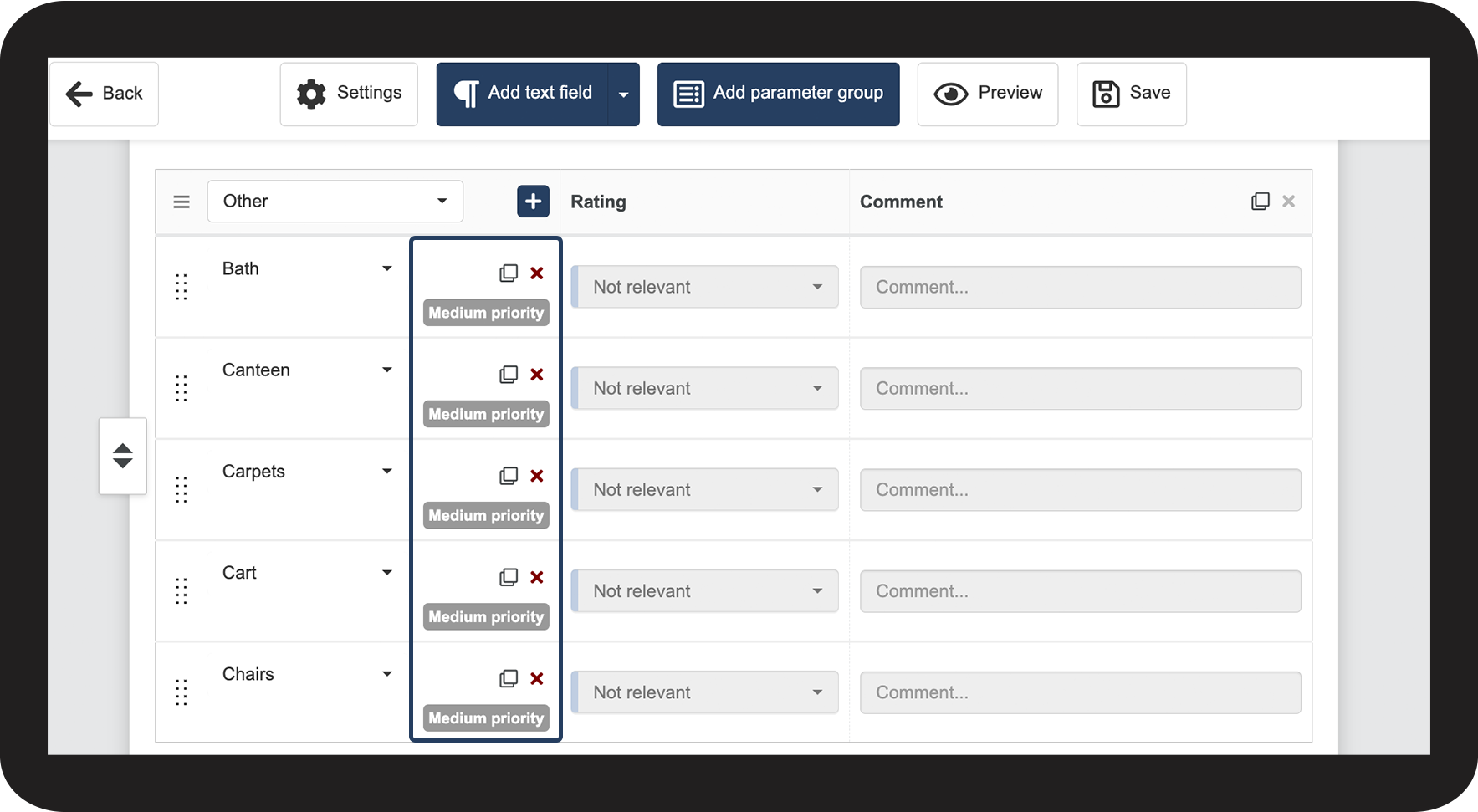
This and the following examples are based on a report with 5 parameters in total.
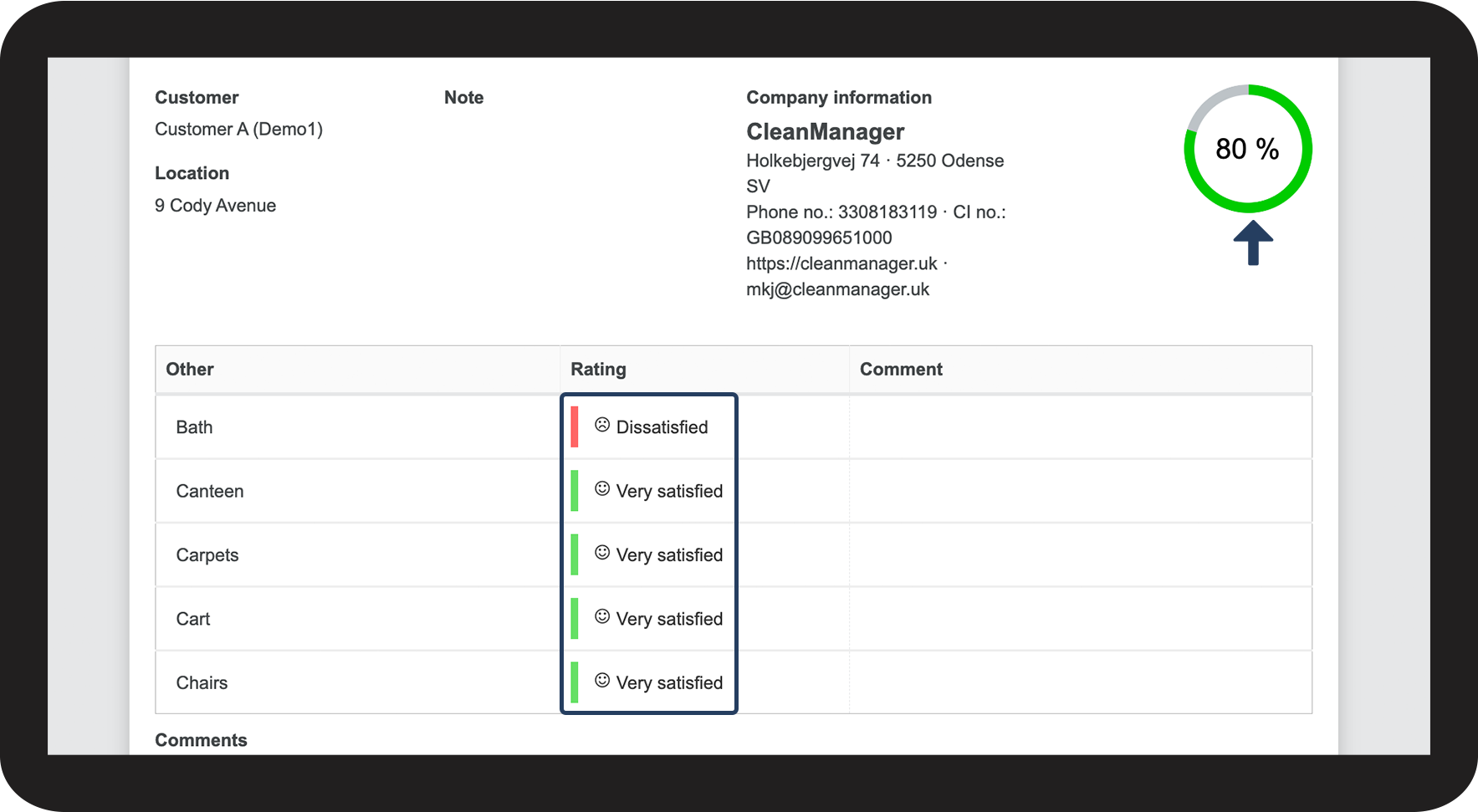
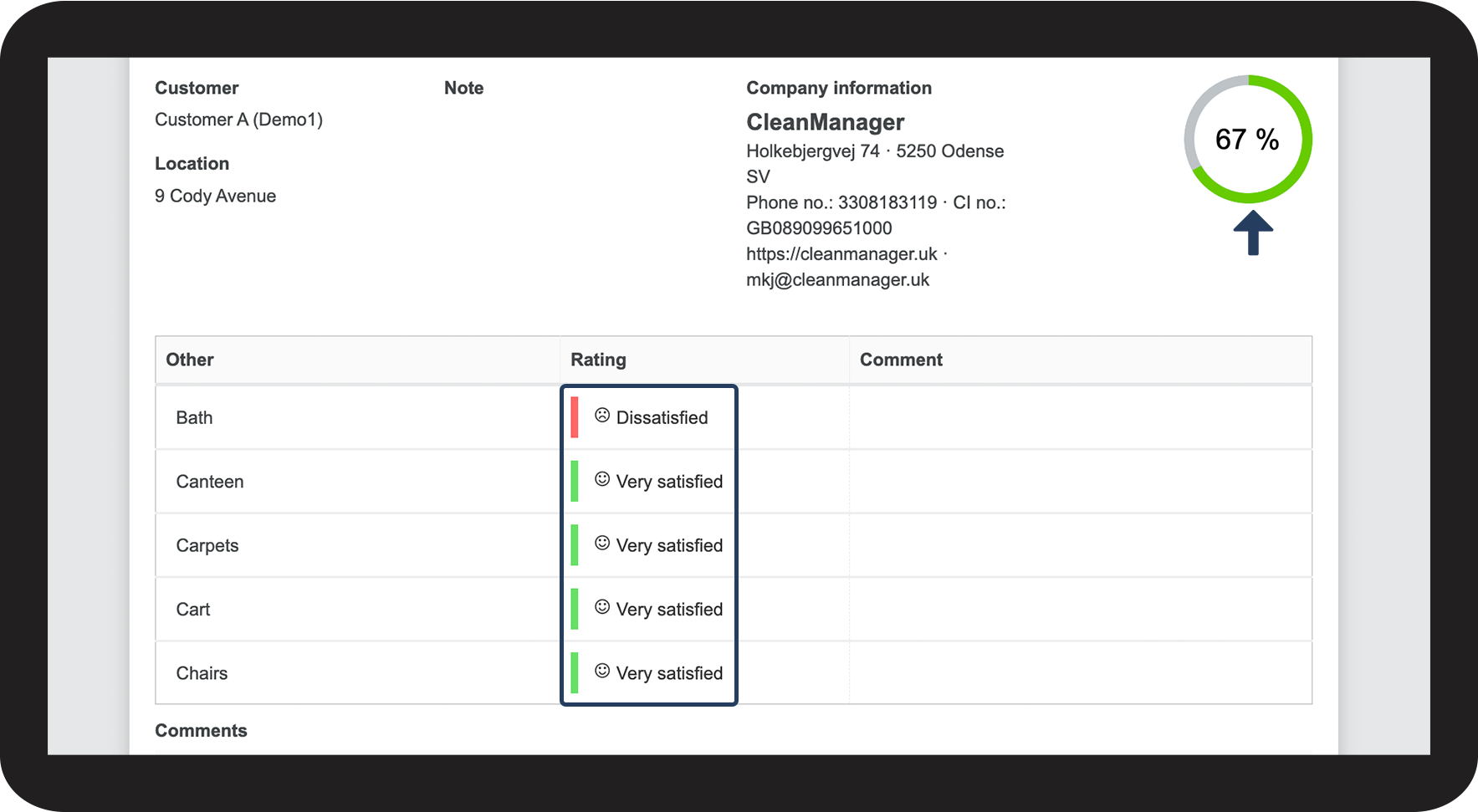
If you set each of the parameters to the same priority and rate 4 of them as Very satisfied and the 5th one as Dissatisfied, the final score of your report will be 80 %.
Since the 5 parameters, all have the same priority, each of them will count as 20 % of the final score. In this case, the Dissatisfied parameter will subtract 20 % from a score of 100 %, resulting in a final score of 80 %.
The images below illustrate an example of the report template setup and the result of a completed report:


Use of high priority
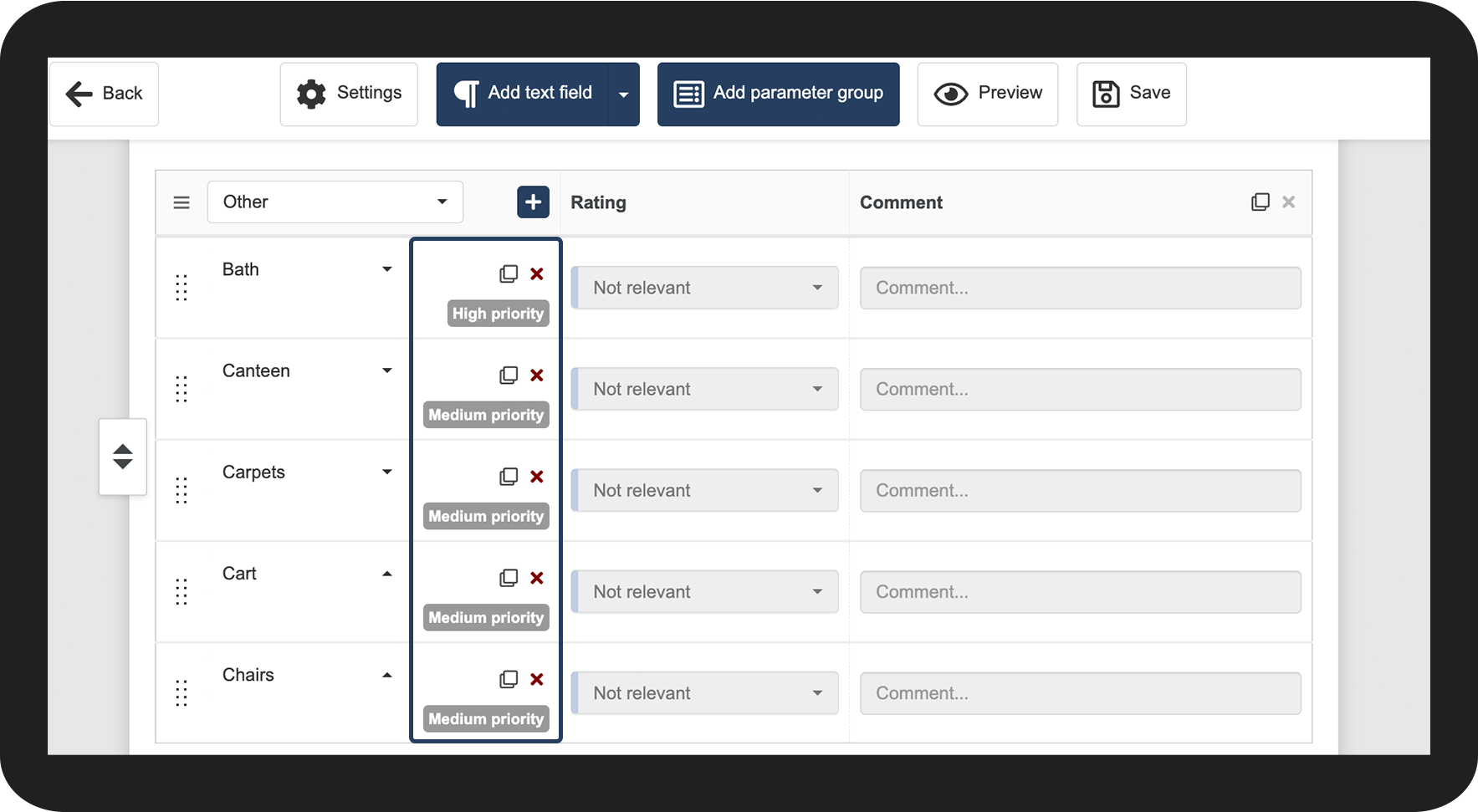
If you change one of the parameters to High priority instead of Medium priority, this parameter will be given more weight when calculating the score.
In this example, the 4 parameters of Medium priority make up 16.5 % each of the final score, while the parameter with High priority makes up 33 %.
The images below illustrate how changing the priority of a parameter will impact the final score:


Use of low priority
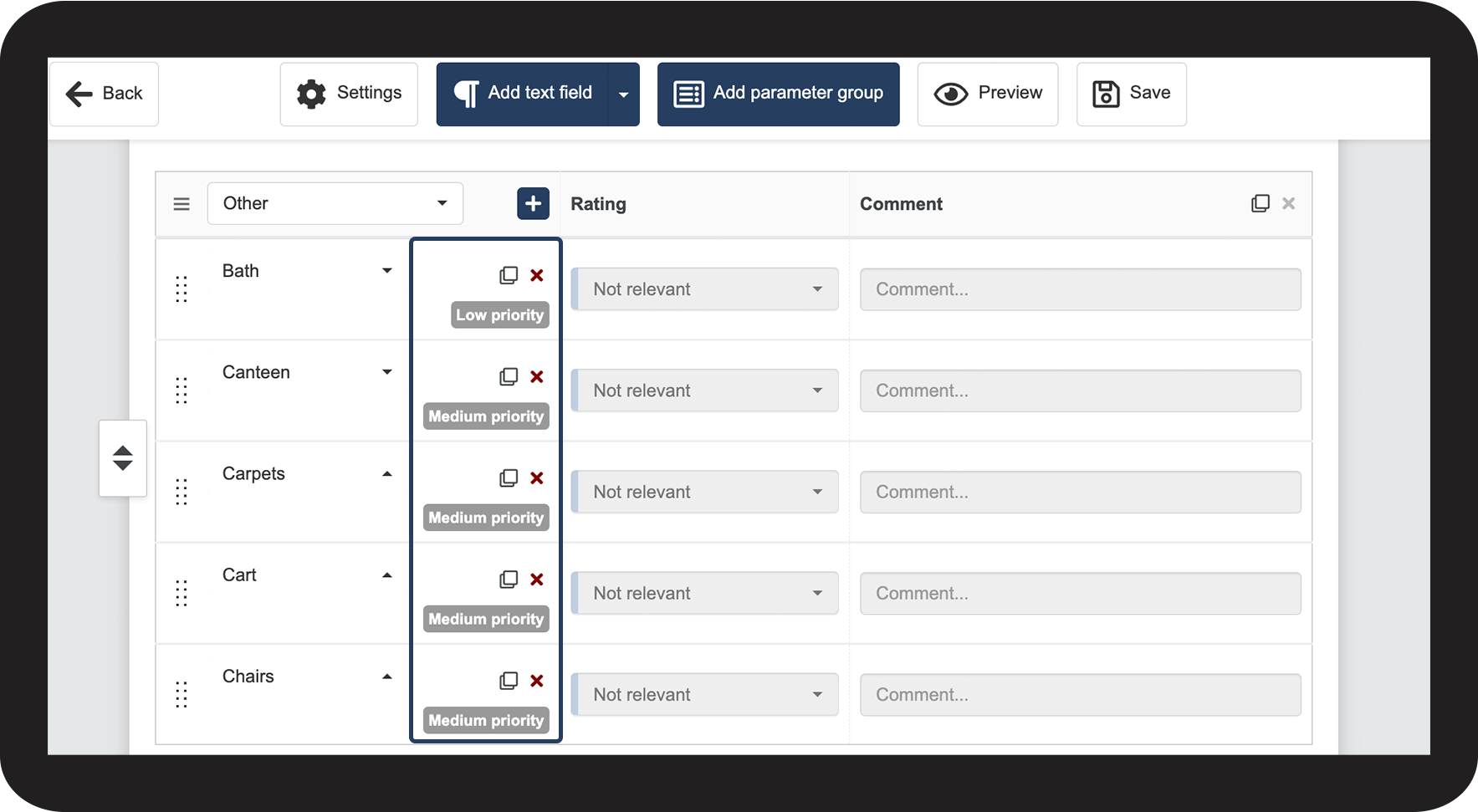
If you change one of the parameters to Low priority instead of Medium priority, this parameter will be given less weight when calculating the score.
In this example, the 4 parameters of Medium priority make up 22.5 % each of the final score, while the parameter with Low priority makes up 11 %.
The images below illustrate how changing the priority of a parameter will impact the final score:


Use of no priority
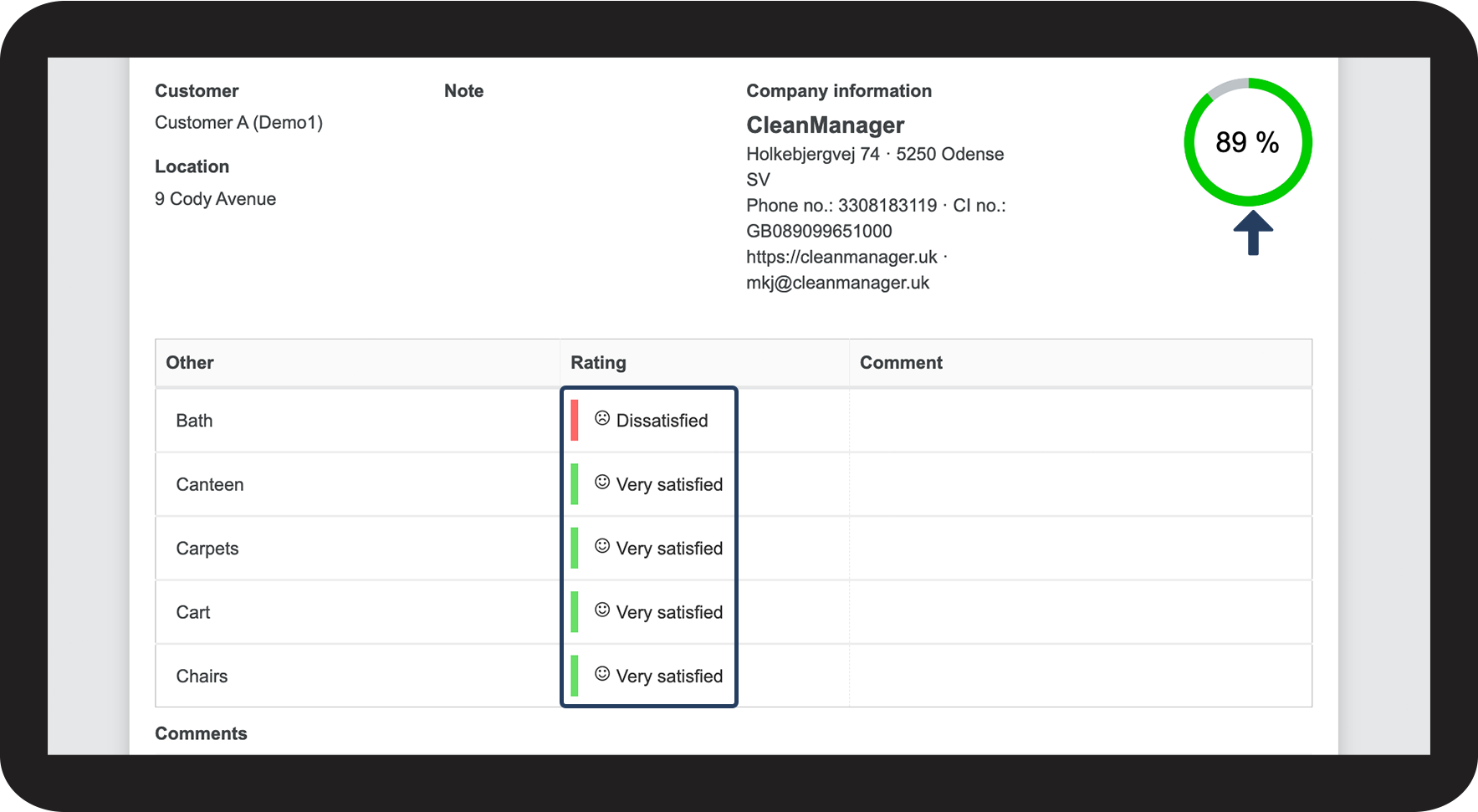
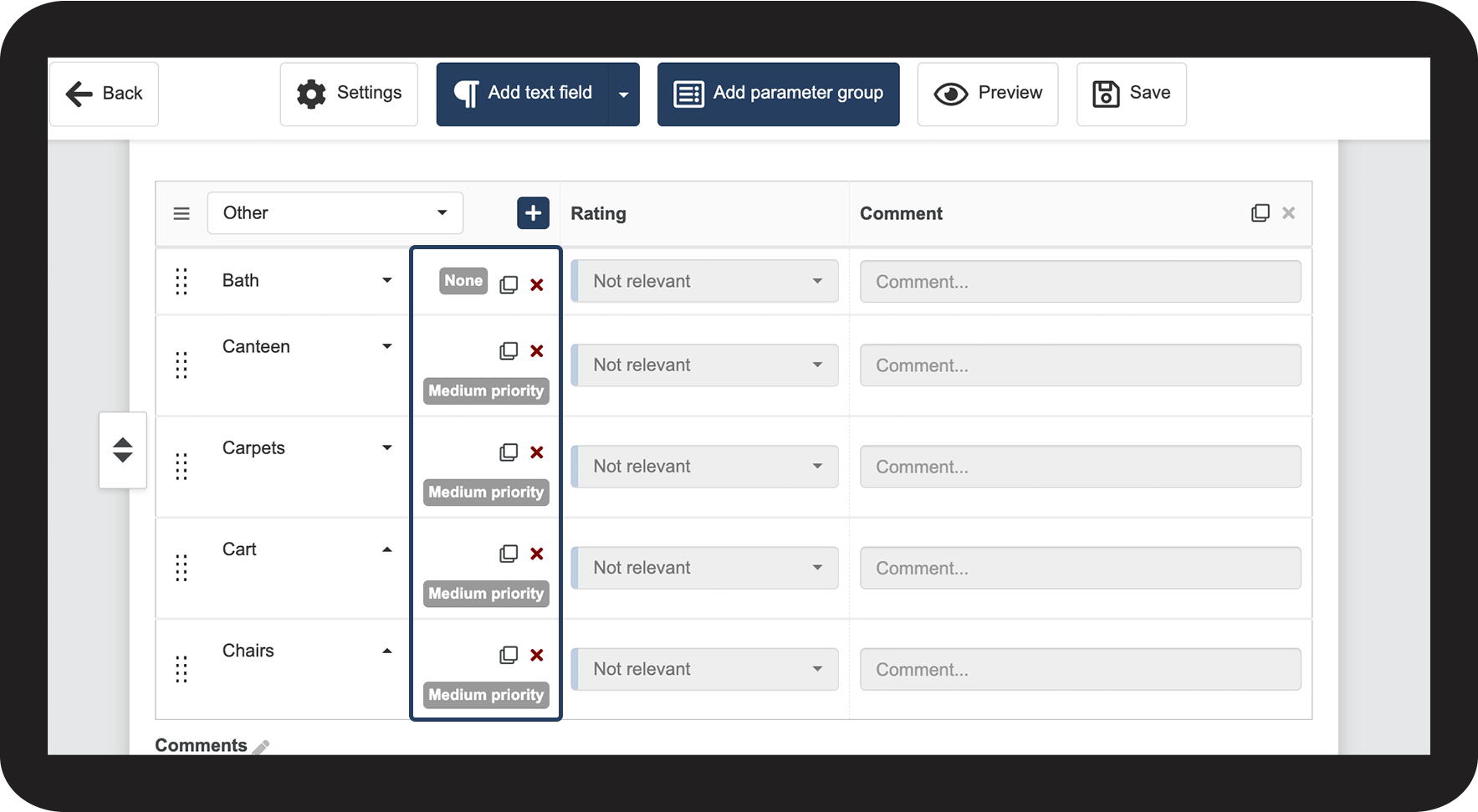
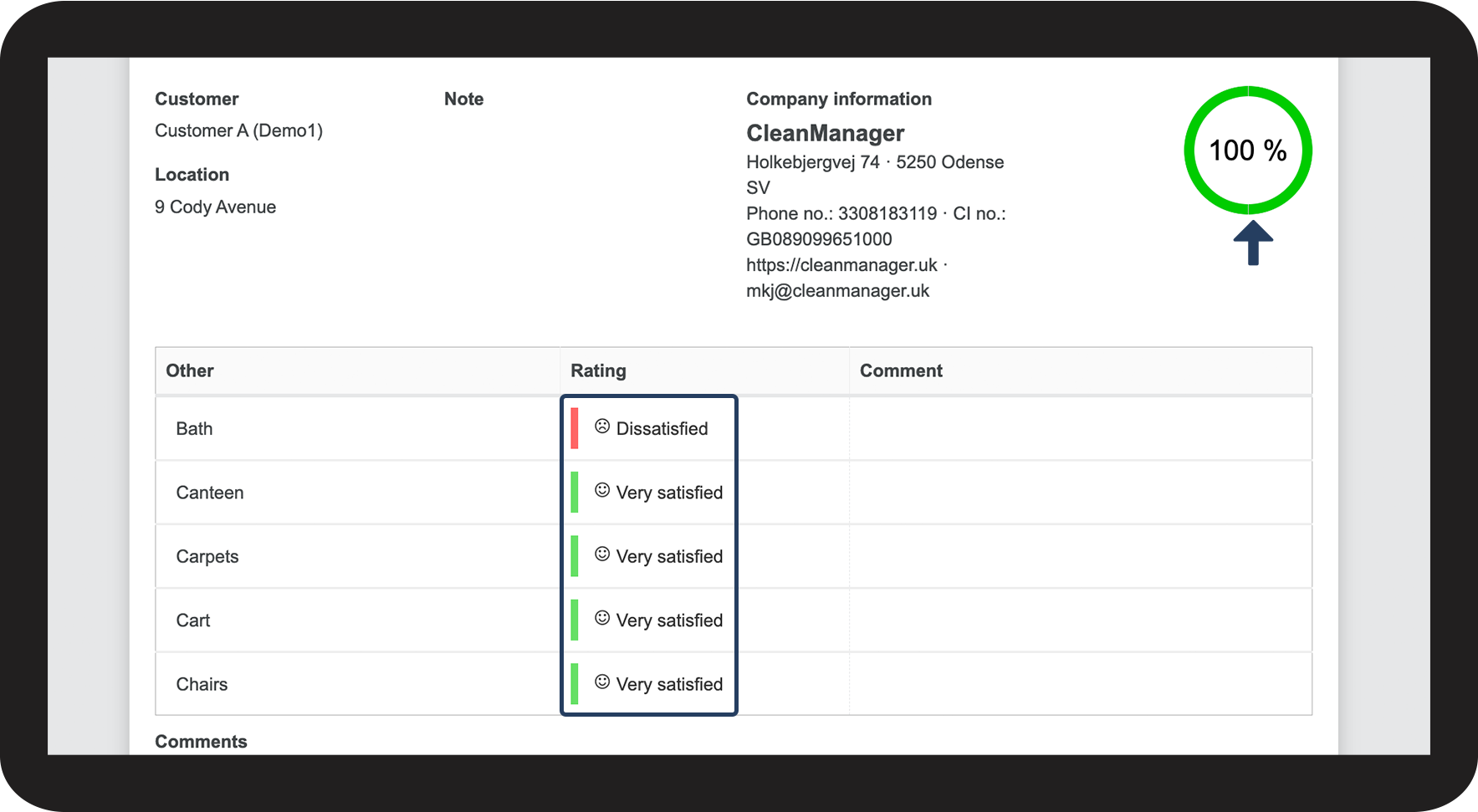
If you change the priority of a parameter to None, this parameter will have no impact on the final score of the report.
In this example, the 4 parameters of Medium priority make up 25 % each of the final score, while the parameter with No priority makes up 0 %.
Even if the parameter with No priority is rated as Dissatisfied, the final score will still be 100 % if the 4 parameters of Medium priority are rated as Very Satisfied.
The images below illustrate how changing the priority of a parameter will impact the final score: