Where does an employee order products from?
Do you need cleaning products at your workplace?
As an employee, you can order products through the CleanManager app and the web system, which then will be sent from your company's physical storage.
Note:
Only employees with access to CleanManager can place product orders.
In this article, you will learn how to order products:
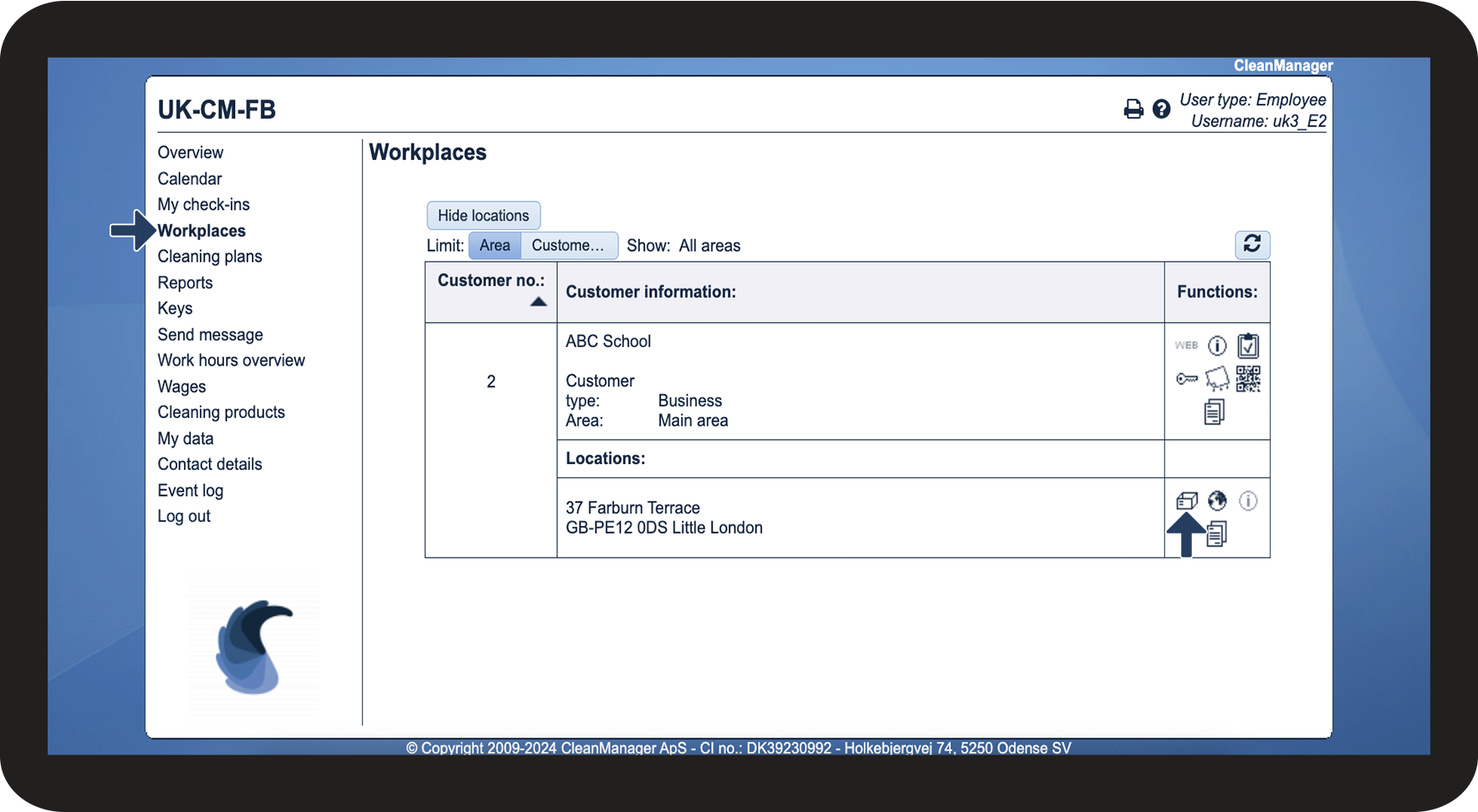
This is how you order products through the workplace



Note:
The selectable products may vary depending on the customer. The administrator/supervisor can adjust which products can be ordered for the different customers.
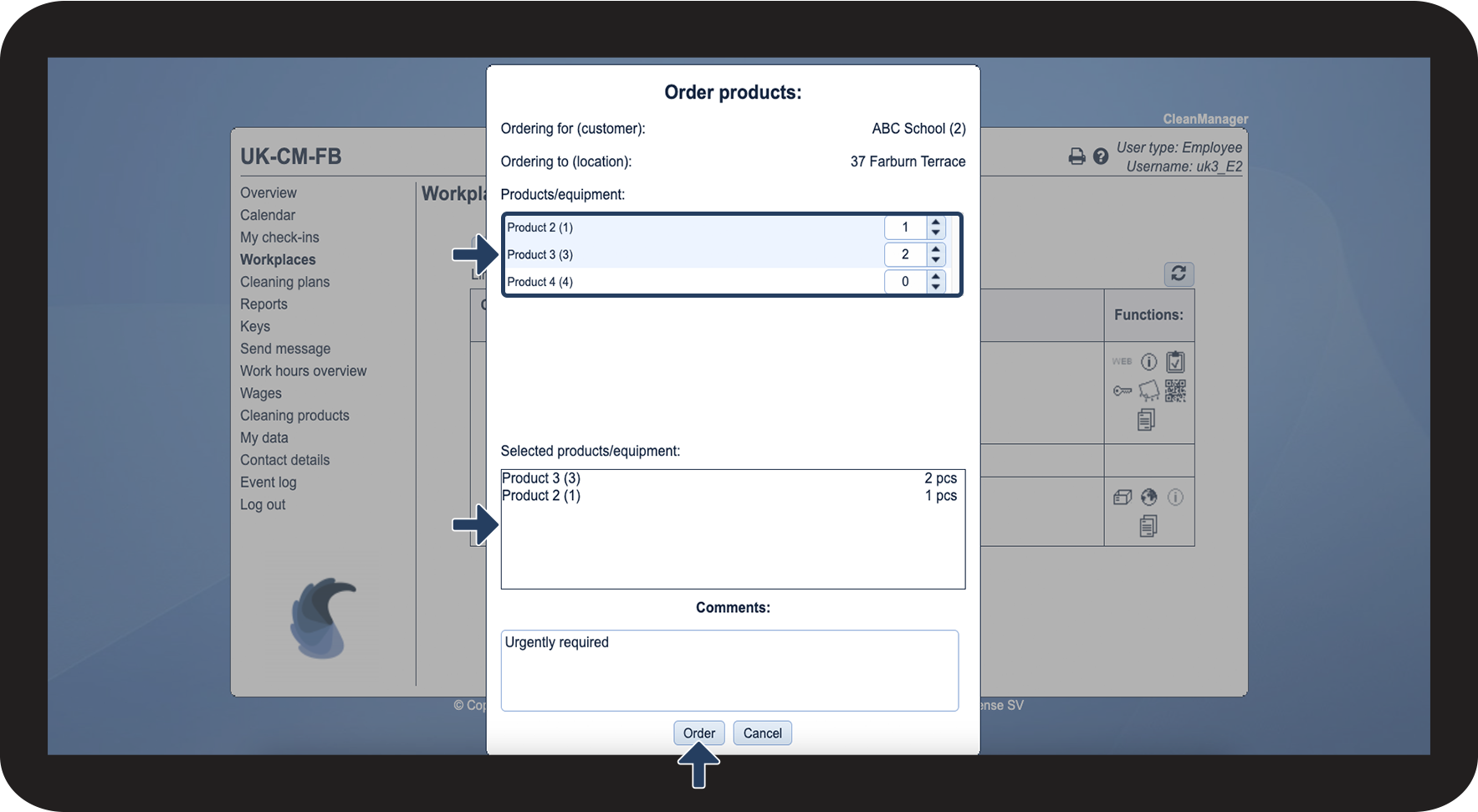
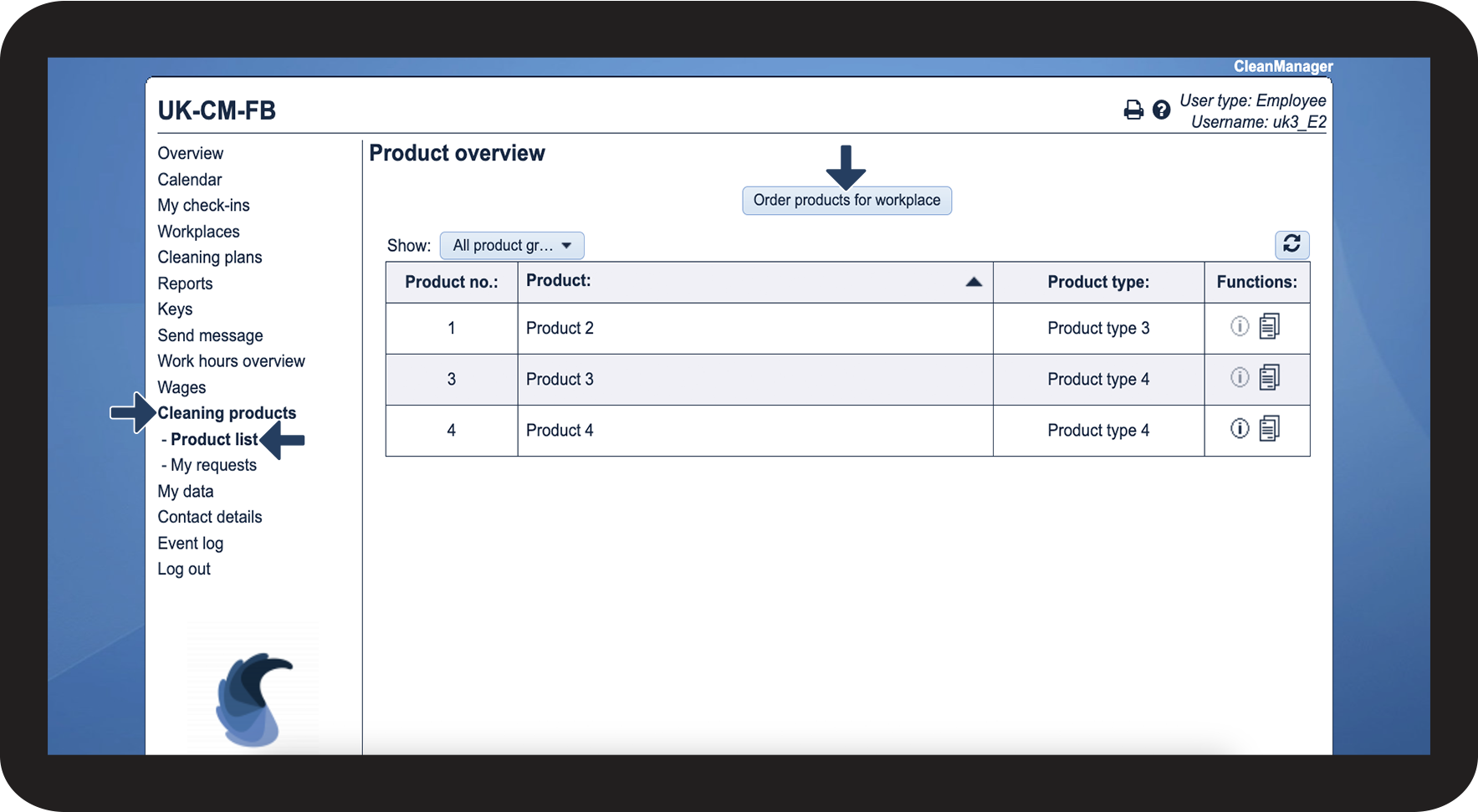
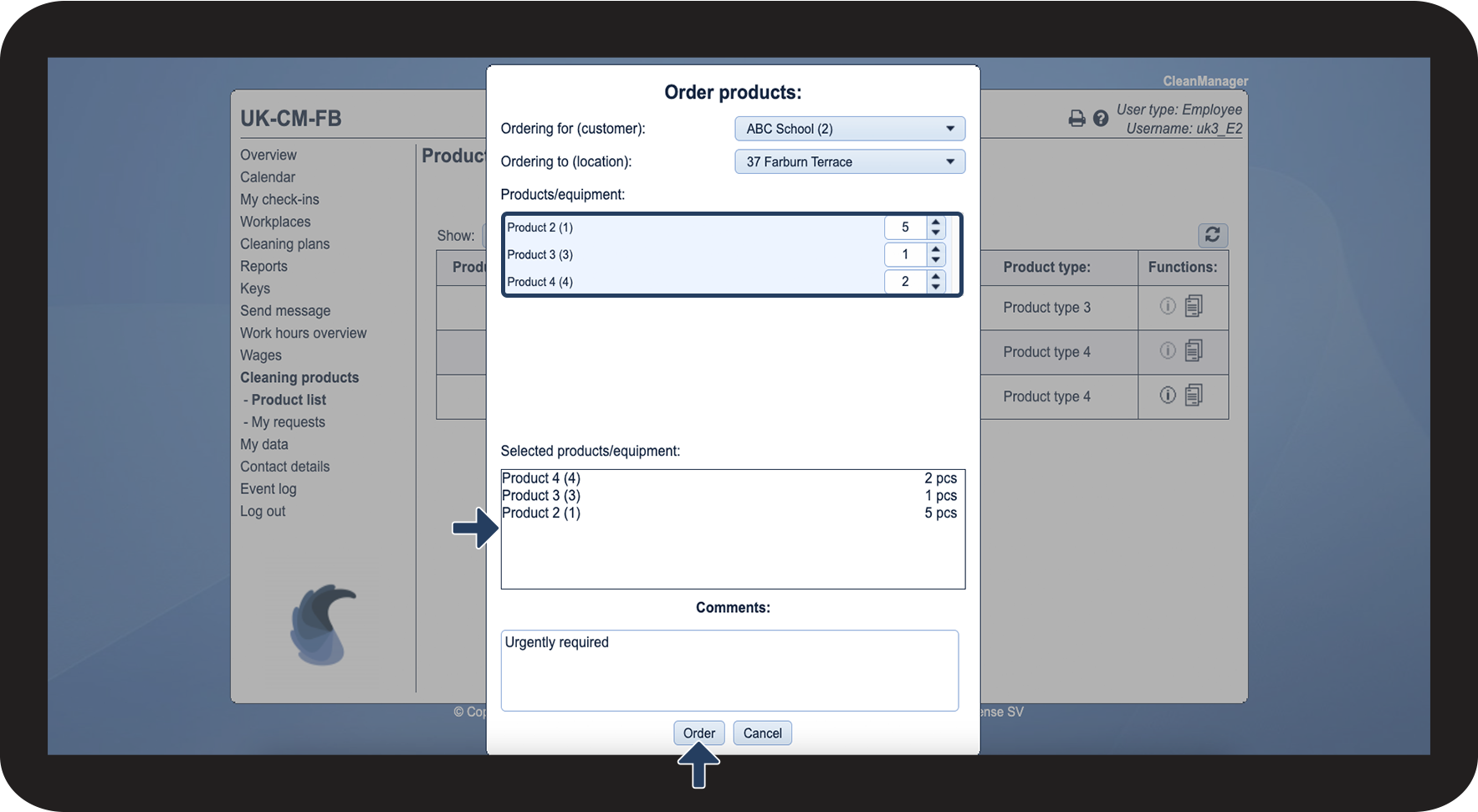
This is how you order a product through the cleaning products
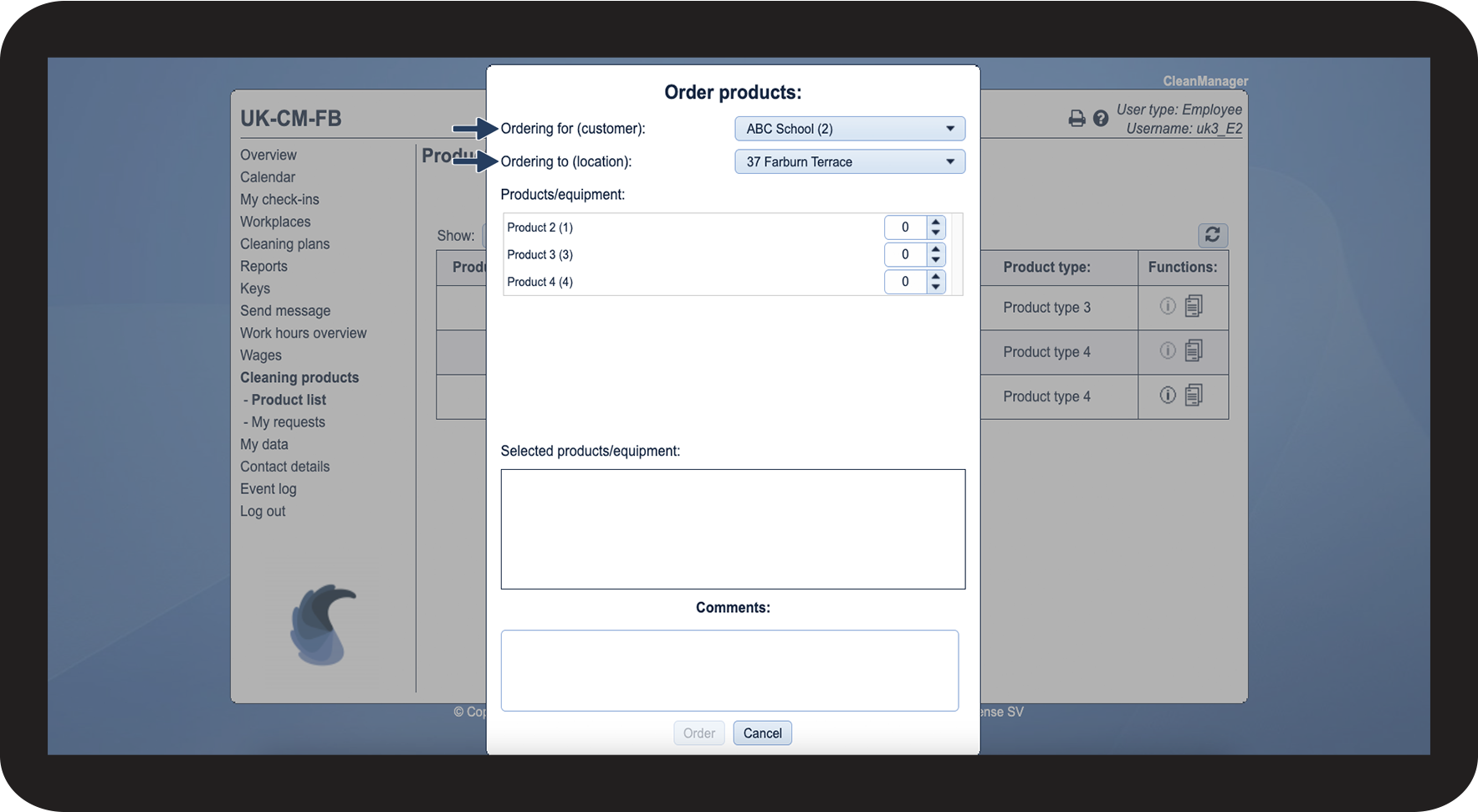

Note:
The selectable products may vary depending on the customer. The administrator/supervisor can adjust which products can be ordered for the different customers.
This is how you order products through the app
Continue to the article: Order products
In this article, you will learn how you as an employee can order products through the app.
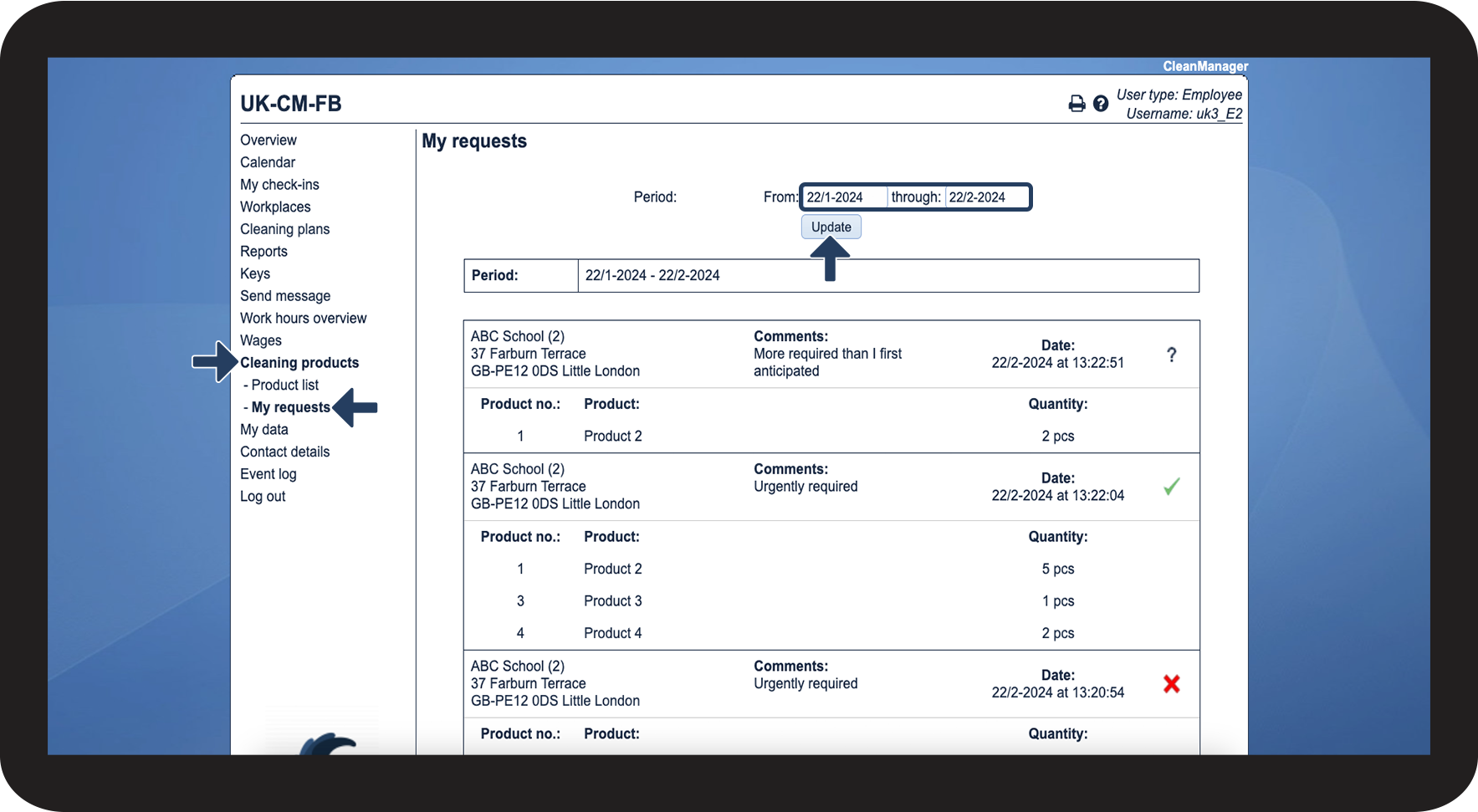
This is how you can see your requests
 - Approved
 - Rejected
 - Awaiting handling