How does the file import of customer and employee data into CleanManager from Excel work?
A file import from Excel to CleanManager is an import of a spreadsheet in either CSV or XLSX format.
The file formats are normal file types that you can set up and export from Excel or similar.
When you import the files into CleanManager, they will be known as files in CleanManager format.
The CleanManager format is named because of the column data in the CSV/XLSX document. You can learn more about it in this article:
- What is a CleanManager format?
- How do I set up an integration for an import?
- How do I set up customer and employee data for an import?
What is a CleanManager format?
The CleanManager format is a spreadsheet that contains data that matches the information we can store in CleanManager about a customer or employee.
The spreadsheet consists of columns and rows of information.
The columns contain "headings" that refer to information points that can be stored in CleanManager, such as a customer name or a customer number.
The columns specify the type of data being imported.
The rows contain information about your customers/employees.
For example, columns and rows look like this:
NOTE:
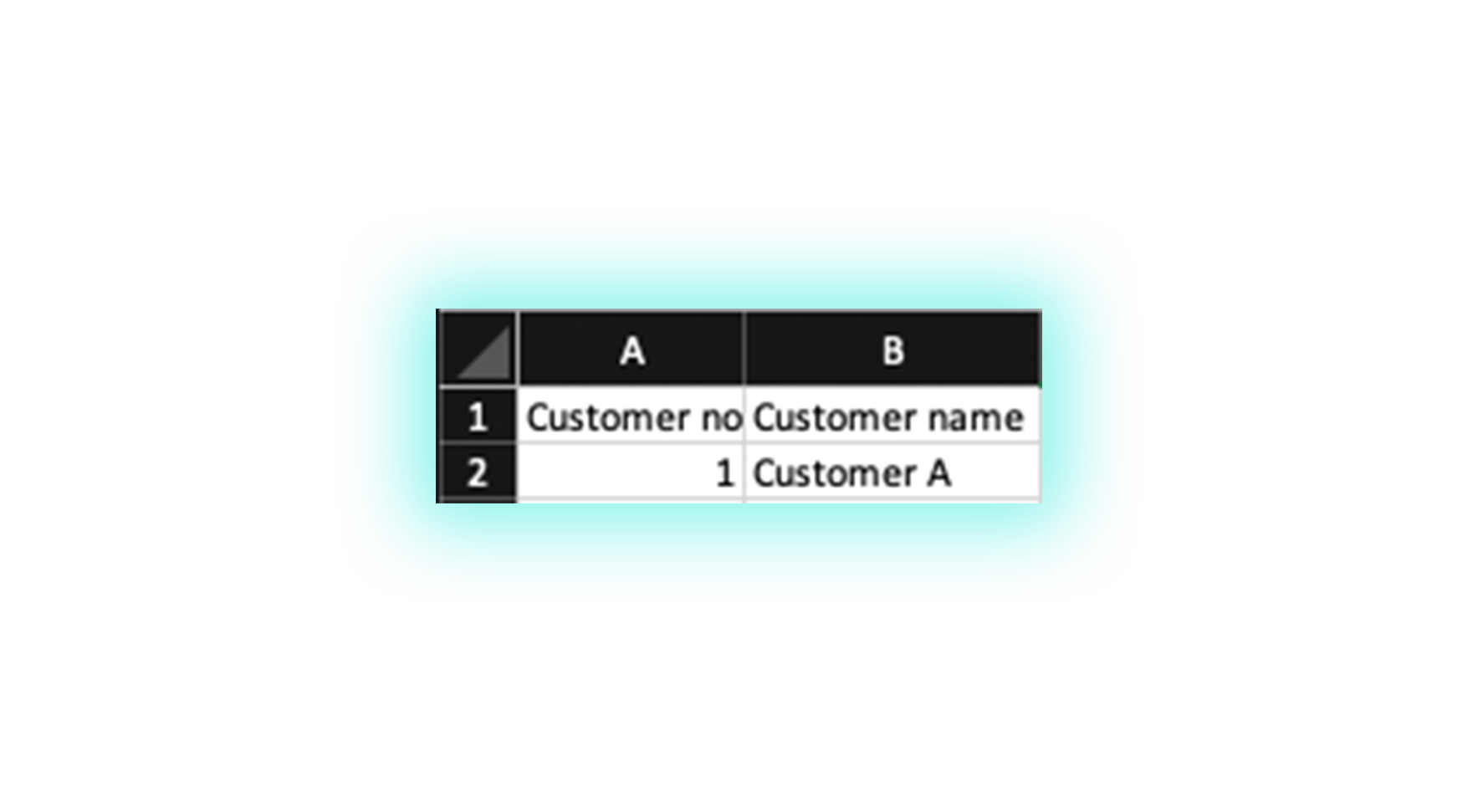
If the Customer No. and Customer Name (in case of employees, Employee no. and Employee Name) columns exist in your spreadsheet, CleanManager can read your imported file.
A quick example of importing customer data:
For example, your spreadsheet might look like this:
You can also include multiple columns with the information you want to load into CleanManager:
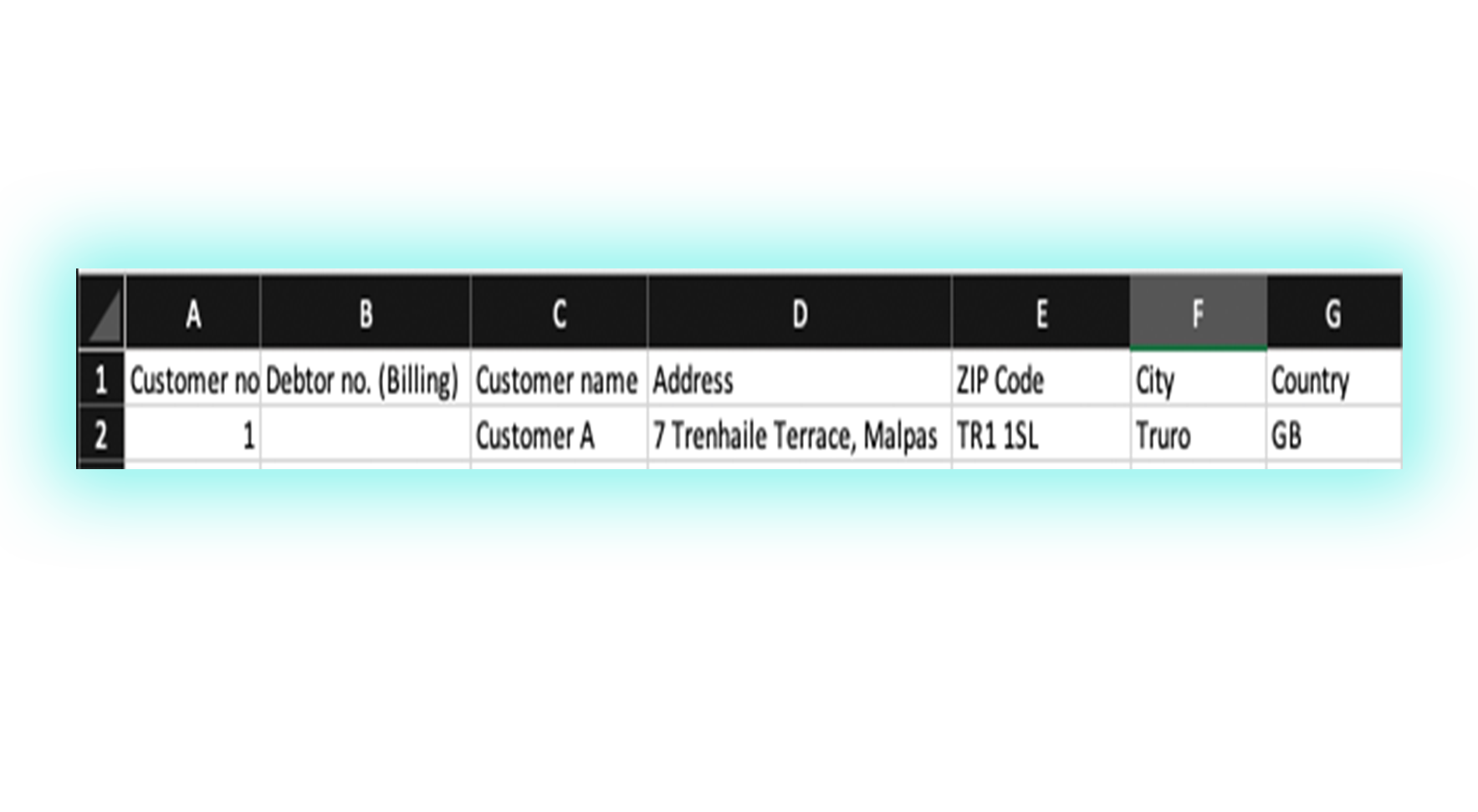
When you import this file, CleanManager will read row 1 (the column names).
The system will therefore be able to recognize the customer based on the customer number or customer name in row 2.
Subsequently, the system will load all the additional column data belonging to the customer in the same row.
You can therefore import all the employees/customers you want by including them in subsequent rows.
If a field is empty in a row, the file can still be imported, but no values will be inserted in CleanManager.