Skip to content
English
  • There are no suggestions because the search field is empty.

How do I see transferred products?

How can I see the transferred products?

As the administrator, you can see all product transfers, which have been approved either by you or by your supervisors.

As a supervisor, you can see all product transfers for the customers to which areas you have been assigned to. For more information regarding this, go to Company Structure.


In this article, you will learn how to find and handle transferred products:


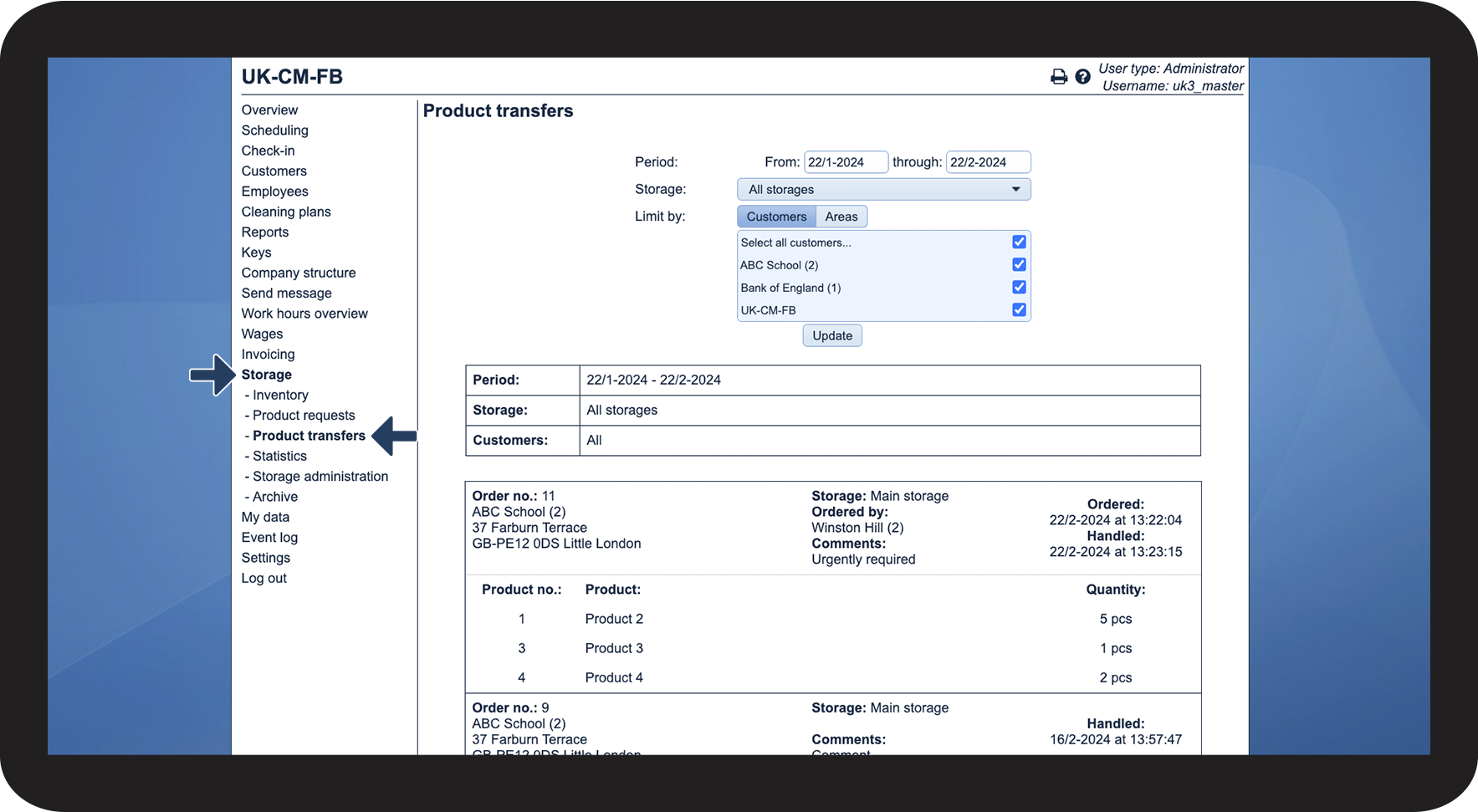
This is how you find transferred products

number_1.png

In the menu, go to Storage > Product transfers

1.1.png


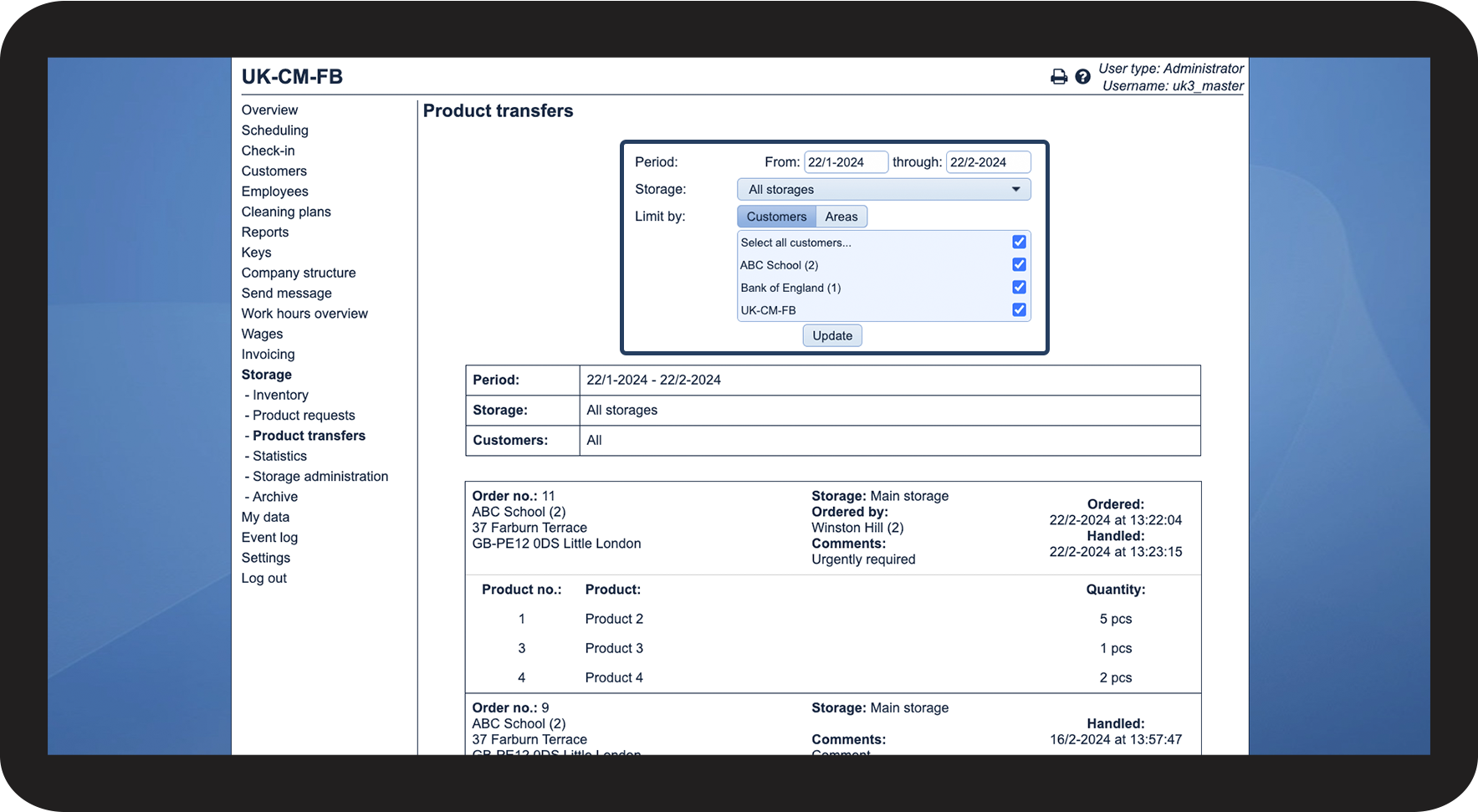
This is how you filter your transferred products
number_1.png

You can use the following filters:

 
  • You can define the specific period
  • You can select the storage from which the product has been transferred 
  • Lastly, you can limit the results to either customers or areas
    • Thereafter, you can choose whether to show only a specific customer or an area

2.1.png


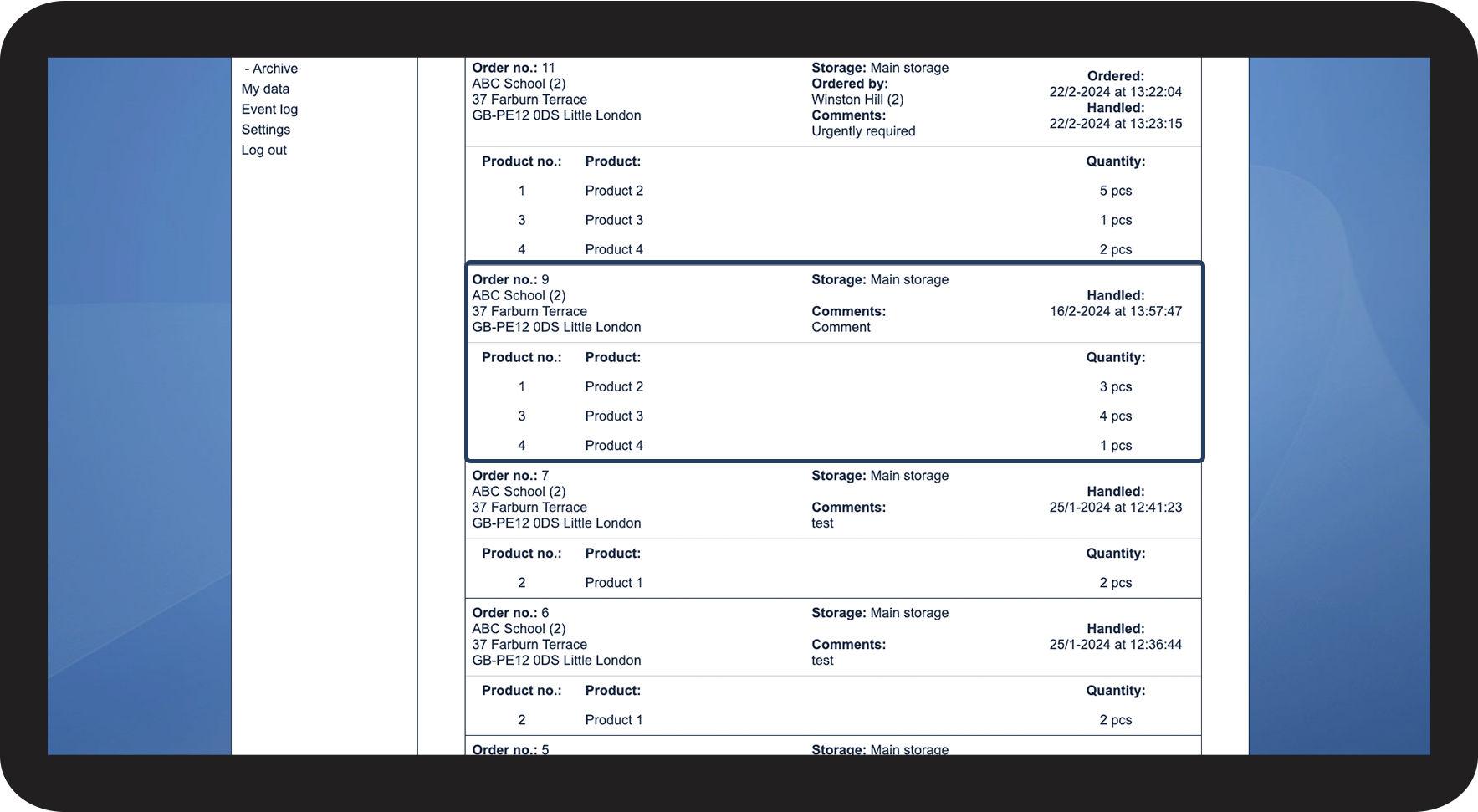
This is how you read a product transfer
number_1.png

The following information is included in a product transfer


Content
Description

Order no.

The order number changes every time a new request is made.

It will also show which customer and location the product has been transferred to.

Storage

You can see here, from which storage, the product has been transferred.

Ordered by 

Here you can see which supervisor or employee has requested the product transfer.

Comment

If a comment was added to the product request, it will be shown here.

Ordered

Here you can see when the transfer request was made.

Handled

Here you can see when the transfer request was handled.

Content

This tells you the product number, product name, and the quantity.

3.1.png