Skip to content
English
  • There are no suggestions because the search field is empty.

How do I order and transfer products through the web system?

How do I order and transfer products through the web system?

In this article, you will gain insight into how the administrator and the supervisors can order and transfer products in the storage section.

The procedure for an order and a transfer of a product are very similar to each other. However, if you place an order, you can transfer the product at a later point in time, whereas a product transfer, is the direct method where the order step will be skipped and the product transferred immediately. 


In this article, you will learn how to order and transfer products through the web system:


This is how you order products through the web system

number_1.png

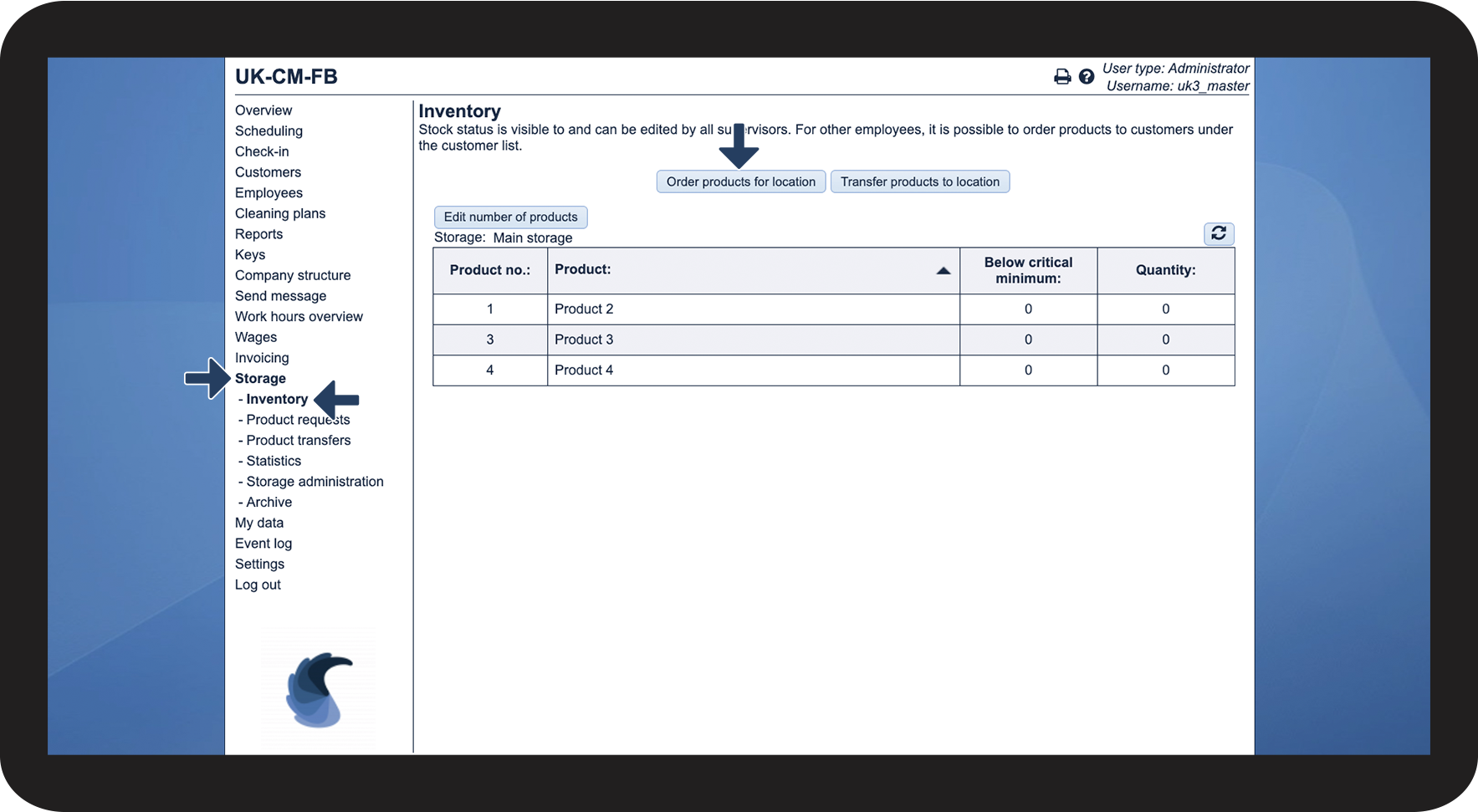
In the menu, go to Storage > Inventory


Thereafter, click on Order products for location

1.1.png

number_2.png

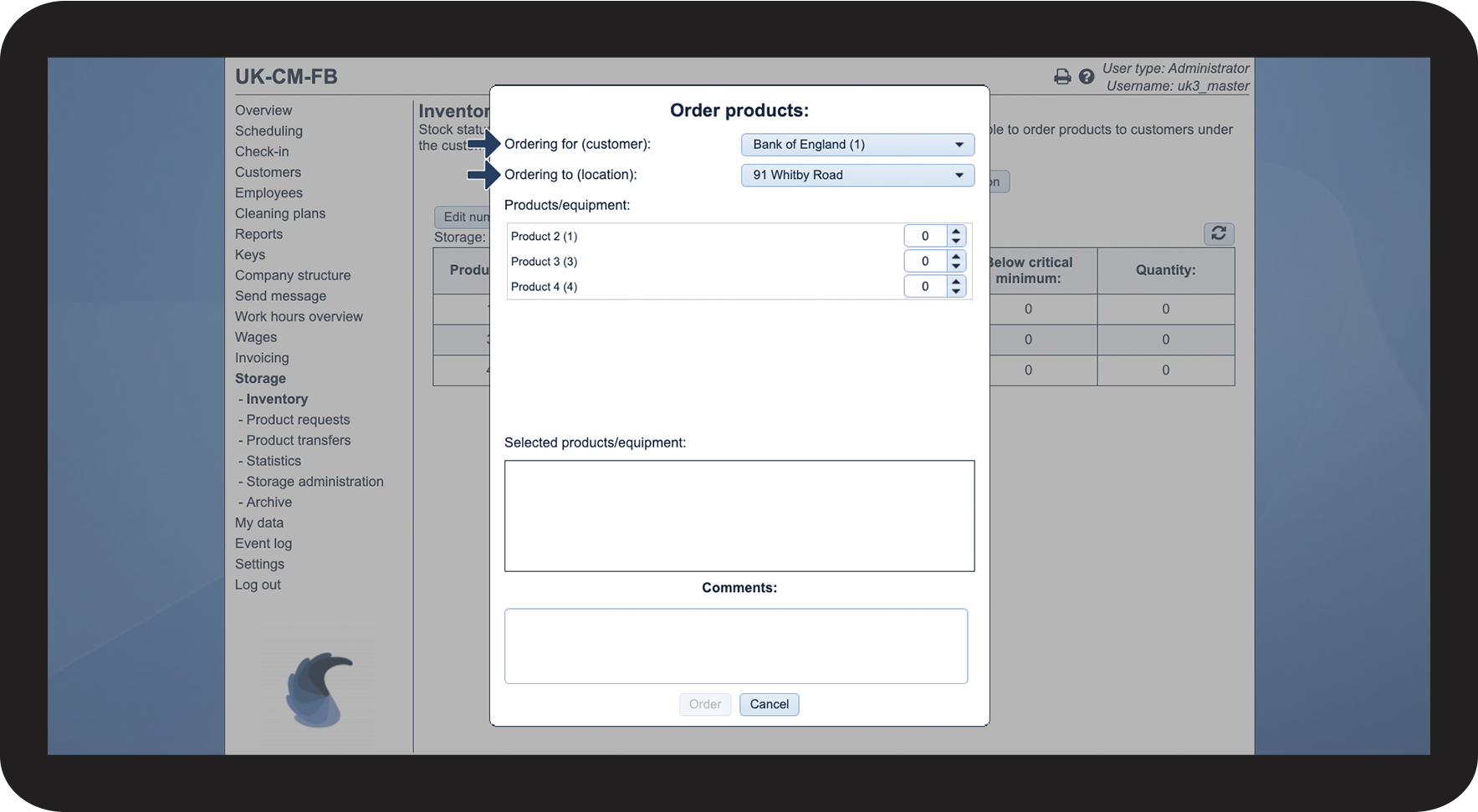
Choose Customer and Location

1.2.png

number_3.png

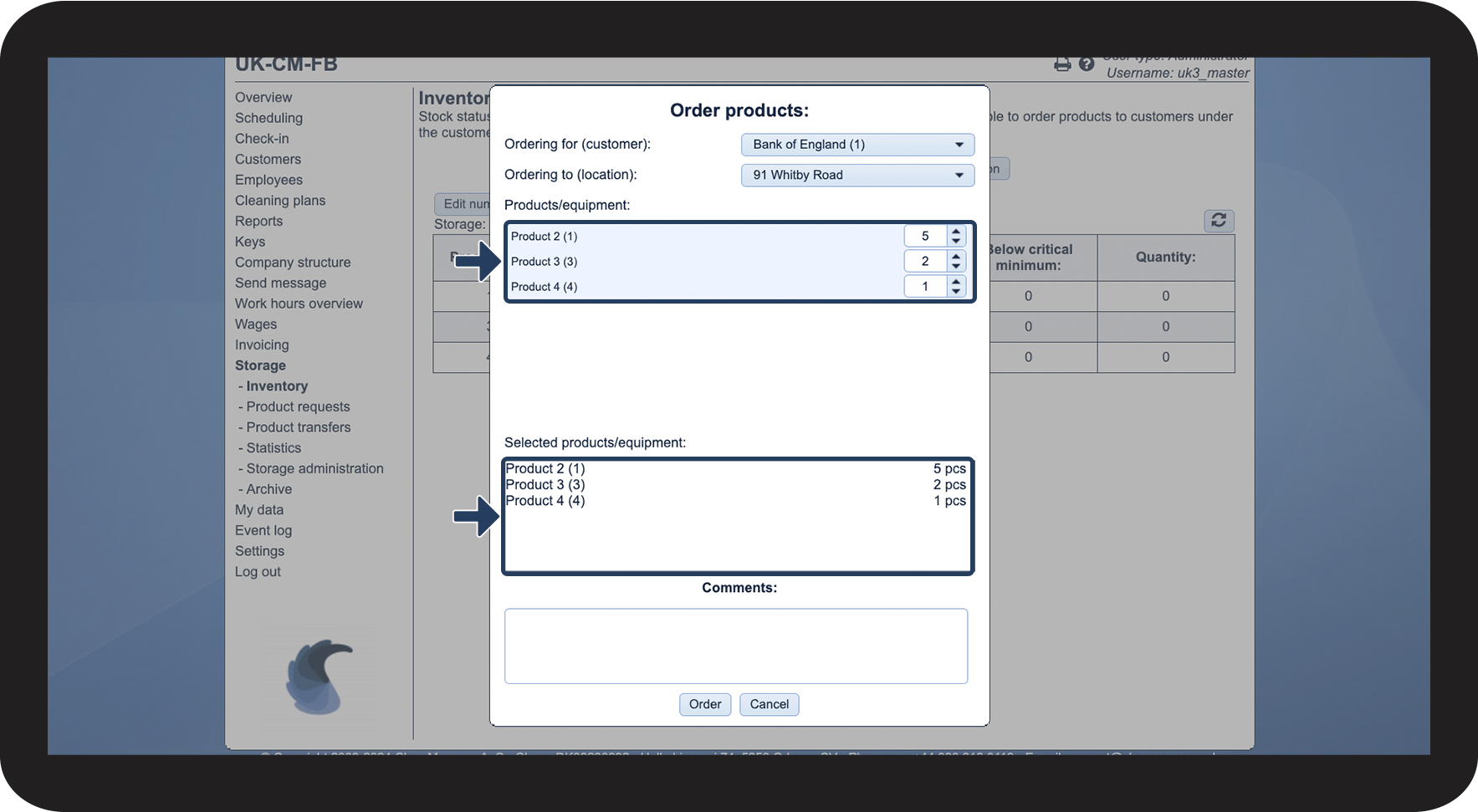
Choose which products/equipment to order


See the Selected products/equipment

1.3.png

number_4.png

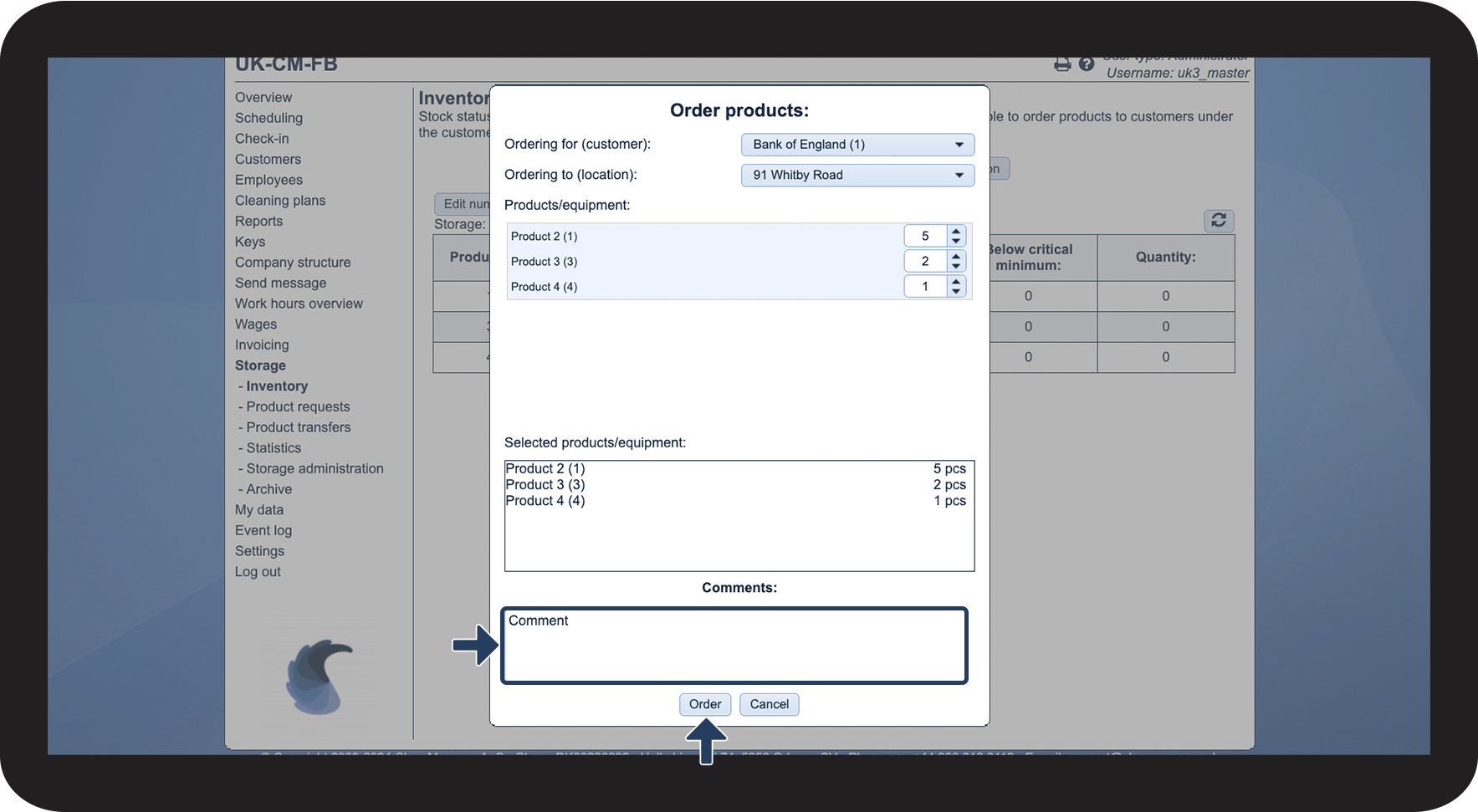
Add a comment if necessary


Thereafter, click on Order

1.4.png


This is how you transfer products through the web system
number_1.png
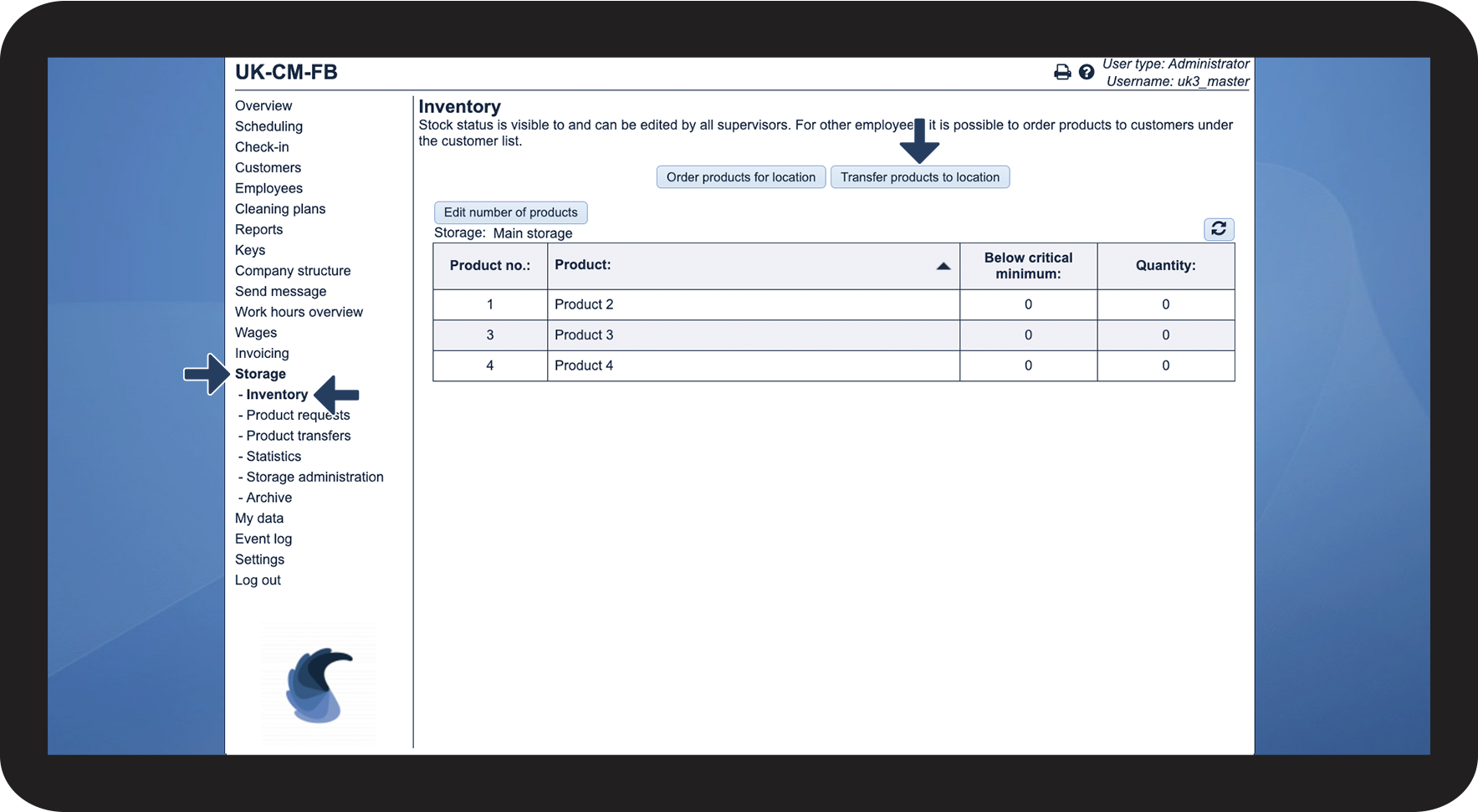
In the menu, go to Storage > Inventory
 

Thereafter, click on Transfer products to location

2.1.png

number_2.png

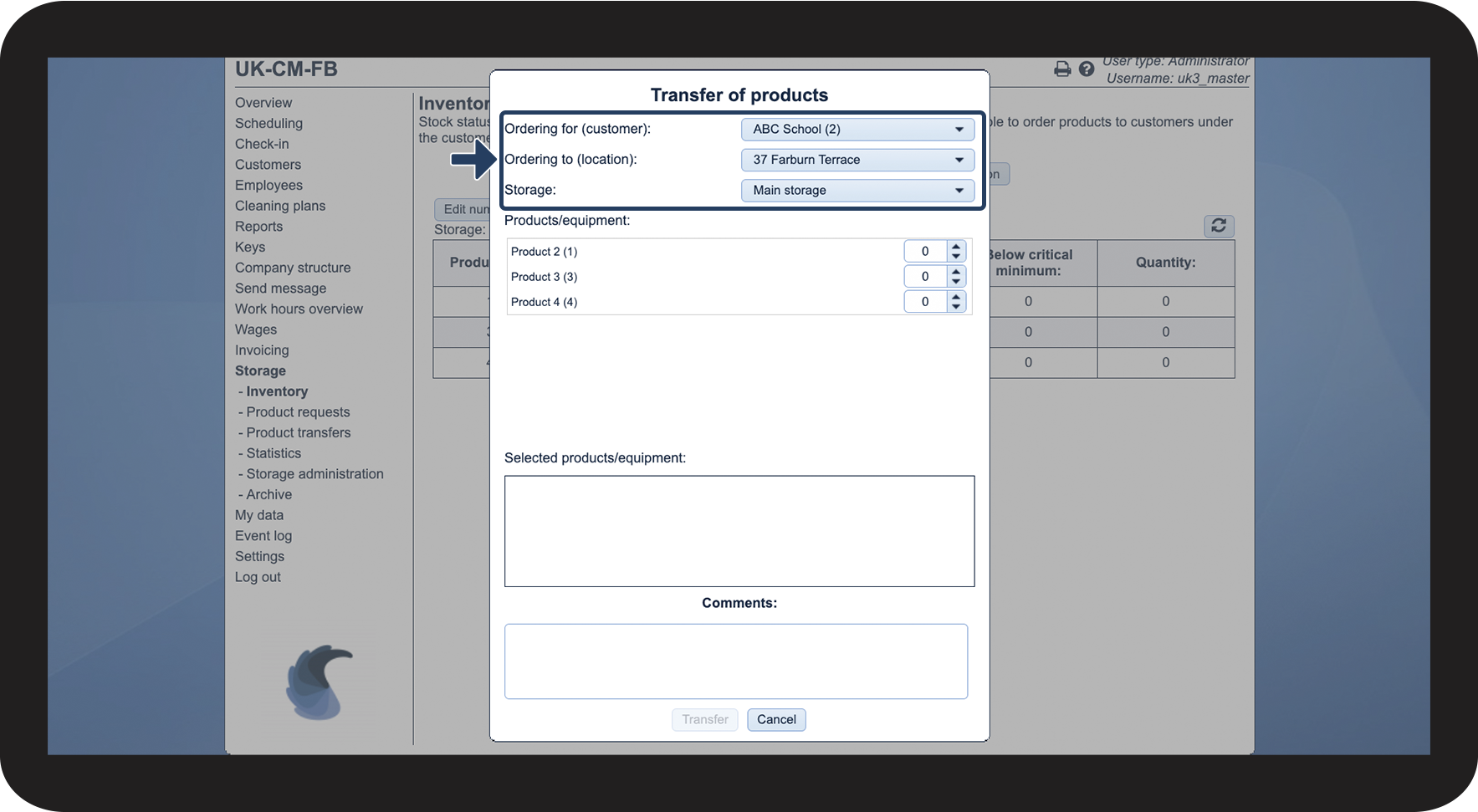
Select customer, location, and storage

2.2.png

number_3.png
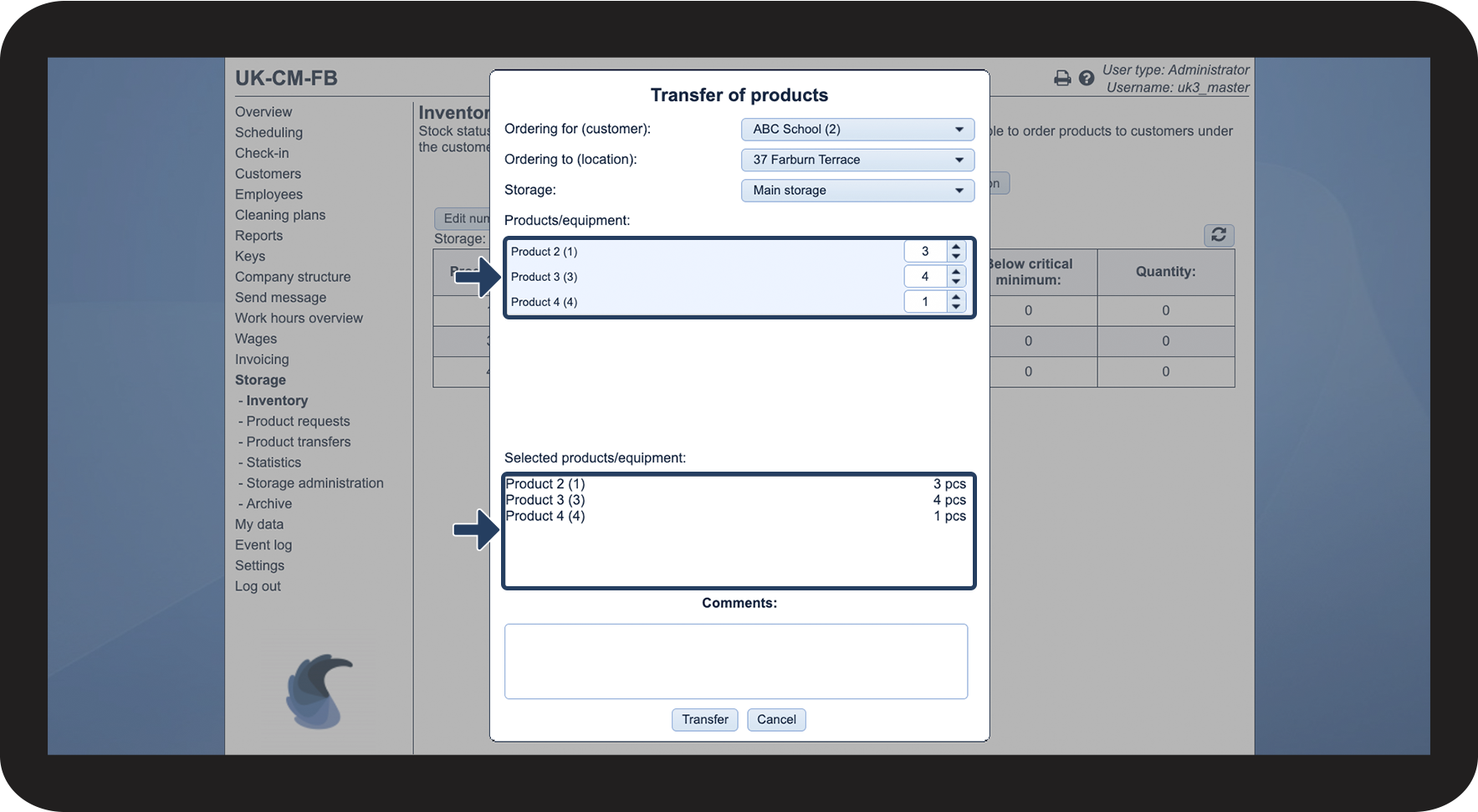
Choose which products/equipment to transfer
 
See the Selected products/equipment

2.3.png

number_4.png

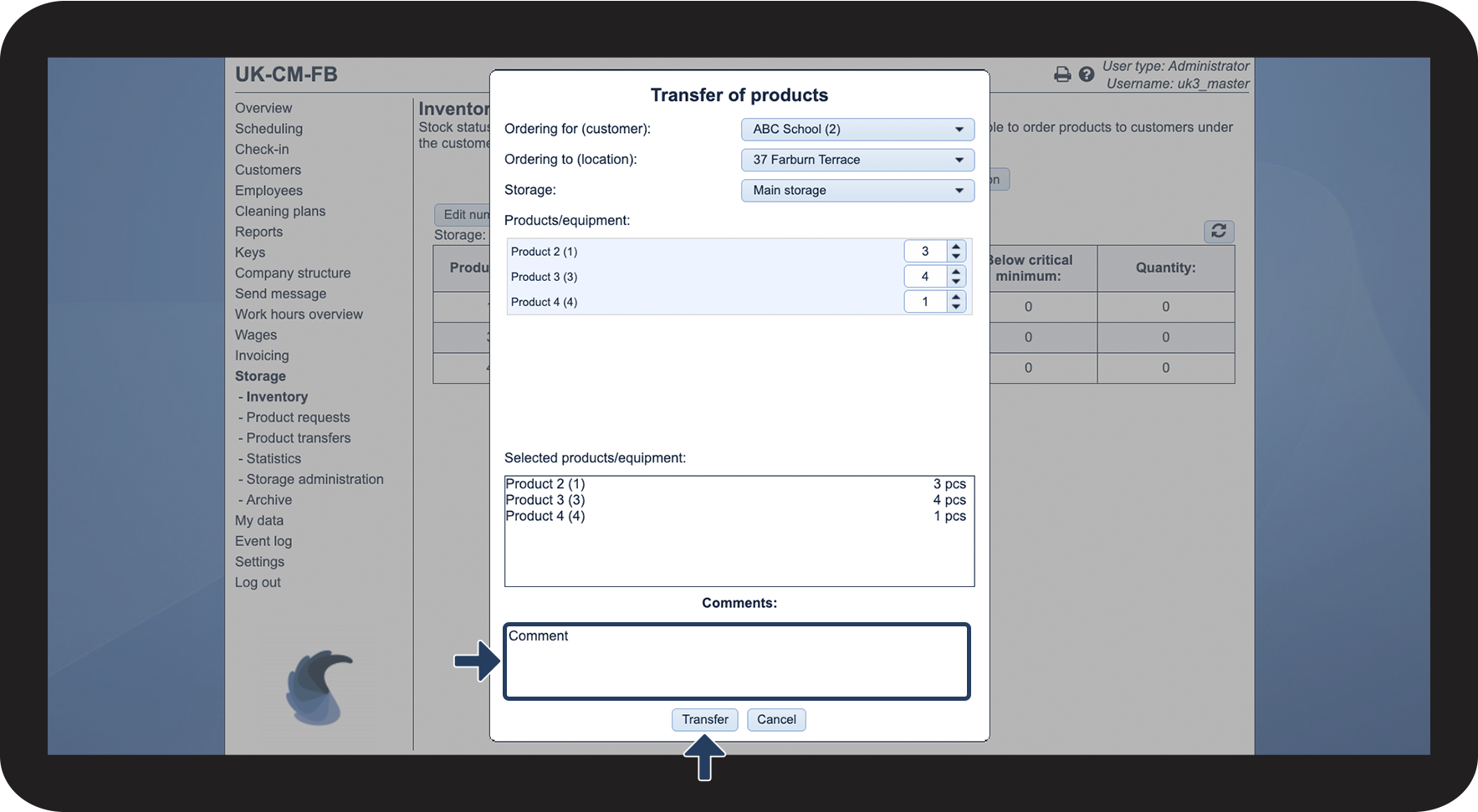
Add a comment if necessary


Thereafter, click on Transfer

2.4.png