Skip to content
English
  • There are no suggestions because the search field is empty.

How do I limit which products can be ordered for a customer?

How do I select which products can be ordered for a customer?

The administrator and supervisors can limit which products can be ordered for individual customers, e.g. if only specific products are allowed at a location.


NOTE:

In order to limit products for a customer, the products must be added to the storage. You can read more about creating products here: Setting up products.


In this article, you will learn how to limit products for a customer:


This is how you limit which products can be ordered for a customer

number_1.png

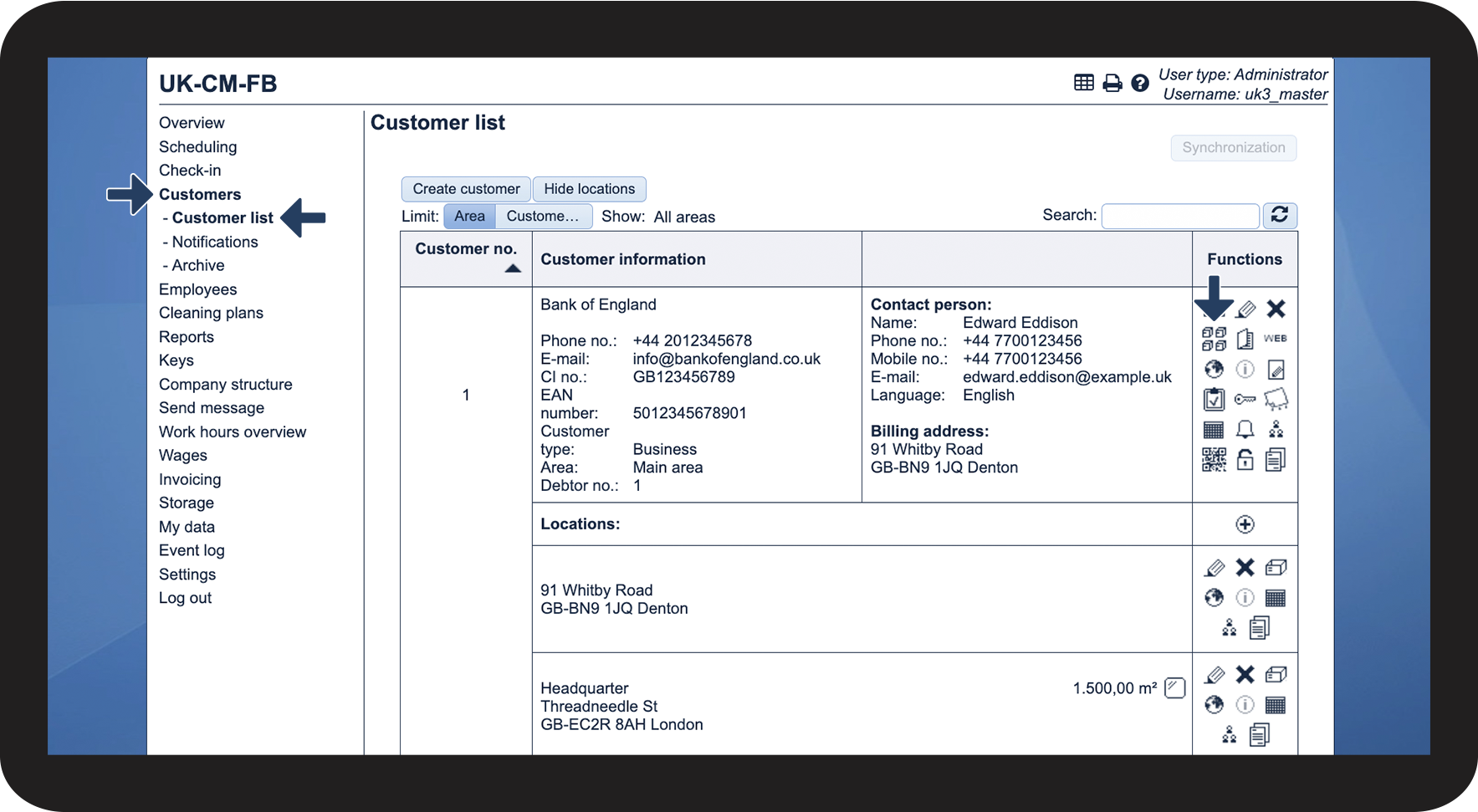
In the menu, go to Customers > Customer list


Click on Choose products that can be ordered for the customer Vælg hvilke produkter der kan bestilles på kunden .png

1.png


number_2.png

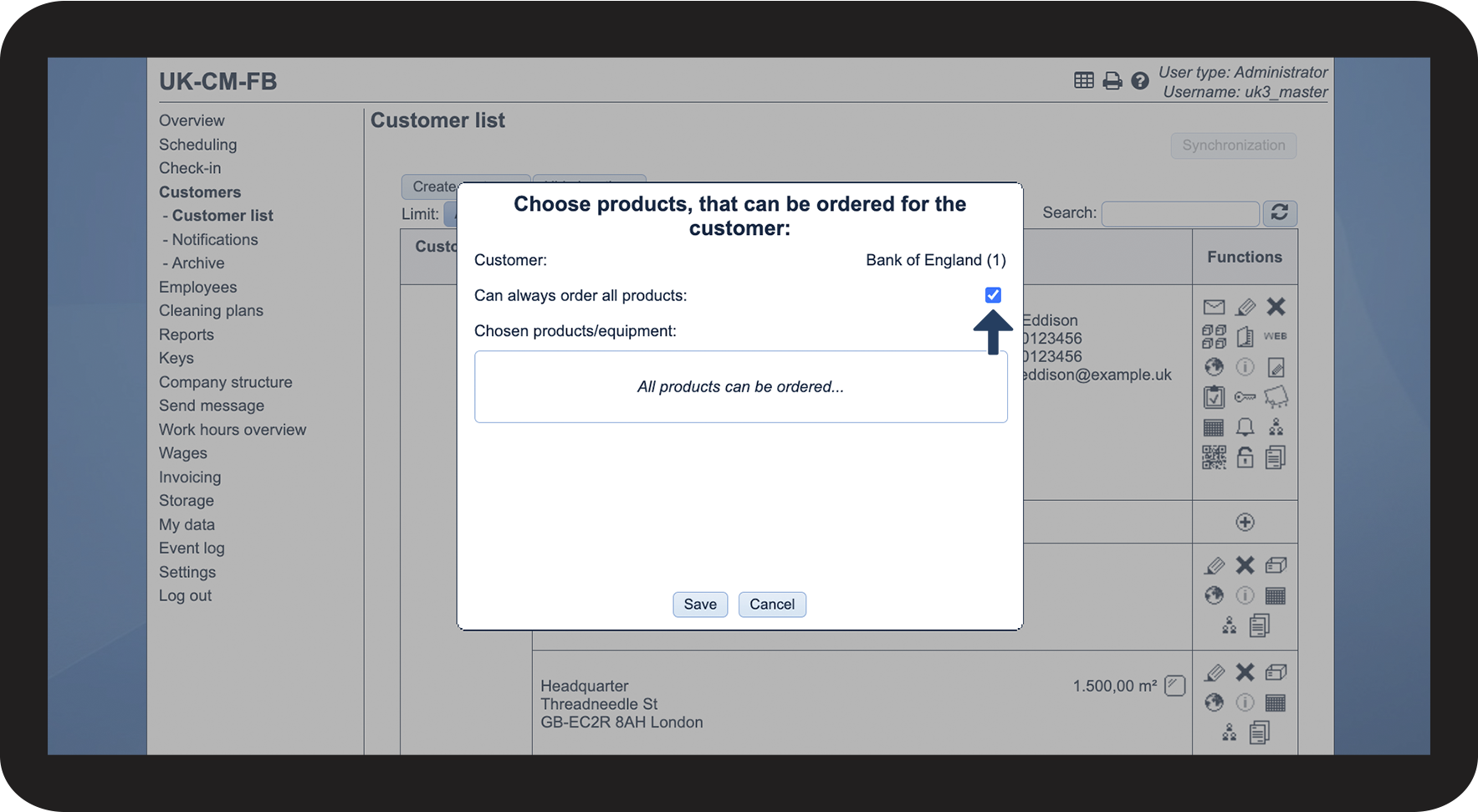
Deselect Can always order all products if all products should not be available for this customer

2.png

number_3.png

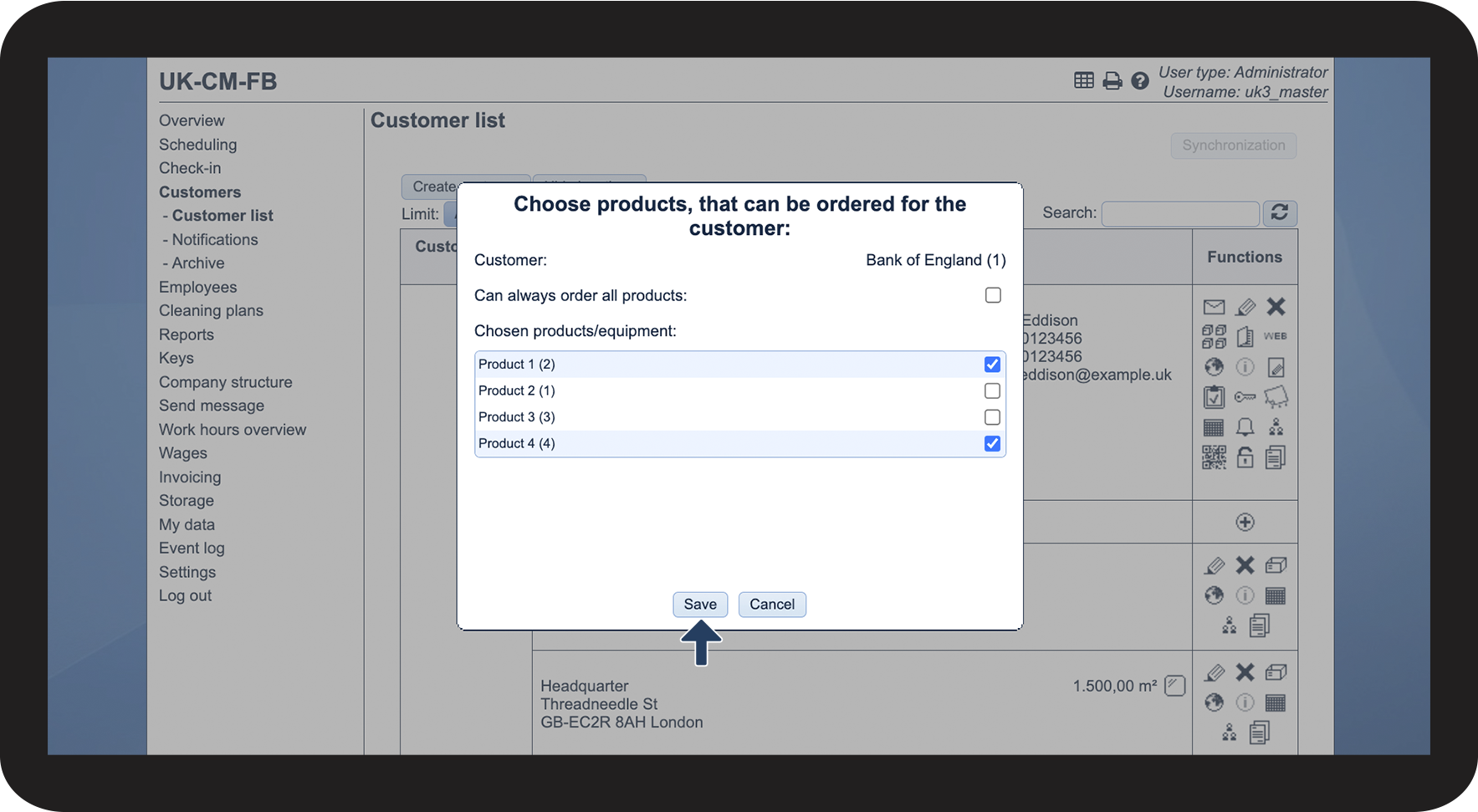
Then, tick off the products that are allowed for this customer


Finally, click on Save

3.png