Skip to content
English
  • There are no suggestions because the search field is empty.

How do I get my iPhone and iPad to remember my password in Safari?

How do I save my password in Safari?

If you have used Safari on your iPhone or iPad to log in to CleanManager and have clicked on Never for This Website when Safari asked you to save the password, you can get your browser to remember your login details by following the steps provided in this guide.


In this article, you will learn:


Saving your password in Safari

number_1.png

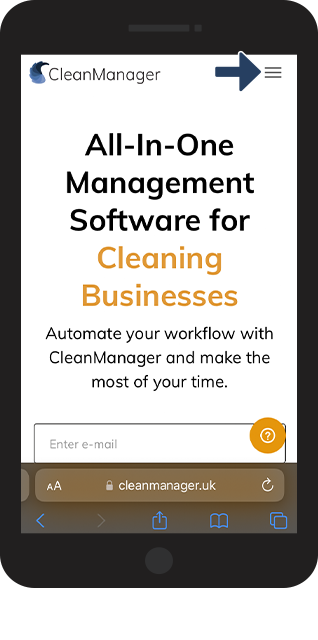
Go to cleanmanager.uk in Safari and continue to Log in

1.png
number_2.png

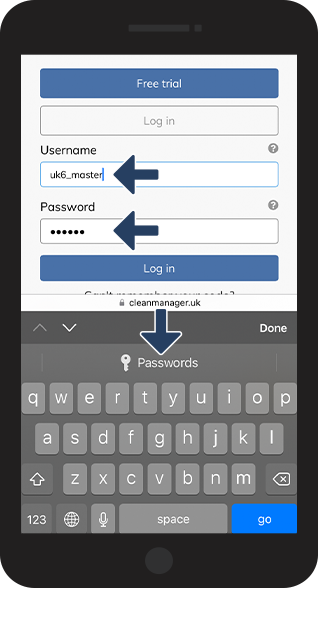
Fill out your Username and Password


Thereafter, click on Passwords

2.png

number_3.png

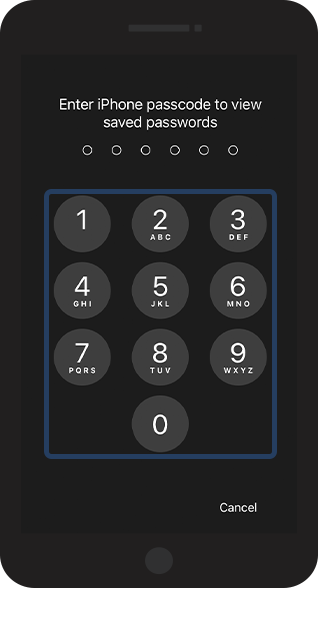
Enter the iPhone passcode (or use Face ID if your phone supports it)

3.png


number 4 copy.png

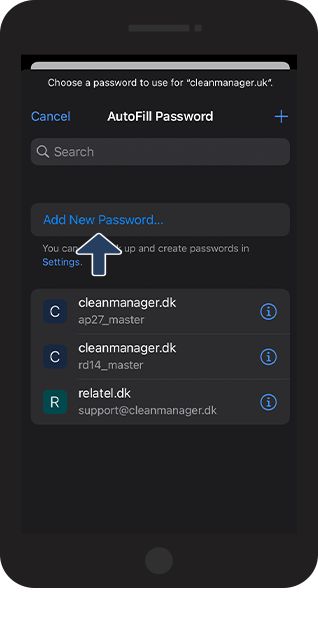
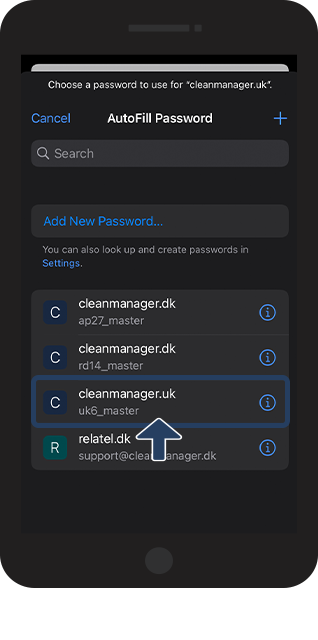
Click on Add New Password...

4.png

number 5 copy.png

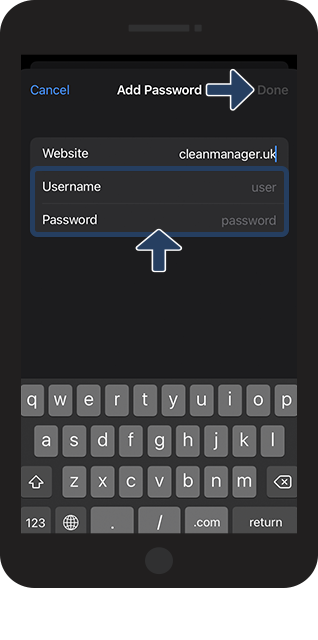
Fill out your Username and Password and finish by clicking on Done

5.png

number 6 copy.png

The password has now been saved on your phone

6.png

number 7 copy.png
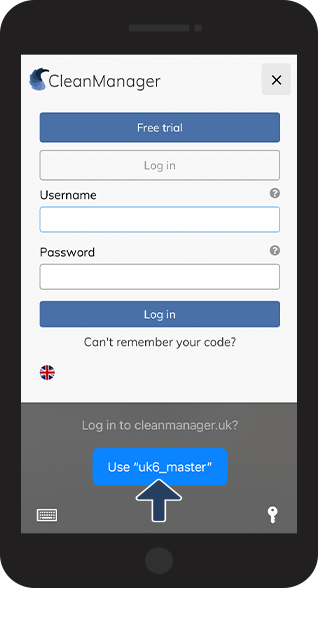
Next time you go to CleanManager, you can click on your username to automatically log in to the system 
7.png