How do I edit the amount of products in the storage?
In this article, you will gain insight into how the administrator and supervisors can edit the number of products so that the storage status reflects your physical storage.
Furthermore, you will gain insight into how the administrator can administrate several storage.
Lastly, you will gain insight into the functions of the different columns and how you can search for products in the storage.
In this article, you will learn how to manage your storage:
This is how you edit the number of products
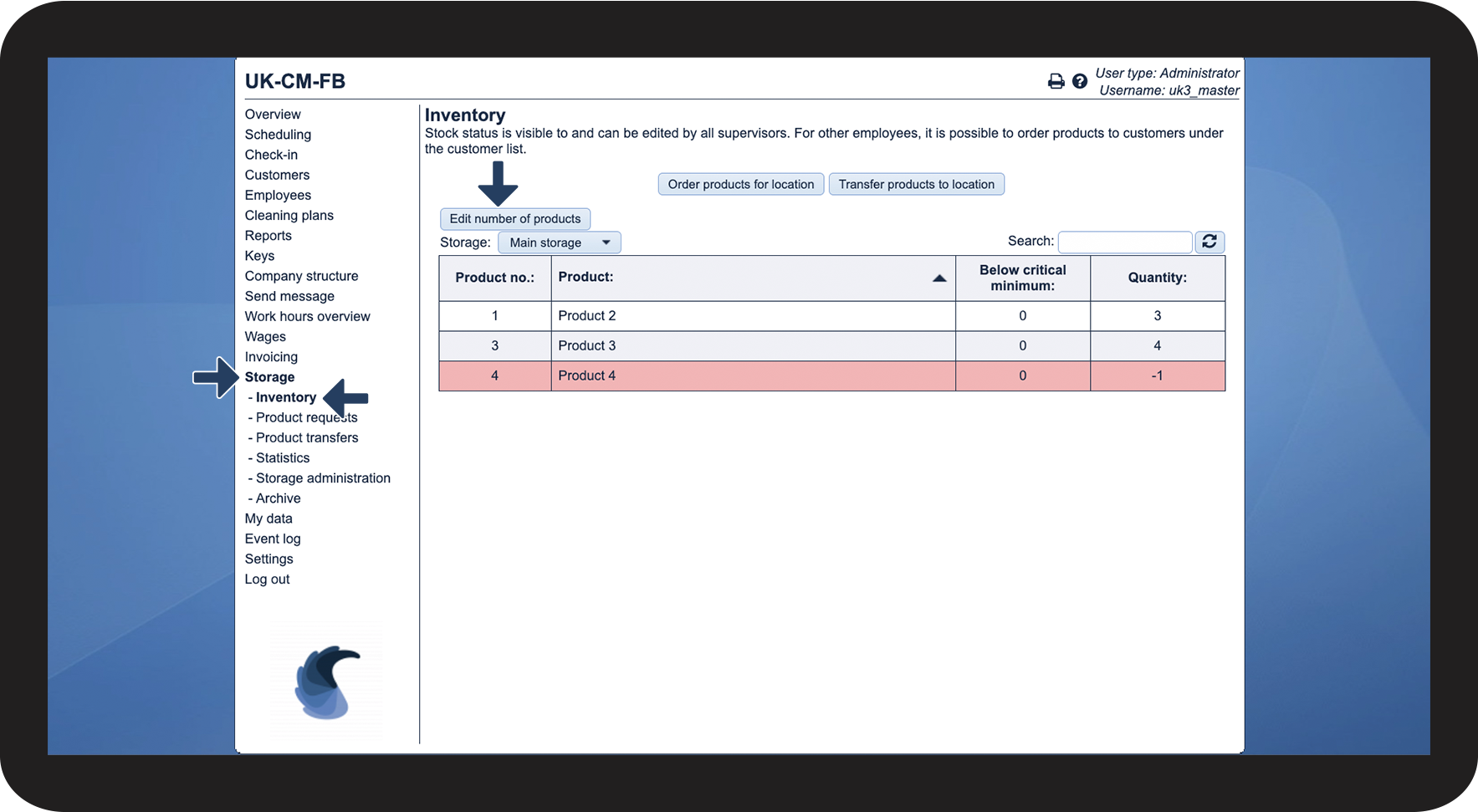
In the menu, go to Storage > Inventory
Thereafter, click on Edit number of products

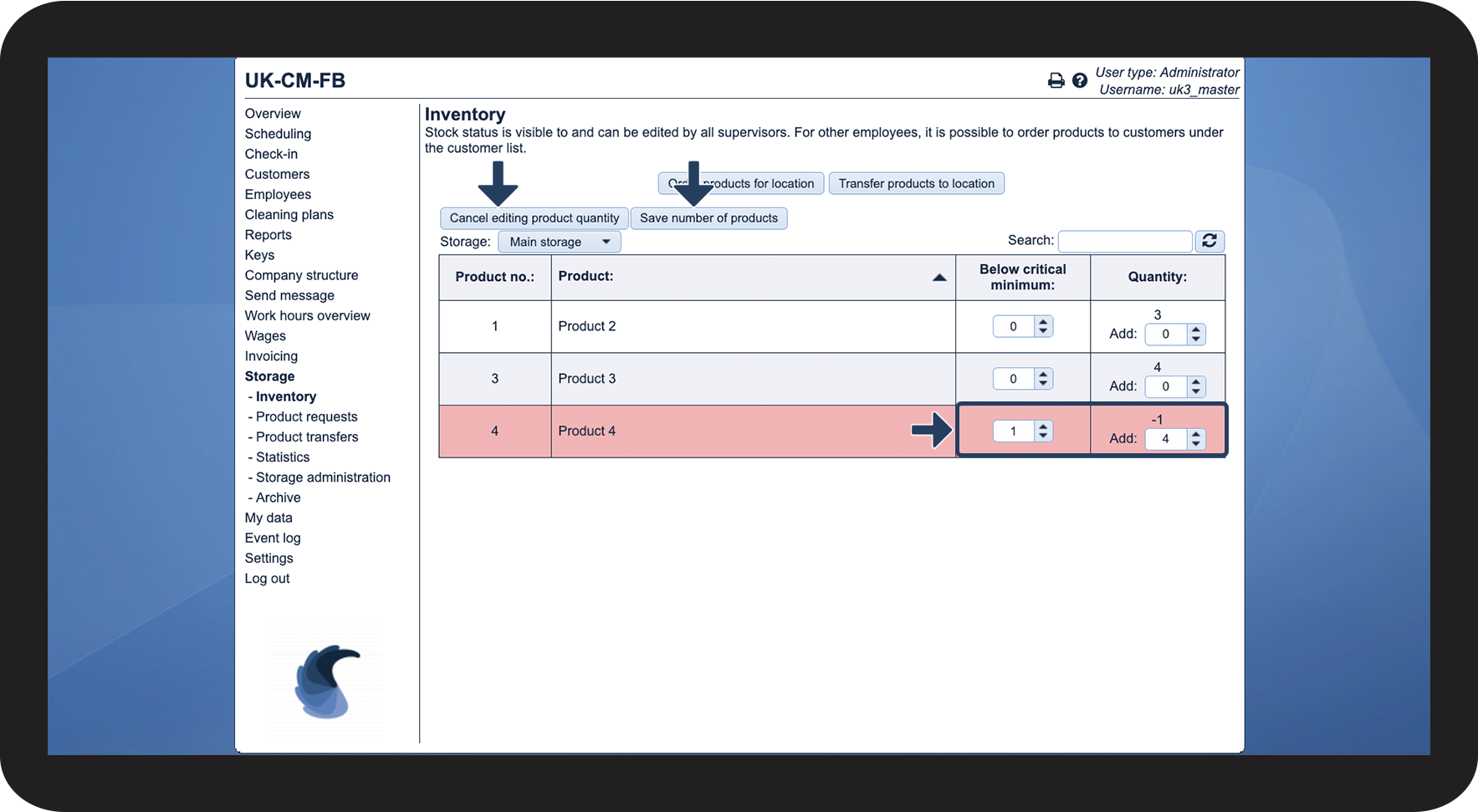
You can adjust the Quantity as well as the amount below critical minimum
Thereafter, click on Save number of products or Cancel editing product quantity

This is how you select a different storage
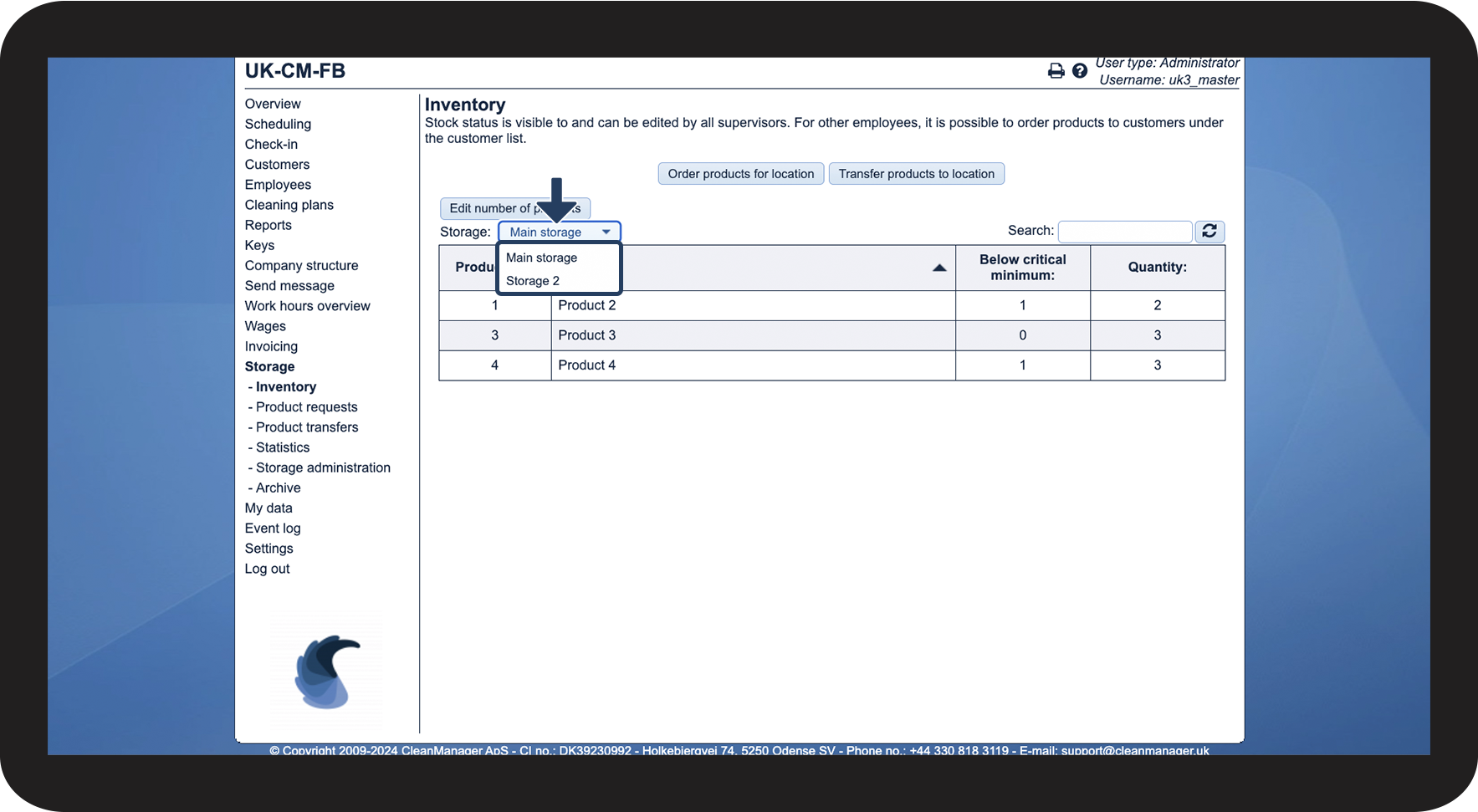
Click on the dropdown menu next to Storage
Thereafter, select which storage you want to see.

This is how you search for elements in your storage
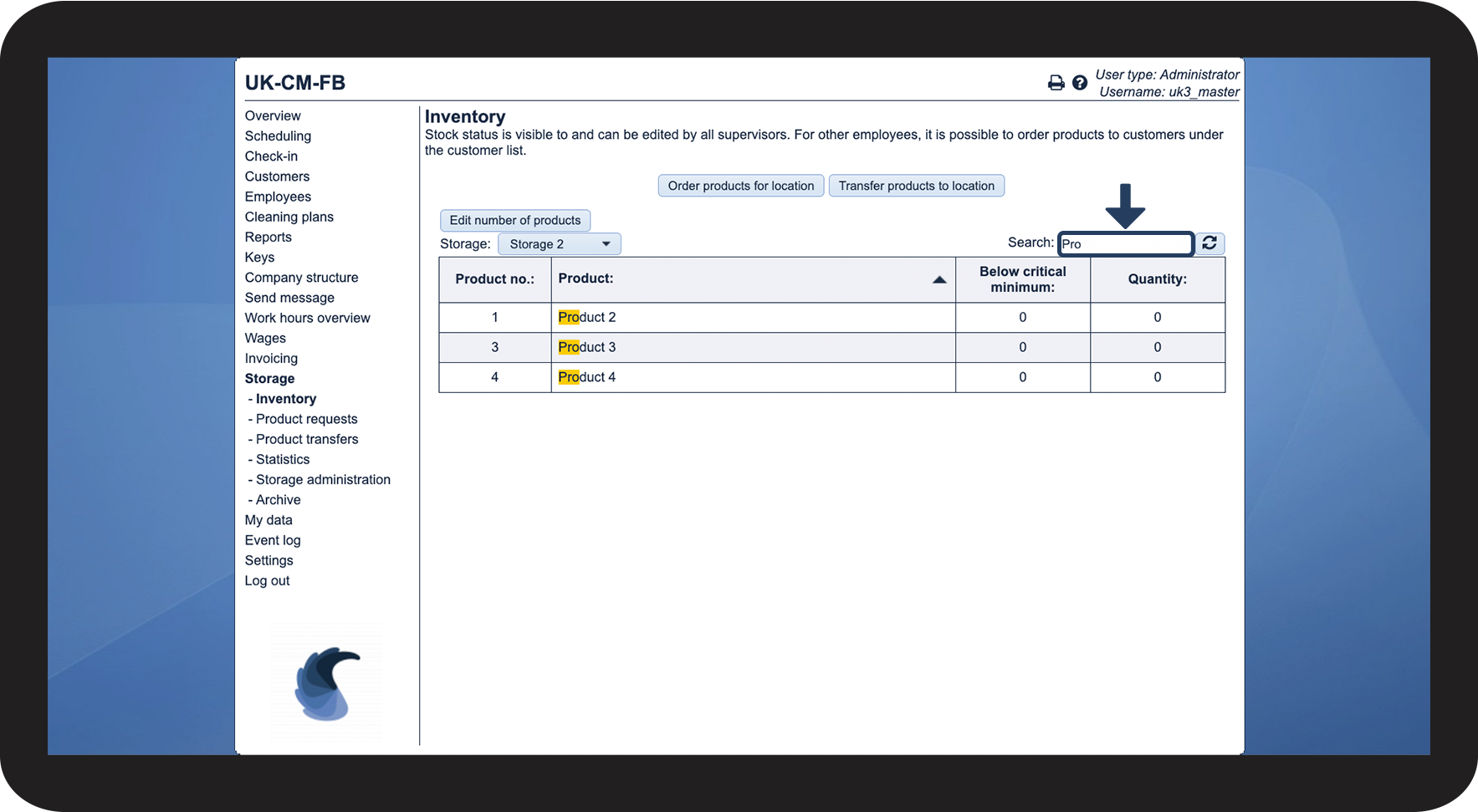
Thereafter, fill in the wanted search word.
You can search for the following things:
- Product number
- Product name
- Below critical minimum
- Quantity

This is what the different columns mean
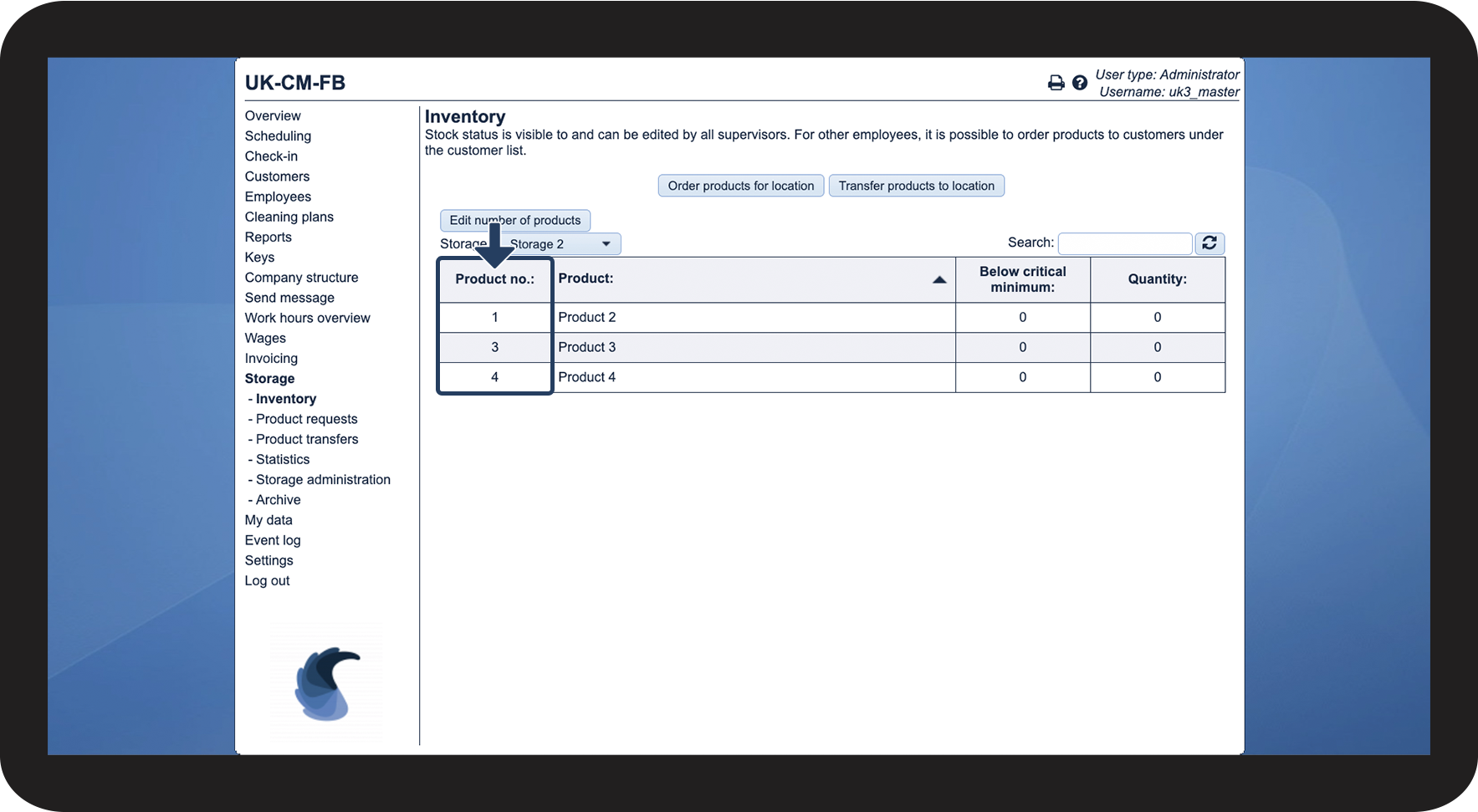
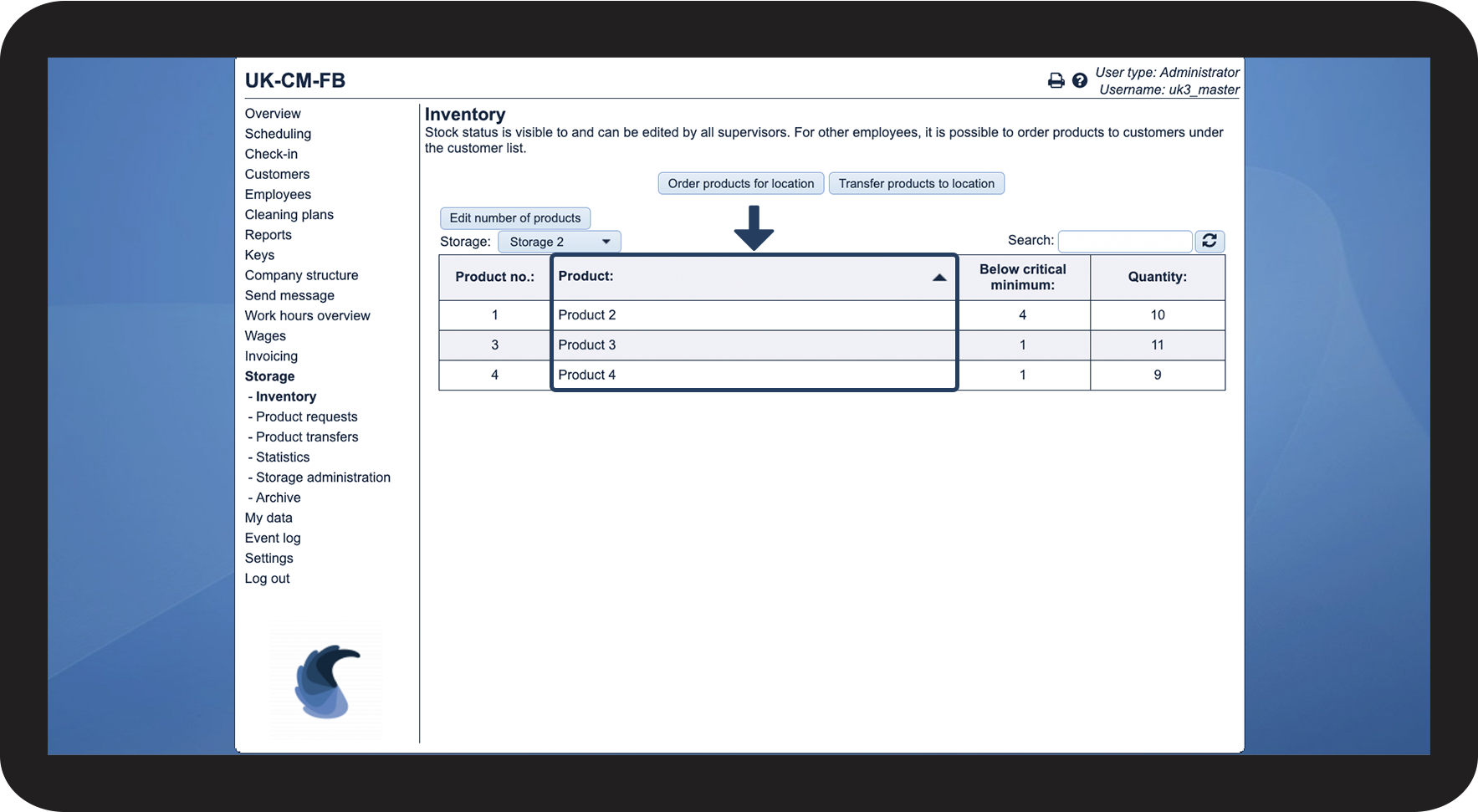
The first column shows the product's product number
Those product numbers are internal since the product/equipment can have a different product number at your supplier.

The product column shows the name, which has been set up under Storage administration

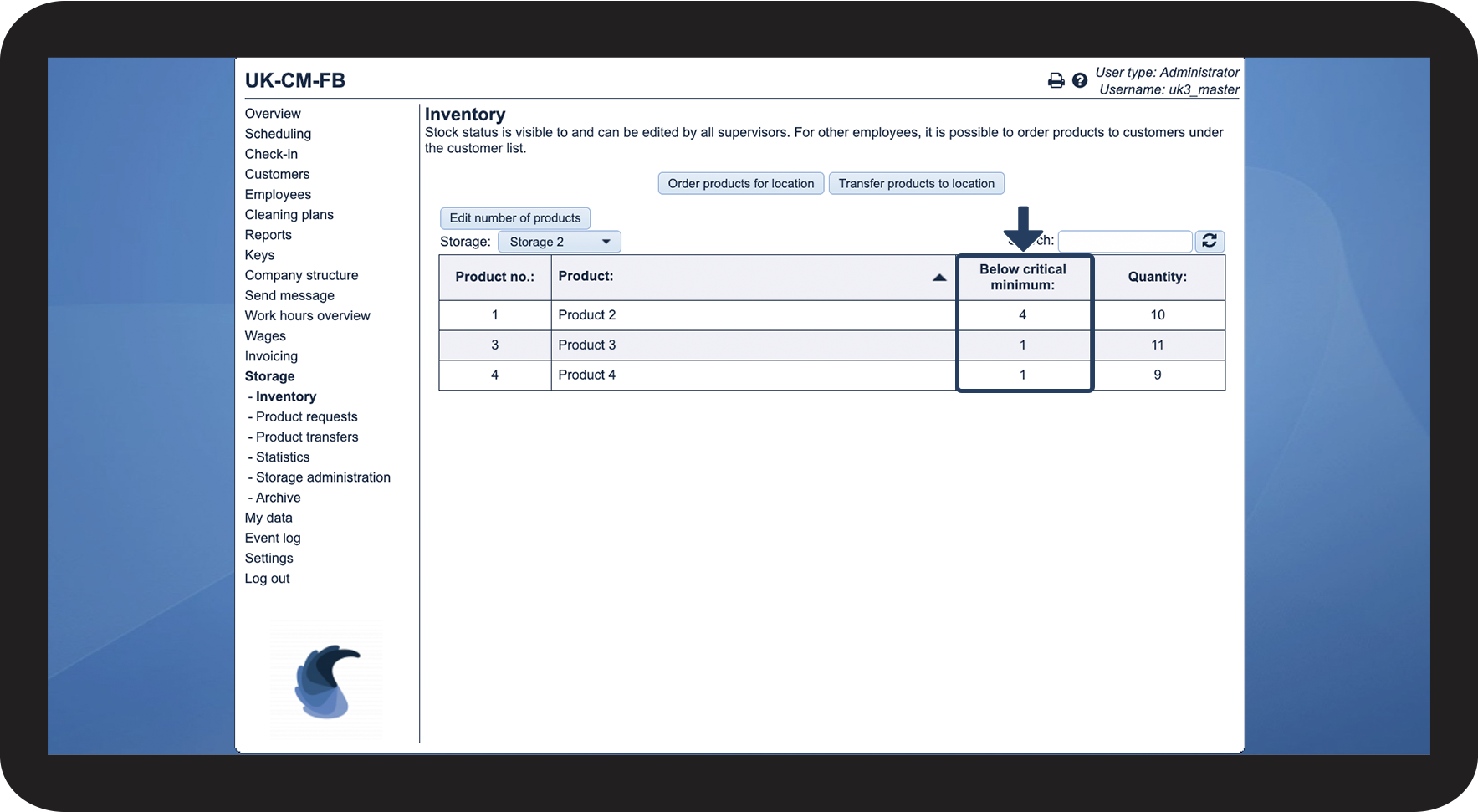
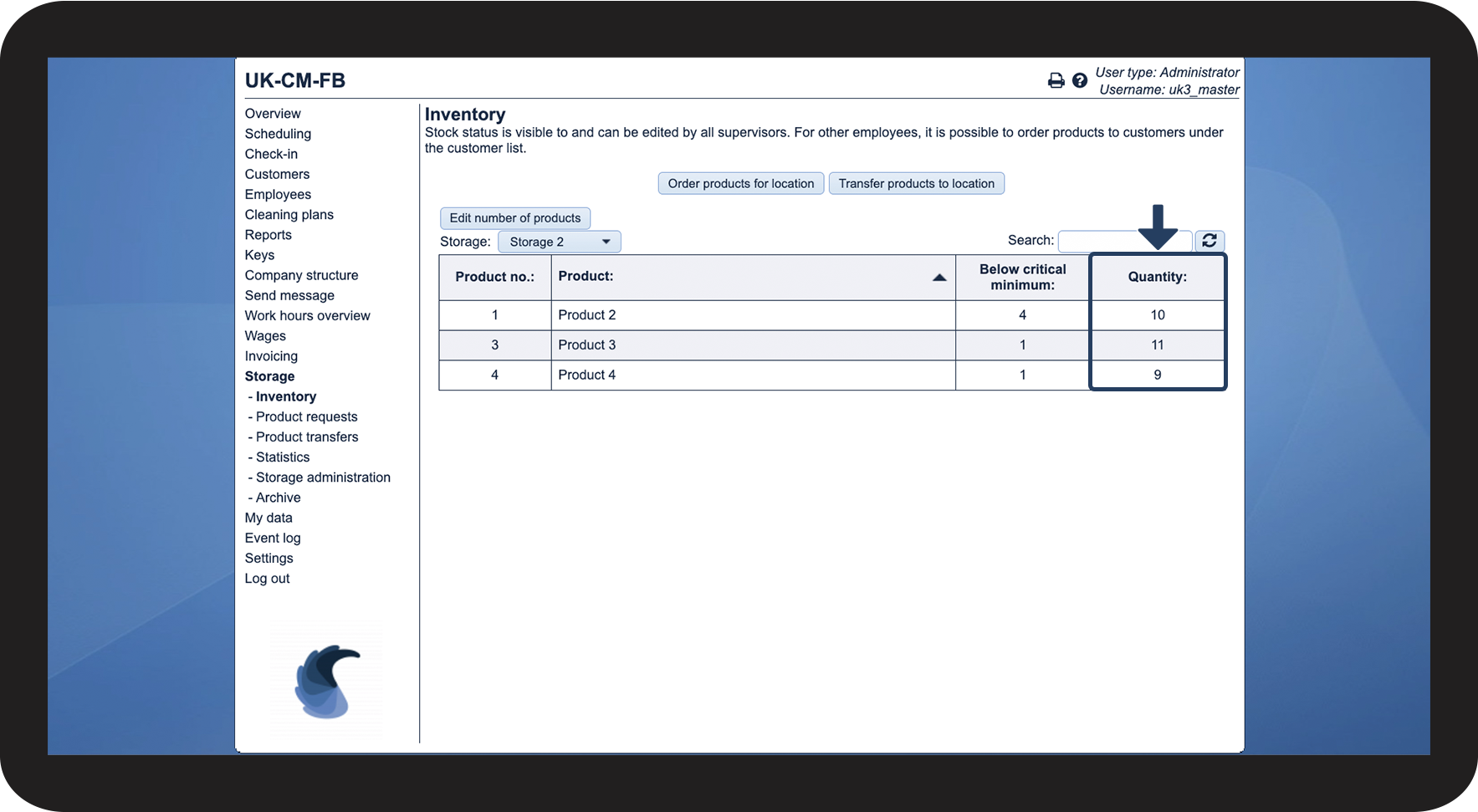
If you would like to receive a notification when the quantity is low, you can set up a critical minimum.
This will result in the storage status lighting up red when the quantity is below the critical minimum.

The quantity shows how much of a product is in storage.
This means that the inventory needs to be kept up to date. You can edit the quantity by following this process: Hvordan redigerer jeg produktantallet?