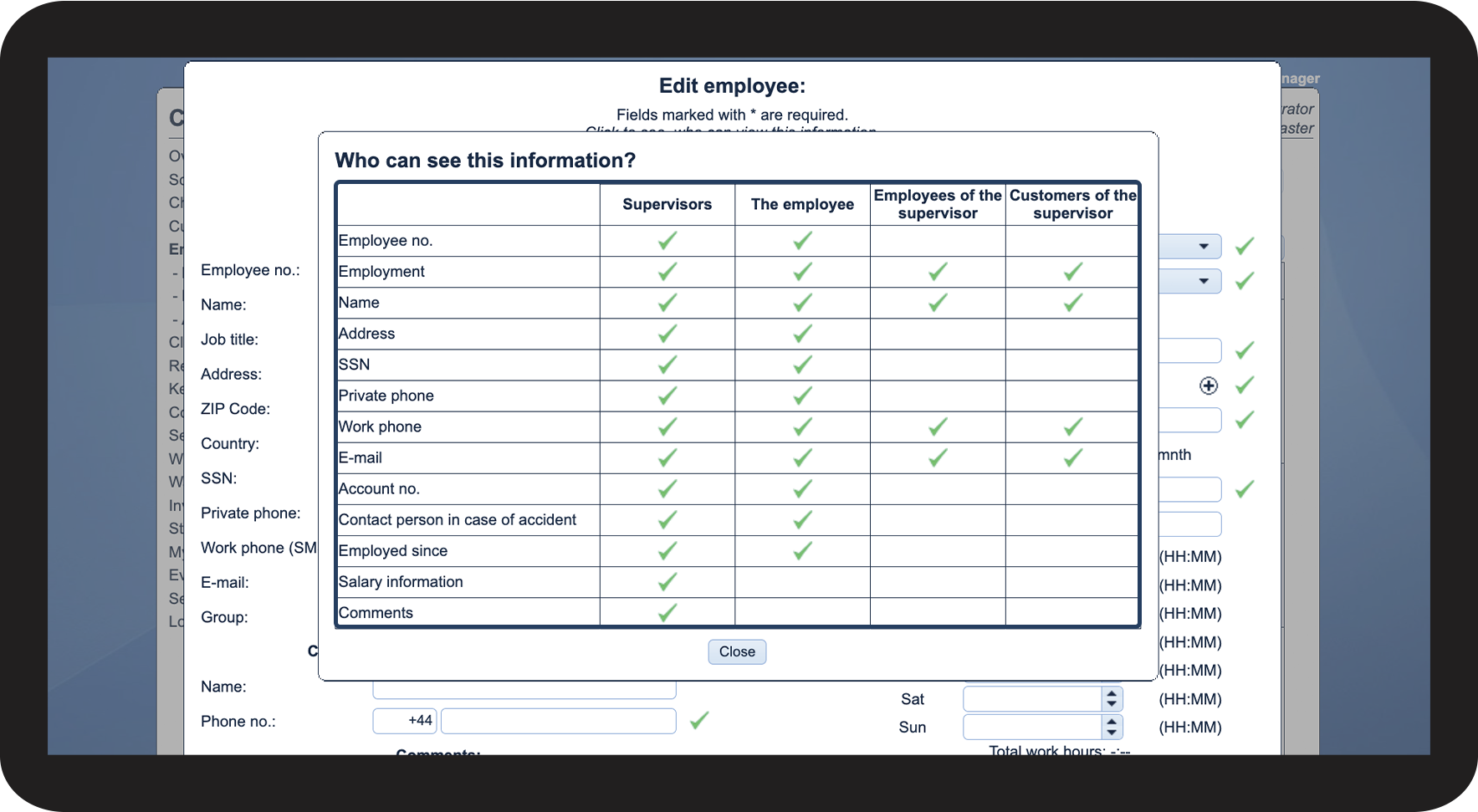
What information can the different user types see about the employees?
As the administrator or a supervisor, you will always have access to all information about the employees.
Employees and customer contacts will have limited access to certain information.
In this article, you will learn what employee data the different user types have access to:
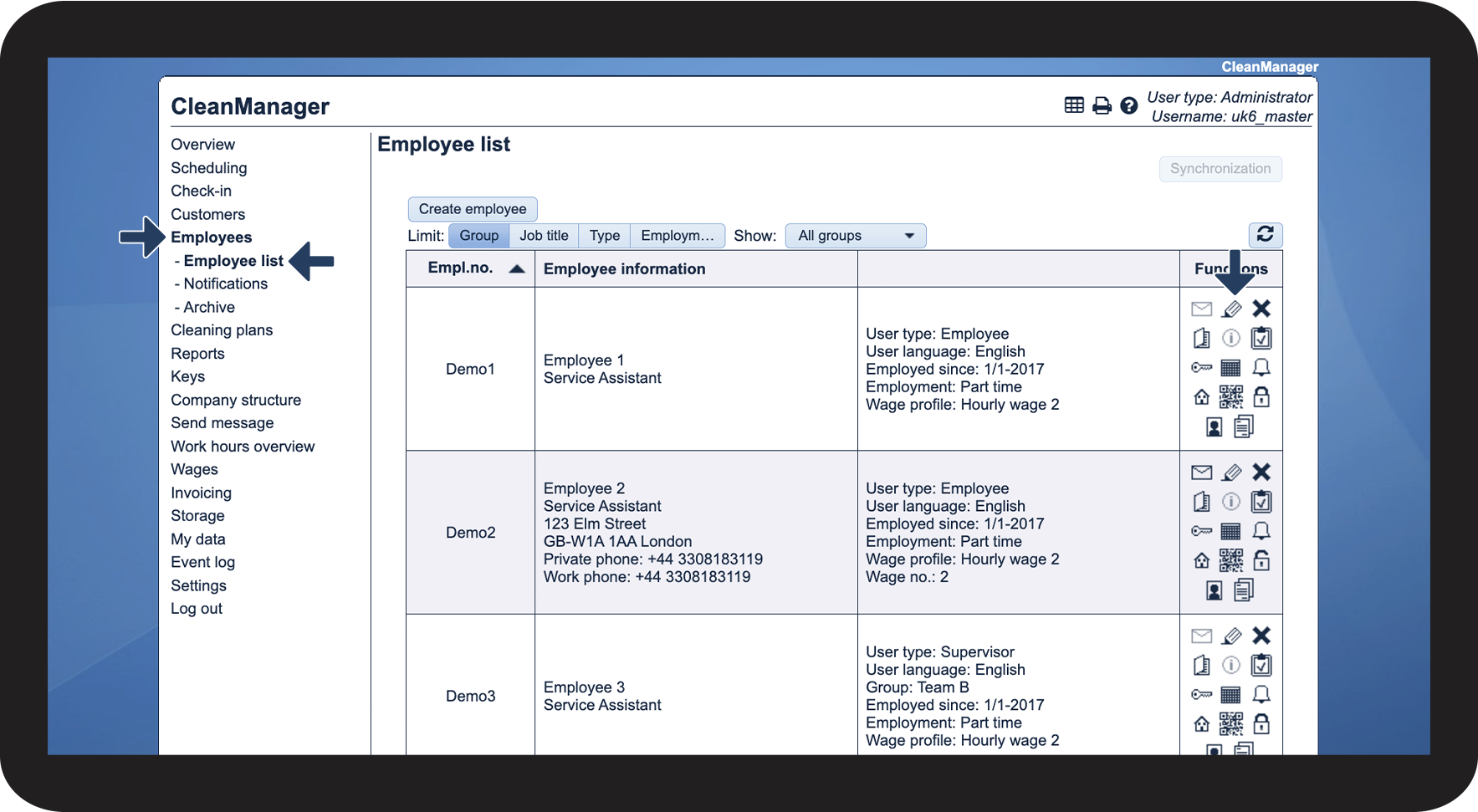
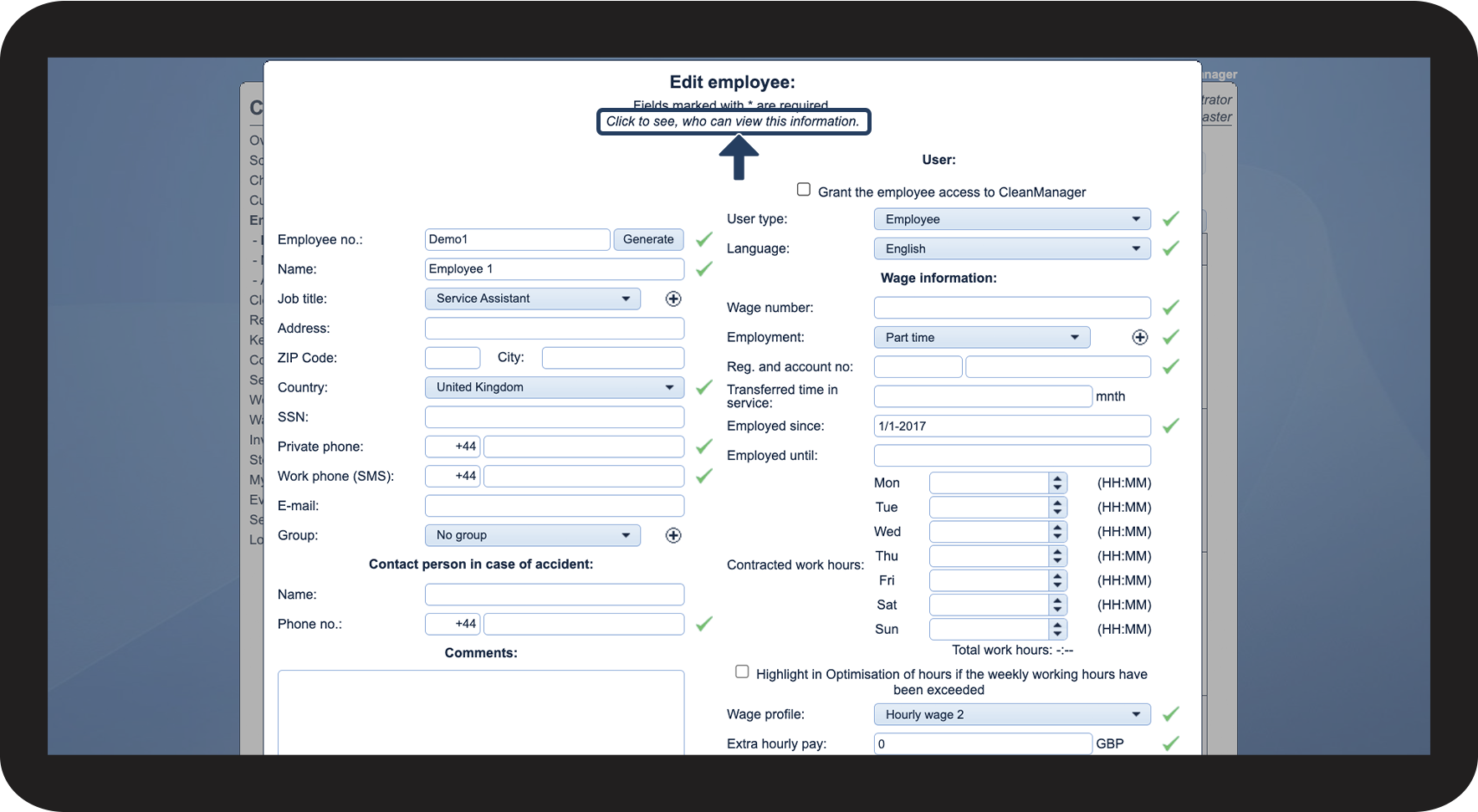
This is where you can see how much information is available to the different user types




INFO:
Employees of the supervisor: This is the information an employee user type can see about supervisors in the menu item Contact details.
Customers of the supervisor This is the information the customer contact can see about supervisors in the menu item Contact details. They can only see the supervisors who have been assigned to the customer area the customer belongs to.