Skip to content
English
  • There are no suggestions because the search field is empty.

How can I see which employees are connected to a customer?

How can I see which employees are connected to a customer?

As the administrator or a supervisor, you can see which employees are connected to a customer. This can be useful for planning tasks and finding available employees to cover shifts.

NOTE:

Supervisors can only see employees connected to a customer for customers within the supervisor's assigned areas. For more information regarding this, go to Company Structure.


In this article, you will learn how you can see which employees are connected to a specific customer:


This is how you see which employees are connected to a customer

number_1.png

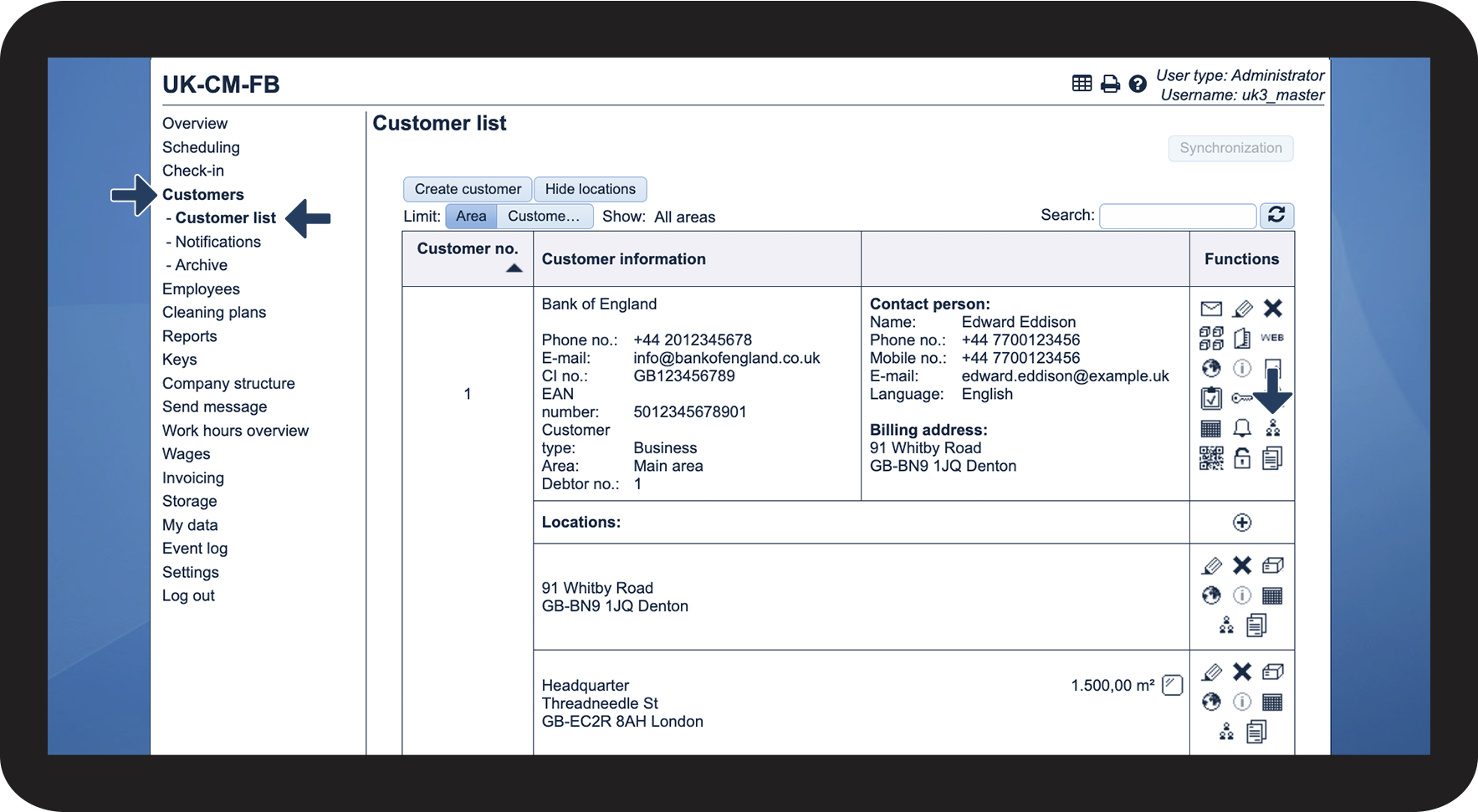
In the menu, go to Customers > Customer list


Then, click on Show associated employeesVis tildelte medarbejdere.png

1.png

number_2.png

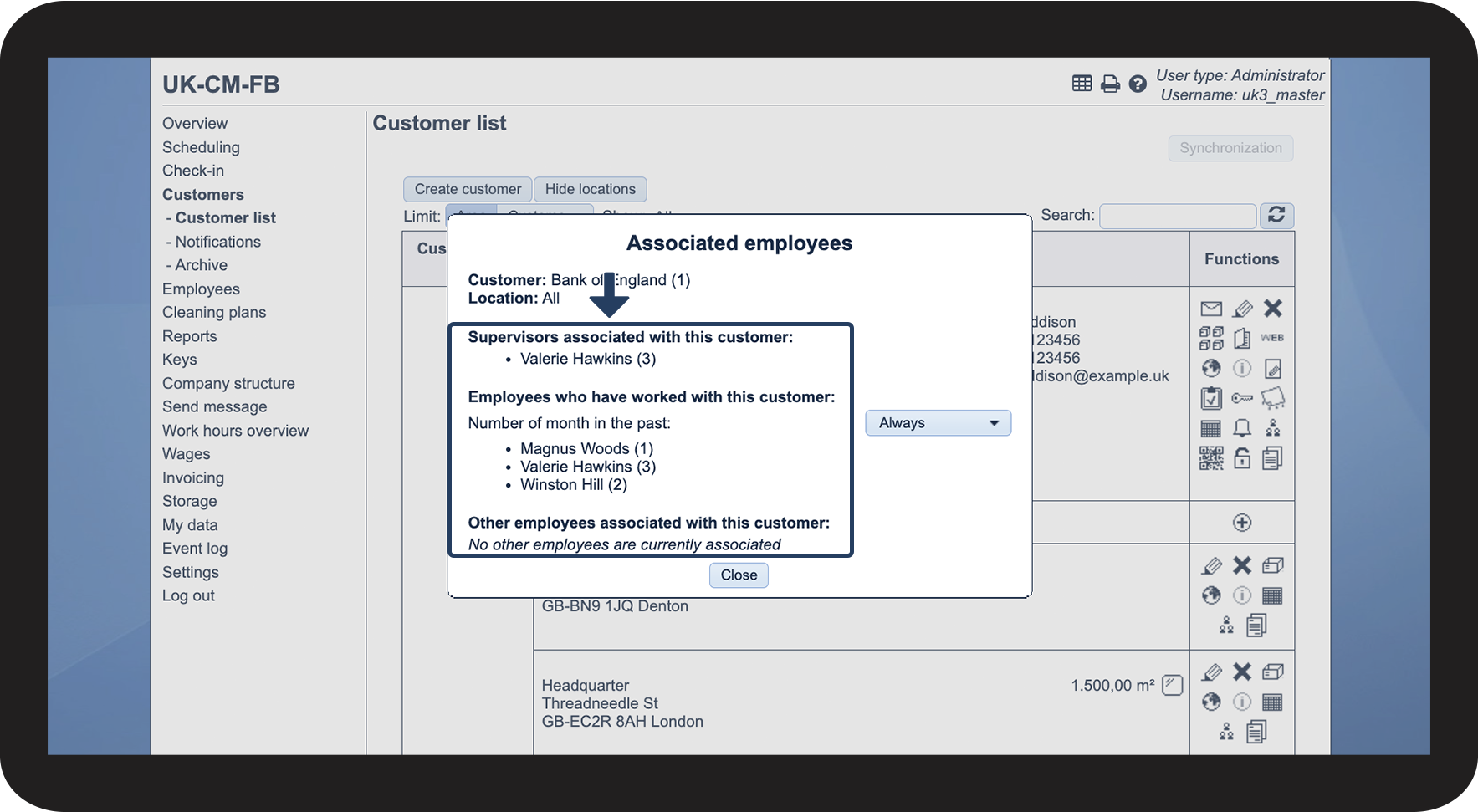
Here, you can see which employees are connected to the customer


You can see the following connections:

  • Supervisors associated with this customer - These are the supervisors that have been assigned to the customer area that the customer belongs to
  • Employees who have worked with this customer - These employees are indirectly connected to the customer, and the connection happens when tasks are planned in the calendar and allocated to an employee
  • Other employees associated with this customer - These employees have been directly connected to the customer through the employee list

2.png


number_3.png

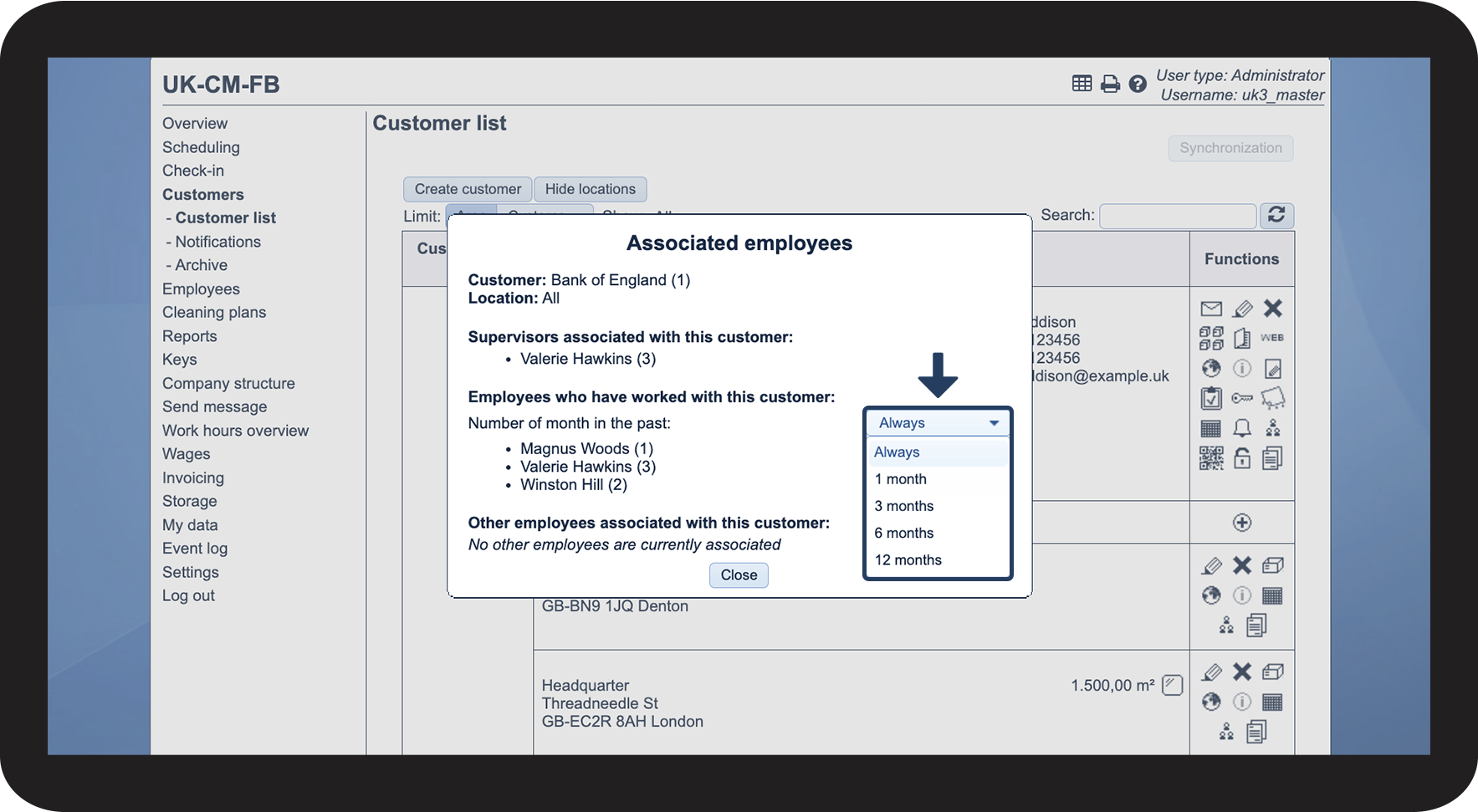
Employees who have worked with this customer


You can filter the view and see which employees have had tasks at the customer for a number of months in the past. You have the following filter options:

 
  • Always
  • 1 month
  • 3 months
  • 6 months
  • 12 months

3.png


Continue to the article Viewing employee workplaces 

Here, you can learn more about your options for assigning customers to employees.