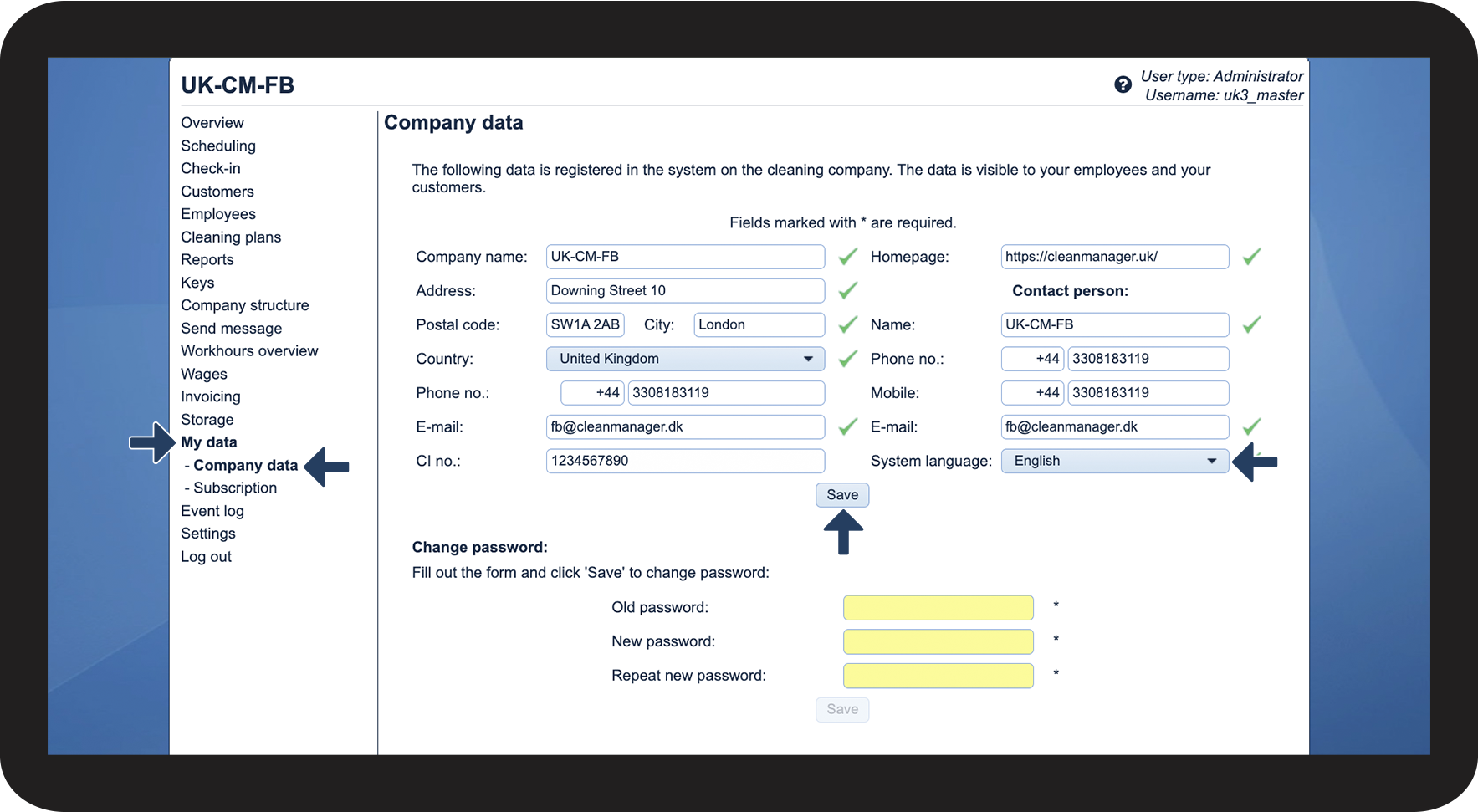
How do I change the language of my administrator account?
As an administrator, you have the option to change the language of your account.
The set language in the system will also be the standardized language for all new employees and customers that are set up in the system.
Therefore, if you want to change the language of all accounts at once, you need to change the language for each employee and customer individually.
You can choose between Danish, German, and English.
Note:
When changing the language in CleanManager in the web system, you do not change the language in the app.
If you would like to change the language in the app, go to the article: Language settings
INFO:
Language settings decide in which language the textual content in CleanManager is shown.
All standardized texts in SMS and E-mails are being sent in the selected language.
However, the texts you write yourself and, e.g., cleaning types will not be translated.
Automated messages that are being sent to employees and customers are based on the language settings of the individual employee and customer.
In this article, you will learn how to change the system language of the administrator account:
This is how you change the language of your administrator account